Skip to content
| Marketplace
Sign in
Visual Studio Code>Other>Tide PetsNew to Visual Studio Code? Get it now.
Tide Pets

Tide Pets

Chelayel

|
1 install
| (0) | Free
Sea creatures that live in your Explorer and react to what you do: they swim faster while you type, celebrate saves, commits and passing tests, notice the terminal and your AI assistant, eat the curly braces you feed them, and nap when you're away.
Installation
Launch VS Code Quick Open (Ctrl+P), paste the following command, and press enter.
Copied to clipboard
More Info

Tide Pets

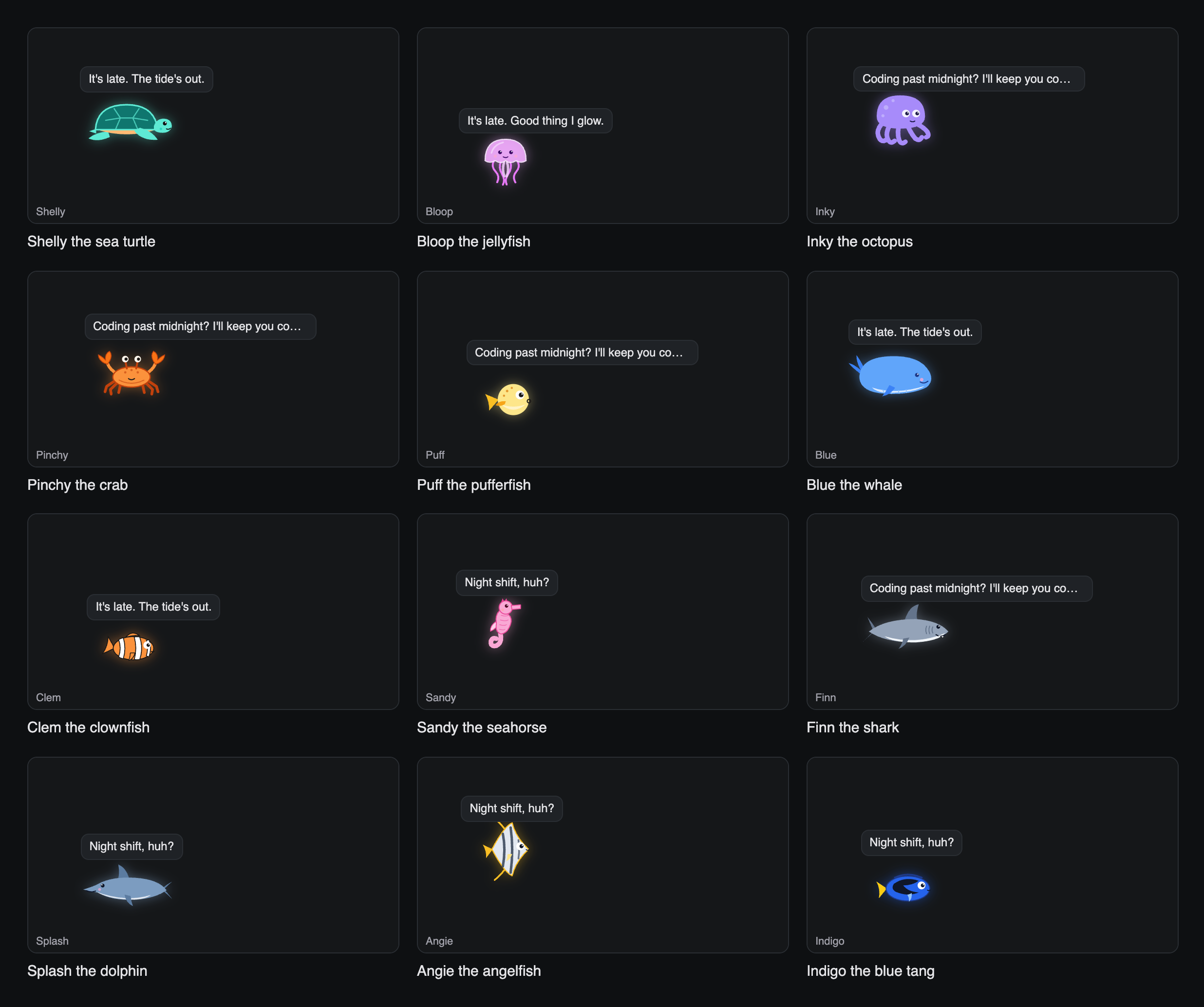
A sea creature lives in a Tide Pets panel in your Explorer and reacts to what you're doing. Pick one: Shelly the sea turtle, Bloop the jellyfish, Inky the octopus, Pinchy the crab, Puff the pufferfish, Blue the whale, Clem the clownfish, Sandy the seahorse, Finn the shark, Splash the dolphin, Angie the angelfish or Indigo the blue tang.

The twelve pets

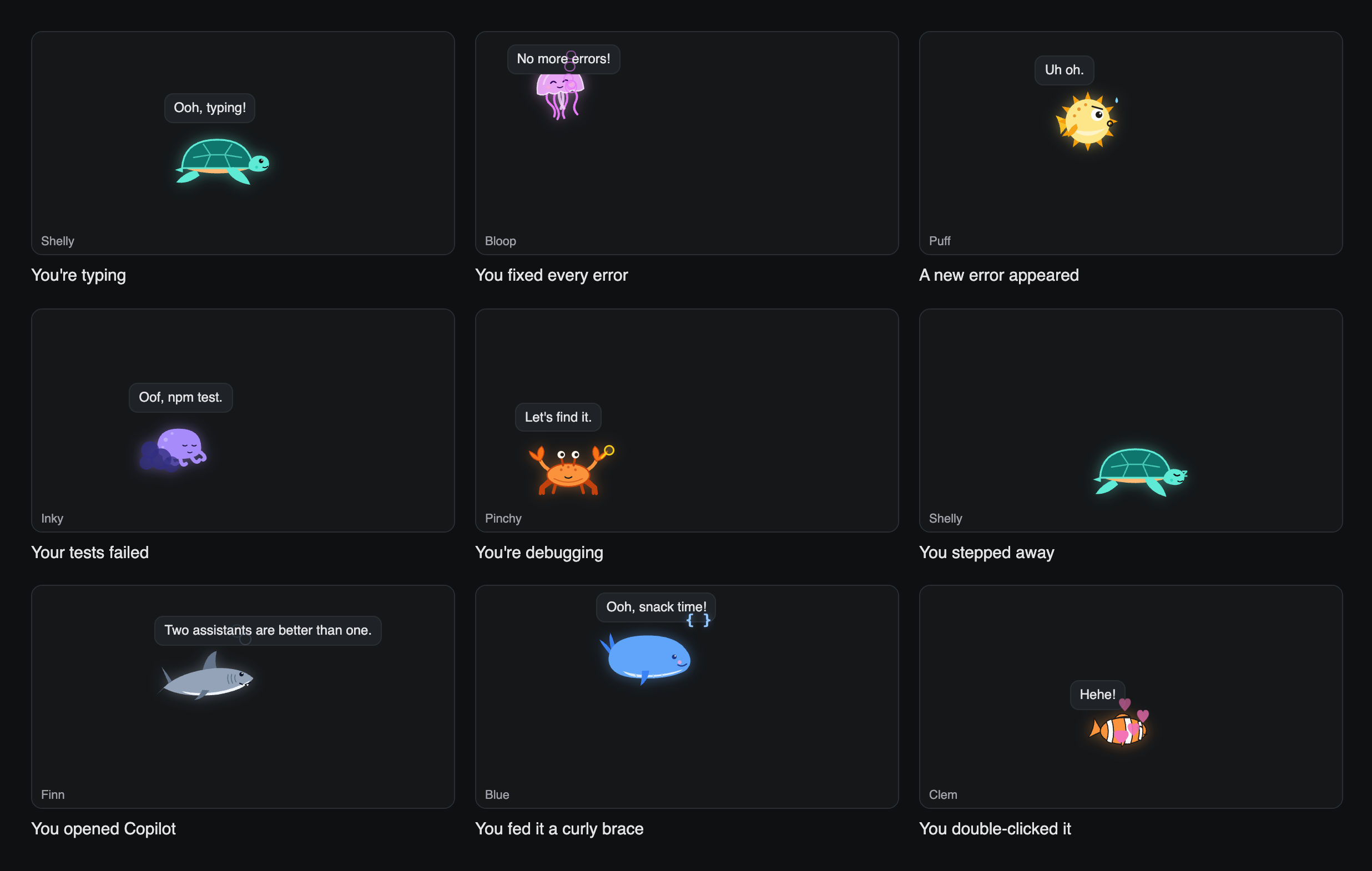
  • Typing: swims faster
  • Saving: does a happy loop and blows bubbles
  • New errors in the open file: looks worried, and hides when several appear at once (Inky inks, Puff puffs up)
  • All errors fixed: celebrates
  • Tasks: cheers when one passes, hides when one fails
  • Debugging: brings out a magnifying glass
  • Switching files: looks around
  • Away for 3 minutes: naps
  • Running the app, builds, tests: "It's alive!", "Compiling, hold on.", "Fingers crossed!"
  • The terminal: notices when you open it, and reacts to git push, installs, tests and risky commands like rm -rf
  • Copilot: notices AI edits and big blocks of code appearing at once
  • Commits and branches: celebrates a commit, notices a new branch
  • Late nights, mornings, long sessions: says so, and suggests a stretch
  • Clicked / double-clicked: does a spin / shows hearts

Feed it: click the ♥ on the panel (or Tide Pets: Feed Pet) and a { }, [ ], ( ), < > or ; sinks down for your pet to eat. Every 20th { you type drops a crumb too.

Pets reacting to typing, fixed errors, a new error, failed tests, debugging and being left alone

Choose, show or hide

  • Command Palette → Tide Pets: Choose Pet, Feed Pet, Toggle Pet, Show Pet or Hide Pet
  • The buttons on the panel's title bar
  • The settings below

Settings

Setting Default
tidePets.enabled true Show the pet in the Explorer
tidePets.pet "turtle" turtle, jellyfish, octopus, crab, pufferfish, whale, clownfish, seahorse, shark, dolphin, angelfish or tang
tidePets.name "" Your pet's name; empty for its own (Shelly, Bloop, Inky, Pinchy, Puff, Blue, Clem, Sandy, Finn, Splash, Angie or Indigo)

Made to go with the Midnight Tide theme, and works with any theme. In JetBrains IDEs the pet floats along the bottom of the editor.

License

MIT. Built by Chelayel. Source: github.com/Chelayel/tide-pets.

  • Contact us
  • Jobs
  • Privacy
  • Manage cookies
  • Terms of use
  • Trademarks
  • Your Privacy Choices
  • Consumer Health Privacy
© 2026 Microsoft