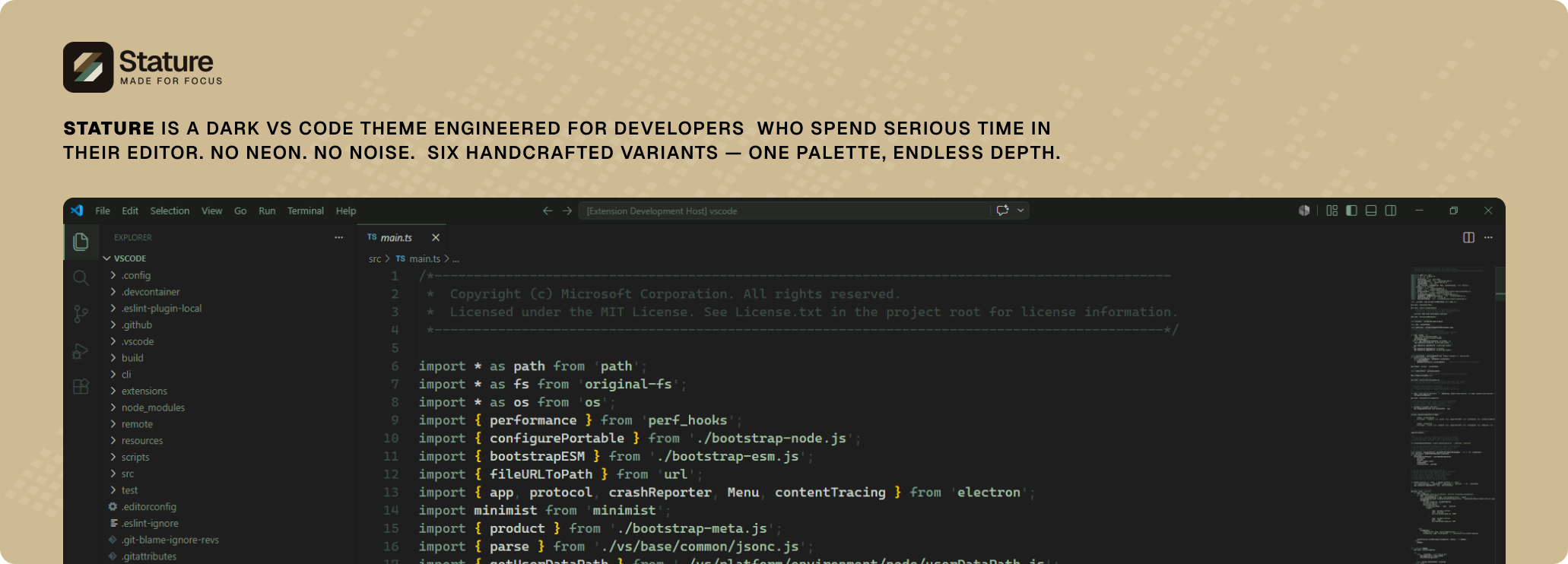
Stature ThemeStature is a mature, minimal dark theme engineered for focus and long coding sessions. Built on a monochromatic dark green-grey palette — no neon, no noise. Every color earns its place. Syntax is readable without being loud. The interface recedes so your code can breathe. Inspired by quiet forests a Installation Launch VS Code Quick Open ( Ctrl+P), paste the following command, and press enter.Copied to clipboard |

StatureA dark VS Code theme built for long sessions. No neon. No decoration for its own sake. The interface recedes so your code can breathe. Stature is built on a monochromatic dark green-grey palette — the color of old forests and quiet terminals. Every color was chosen with one question: does this earn its place? VariantsSix variants. One palette. Pick your depth.
Color SystemThe entire theme is built on three scales. Nothing exists outside them. Backgrounds Accents Text One warm deviation: Syntax PhilosophyComments are dim. They recede. Keywords are green. They structure. Strings are lighter. They carry content. Numbers are amber. They stand apart. Functions are near-white. They are the work. Punctuation is near-invisible. It is the scaffolding. No token shouts. Differentiation comes from hue and weight — not saturation. InstallationFrom Marketplace:
Search From VSIX: Activate: By the NumbersLicenseMIT © Ch. Abdul Wahab Stature doesn't try to impress you in the first five minutes. It earns your trust over five hours. |