VSC A11Y
About us
This is a project made by Filip, Leon and Mateo.
We are from a Croatian informatics and robotics club called C.H.A.O.S. Josipovac.
What it's about
A11Y is an abbreviation for accessibility beacuse there are 11 letters between a and y.
Its a VS Code accessibility extension with daltonism-friendly themes, customizable syntax highlighting, and readability improvements for low-vision users.
Our project offers the following:
| Feature |
Explanation |
| Daltonist-friendly syntax highlighting |
highlights errors and warnings with adjustable colors |
| Daltonist-friendly themes |
Built-in color themes for most common types of daltonists |
| Adjustable minimum terminal font size |
QOL feature so you dont have to dig around in vsc settings |
Showcase
Daltonist themes showcase
The exstension includes both dark and light themes.
Here we'll only showcase the dark ones in pictures.
The syntax highlighting does NOT change with the selected theme.
Normal - for people who dont have daltonism
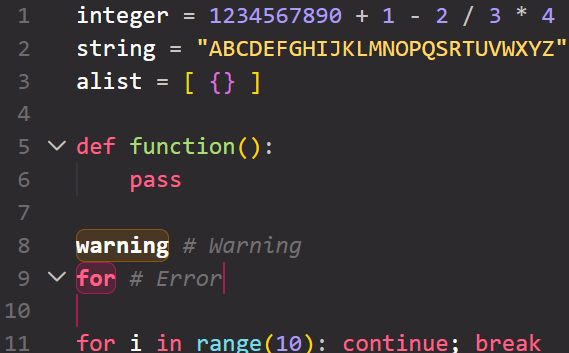
Deuteranopia - red/green and yellow/brown confusion
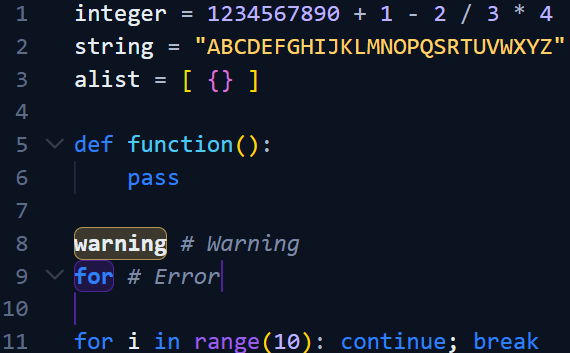
Protanopia - confusing a lot of colors with red
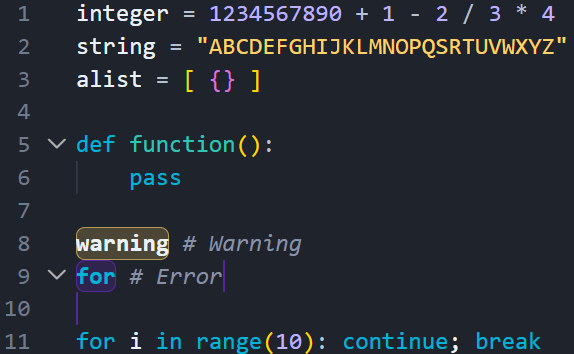
Tritanopia - blue/green and yellow/violet confusion
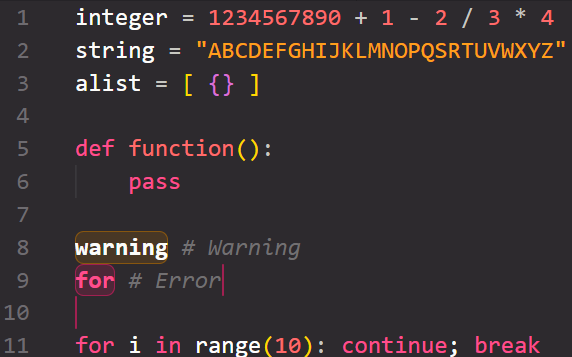
Gif showcasing most functionalities
(zamisli da je ovdje gif koij sve showcase-a)
How to install
Just simply install the exstension.
Its plug-n-play!
How to use
When you install the exstension you immediately get the themes with it.
The syntax highlighting is also enabled immediately and you get a new sidebar window to adjust the colors.
The same window is where you can adjust the minimum terminal font size.
Versions
| Version |
Added |
| v1 |
Syntax highlighting, themes, window to adjust syntax higlighting color |
| v2 |
Minimum terminal font size, readme, published the exstension, Ishihara test |

