IFC Viewer for VS Code
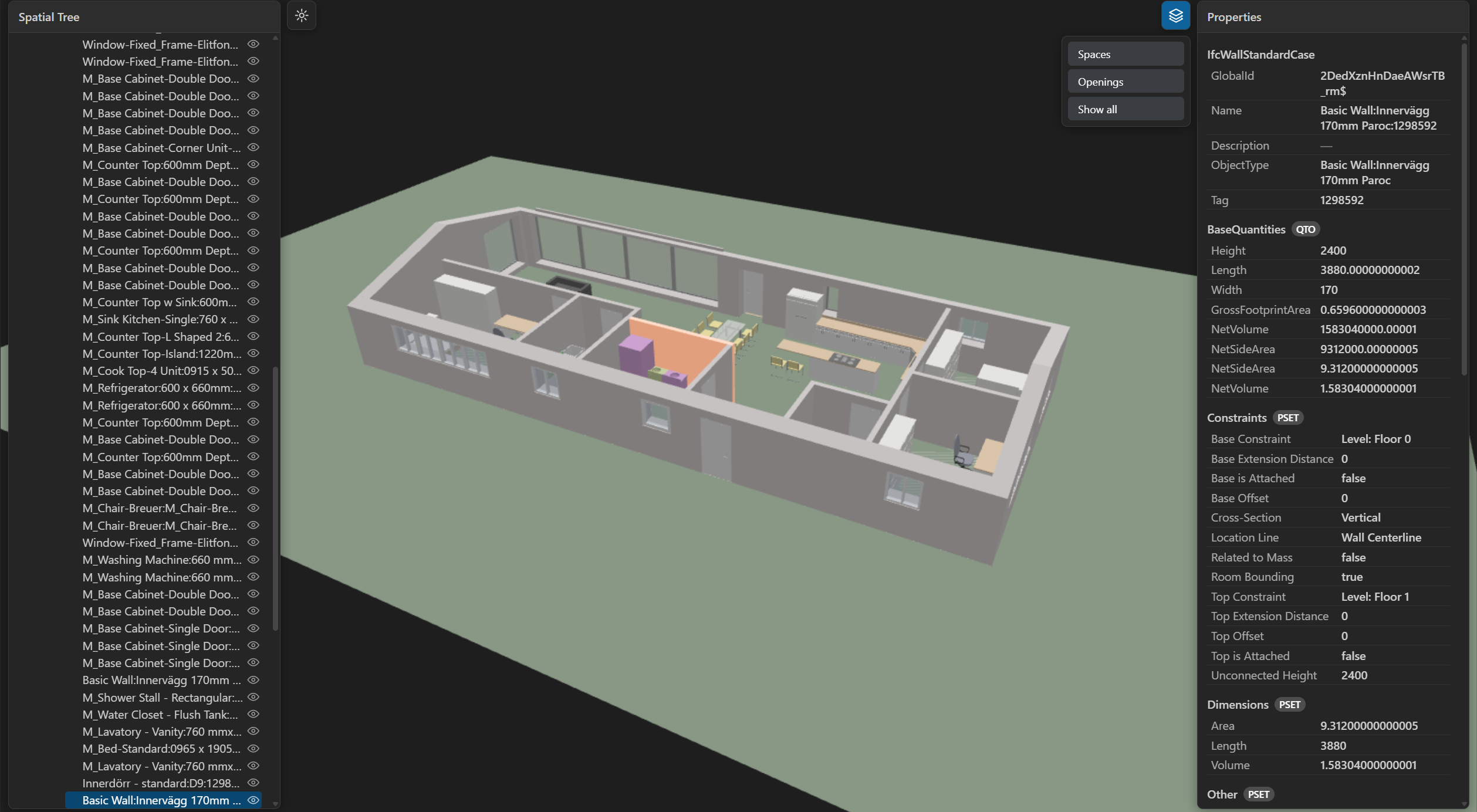
Open .ifc building models in a fast 3D viewer inside VS Code. Browse the
spatial tree, select elements, read their properties, and, if you like, let an
AI agent such as Claude Code show its answers directly in the model.
Features
- 3D navigation with standard views, orthographic projection, and a section plane.
- Spatial tree, click-to-select, and every attribute, property set, and quantity.
- Search, type and storey filters, and hide, isolate, and show all.
- Built for large models: worker parsing, progressive loading, GPU batching.
- Follows your light or dark theme and remembers the camera and panels.
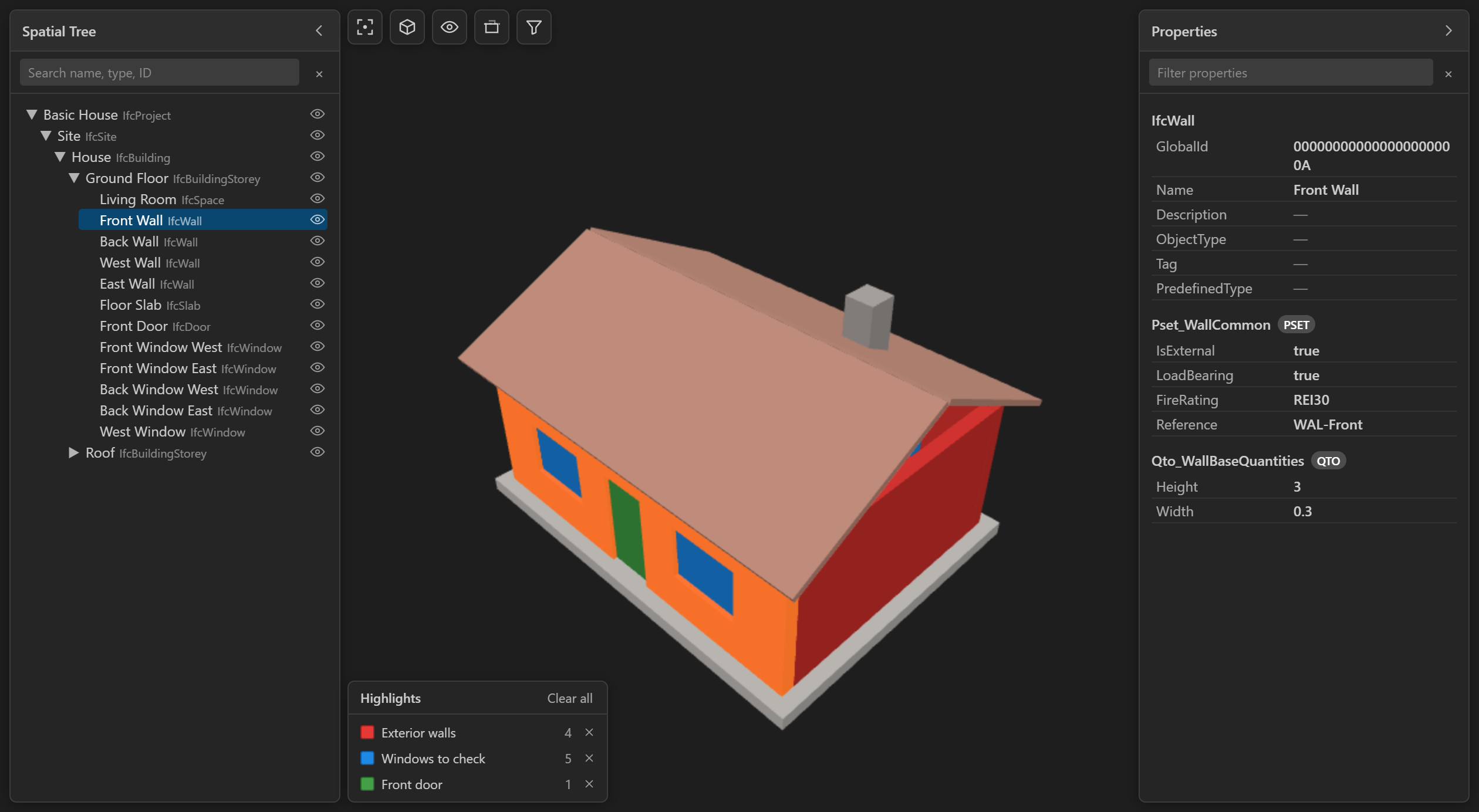
- New in 1.4.0: pair with an AI agent, colour-coded highlight groups with a
legend, and automatic reload when the file changes.
Usage
Open any .ifc file and the viewer starts automatically.
- Left-drag to orbit, right- or middle-drag to pan, scroll to zoom.
F fits the model, double-click fits an element, H hides, I isolates,
A shows all, Esc clears the selection, P shows performance stats.- The toolbar next to the spatial tree holds views, visibility, the section
plane, and filters. Each panel collapses from its own header.
Pair with an AI agent
- Open an
.ifc file from a folder in your workspace.
- Click Connect to agent (the plug icon at the end of the toolbar).
- Ask your agent, for example Claude Code with IFC Skills, about the model.
It sees what you select and can highlight, isolate, select, and frame
elements by GlobalId. Groups appear in a legend with clear buttons.
Nothing is written to your workspace until you connect. The viewer stays
read-only, and disconnecting removes its files again. Agent authors can find
the file protocol in
docs/agent-bridge.md.
Commands and settings
Commands: Reset View, Show Statistics, Toggle Spatial Tree,
Toggle Properties Panel, Copy Selection GlobalId, Connect to
Agent, and Disconnect from Agent (all under "IFC Viewer").
Search ifcViewer in Settings to change how the agent connection, automatic
reload, and legend behave. Every setting shows its default and works for
your user profile or a single workspace.
Limitations
The viewer is read-only. There is no editing, measurement, BCF, multi-model
federation, IFC5 or ifcx, or WebGPU support yet.
Credits and licenses
Extension code is licensed under MIT. Built on
web-ifc (MPL-2.0) and
Three.js (MIT).
| |

