SSH Agent - Termloop


Manage your remote SSH servers without leaving VS Code — connections list, an integrated terminal, and remote file browsing that opens as normal editor tabs.
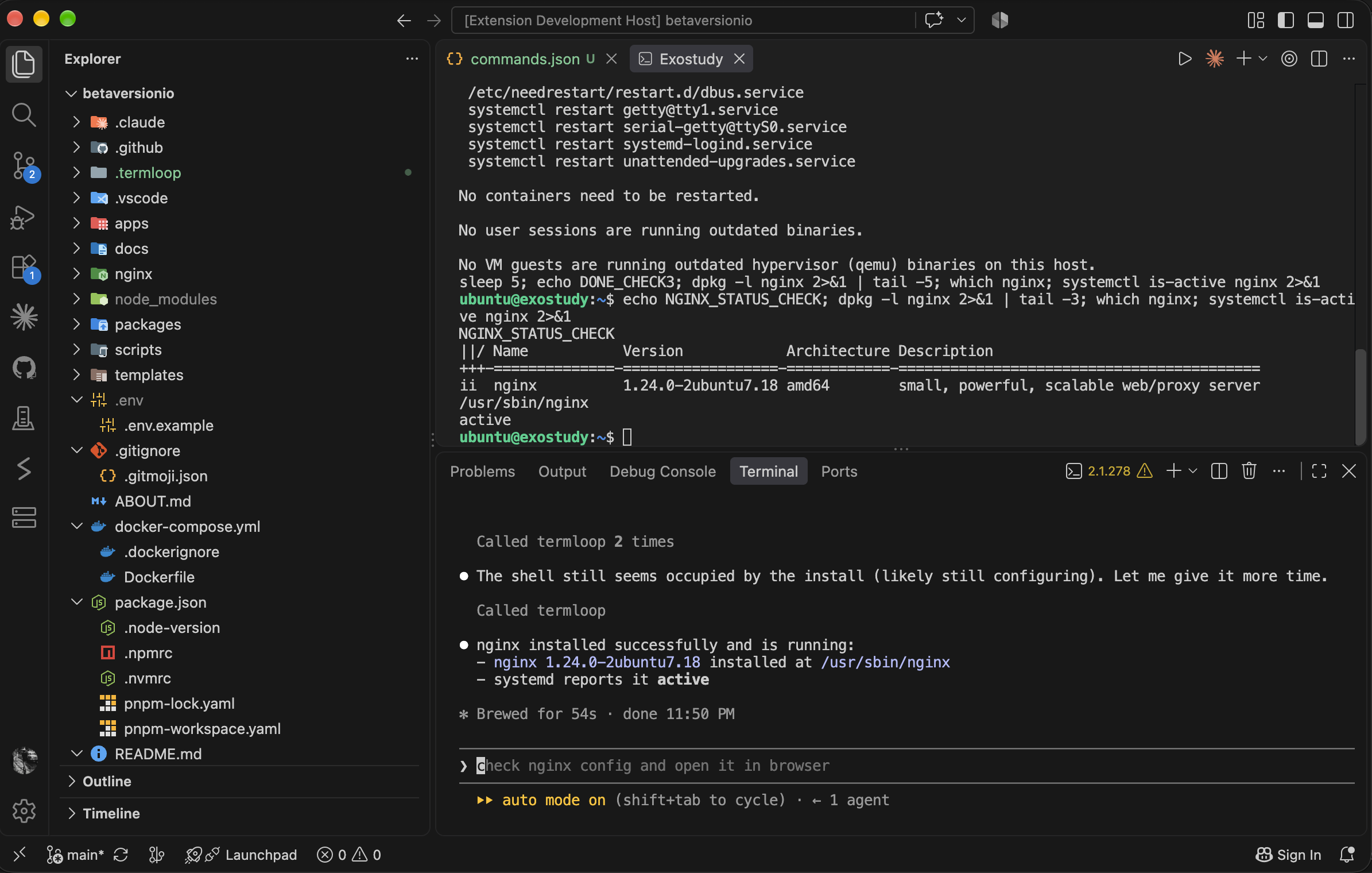
This extension is a thin client for the TermLoop daemon (the same one behind npx termloop and the termloop mcp server) — it doesn't manage its own SSH connections, so anything you do here shows up in the TermLoop web UI too, and vice versa.
Features
- Connections view — your saved servers, listed in the Explorer sidebar.
- Integrated terminal — click a connection to open a real SSH shell in a VS Code terminal tab.
- Remote file browsing —
TermLoop: Browse Files opens a server's filesystem as a workspace folder: browse, open, edit, and save files like any local project.
- Add Connection — save a new server (host, port, username, password or key) without switching to the browser.
- MCP view — a dedicated sidebar section for connecting AI clients to your TermLoop daemon: click "Claude Code" for a ready-to-run
claude mcp add --transport http termloop ... command, or "Codex" / "Manual / Other Clients" for the raw MCP endpoint URL to paste into any other client's config. No auth token needed.
- Command aliases — bind short aliases to long commands per-repo (see below).
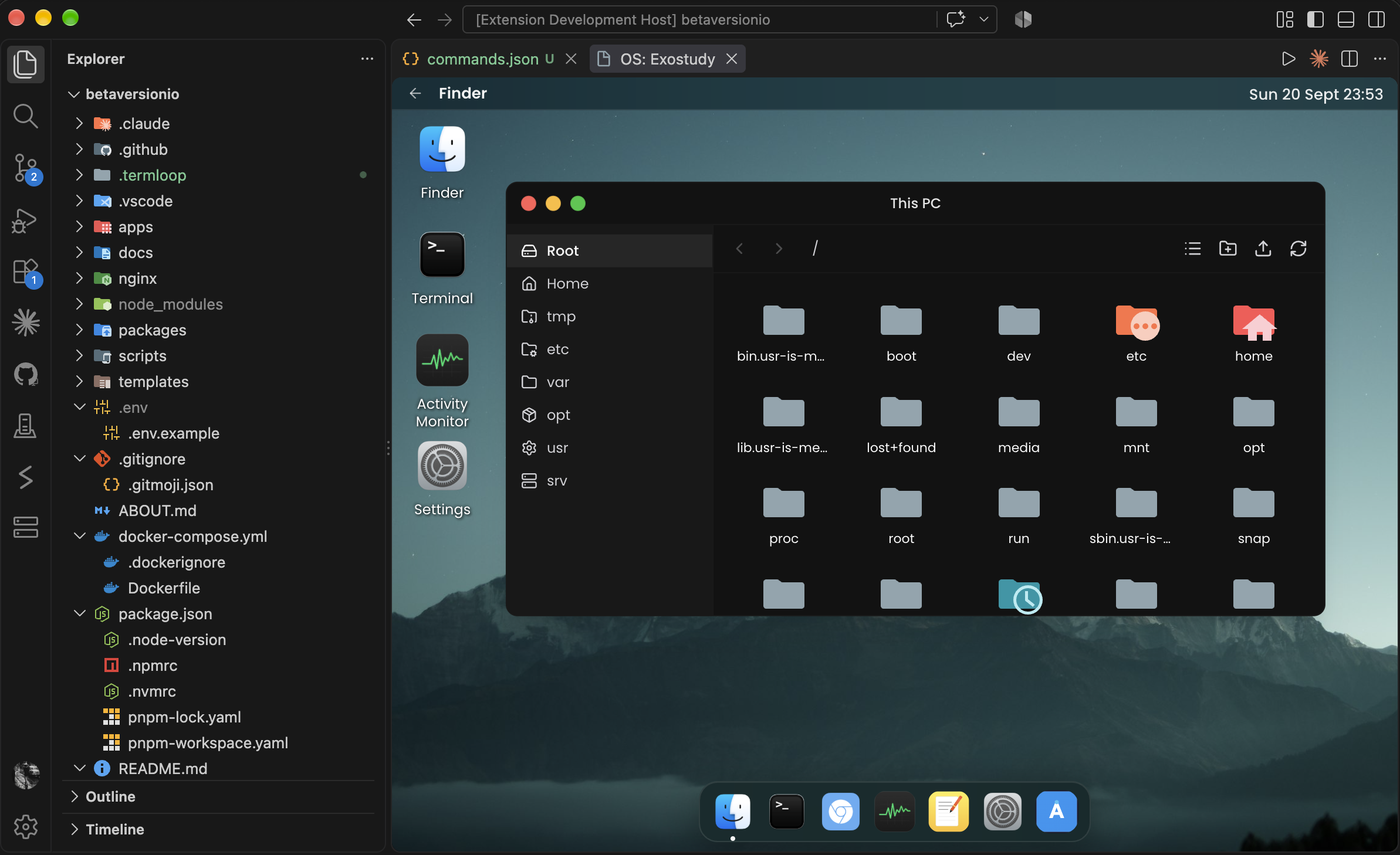
- OS Desktop —
TermLoop: Open OS Desktop opens the web app's full desktop shell (window manager, terminal/files/monitor/browser apps) in a VS Code panel, embedding the same live page the browser uses.
Command aliases
Drop a .termloop/commands.json in your workspace to bind short aliases to long commands:
{
  "logs": {
    "description": "Tail the last 200 lines of app logs",
    "command": "docker logs -f my-app --tail 200"
  },
  "restart": {
    "description": "Restart the app service",
    "command": {
      "default": "sudo systemctl restart my-app",
      "my-connection-name": "sudo systemctl restart custom-service-name"
    }
  },
  "deploy": {
    "description": "Upload and run the deploy script",
    "localScript": "./scripts/deploy.sh"
  }
}
Typing /logs and pressing Enter in a TermLoop terminal runs the bound command instead — /logs --follow appends --follow to it. command can be a single string (same command everywhere) or an object keyed by connection name (or id) plus an optional "default", for when the right command differs per server. description is optional and shows up in the TermLoop: Insert Command Alias picker (Command Palette) — a searchable list of your aliases for when you don't remember the exact name, which runs the resolved command in the active TermLoop terminal. Edits to the file apply immediately, no reload needed, and the file itself gets real-time validation and property autocomplete as you edit it.
localScript is an alternative to command for a .sh file that only exists locally (in your workspace), not on the remote server yet — the path is relative to the workspace folder. Typing /deploy and pressing Enter (or picking it from TermLoop: Insert Command Alias) uploads its contents to a temp path on the remote server, runs it, then deletes it — /deploy --dry-run appends --dry-run the same way command aliases do. It supports the same per-connection object shape as command. Since the upload happens asynchronously, typing it inline shows a brief "uploading..." message in the terminal while it runs, rather than the substitution happening instantly.
Only a line that's exactly /alias or /alias <args> triggers expansion — a real path like /usr/bin/env is never affected, since "usr" isn't a defined alias. If you use arrow-key history recall or tab completion before pressing Enter, the line is sent through unchanged (no expansion attempted) rather than risk sending the wrong thing.
Requirements
A TermLoop daemon needs to be running. If one isn't already up when the extension activates, it'll offer to start one for you (npx termloop --no-open in the background) — no manual setup required.
Commands
| Command |
Description |
TermLoop: Add Connection |
Save a new SSH connection |
TermLoop: Open Terminal |
Open an integrated terminal for a connection |
TermLoop: Browse Files |
Open a connection's filesystem as a workspace folder |
TermLoop: Refresh Connections |
Reload the connections list |
TermLoop: Copy MCP Connect String |
Copy the connect command/URL for the selected MCP view entry |
TermLoop: Insert Command Alias |
Pick a command alias to run in the active terminal |
TermLoop: Open OS Desktop |
Open the web app's desktop shell in a VS Code panel |
Known limitations
- File reads/writes go over the daemon's SFTP API as UTF-8 text — binary files aren't safe to edit through this yet (same limitation as the web UI).
- No live file-change notifications — the file explorer won't auto-refresh if something else changes a remote file.
License
MIT

