Skip to content
| Marketplace
Sign in
Visual Studio Code>Themes>berkeDarkNew to Visual Studio Code? Get it now.
berkeDark

berkeDark

BerkeGulmen

|
29 installs
| (0) | Free
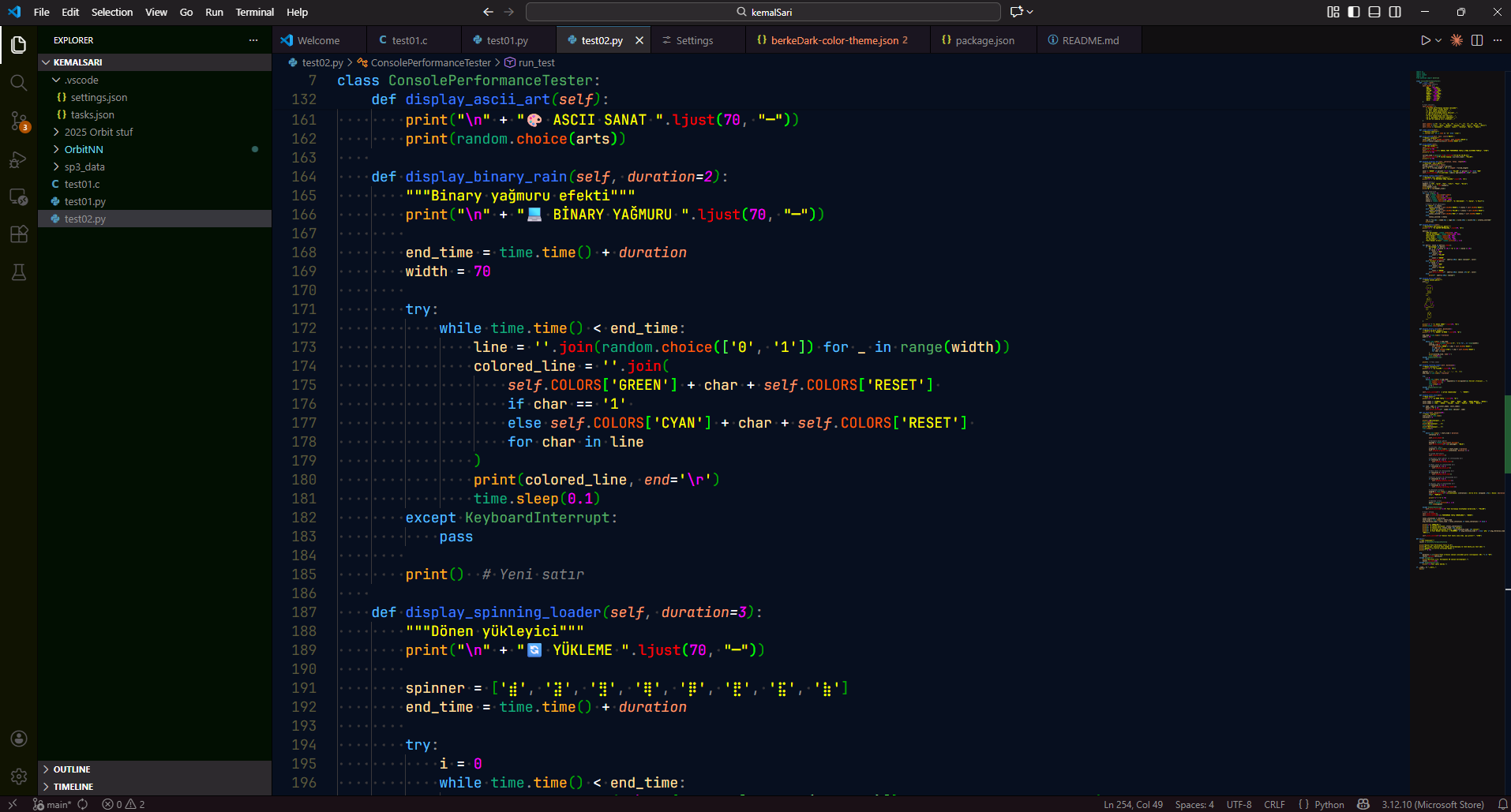
A carefully crafted dark theme inspired from life. Easy on the eyes and beautiful syntax highlighting.
Installation
Launch VS Code Quick Open (Ctrl+P), paste the following command, and press enter.
Copied to clipboard
More Info

berkeDark

A carefully crafted dark theme for Visual Studio Code. README Preview Python Preview C/C++ Preview Preview

Features

  • Easy on the eyes - Carefully balanced contrast for long coding sessions
  • Rich syntax highlighting - Support for many programming languages
  • Semantic highlighting - Intelligent coloring based on code context
  • Complete UI theming - Sidebar, tabs, terminal, and more

Color Palette

Element Color Hex
Background #070f1f #070f1f
Foreground #aaffaa #aaffaa
Keywords #57bfff #57bfff
Strings #ffff00 #ffff00
Functions #3f7fff #3f7fff
Classes/Types #57ab64 #57ab64
Numbers #ff00ff #ff00ff
Parameters #fc9867 #fc9867
Comments #7f7f7f #7f7f7f

Installation

Recommended Settings

  1. Open Extensions sidebar (Ctrl+Shift+X)
  2. Search for berkeDark
  3. Click Install
  4. Open Command Palette (Ctrl+Shift+P) and select Preferences: Color Theme
  5. Select berkeDark

From VSIX file

  1. Download the .vsix file
  2. Open VS Code
  3. Press Ctrl+Shift+P and type "Install from VSIX"
  4. Select the downloaded file

Recommended Settings

{
"editor.fontFamily": "'JetBrains Mono', 'Ubuntu Mono'",
  "editor.fontSize": 14,
  "editor.fontLigatures": true,
  "terminal.integrated.fontFamily": "'Fira Code', 'Ubuntu Mono'"
  "editor.cursorBlinking": "blink",
  "editor.cursorSmoothCaretAnimation": "on"
}

Language Support

Optimized syntax highlighting for:

  • JavaScript / TypeScript
  • Python
  • C / C++
  • HTML / CSS / SCSS
  • JSON / YAML
  • Markdown
  • And many more...

Contributing

Found an issue or want to suggest an improvement? Open an issue or pull request on GitHub.

Licensing

berkeDark is dual-licensed:

  1. GNU Affero General Public License v3.0 (AGPL-3.0)
    → Use this license if you want to use, modify, or distribute the theme under open-source rules.
    See LICENSE-AGPLv3.txt for the full text.

  2. Commercial License
    → Required if you wish to:

    • Use berkeDark in a closed-source or proprietary product
    • Distribute it as part of a commercial VS Code extension or theme pack
    • Remove or hide the license/copyright notices
    • Avoid the AGPL-3.0 source code disclosure requirements

    Contact: berkeleykhan outlook

Nothing changes for individual developers and open-source projects — you can continue using berkeDark completely free under AGPL-3.0.

  • Contact us
  • Jobs
  • Privacy
  • Manage cookies
  • Terms of use
  • Trademarks
© 2026 Microsoft