RPGLE Code Coverage
🎉 The first VS Code extension for RPGLE code coverage analysis!
Professional code coverage analysis for RPGLE with seamless IBM i integration. Simplify your testing workflow with automated coverage reports and real-time visualization for your RPGLE and SQLRPGLE code.
✨ Why Choose RPGLE Code Coverage?
- 🚀 Simple Setup: Only 2 parameters required - everything else is auto-extracted!
- 📊 Professional PDF/HTML Reports: Generate reports suitable for documentation and compliance
- 🔗 Native IBM i Integration: Works seamlessly with Code for IBM i extension
- ⚡ One-Click Processing: Process existing .cczip files instantly
- 🎯 Real-time Visualization: See covered/uncovered lines directly in your editor
🚀 Quick Start
- Install Code for IBM i (if not already installed). At least version 2.17.0 is required.
- Connect to your IBM i system
- Install RPGLE Code Coverage from VS Code Marketplace
- Open the coverage panel from Activity Bar
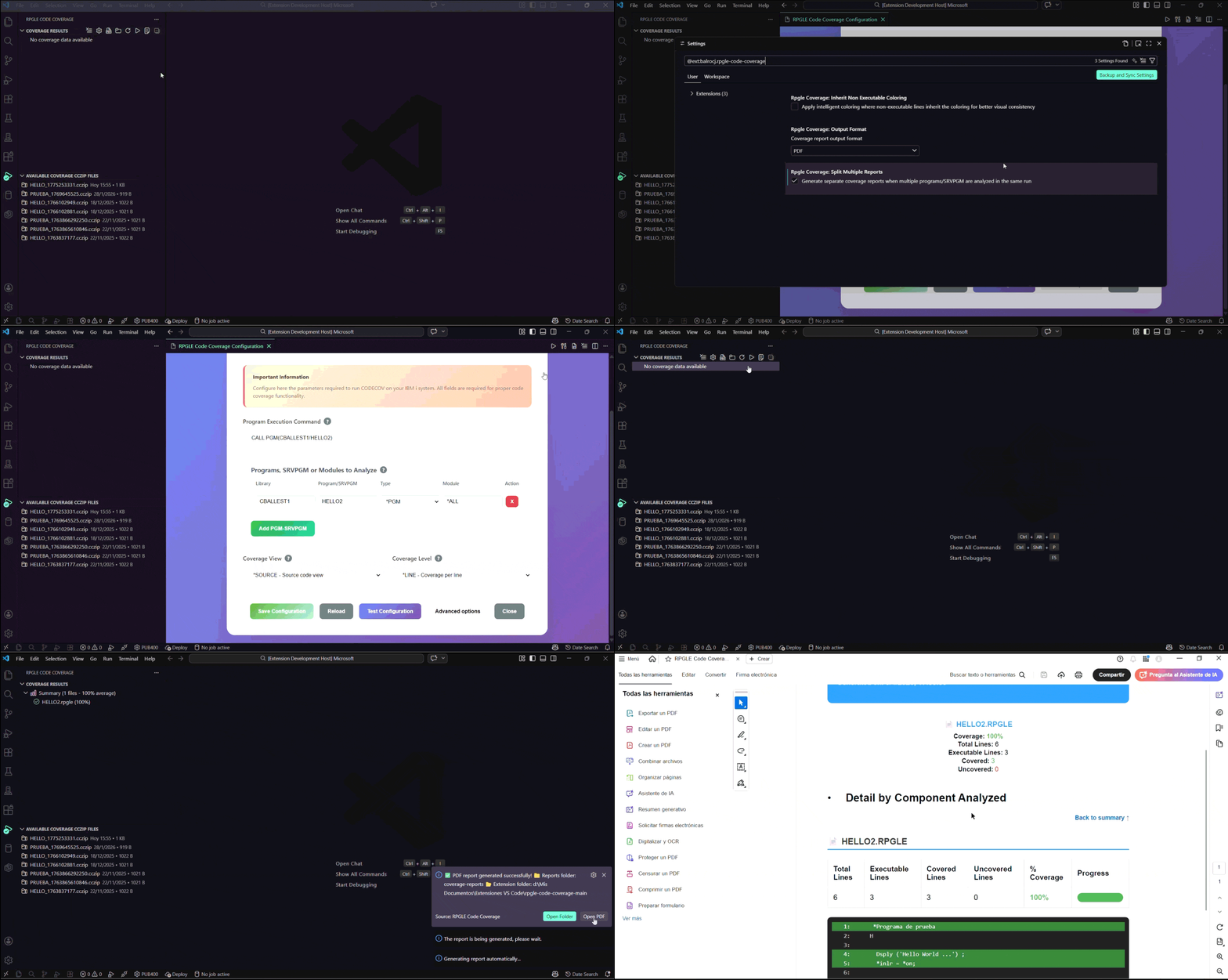
- Option 1: "Click configure Coverage" and enter only 2 parameters:
- Program to Execute:
CALL PGM(MYLIB/MYPGM) or RUCALLTST TSTPGM(MYLIB/MYPGM_TEST)
- One or more Programs or SRVPGM to Analyze:
LIBRARY/PROGRAM_NAME *PGM *ALL, LIBRARY/SRVPGM_NAME *SRVPGM *ALL, LIBRARY/SRVPGM_NAME *SRVPGM MODULE_NAME
- Option 2: Run the coverage directly on your IBM i server and send the result to your user's home folder or your PC.
- Process Coverage File to analyze an existing
.cczip file located in your user's home folder or your PC.
- Run coverage analysis and view results!
🎯 Key Features
⚡ Easy to Use
- Only 2 required parameters - no complex library/source file management
- Auto-extraction of all IBM i parameters from CODECOV cczip results
- Smart validation with helpful error messages
📊 Professional Analysis
- Real-time editor highlighting: Covered lines = green ✅, uncovered = red ❌
- Professional PDF/HTML reports with detailed coverage statistics
- Hierarchical tree view of results organized by module
- Process existing .cczip files with one click
🔗 Seamless IBM i Integration
- Native Code for IBM i support - uses your existing connections
- Automatic library detection from your IBM i configuration
- Background validation of prerequisites (QDEVTOOLS, PTFs)
📋 Requirements
- Code for IBM i extension (required for connectivity)
- IBM i system with CODECOV command available:
- 7.3: PTF SI80728
- 7.4: PTF SI80737 & SI81204
- 7.5: PTF SI81216 & SI81217
- Programs must be compiled with *SOURCE or *ALL debug views
🎮 Main Commands
| Command |
Description |
| Configure Coverage |
Open simple 2-parameter configuration panel |
| Run Code Coverage |
Execute new coverage analysis |
| Process Coverage File |
Process existing .cczip files |
| Generate PDF/HTML Report |
Create professional coverage report |
| Clear Coverage |
Reset coverage display |
⚙️ Report Configuration
- rpgleCoverage.outputFormat: Select output format (
PDF or HTML).
- rpgleCoverage.splitMultipleReports: When
true, a separate report is generated for each program/SRVPGM in multi-module executions. Default is false (single unified report).
📊 What You Get
- Coverage Tree View: Hierarchical display of all analyzed modules
- Editor Integration: Visual coverage indicators directly in your source code
- PDF/HTML Reports: Professional reports perfect for documentation
- File Management: Easy handling of existing .cczip coverage files
- Real-time Stats: Live coverage percentages and statistics
🆘 Troubleshooting
"QDEVTOOLS not found": Add QDEVTOOLS to your library list.
"Incorrect Coverage Percentage": Verify that the library list in Code for IBM i is correctly configured and ensure your programs are compiled with *SOURCE or *ALL debug views.
"Marked and unmarked lines in the report are incorrect.": The most likely cause of the problem is the lack of a PTF file. Around January 2026, the QDEVTOOLS.CODECOV command began reporting incorrect code coverage due to a PTF update. To fix this, install the latest PTFs for your IBM i.
"CODECOV command not available": Install the required PTFs for your IBM i version
"No connection to IBM i": Ensure Code for IBM i extension is connected
📝 License
MIT License
Made for the IBM i development community
Version 1.7.0 - Ready for production use!

