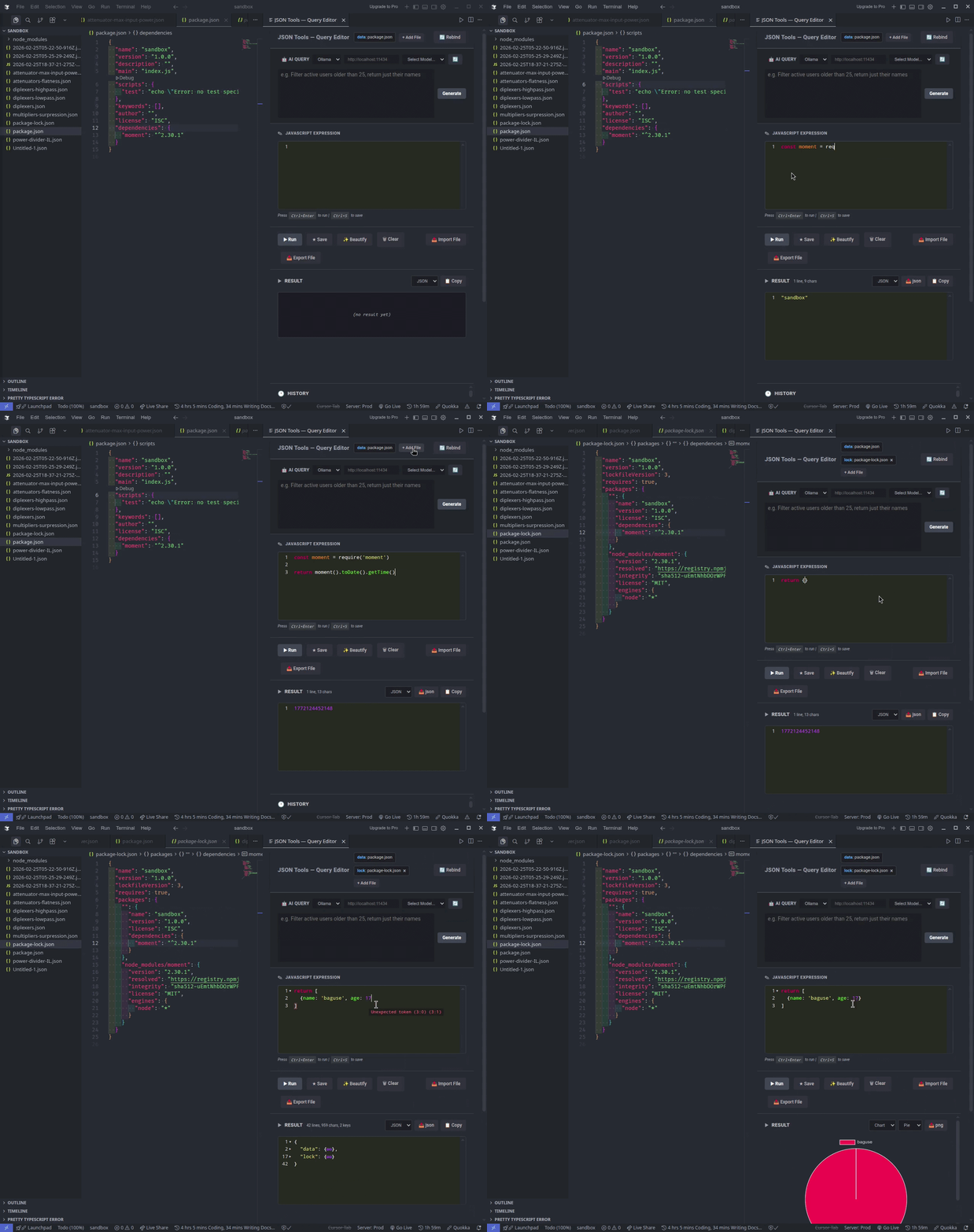
Run JavaScript directly on JSON files in VS Code. Transform data with expressions, keep a searchable history, view results as JSON, table, or chart, and optionally use AI to generate queries.
Features
Transform JSON – Use any JavaScript expression (array methods, reduce, custom logic). The active editor’s JSON is available as data.
Persistent history – Save expressions, name snippets, search, sort, and re-run or edit them. Mark favorites and copy items to the clipboard.
Result views – See results as JSON, Raw text, or Table. Export as JSON or CSV.
Charts – Visualize result data as charts when the result is chartable.
CodeMirror editor – Syntax highlighting, syntax validation, foldable result view, toggle comment, JS beautify, simple autocomplete, bracket/parenthesis support, and Ctrl+D for duplicate selection / add next occurrence.
Templates – Use {{variableName}} in expressions (e.g. {{fileName}}, {{filePath}}, {{workspaceFolder}}). Built-in variables like {{workspaceFolder}} are available; add more via jsonQueryTools.templateVariables.
Multiple data sources & aliases – Attach additional files as named sources and reference them via aliases alongside data in your expressions.
AI query generator – Generate expressions with Ollama (local) or Gemini (cloud). Configure endpoint and API key in settings.
External libraries – Load external JS libraries in the expression context when needed.
Performance – Result is streamed in chunks for large outputs.
Notifications – Toast notification when the result is undefined.
Export/import scripts – Export and import JavaScript expressions for reuse.
Quick start
Open a JSON file (or any file you treat as data).
Run JSON Tools: Open Query Editor (jsonQueryTools.openHistory).
In the script editor, write a JS expression using data, e.g. data.items.filter(x => x.active).
Run it and view the result in JSON, Raw, or Table; optionally export as JSON/CSV or view as a chart.
Configuration
Setting
Description
jsonQueryTools.ollamaEndpoint
Ollama API URL (default: http://localhost:11434)
jsonQueryTools.aiProvider
ollama or gemini
jsonQueryTools.aiApiKey
API key for cloud AI (e.g. Gemini)
jsonQueryTools.templateVariables
Custom key-value pairs for {{variableName}} in expressions
Demo
Contributing
Contributions are welcome. Open a PR for changes or an Issue for bugs and feature requests.