Open the CF Space Switcher view in the Activity Bar
Configure your API endpoints and login (default API Endpoints for SAP BTP Cloud Foundry are ready to be preloaded)
✨ Features
Quick Login - Save your preferred default API, Target, and Space for instant login
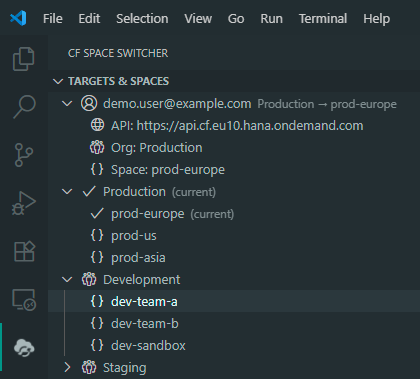
You can see from the extension view your current target and space and switch to others of the same API Endpoint easily.
if you have a preferred API, Target, and Space that you frequently use, you can save them as your defaults. This allows you to log in quickly without having to specify them each time. And to log in with your default settings, simply use the 🚀 button in the extension view.
Status Bar Integration - View your current target and space at a glance
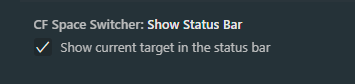
The status bar shows your current Cloud Foundry target and space for easy reference.
You can turn this feature on or off in the extension settings. By default, it is enabled.
Favorite API Endpoints - Mark frequently used endpoints as favorites for easy access
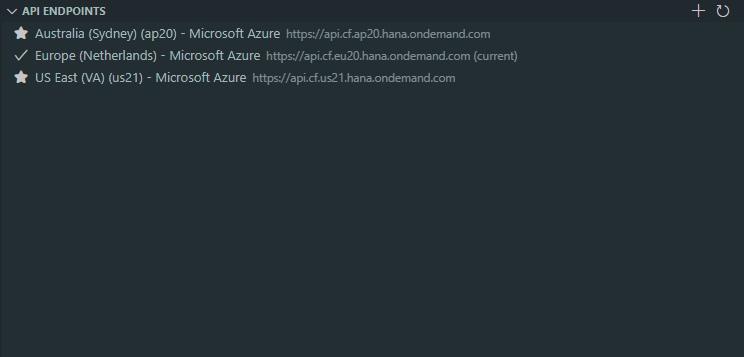
Easily mark and access your frequently used API endpoints by adding them to your favorites list.
You can manage your favorite endpoints in the extension settings. Either add your own or by default, the extension comes with preloaded popular SAP BTP Cloud Foundry API endpoints.
Import/Export Settings - Backup and share your configuration across machines
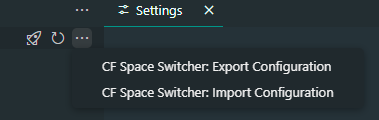
You can export your current configuration to a JSON file and import it on another machine to quickly set up your environment.
Secure Credentials - Credentials are safely stored using VS Code Secure Storage
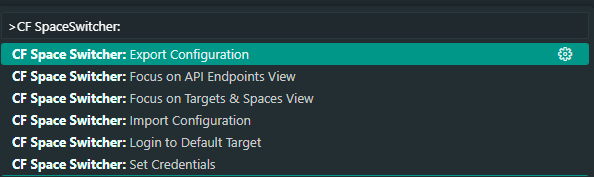
VS Code Settings - CMD+Shift+P -> CF Space Switcher: ...
gives you also some quick actions to interact with the extension without opening the view.
🎈 Random Notes
I started it in December 2023 and left it unfinished! I picked it up again for selfish reasons (I actually wanted to use it 😄) and I was bored during my Christmas vacation because -> I had COVID 🦠
It fulfills my needs, I hope you find it useful, too! 🚀