AtlasMemory for VS Code
Proof-backed AI memory for your codebase — right in your editor.
Features
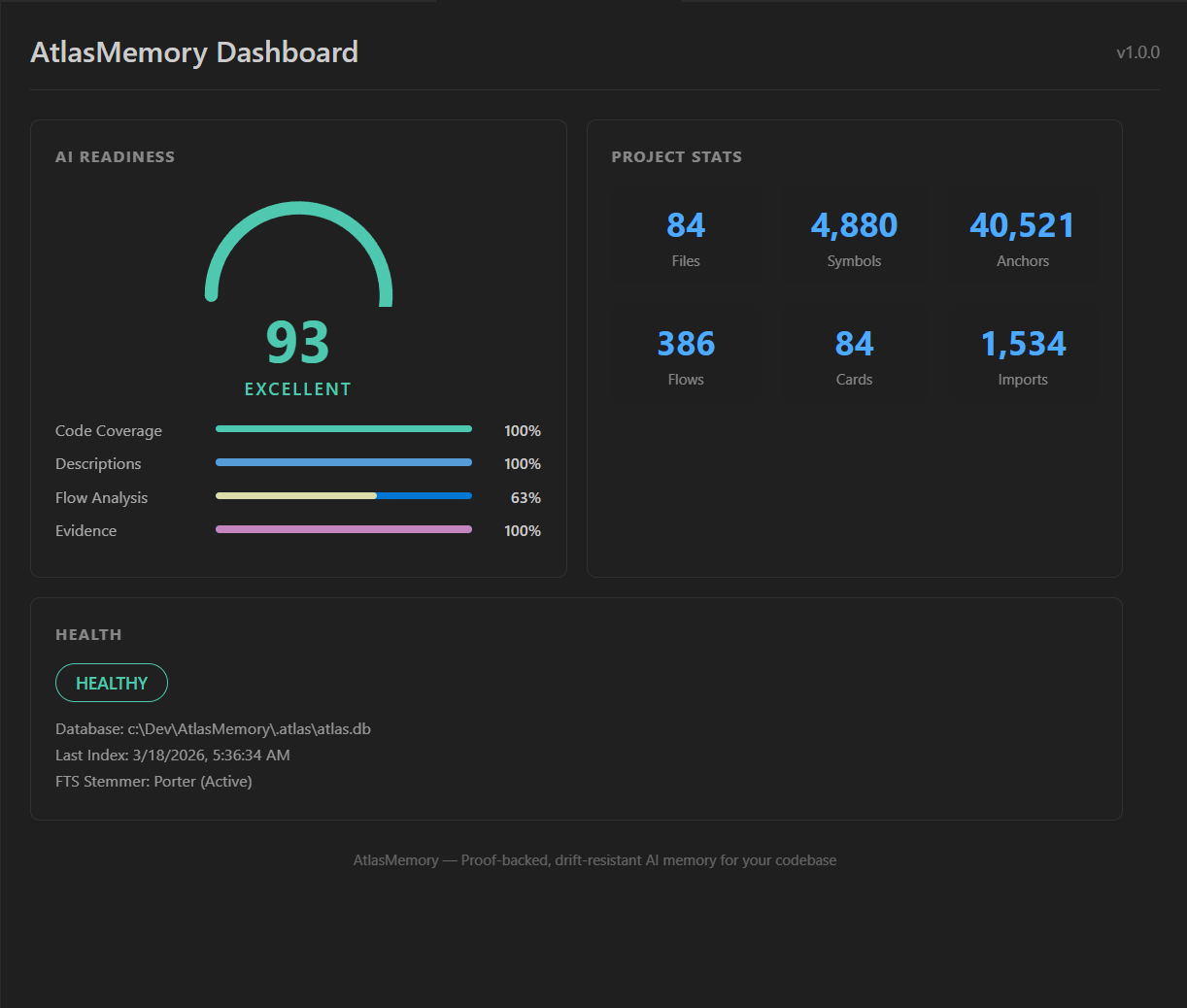
AI Readiness Dashboard
See your project's AI readiness score at a glance. Four metrics tracked in real-time:
- Code Coverage — % of files indexed by Tree-sitter
- Description Quality — % of files with AI-enriched descriptions
- Flow Analysis — cross-file data flow coverage
- Evidence Anchors — % of claims linked to code proof
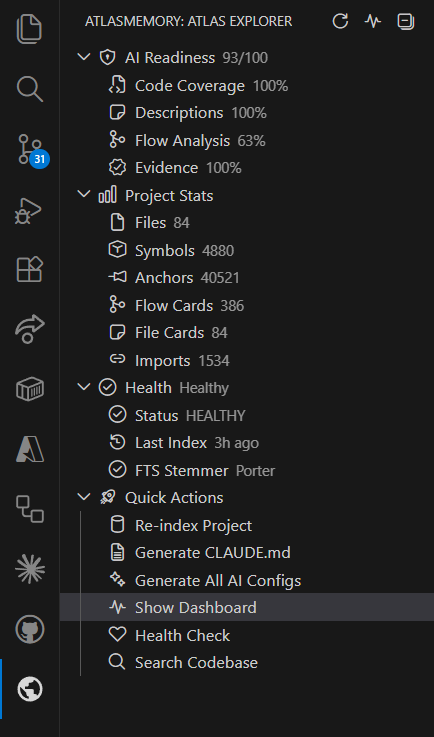
Browse your project's AI memory directly in the sidebar:
- AI Readiness score breakdown (0-100)
- Project statistics (files, symbols, anchors, flows, cards, imports)
- Health status and diagnostics
- Quick actions — one click to index, generate, search
Status Bar
Always-visible AI Readiness score in your status bar. Click to open the dashboard.
Auto-Index on Save
Files are automatically re-indexed when you save. No manual commands needed. Configurable debounce delay.
Commands
| Command |
Description |
AtlasMemory: Index Project |
Index or re-index your entire project |
AtlasMemory: Generate CLAUDE.md |
Generate AI instruction file for Claude |
AtlasMemory: Generate All AI Configs |
Generate CLAUDE.md + .cursorrules + copilot-instructions |
AtlasMemory: Show Dashboard |
Open the AI Readiness dashboard |
AtlasMemory: Health Check |
Run diagnostics on your AtlasMemory database |
AtlasMemory: Search Codebase |
Full-text + graph-boosted code search |
AtlasMemory: Refresh Status |
Refresh sidebar and status bar |
Quick Start
- Install AtlasMemory:
npm install -g atlasmemory
- Install this extension from the VS Code Marketplace
- Open a project → AtlasMemory auto-detects and shows the sidebar
- Click "Index Project" in the sidebar or run
AtlasMemory: Index Project
- Dashboard opens — see your AI Readiness Score
Settings
| Setting |
Default |
Description |
atlasmemory.binaryPath |
(auto-detect) |
Custom path to atlasmemory binary |
atlasmemory.autoIndexOnSave |
true |
Auto re-index files on save |
atlasmemory.watchDebounceMs |
2000 |
Debounce delay for auto-index (ms) |
atlasmemory.statusBarEnabled |
true |
Show AI Readiness in status bar |
How It Works
AtlasMemory indexes your codebase using Tree-sitter (11 languages), stores everything in a local SQLite database, and provides proof-backed context to AI agents.
Your Code → Tree-sitter → SQLite + FTS5 → AI-Ready Context
                                              ↓
                           Dashboard ← Extension ← Status Bar
Works alongside MCP. The extension provides the visual interface while the MCP server provides tools to Claude, Cursor, and Copilot. Install both for the full experience.
Supported Languages
TypeScript, JavaScript, Python, Go, Rust, Java, C#, C, C++, Ruby, PHP
Links
License
GPL-3.0

