Plan in one AI tool, build in another. Shows the active handoff plan and captured decisions from the local Dot daemon, and injects ranked codebase context into Copilot Chat (#dotContext).
Installation
Launch VS Code Quick Open (Ctrl+P), paste the following command, and press enter.
Dot is a local-first context memory daemon. This extension connects VS Code to
your local Dot daemon so Copilot Chat and other AI tools start every session
already knowing your code, your conventions, and the decisions behind them.
Local. Private. Model-agnostic. Nothing leaves your machine.
What it does
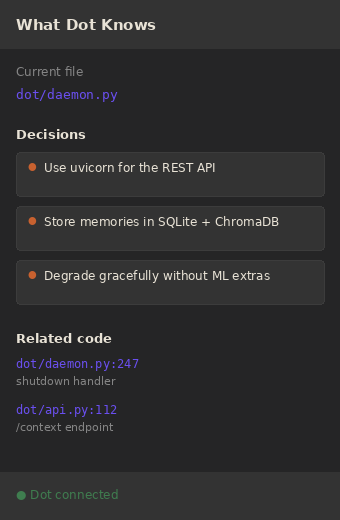
"What Dot Knows" sidebar. For the file you have open, see the related code
and the captured decisions Dot has on hand. Click any entry to jump to it.
Copilot Chat integration. Dot registers a Language Model tool, so you can
type #dotContext in Copilot Chat and pull ranked project context on demand.
One-click decision capture. Select code or a chat takeaway and run
Dot: Capture This Decision to remember it for every future session.
Inline decision markers. Lines with a captured decision get a subtle hover
marker so the "why" is never lost.
Auto-start. When you open a Dot-initialized workspace, the daemon starts
on its own.
Requirements
You need the Dot daemon installed and running. It is a small Python package:
pip install dot-context[ml]
cd your-project
dot init
dot daemon start
Everything runs locally. Embeddings are generated on your CPU, storage is
SQLite on your disk, and the extension only talks to 127.0.0.1. Your source
code never leaves your machine.