Class Peek
Cmd+Click (macOS) or Ctrl+Click (Windows / Linux) any class name and actually land on its CSS. Even when the class is buried inside clsx(...) or cva(...). Even when it's a Tailwind v4 utility like bg-primary that resolves to a --color-primary token in an @theme block.
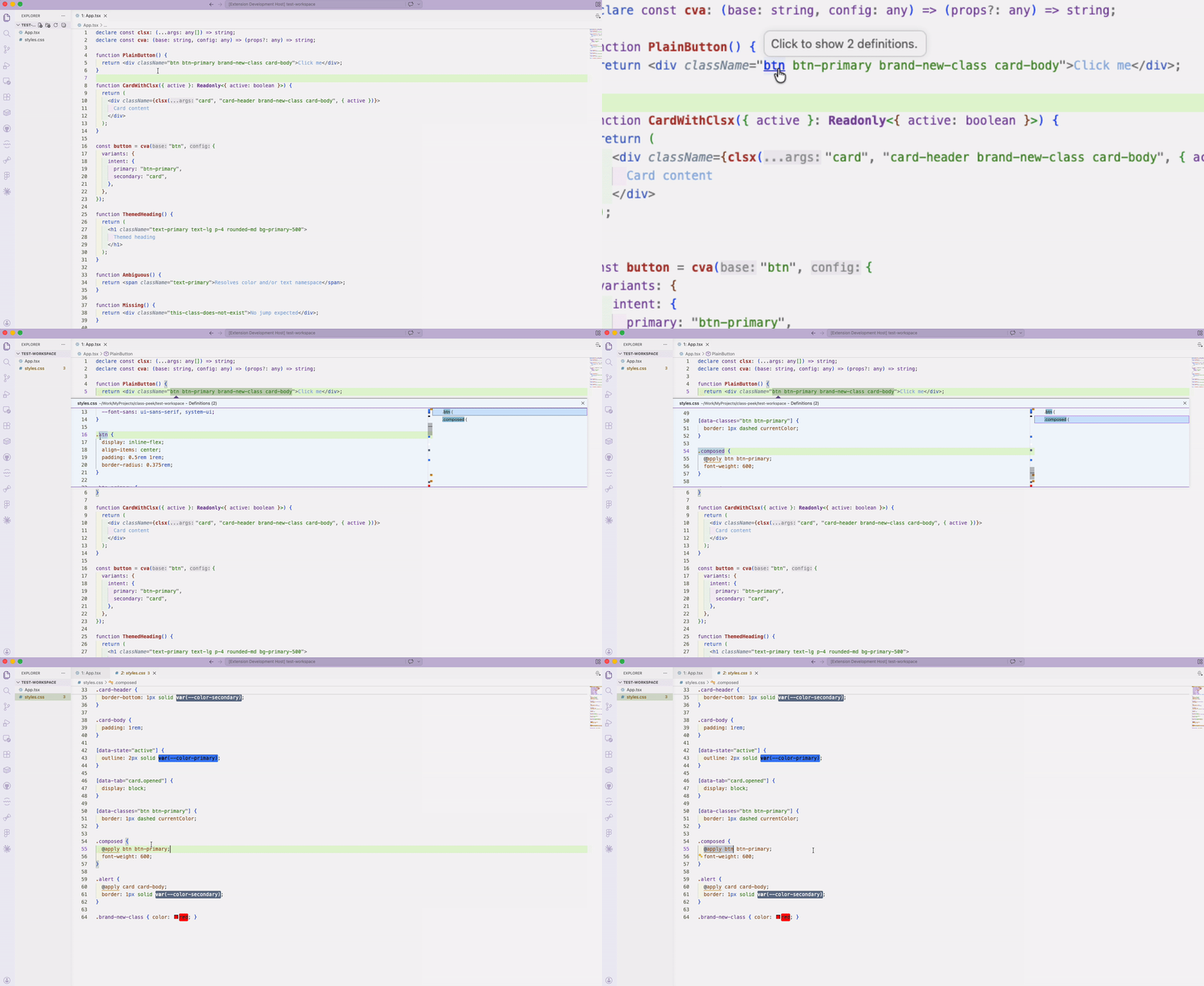
What it does
Three jumps that VS Code's built-in Go to Definition doesn't handle on its own:
1. Through class helpers
import { clsx } from "clsx";

<div className={clsx("btn", "btn-primary", { active })} />
//                    ^      ^
//             Cmd/Ctrl+Click either token → jumps to .btn / .btn-primary in your CSS
Out of the box it understands clsx, cn, classnames, classNames, cva, and tv. You can add your own helpers in settings (see below). For cva/tv, class strings in the base argument, variants, and compoundVariants class/className resolve normally; variant selector keys (defaultVariants values, compoundVariants selectors) are intentionally not treated as classes.
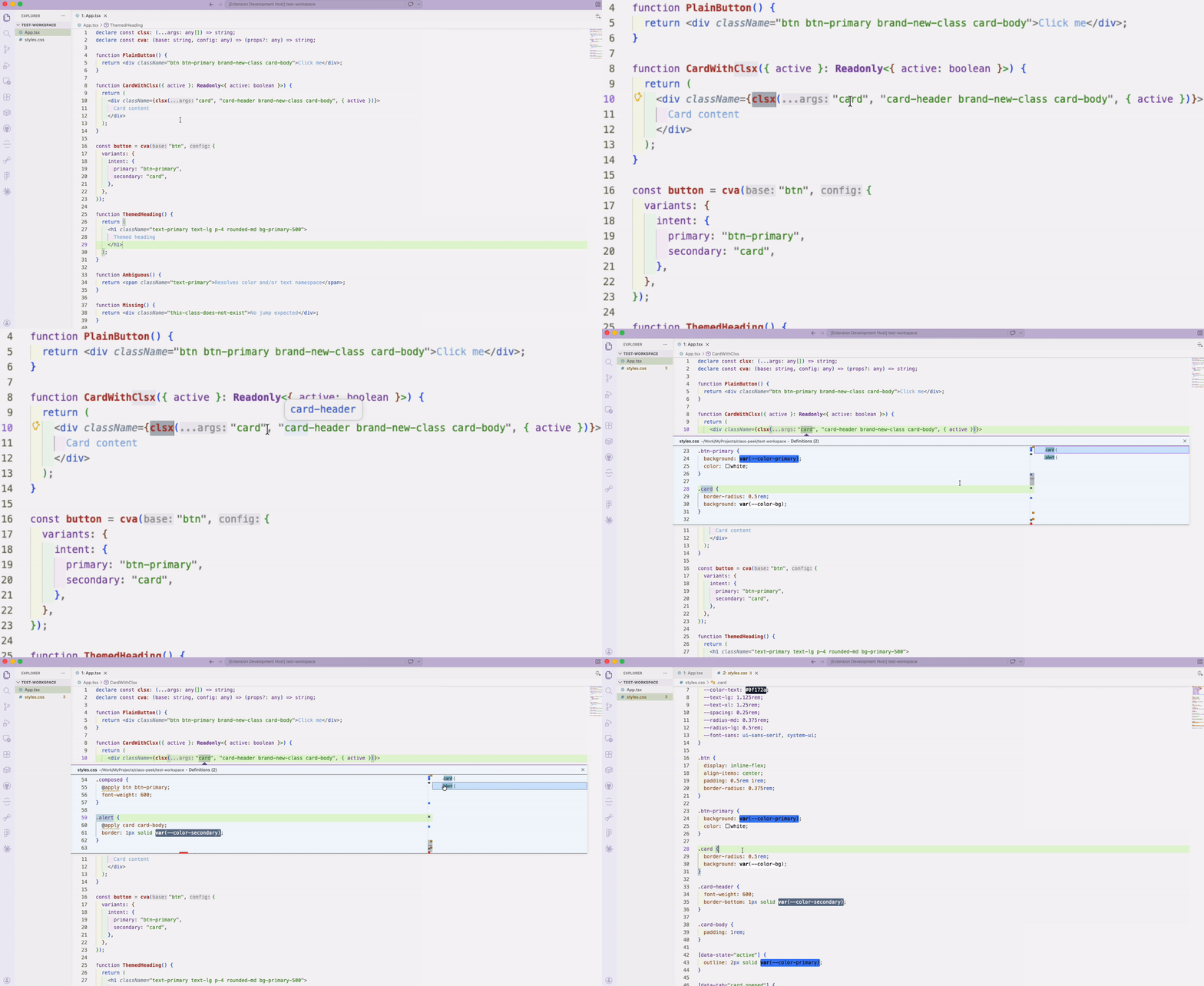
2. Tailwind v4 @theme reverse lookup
@theme {
  --color-primary: #3b82f6;
  --text-lg: 1.125rem;
  --radius-md: 0.375rem;
}
<h1 className="text-primary text-lg rounded-md bg-primary-500" />
//             ^            ^       ^         ^
//             color        text    radius    color (multi-token)
Cmd/Ctrl+Click text-primary lands on --color-primary. Click text-lg and it lands on --text-lg. Ambiguous? You get a peek list with both candidates.
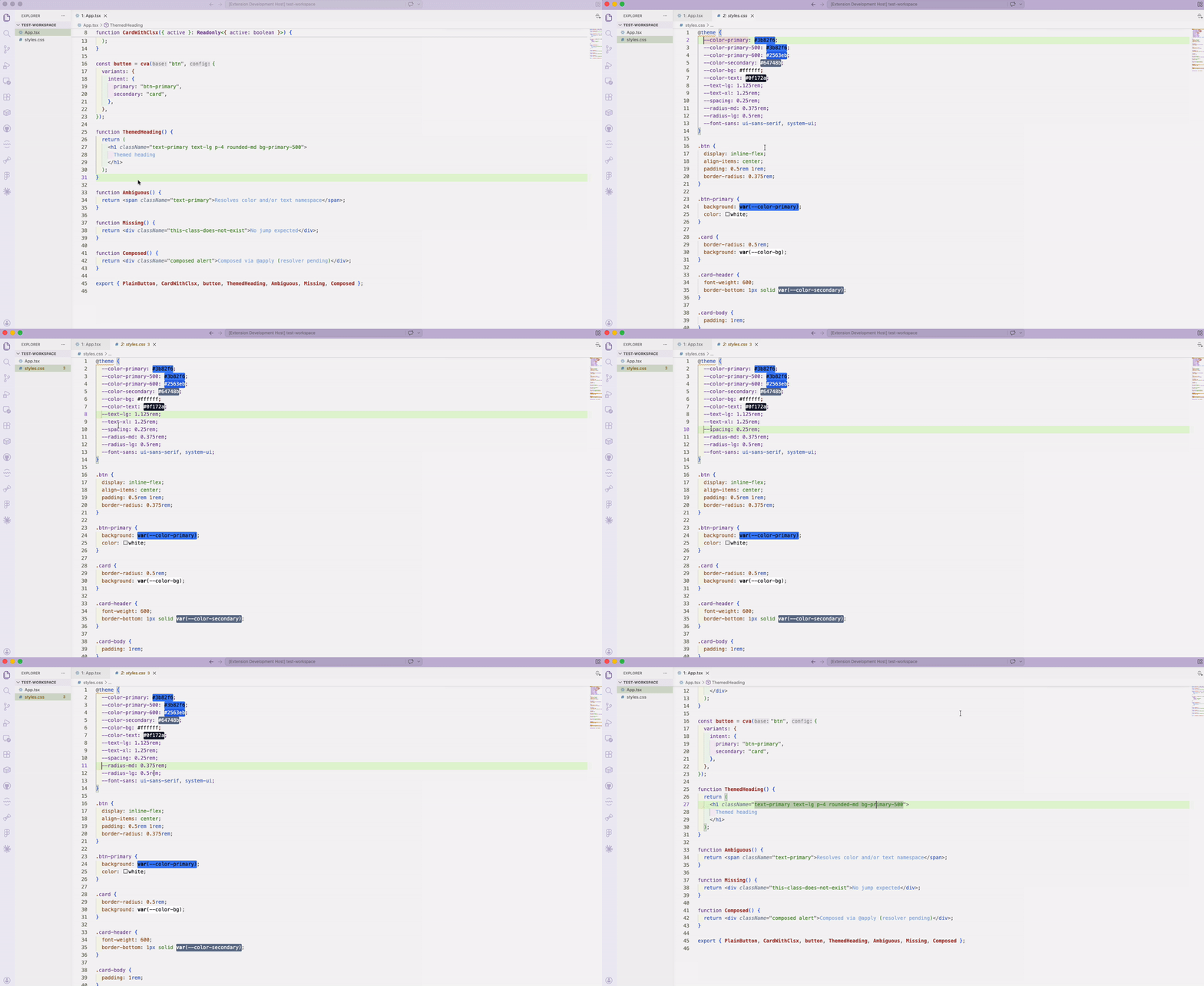
Spacing utilities (p-4, m-2, gap-3, mt-8, …) fall back to the bare --spacing calc base when no specific --spacing-N is defined — which matches how Tailwind v4 actually computes them.
Hyphenated sub-prefixes (gap-x-4, space-y-2, space-x-3) and negative utilities (-mt-4, -gap-x-2) resolve to the same --spacing-N as their canonical form. (v0.2)
3. @apply chain
.composed {
  @apply btn btn-primary;
}
Cmd/Ctrl+Click btn anywhere in your code and you'll see two definitions: the .btn rule itself, and .composed (because it composes .btn via @apply). One click later, you know everywhere a class is used as a building block.
4. Hover preview
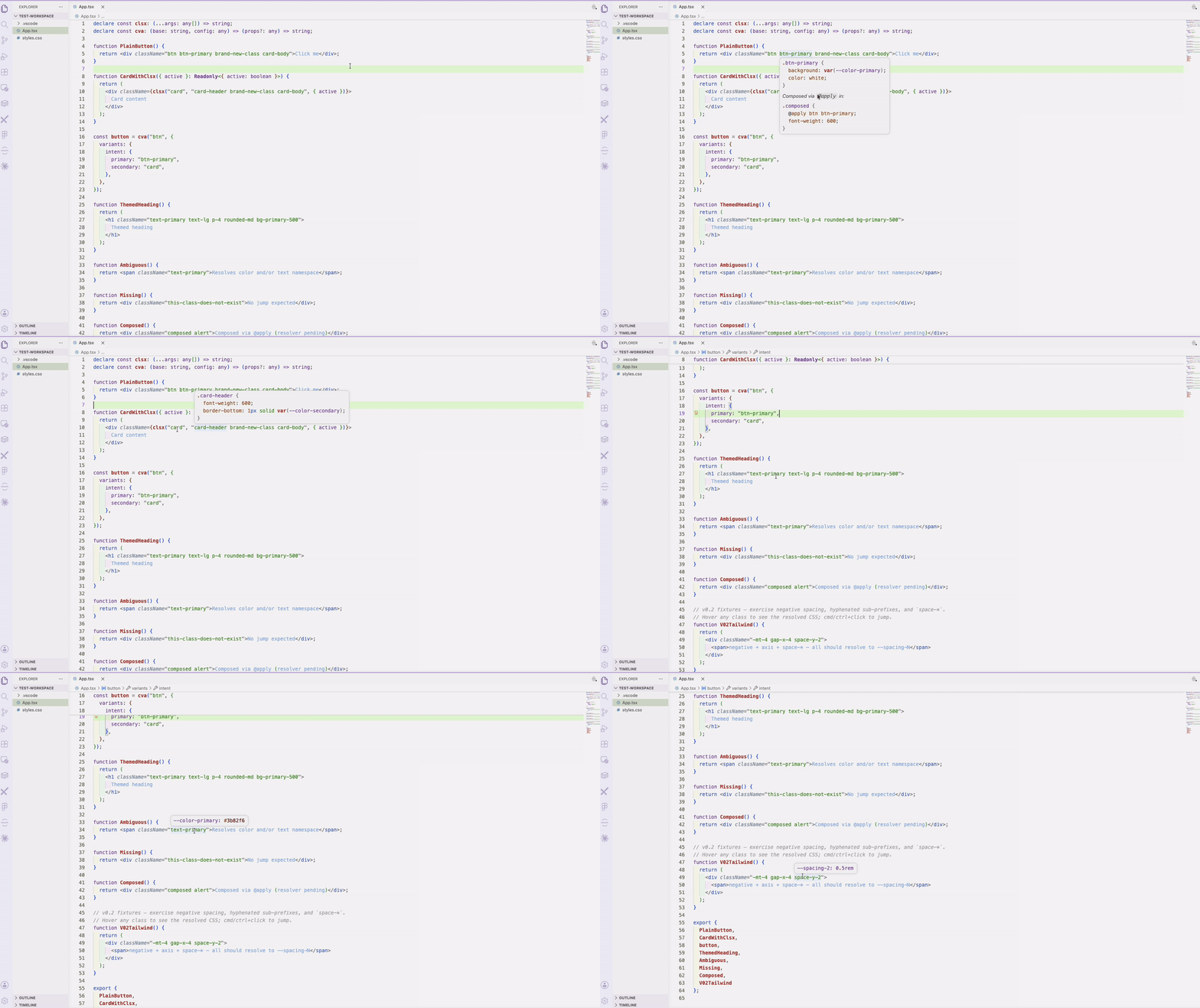
Hovering a class shows the resolved CSS inline — no jump required. You see the rule body for plain classes, the @theme declaration for Tailwind tokens, and any @apply rules that compose the class.
<div className="btn-primary text-lg" />
//                ^             ^
//          hover → see          hover → see
//          .btn-primary {...}    --text-lg: 1.125rem
5. CSS Modules
import styles from './Button.module.css';
import badge from '#/widgets/Badge.module.css';

<div className={styles.primary} />
//                     ^
//        Cmd/Ctrl+Click → jumps to .primary in Button.module.css

<span className={clsx(styles.primary, badge.outline)} />
//                            ^             ^
//                  Works through clsx, and through TS path aliases
Default imports from *.module.css are tracked per file; member access (styles.foo) and bracket access (styles['foo']) both resolve to the rule in the imported file. Path aliases declared in your project's tsconfig.json / jsconfig.json (@/*, #/*, ~/*, …) are honored automatically. Hover preview works too.
6. SCSS Modules + &-nesting
// Card.module.scss
.card {
  &--featured { border: 2px solid gold; }
  &__title {
    font-weight: 600;
    &--small { font-size: 1rem; }
  }
}
import card from './Card.module.scss';

<div className={card['card--featured']} />
//                    ^
//   Cmd/Ctrl+Click resolves the BEM-compound class to the nested `&--featured` rule

<h2 className={card['card__title--small']} />
//                    ^
//   Triple-nested BEM works too — `&` is substituted recursively
CSS Modules with SCSS now Just Works. Class names constructed via & substitution (&--suffix, &__elem, deeply-nested BEM) are indexed automatically alongside literal class selectors. The same nesting expansion applies to plain .css files using the CSS Nesting Module.
7. Monorepo path resolution
// packages/web/src/App.tsx  — uses packages/web/tsconfig.json
import btn from '@ui/Button.module.css';
//                  ^
//   Cmd/Ctrl+Click `btn.primary` → packages/ui/src/Button.module.css
// packages/web/tsconfig.json
{ "compilerOptions": { "paths": { "@ui/*": ["../ui/src/*"] } } }
CSS Module navigation now works across packages in a monorepo. Each file resolves against its nearest tsconfig.json / jsconfig.json (walking up the directory tree), so per-package paths / baseUrl are honored — including aliases that point into a sibling package. Paths are canonicalized through symlinks, so pnpm's node_modules/@scope/pkg → packages/pkg links resolve correctly and never show up as duplicate peek entries.
- Bare scoped-package CSS-module imports resolved through
node_modules +
package.json exports (no tsconfig alias required).
- CSS Modules from a published third-party package (files copied into
node_modules, no symlink) navigate and hover too. The file is indexed on first use
and re-read when it changes on disk — including after a package upgrade. The same
on-demand path covers any imported *.module.css / *.module.scss the activation
scan didn't reach (e.g. outside classPeek.cssGlobs). On-demand files are
file-scoped: they never show up in plain-string results.
What it doesn't do (yet)
Honesty up front — these are deliberately out of scope, in rough priority order:
- Find references / rename
- styled-components / template literals
- CVA variant tracing into resolved class strings
If one of these blocks you, open an issue — it helps me prioritize.
Install


From the Marketplace: search for Class Peek in the Extensions panel.
From a .vsix file:
code --install-extension class-peek-0.8.0.vsix
Settings
These live in your VS Code settings. Three ways to edit them:
- GUI (easiest): open Settings (Cmd+, on macOS, Ctrl+, on Windows / Linux), search for Class Peek, and edit the fields directly.
- JSON, all projects: Cmd+Shift+P / Ctrl+Shift+P → Preferences: Open User Settings (JSON).
- JSON, just this project (writes to
.vscode/settings.json in the project root): same palette → Preferences: Open Workspace Settings (JSON).
{
  // Function names treated as class-name helpers. String literals inside
  // their CallExpressions are walked.
  "classPeek.helpers": [
    "clsx", "cn", "classnames", "classNames", "cva", "tv"
  ],

  // Globs scanned for class definitions and @theme / @apply rules.
  "classPeek.cssGlobs": ["**/*.css", "**/*.scss"],

  // Resolve `styles.foo` member access on default imports from `*.module.css`.
  // Uses tsconfig.json / jsconfig.json `paths` for alias resolution. Set to false to disable.
  "classPeek.cssModuleEnabled": true
}
Add your project's helpers (e.g. tw, mergeClasses) to classPeek.helpers and they'll be walked too.
- In multi-root workspaces,
classPeek.helpers and classPeek.cssModuleEnabled
can be set per folder. If navigation goes quiet, check the Class Peek output
channel (View → Output → Class Peek) — a malformed tsconfig/jsconfig is
reported there.
Changelog
For a complete list of changes in each release, see the CHANGELOG.md.
License
MIT

