Aretta Code
Speed with Confidence. AI-powered code specifications and verification for VS Code.
Aretta Code analyzes your codebase and generates formal specifications (pre/post conditions, invariants) that you can review and accept directly in your editor.
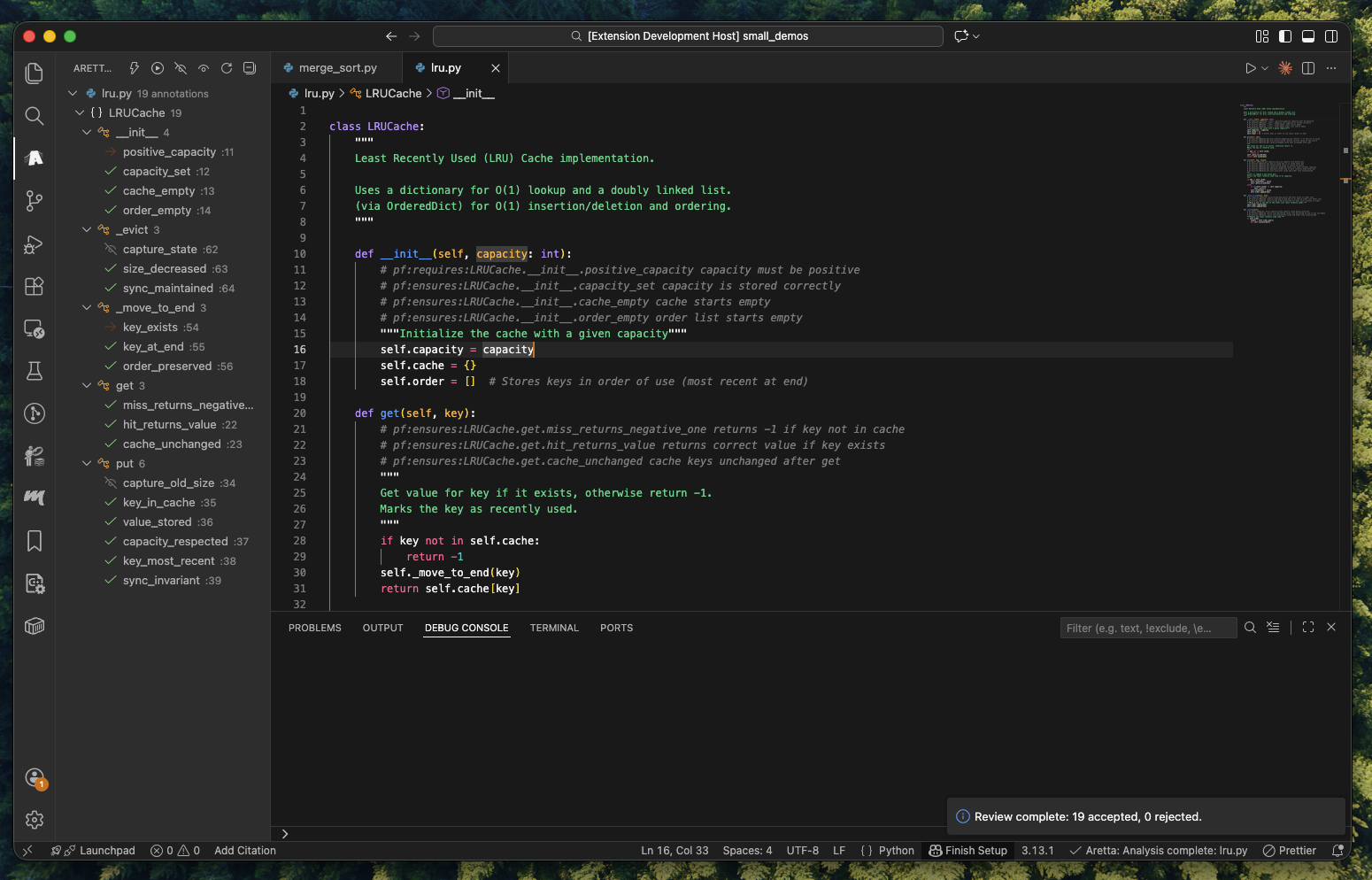
Quick Tutorial
Step 1: Initialize
Run Aretta Code: Init from the Command Palette (Cmd+Shift+P / Ctrl+Shift+P).
This authenticates with your Aretta account and sets up file watching.
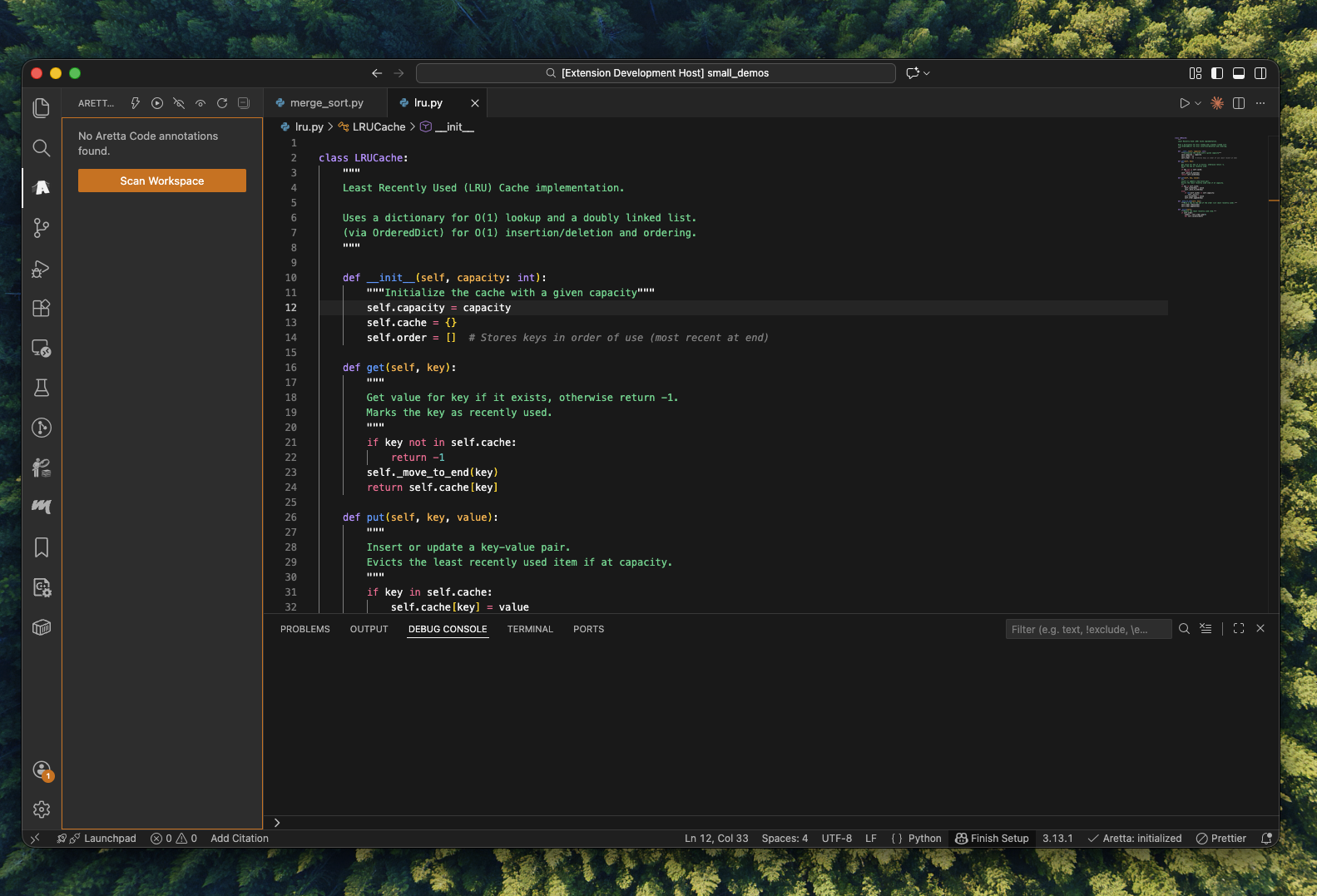
Step 2: Automatic Watching
Once initialized, Aretta watches your files automatically. Every time you save a file, it syncs with the analysis server. You'll see the status in the bottom status bar.
To manually resume watching after stopping: Aretta Code: Resume Watch
Step 3: Trigger Analysis
Analysis runs automatically, but you can also trigger it manually by clicking the lightning bolt button in the Aretta Code panel toolbar.
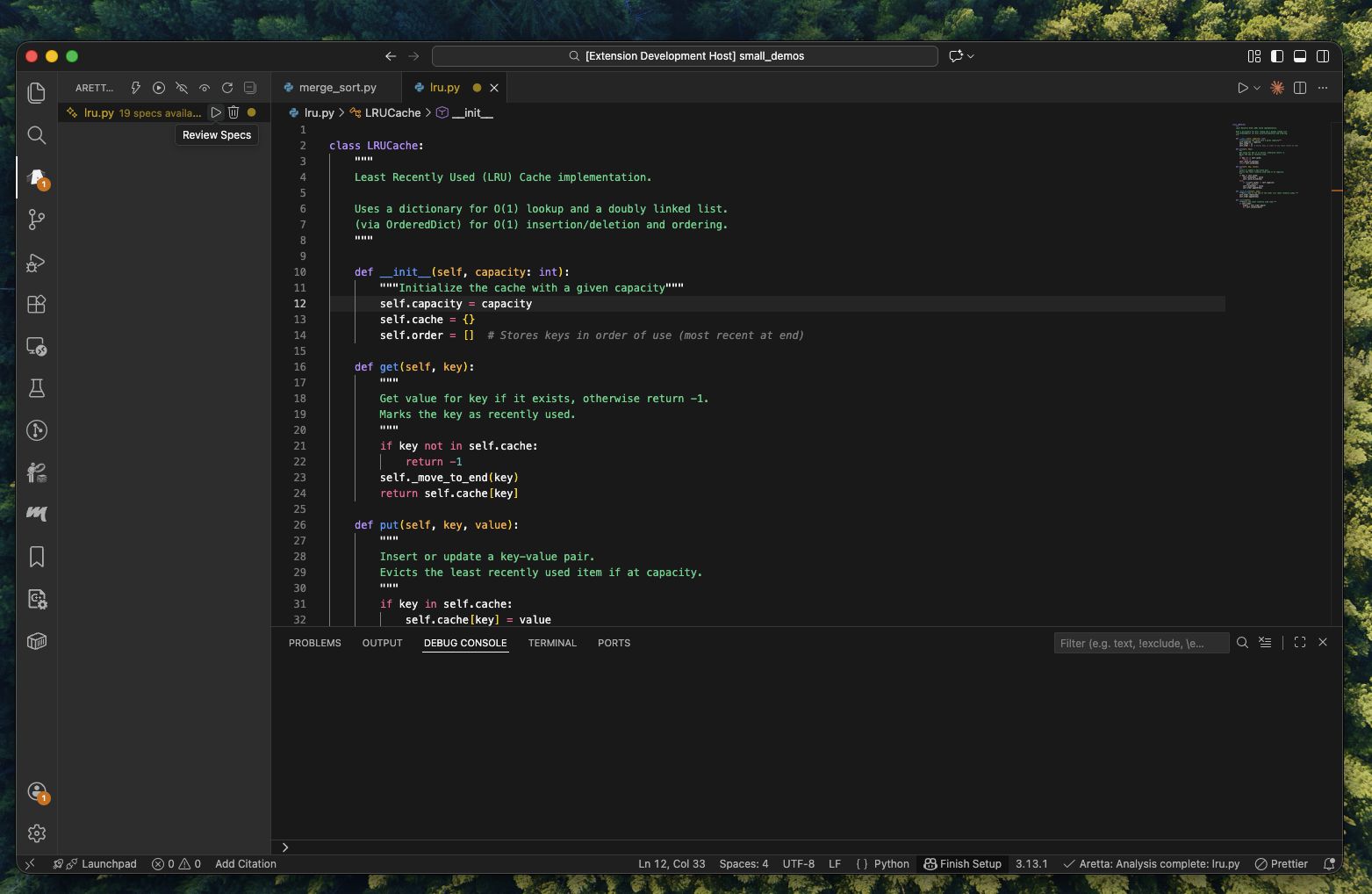
When analysis completes, specifications appear in the Annotations panel.
Step 4: Start Review
When specs are available, start the inline review:
Aretta Code: Review Patches Inline - Review all pending specs- Or click the play button next to a file in the Annotations panel
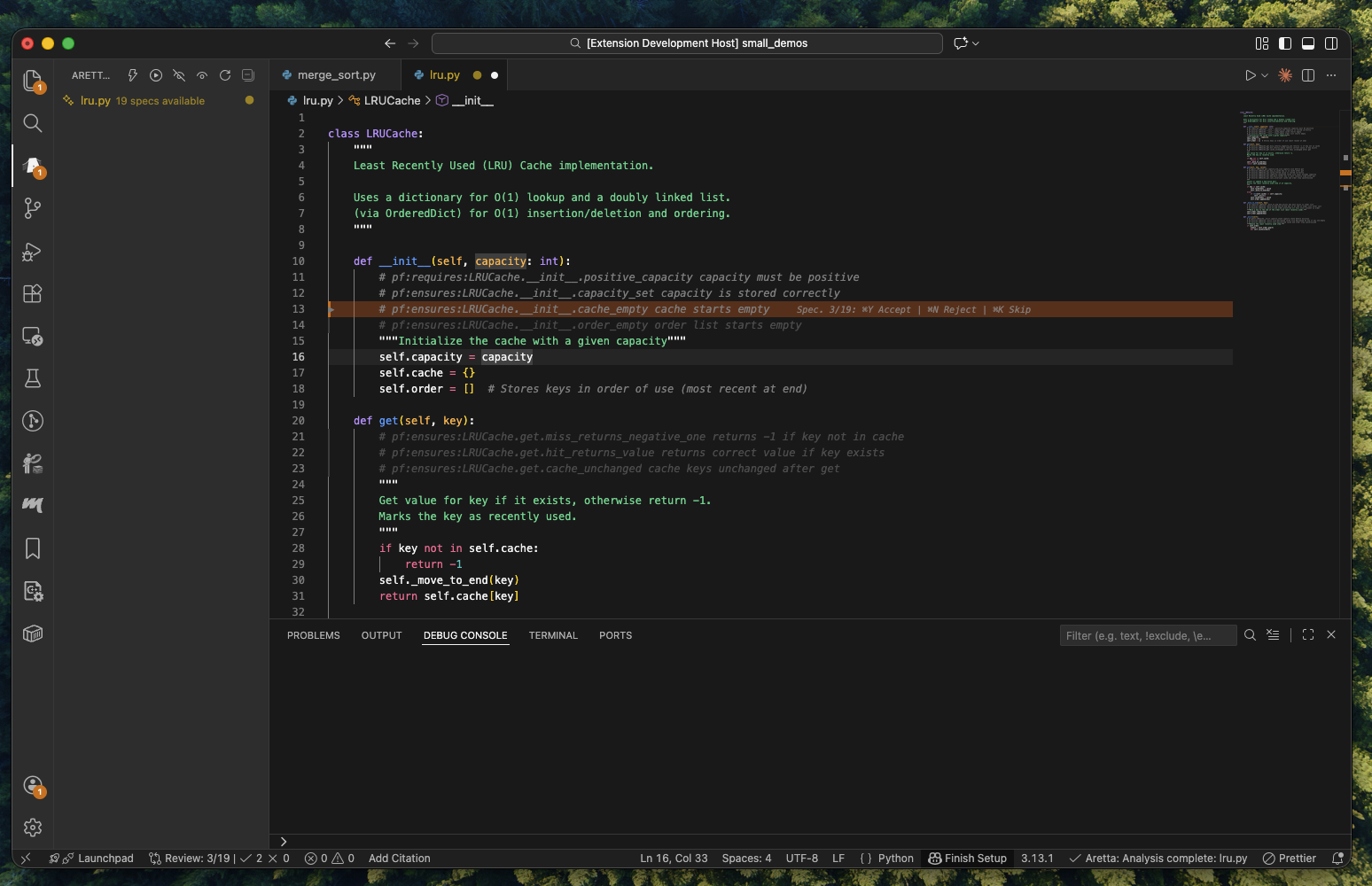
Step 5: Review Key Bindings
During review mode, use these shortcuts:
| Shortcut |
Action |
Cmd+Y / Ctrl+Y |
Accept current change |
Cmd+N / Ctrl+N |
Reject current change |
Cmd+K / Ctrl+K |
Skip (review later) |
Cmd+Left / Ctrl+Left |
Previous change |
Cmd+Right / Ctrl+Right |
Next change |
Cmd+Shift+Y / Ctrl+Shift+Y |
Accept all remaining |
Escape |
Exit review mode |
Step 6: Complete Review
After reviewing all changes:
- Accepted specs are injected into your code as annotations
- Rejected specs are discarded
- Skipped specs remain pending for later review
You can always run Aretta Code: Uninject Annotations to remove all annotations from your files.
Features
Annotations Panel
View and manage all code specifications in a dedicated sidebar panel.
- Hierarchical tree view grouped by file and path
- Color-coded icons for different annotation types
- Quick actions to hide, unhide, or remove annotations
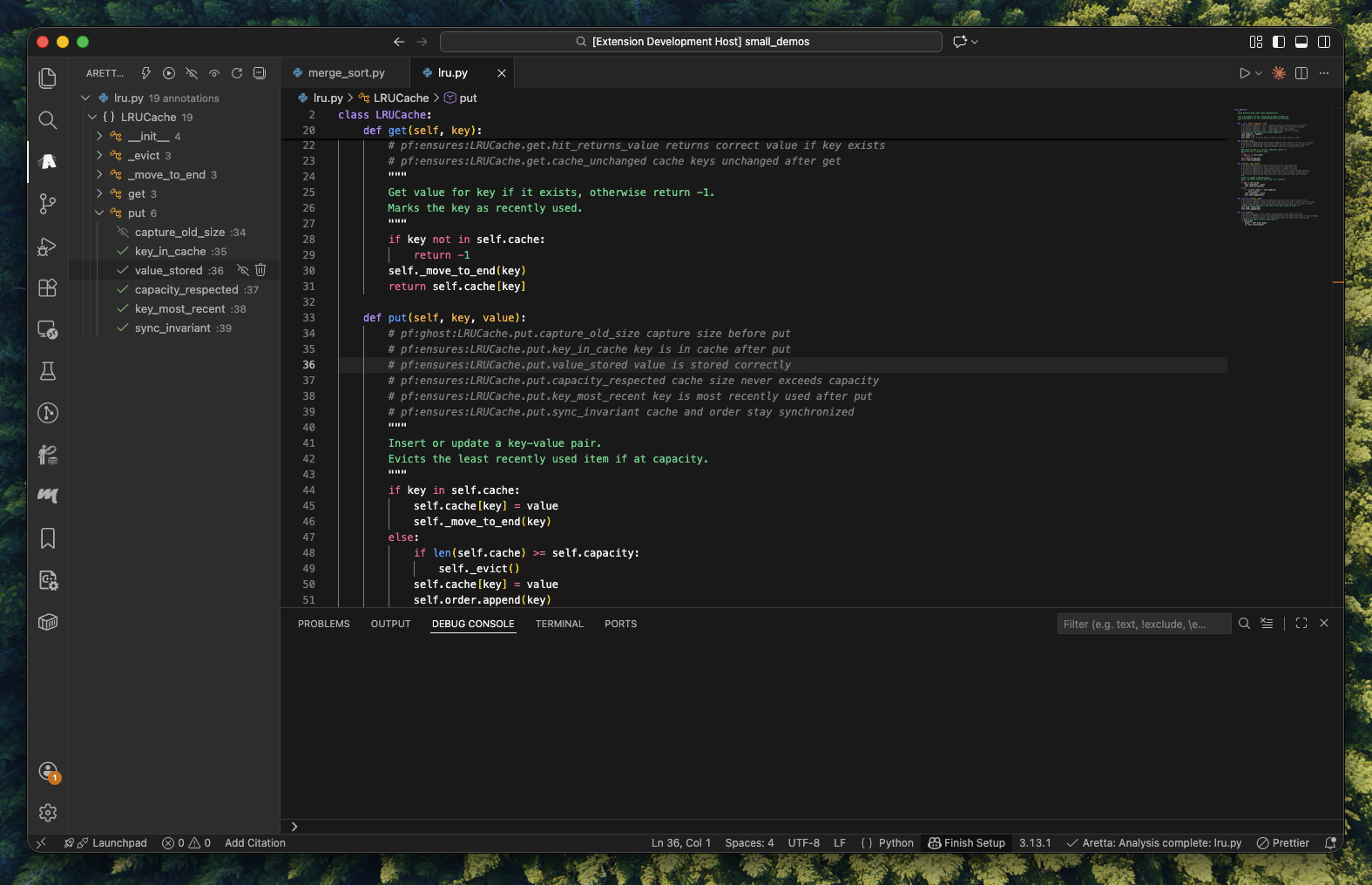 Annotations organized by file with specs available for review
Inline Review Mode
Review AI-generated specifications without leaving your code.
- Accept or reject changes with keyboard shortcuts
- Navigate through all pending changes
- Visual diff highlighting shows exactly what will change
Real-time Sync
Your code stays synchronized with Aretta Code's analysis server.
- Automatic sync on file save
- Configurable batch window for performance
- Respects your
.gitignore
Requirements
- VS Code 1.90.0 or higher
- Active Aretta Code account (sign up at aretta.ai)
- Network access to Aretta Code server
All Commands
| Command |
Description |
Aretta Code: Init |
Initialize workspace and authenticate |
Aretta Code: Resume Watch |
Start watching for file changes |
Aretta Code: Stop |
Stop file watching |
Aretta Code: Trigger Analysis |
Manually trigger analysis |
Aretta Code: Analyze Current File |
Analyze the currently open file |
Aretta Code: Review Patches Inline |
Enter inline review mode |
Aretta Code: Uninject Annotations |
Remove all annotations from files |
Aretta Code: Discard All Pending Specs |
Clear all pending specifications |
Aretta Code: Force Reset Review State |
Reset if review mode gets stuck |
Configuration
Configure via VS Code Settings (Cmd+,) or .vscode/settings.json:
| Setting |
Default |
Description |
aretta.serverUrl |
https://code.aretta.ai |
Aretta Code server URL |
aretta.syncStrategy |
onSave |
When to sync: onSave, periodic, manual |
aretta.batchWindowMs |
500 |
Debounce window for batching changes (ms) |
aretta.filters.include |
["**/*"] |
Glob patterns for files to include |
aretta.filters.exclude |
["node_modules/**", ".git/**", "dist/**"] |
Glob patterns to exclude |
aretta.logLevel |
info |
Log level: error, warn, info, debug |
Troubleshooting
Connection Issues
- Check that the server URL is correct in settings
- Verify your network can reach the Aretta server
- Check the Output panel (View > Output > Aretta Code) for detailed logs
Authentication Issues
- Run
Aretta Code: Init to re-authenticate
- Check that your browser can access the OAuth flow
- Ensure pop-ups are not blocked
Annotations Not Appearing
- Make sure file watching is active (run
Aretta Code: Resume Watch)
- Check that files match your include/exclude patterns
- Verify the file is not in
.gitignore
Review Mode Stuck
Run Aretta Code: Force Reset Review State to clear the review state and start fresh.
Privacy & Data
Aretta Code sends your source files to the Aretta analysis server for specification generation. Files are processed securely and not stored permanently. See our Privacy Policy for details.
Support
License
MIT License - see LICENSE for details.

