Helps you keep spaghetti code out of your codebase.
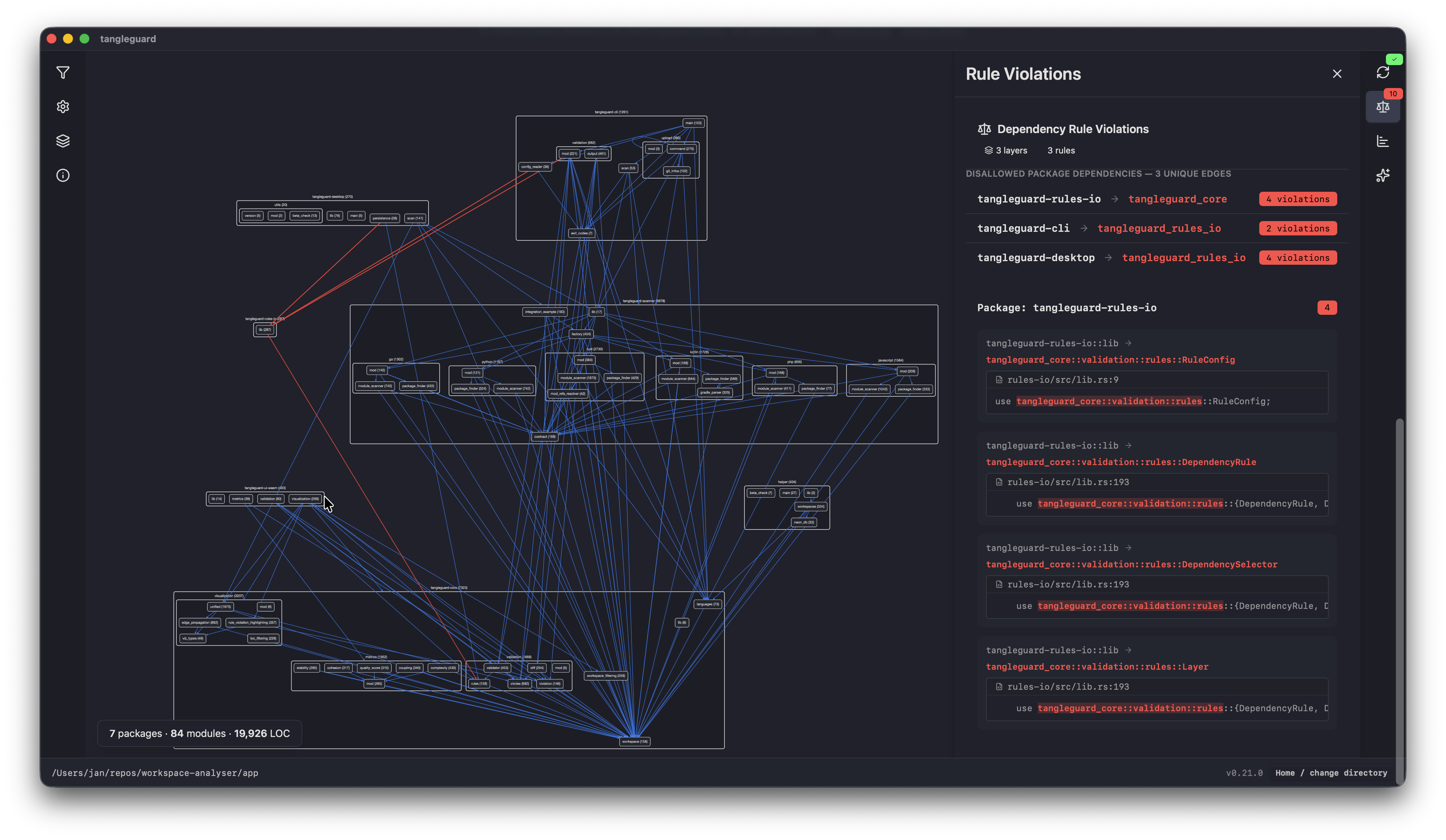
TangleGuard visualizes your software architecture, so you know how the degree of coupling and cohesion, and hence can keep an easy-to-maintain and scalable code structure.
Interactive Architecture Analysis: View your codebase as an interactive dependency graph for suitable layouts. Click on edges or hover over nodes to get more information.
Dependency Rule System: Define dependency rules in a configuration file and TangleGuard detects violations. See the docs on how to set it up.
Circular dependencies detection: Dependencies which form a cycle are highlighted and a list of all the import statements which form that cycles is displayed, so you know where to refactor.
Experimental Metrics: Calculates metrics on the fly depending on the current view
Usage
1. Open the UI
Open a Rust workspace in VS Code
Open the Command Palette (Cmd+Shift+P / Ctrl+Shift+P)
Run the command: "Analyze Architecture"
This opens the TangleGuard UI, which is also used in the desktop app.
2. Explore Your Codebase
Zoom in or out via mouse wheel or touchpad
Filter the dependency graph
Adjust the depth/zoom level for get more or less details