Language support for ArchLang — a typed
language for describing system architecture as text. Modules,
interfaces, processes, labels, and diffs in one versioned source.
Features
Syntax highlighting for .arch and .archspace files.
Diagnostics on save and as you type — unknown types, missing
required labels, broken references, malformed processes.
Go to Definition, Find References, Hover, Rename,
Autocomplete for modules, interfaces, types, and labels.
Format on save — canonical indentation enforced by the language
server.
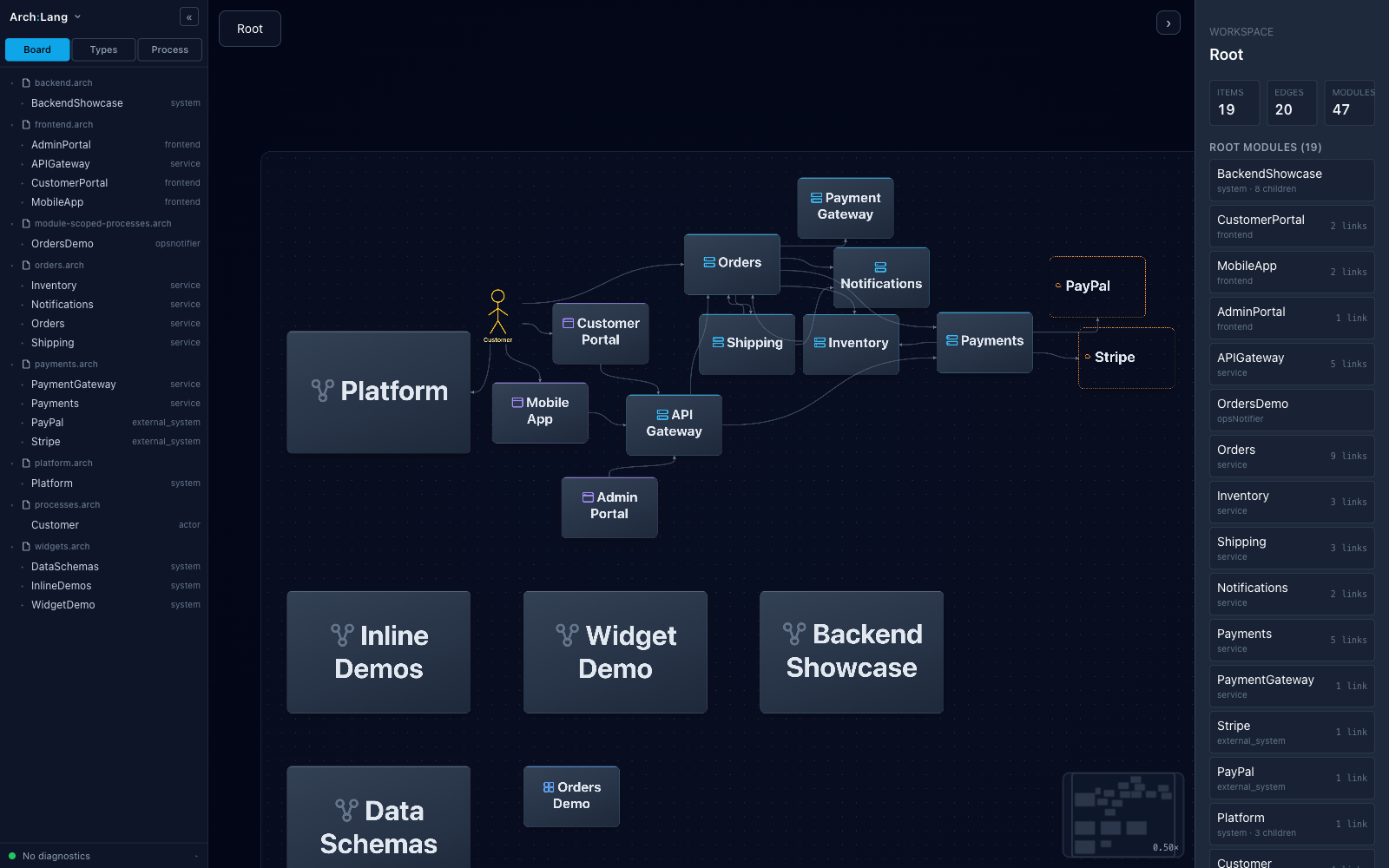
Live diagram preview in a side panel — boots a local server
bundled with the extension, renders the workspace as an interactive
diagram.
Quick start
Install the extension.
Open a folder containing a package.archspace manifest and one or
more .arch files.
Open any .arch file. The status bar shows an Arch Preview
button — click it to open the live diagram.
Keyboard shortcut: Cmd+Shift+V (Ctrl+Shift+V on Linux/Windows)
toggles the preview panel.
Commands (via the Command Palette):
ArchLang: Open Preview
ArchLang: Close Preview
ArchLang: Toggle Preview
ArchLang: Restart Preview Server
ArchLang: Restart Language Server
Requirements
None. The extension reuses VS Code's bundled Node.js runtime to run
the preview server — you do not need Node installed on your system.
If you prefer a specific Node binary (older VS Code builds, custom
forks, etc.), set archlang.nodePath in Settings.
Settings
Setting
Default
What it does
archlang.preview.autoOpen
false
Open the preview panel as soon as the first .arch file is opened.
archlang.preview.openExternal
false
Use the system browser instead of the in-editor webview.
archlang.nodePath
""
Override the Node binary used to run the preview server. Blank reuses VS Code's bundled Node.