Appsudo Mini-App Runner
This is a development extension to enable rapid development for appsudo mini apps using the Android emulator or a web runner in the browser.
Features
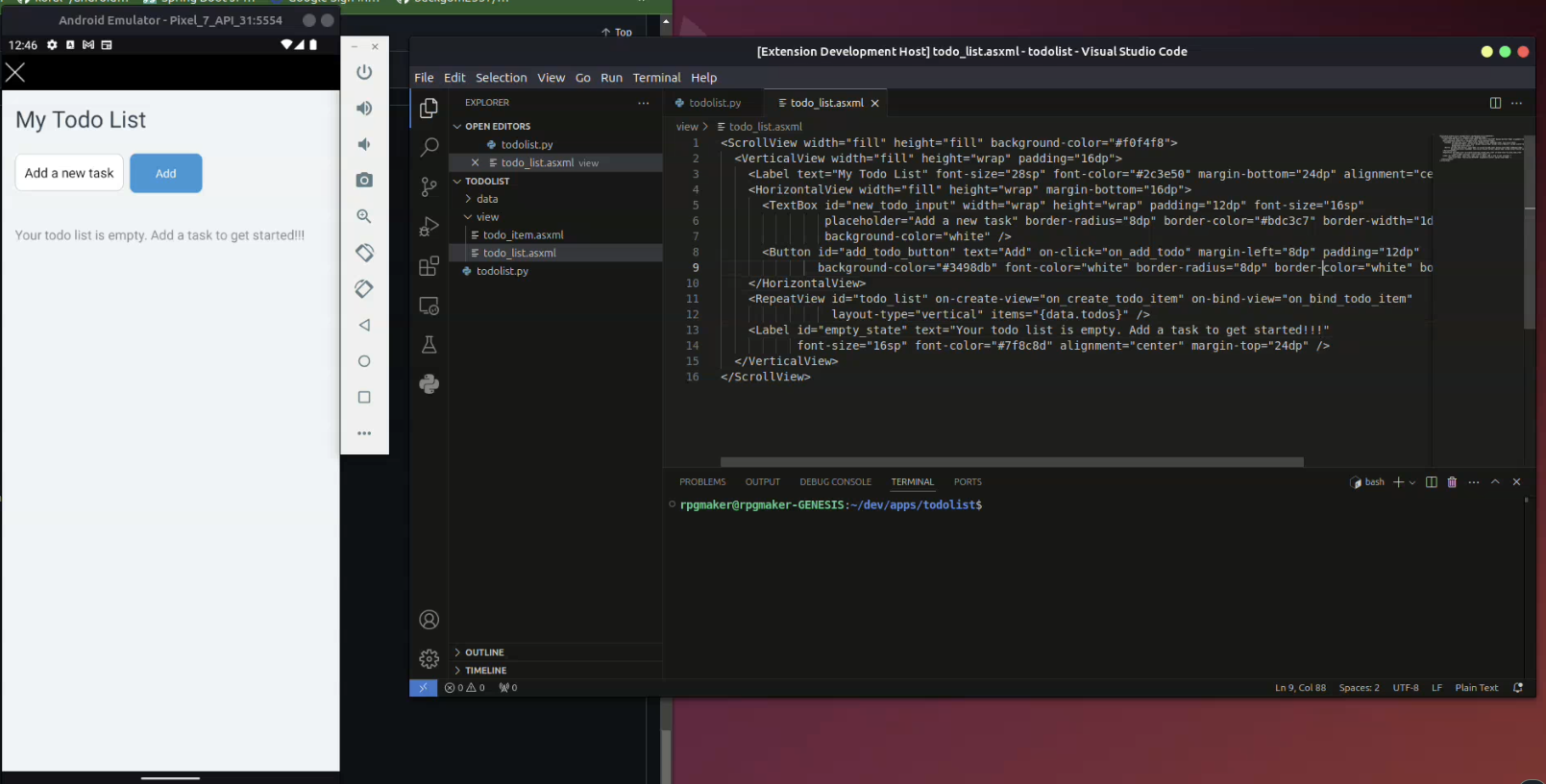
- Run any appsudo mini app in the Android emulator or in a browser tab inside VS Code, with live reload on file changes
- Publish appsudo mini apps and components to the marketplace when ready for live usage
- An
appsudo terminal CLI for reloading runners and publishing without leaving the terminal
Commands
Open the command palette (Control+Shift+P) and select one of:
Appsudo App Runner (Android): launches the Android emulator flow and streams your project to itAppsudo App Runner (Web): opens the web runner in a browser tab inside VS Code; asks for your publish api keyAppsudo App Publish: publishes the current appAppsudo Component Publish: publishes the current component
Terminal CLI
The appsudo command is available automatically in the VS Code integrated terminal once the extension is installed. Open a new terminal and run:
appsudo help
Launch the Android emulator and web runners for the current project. The prompts (publish api key, folder, emulator) appear in VS Code:
appsudo launch
appsudo start
Reload every connected runner (web tabs and the Android emulator) with the latest code:
appsudo reload
Publish the current project. The CLI walks you through the same steps as the UI: publish api key, environment selection when your key allows both, and folder selection when your workspace holds more than one app:
appsudo publish
appsudo publish component
Flags let you skip the prompts:
appsudo publish --key YOUR_KEY --env production
appsudo publish component --env development --folder mycomponent
Using appsudo outside VS Code
Install the CLI onto your PATH so it works in any terminal, not just the integrated one:
appsudo install
This copies the CLI to ~/.appsudo/bin and links it from ~/.local/bin (on Windows it adds the folder to your user PATH). Open a new terminal afterwards. Remove it again with:
appsudo uninstall
If Node is installed, appsudo install also sets up a background daemon so the runners work with no VS Code open. Run any command (for example appsudo launch or appsudo reload) from your app folder and the daemon starts on demand. The web runner opens in your default browser. The folder must be a valid appsudo app folder, and both the folder name and its <folder>.py must be all lowercase. Manage the daemon with:
appsudo stop
appsudo status
If Node is not installed, appsudo install offers to install it for you (downloaded into ~/.appsudo/node, no system change), which enables the daemon. The CLI also keeps working while VS Code is running.
Using curl from an external terminal
The CLI talks to a local HTTP endpoint that only accepts connections from your machine. Terminals outside VS Code can call it directly:
curl -X POST http://127.0.0.1:8317/cli/reload
curl -X POST http://127.0.0.1:8317/cli/publish \
  -H "Content-Type: application/json" \
  -d '{"target":"app","key":"YOUR_KEY","environment":"production"}'
Publish responses may ask for more input: needsKey, needsEnvironment (with options), or needsFolder (with folders). Add the corresponding field to the request body and send it again.
Requirements
Follow the instructions here
Extension Settings
This extension contributes the following settings:
extension.enable: Enable/disable this extension.

