MotionDiv
Convert HTML and SVG elements into Motion components directly inside VS Code.
You can convert a <div> into a motion.div instantly.
Select a <div> and press Ctrl + Shift + M.
Automatically handles "framer-motion" → "motion/react" imports.
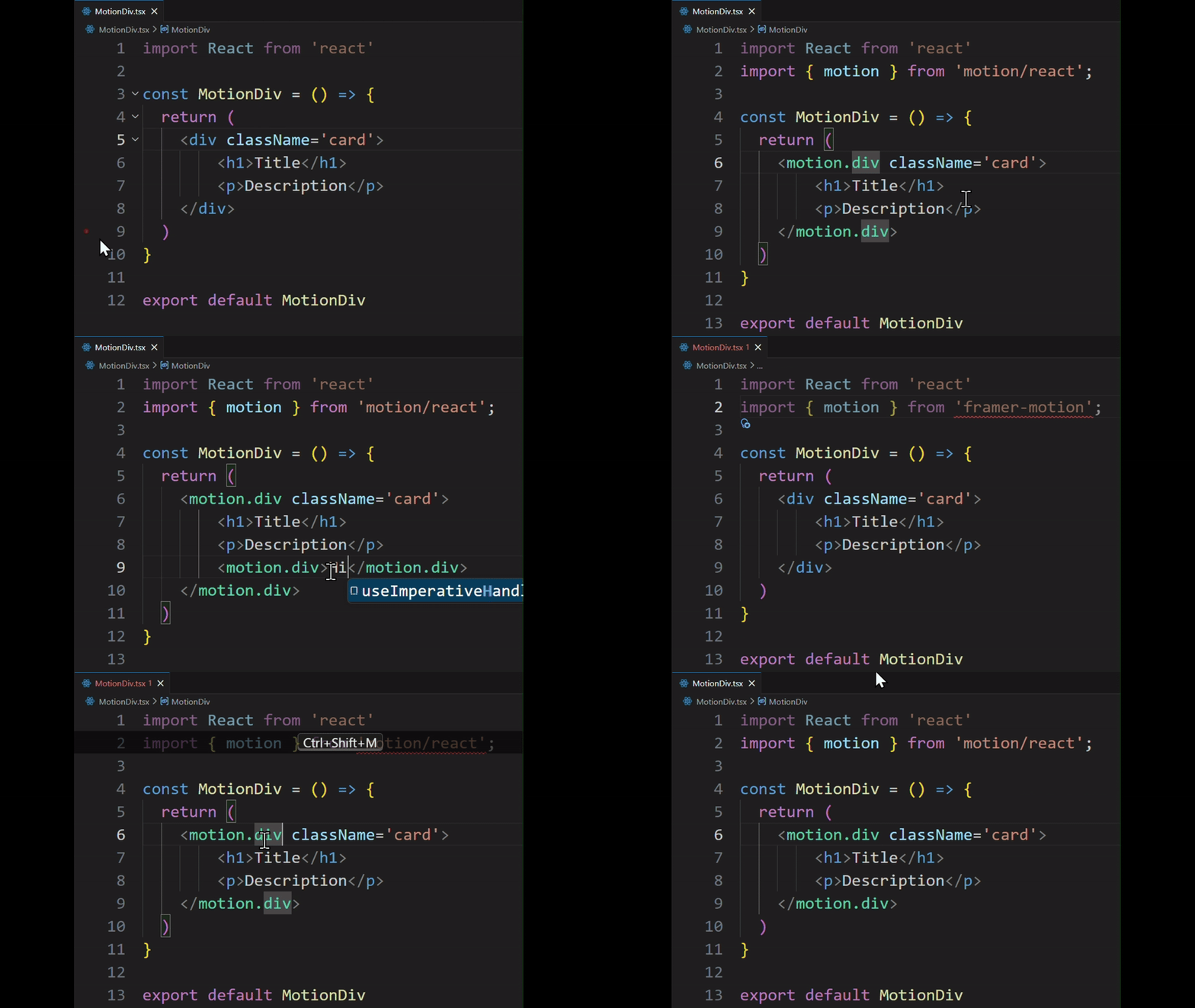
Example Workflow
Manual
Select div
↓
Import motion
↓
Change opening tag
↓
Change closing tag
↓
Verify everything
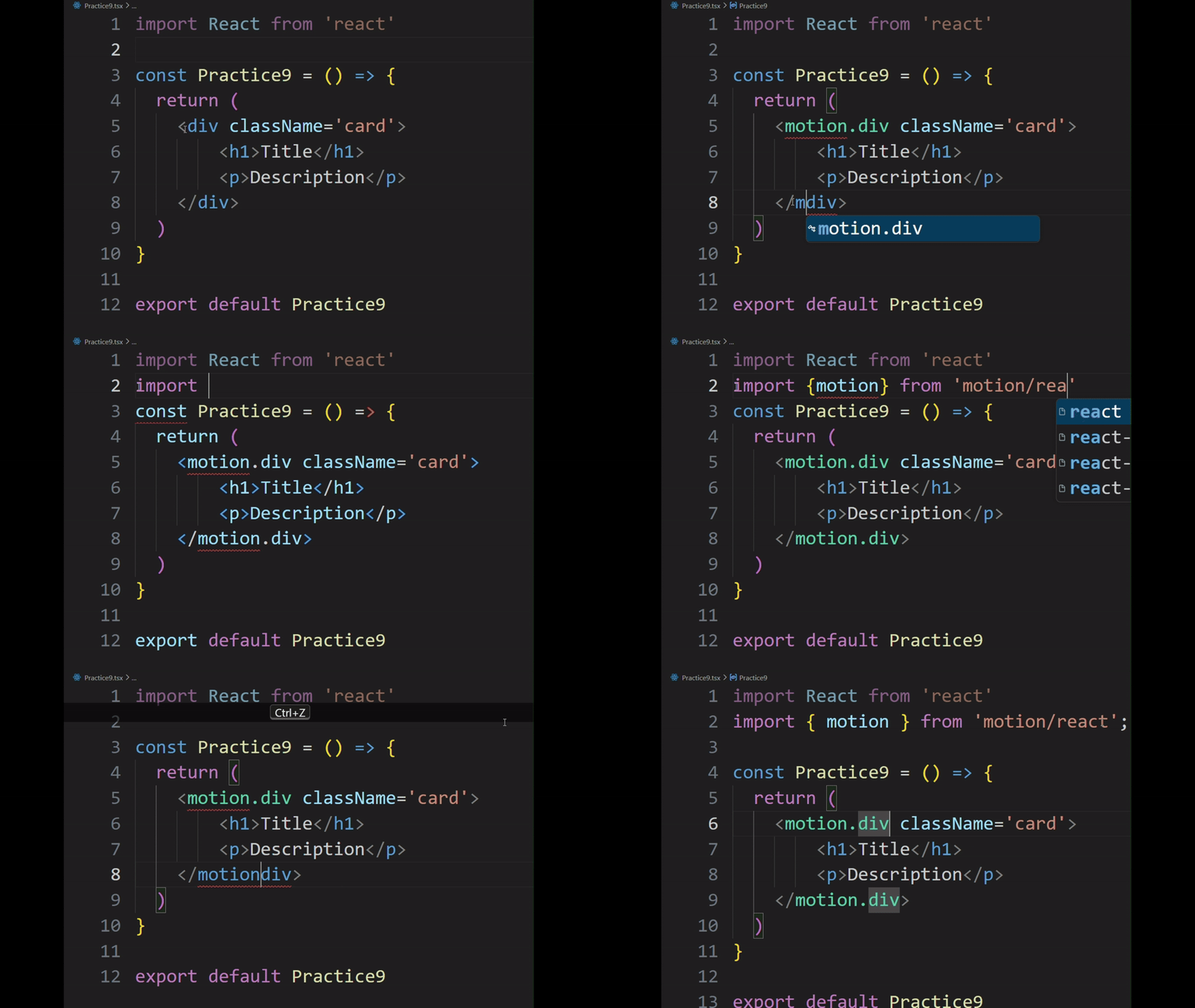
MotionDiv
Select div
↓
Shortcut
↓
Done
Real Workflow
Features
- Convert supported HTML elements to Motion components
- Convert supported SVG elements to Motion components
- Automatically adds Motion import when needed
- Preserves nested structures
- Single-step undo support
- Places cursor after the Motion tag for faster editing
HTML Elements
- div
- section
- article
- header
- footer
- nav
- main
- img
- span
- button
- a
- ul
- li
- p
- h1
- h2
- h3
- h4
- h5
- h6
SVG Elements
Installation
- Open VS Code
- Open Extensions
- Search for MotionDiv
- Click Install
Usage
Place your cursor on the opening tag and run the MotionDiv command using the keyboard shortcut:
Ctrl + Shift + M
Example
Before:
<div>

  Hello World

</div>
After:
<motion.div>

  Hello World

</motion.div>
SVG Example
Before:
<circle cx="50" cy="50" r="20"></circle>
After:
<motion.circle cx="50" cy="50" r="20"></motion.circle>
Automatic Import Handling
MotionDiv automatically:
- Detects existing Motion imports
- Inserts the Motion import after existing imports
- Places the import after
"use client" when no imports exist
- Inserts at the top of the file when needed
Current Limitations
- Cursor should be placed on the opening tag
- Not all Motion-supported elements are currently included
- Advanced JSX/AST-based element detection is planned for future versions
Feedback
Found a bug or have a feature request?
Open an issue on GitHub.

