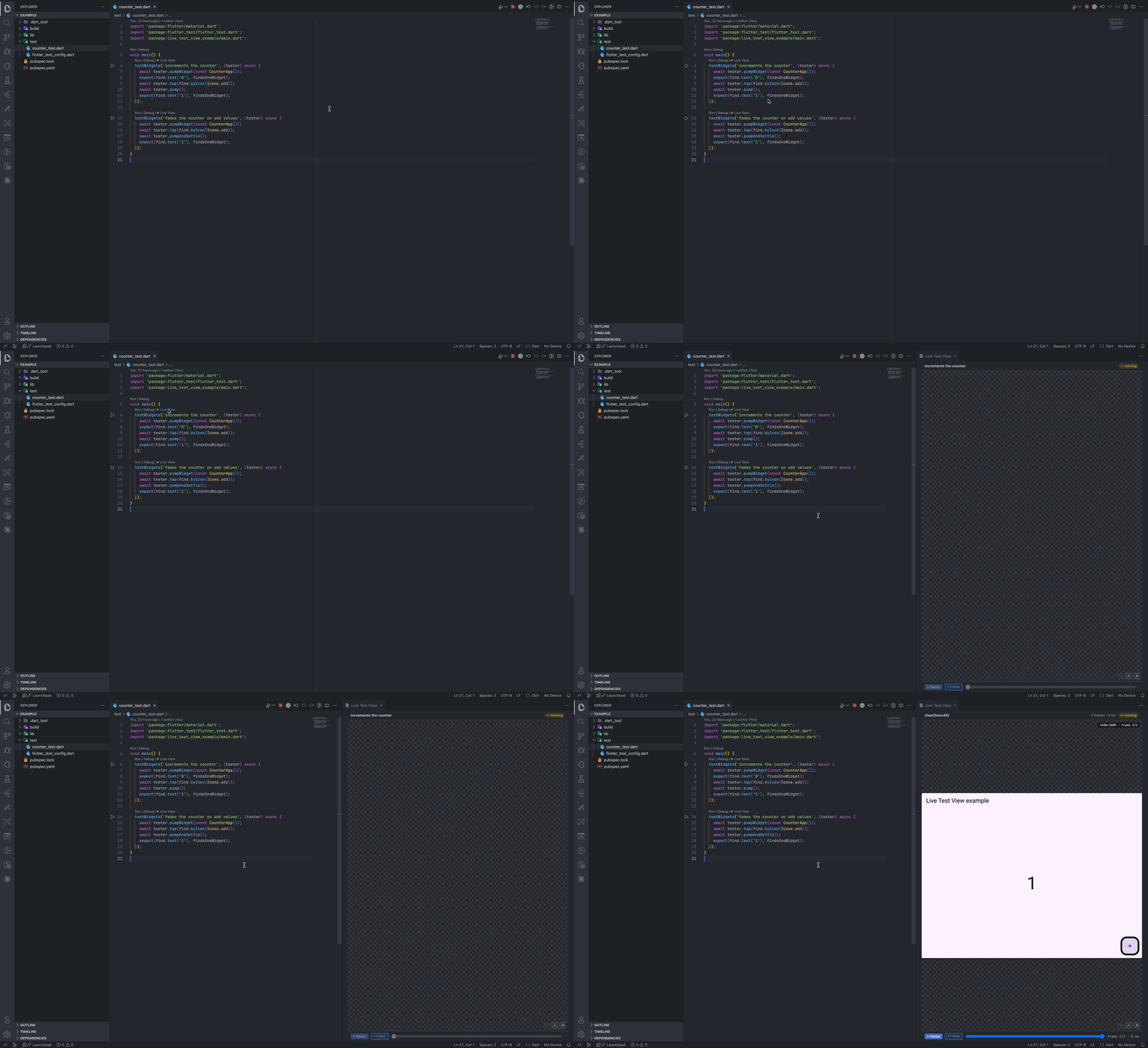
Live Test View — Flutter Widget Test PreviewWatch Flutter widget tests render live, frame by frame, in a panel beside your editor — no debugger, no manual screenshotting. Click ▶ Live View above any testWidgets block. Installation Launch VS Code Quick Open ( Ctrl+P), paste the following command, and press enter.Copied to clipboard |

Live Test ViewRun a Flutter widget test and watch it render, frame by frame, in a panel beside your editor — no debugger, no manual screenshotting.
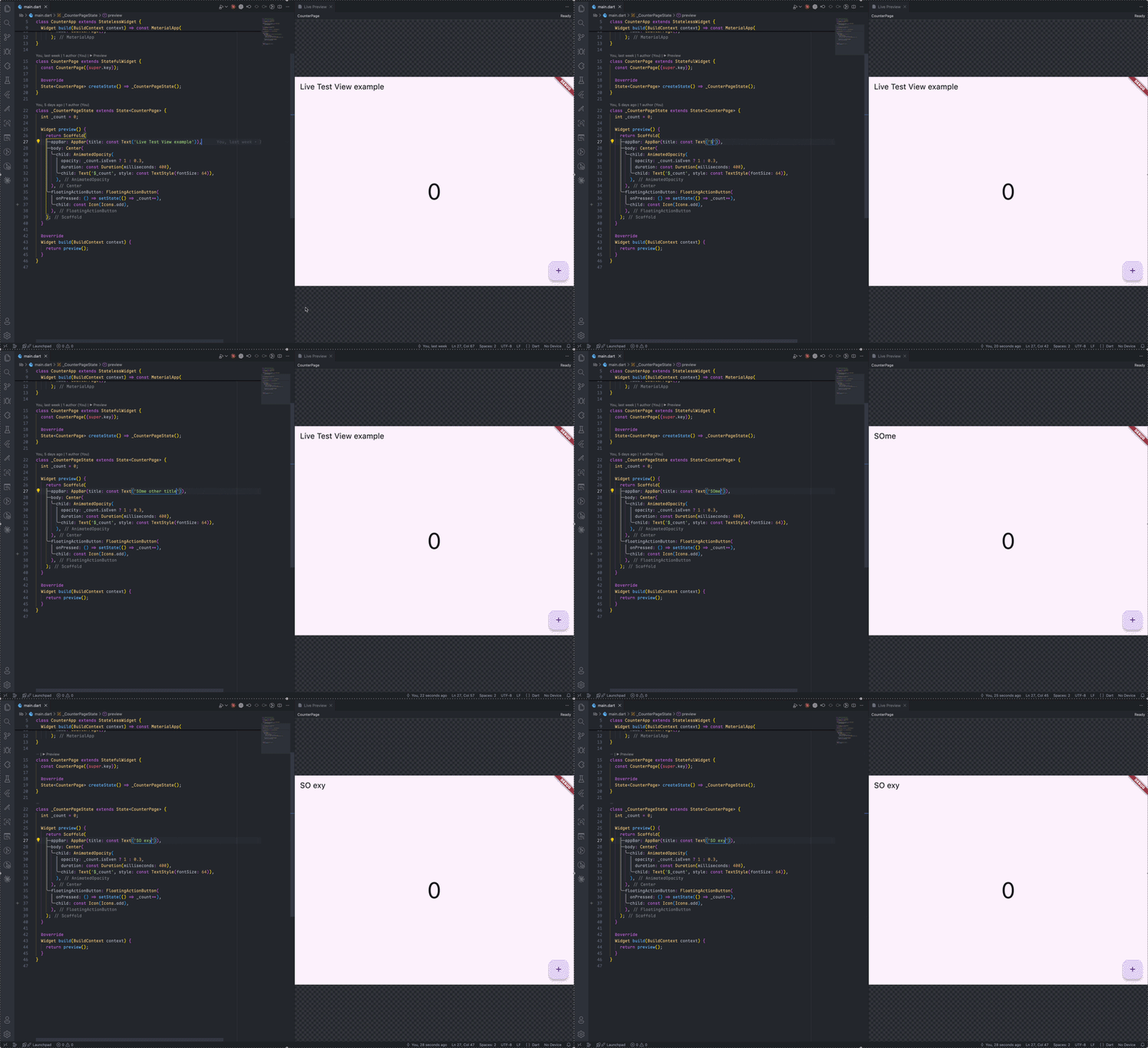
UsageOpen any Click it. A panel opens beside your editor and runs just that test ( Widget Preview (experimental)Live Test View also has a preview mode for widgets, not just tests. Above any top-level widget-returning function/getter, or Click it. A panel opens beside your editor and renders that widget live in a headless
Unlike test mode's scrubbable frame history, preview mode shows one thing: the widget's current rendered state. It's not interactive (taps/scroll/typing aren't forwarded), and it doesn't inject your app's own Provider/Riverpod/Bloc setup — widgets that need that will show Flutter's error widget, same as they would in an unwrapped test. Setup promptIf you click "▶ Live View" and no frames show up, the panel shows a "Set up Live Test View" button. Clicking it opens a terminal and runs: Re-run the test afterward and frames should appear. If the project already has a Requirements
LicenseMIT — see LICENSE. |