Code Trio - Compare Beautify SpellcheckCompare, three-way merge, code-aware spell check, and beautify - in one offline extension. Prettier, Ruff, gofmt, rustfmt. No network calls, no telemetry. Installation Launch VS Code Quick Open ( Ctrl+P), paste the following command, and press enter.Copied to clipboard |

Code Trio - Compare Beautify SpellcheckFour offline developer tools in one VS Code extension: compare/diff, three-way merge, a code-aware spell checker, and a beautifier/formatter. Deterministic, private, and fully offline - no network calls, no telemetry, ever.
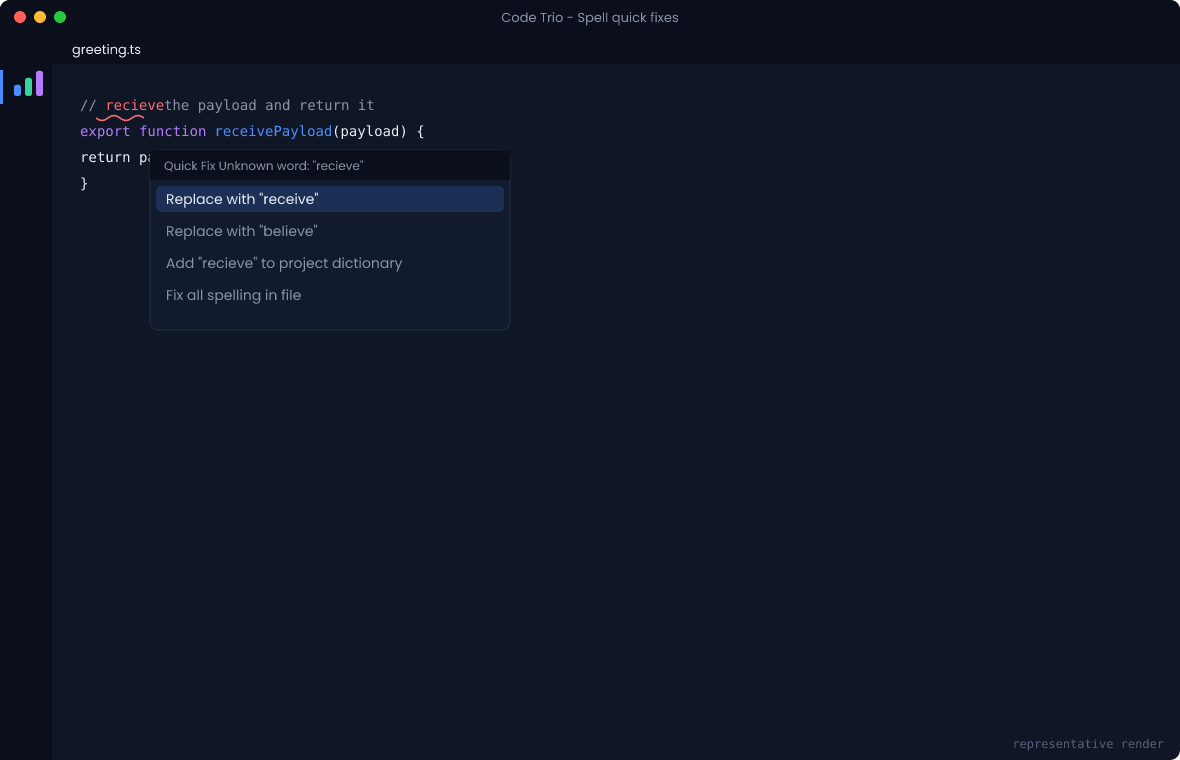
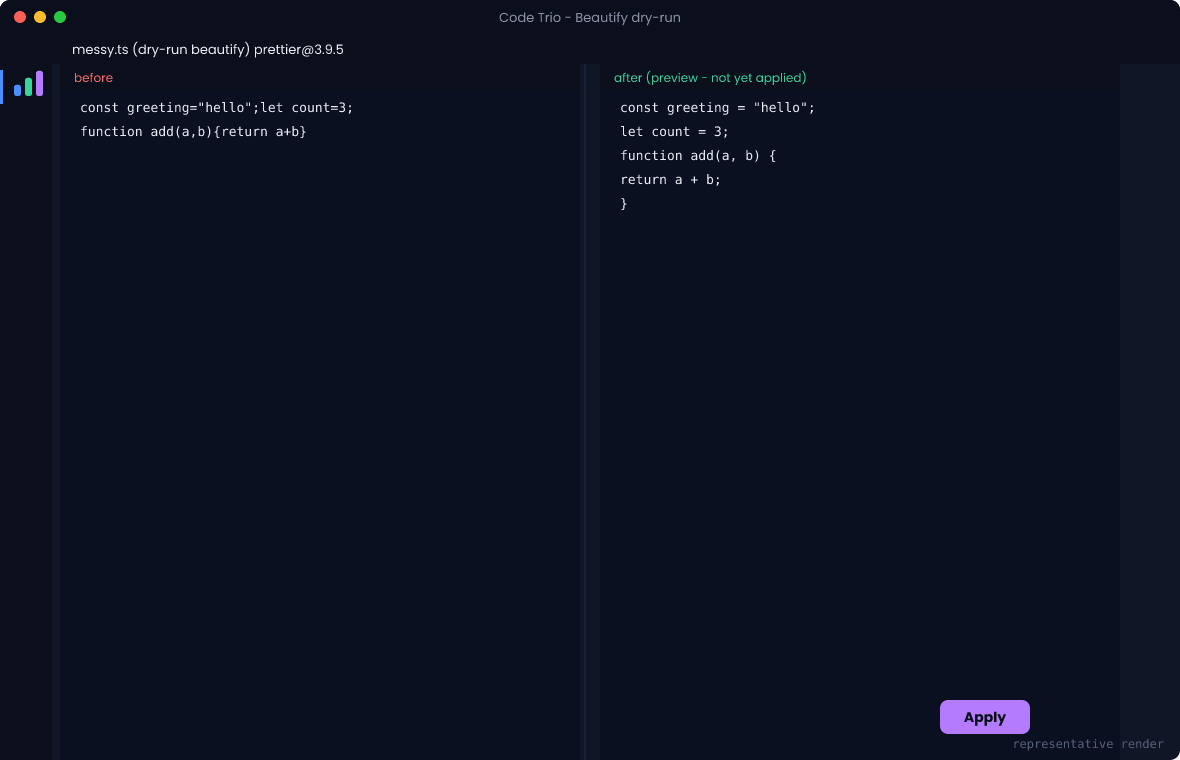
What you getCompare / Diff - line, word, or character granularity with ignore-whitespace, ignore-case and ignore-line-ending options, rendered in the native side-by-side diff editor. Compare the active file against another file, two files selected in the Explorer, the clipboard, your current selection, the version saved on disk, any git ref, or the previous revision. Word and character refinement is Unicode-correct, so accented characters and emoji are never split mid-glyph. Binary, oversized and minified input is refused or downgraded with a reason you can read, rather than producing a misleading empty diff. Three-way merge - diff3 with conflict navigation, accept ours / theirs / both / base, and manual resolution. Reads git's conflict stages directly, so it works on a real conflicted working tree with no manual extraction. Preview the merged result before anything is written; saving goes to a new file by default and is refused outright while any conflict is unresolved. Git staging is never touched. Spell Check - code-aware diagnostics that check comments and strings by default (identifiers opt-in) and split Beautify / Format - Prettier is bundled. Ruff, Black, gofmt, rustfmt and clang-format are used when you already have them installed; nothing is ever downloaded. A missing formatter tells you which executable it looked for and offers the setting to fix it, instead of silently doing something else. Dry-run diff preview before anything is applied, opt-in format-on-save, and workspace-wide formatting behind an explicit confirmation. All four surface through one Activity Bar panel with per-tool tabs, severity counts, search, sorting, keyboard navigation and Markdown/JSON export. Screenshots
CommandsAll commands live under the Compare - Compare Active File With File / Clipboard / Git Ref, Compare Two Selected Files, Compare Selection With Clipboard, Compare With Saved Version On Disk, Compare With Previous Revision Merge - Merge Conflicted File (Git), Merge Three Files, Next / Previous Merge Conflict, Preview Merged Result, Save Merged Result As Spell - Spell Check Current File / Workspace, Fix All Spelling In File, Add Word To Dictionary, Ignore Word For This Session, Clear Session Ignore List, Open Workspace / Workspace Folder / User Dictionary, Show Dictionary Sources Beautify - Beautify Document, Preview Beautify Changes, Beautify Changed Files Only, Beautify Entire Workspace, Show Available Formatters Results - Show Results Panel, Export Results, Refresh, Clear Default keybindings: SettingsNamespaced per feature: Notable defaults: identifiers are not spell-checked unless you opt in, formatting shows a preview before applying, format-on-save is off until you enable it, and external formatter discovery is on but finds only what you have already installed. Privacy and trustNo network access and no telemetry. Applying a format, writing to a dictionary and saving a merge are the only operations that change files, and all three are disabled in untrusted workspaces (this extension supports Workspace Trust in The results panel runs under a strict Content Security Policy: Also available as a CLIThe same engines power a cross-platform Links
Built on a shared, pure TypeScript core that also powers the |