Skip to content
| Marketplace
Sign in
Visual Studio Code>Themes>EeneiNew to Visual Studio Code? Get it now.
Eenei

Eenei

AndreyGatsuk

|
2 installs
| (0) | Free
Frost-blue syntax highlighting with rose, dahlia, lilac and soft green hellebore palettes
Installation
Launch VS Code Quick Open (Ctrl+P), paste the following command, and press enter.
Copied to clipboard
More Info

Eenei — frosted steel helmet among flowers

Eenei

Frost-blue themes for Visual Studio Code, with four flower palettes in Dark and Light. The name comes from Russian «иней» (frost), pronounced EE-nyey /ˈinʲɪj/.

Control flow uses a shared blue. Strings and comments have colors chosen for each palette. Names and values stay quiet; highlighting works as soon as you select a theme.

Palettes · Previews · Customization · Development

Install

  1. Find Eenei by AndreyGatsuk in Extensions (AndreyGatsuk.eenei), or install eenei.vsix with Extensions: Install from VSIX….
  2. Open Preferences: Color Theme (Ctrl+K Ctrl+T / ⌘K ⌘T).
  3. Choose Eenei on Rose, Dahlia, Lilac or Hellebore, in Dark or Light.

For a local build, run npm ci && npm run package; the file is dist/eenei.vsix.

Palettes

Palette Dark Light
Eenei on Rose Eenei on Rose Dark palette Eenei on Rose Light palette
Eenei on Dahlia Eenei on Dahlia Dark palette Eenei on Dahlia Light palette
Eenei on Lilac Eenei on Lilac Dark palette Eenei on Lilac Light palette
Eenei on Hellebore Eenei on Hellebore Dark palette Eenei on Hellebore Light palette

Swatches: background · surface · frost blue · strings · comments · documentation.

Eenei on Rose — color values
Role Dark HEX Light HEX
Background #0A0E14 #FAFAFA
Surface #101720 #F0F2F4
Raised surface #151F2A #FFFFFF
Border #273442 #D8DDE3
Text #E0DED8 #292720
Frost blue #88B4D8 #376B93
Strings #CC9DB8 #925471
Comments #A6A294 #686354
Documentation #847E77 #70695F
Scaffolding #949CA8 #606B78
Eenei on Dahlia — color values
Role Dark HEX Light HEX
Background #0A0E14 #FAFAFA
Surface #101720 #F0F2F4
Raised surface #151F2A #FFFFFF
Border #273442 #D8DDE3
Text #E0DED8 #292720
Frost blue #88B4D8 #376B93
Strings #D8A58B #935939
Comments #99AAA8 #546967
Documentation #768987 #5C706E
Scaffolding #949CA8 #606B78
Eenei on Lilac — color values
Role Dark HEX Light HEX
Background #0A0E14 #FAFAFA
Surface #101720 #F0F2F4
Raised surface #151F2A #FFFFFF
Border #273442 #D8DDE3
Text #E0DED8 #292720
Frost blue #88B4D8 #376B93
Strings #B59BD8 #7952A3
Comments #AAA292 #6E6451
Documentation #867E73 #736B60
Scaffolding #949CA8 #606B78
Eenei on Hellebore — color values
Role Dark HEX Light HEX
Background #0A0E14 #FAFAFA
Surface #101720 #F0F2F4
Raised surface #151F2A #FFFFFF
Border #273442 #D8DDE3
Text #E0DED8 #292720
Frost blue #88B4D8 #376B93
Strings #A8C79B #486C3C
Comments #AD9DA9 #75616E
Documentation #887C85 #786A74
Scaffolding #949CA8 #606B78

Previews

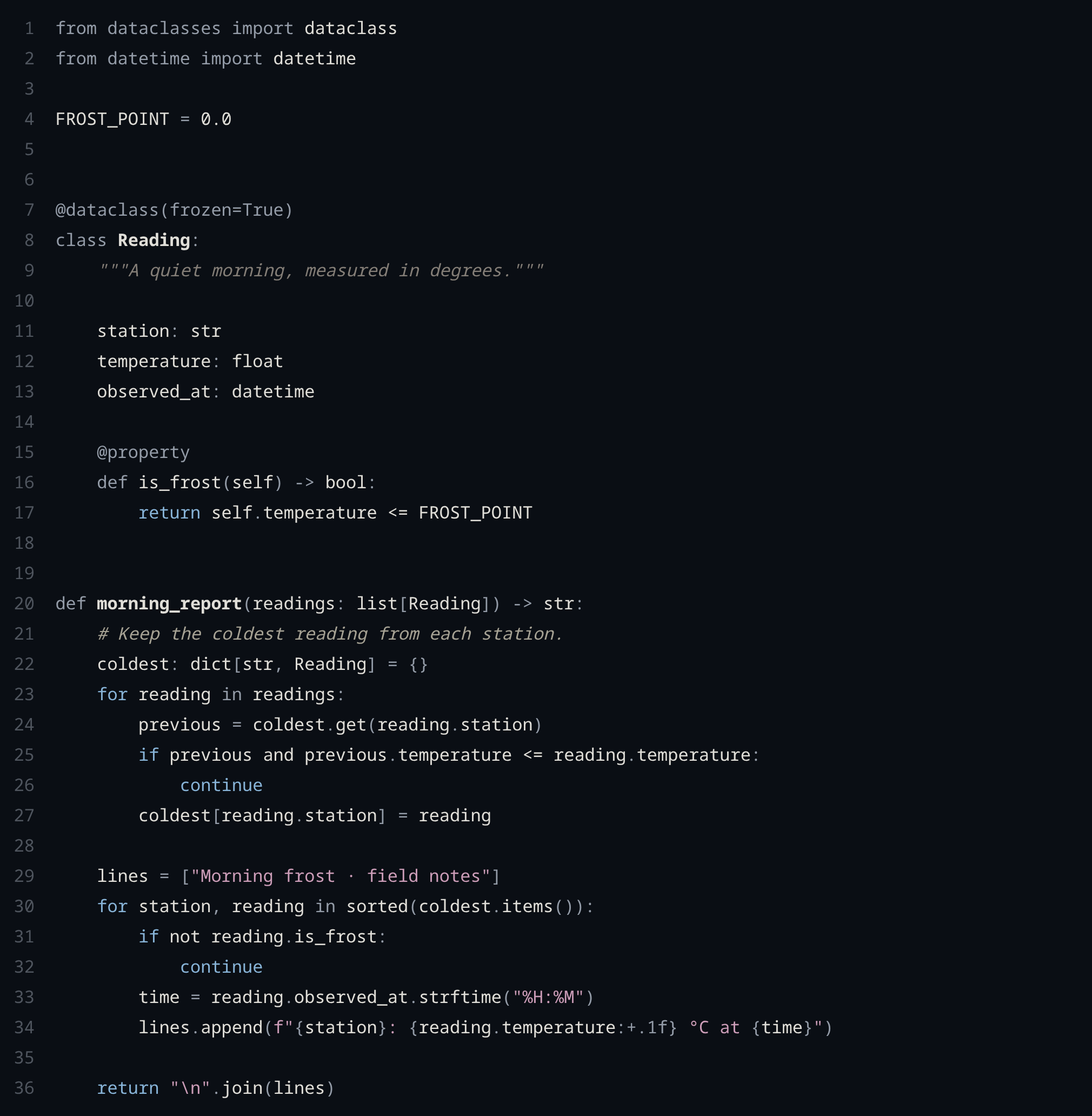
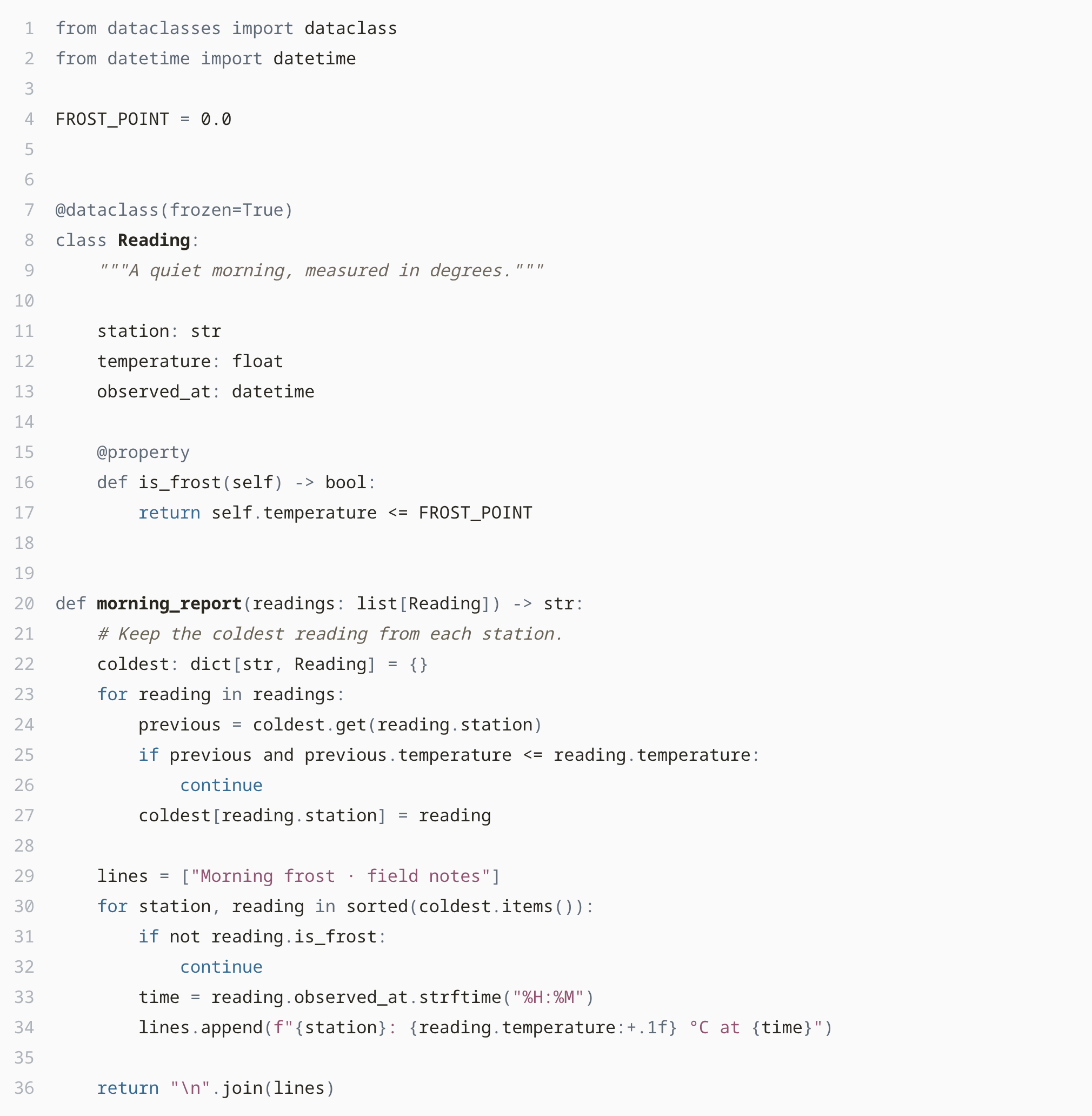
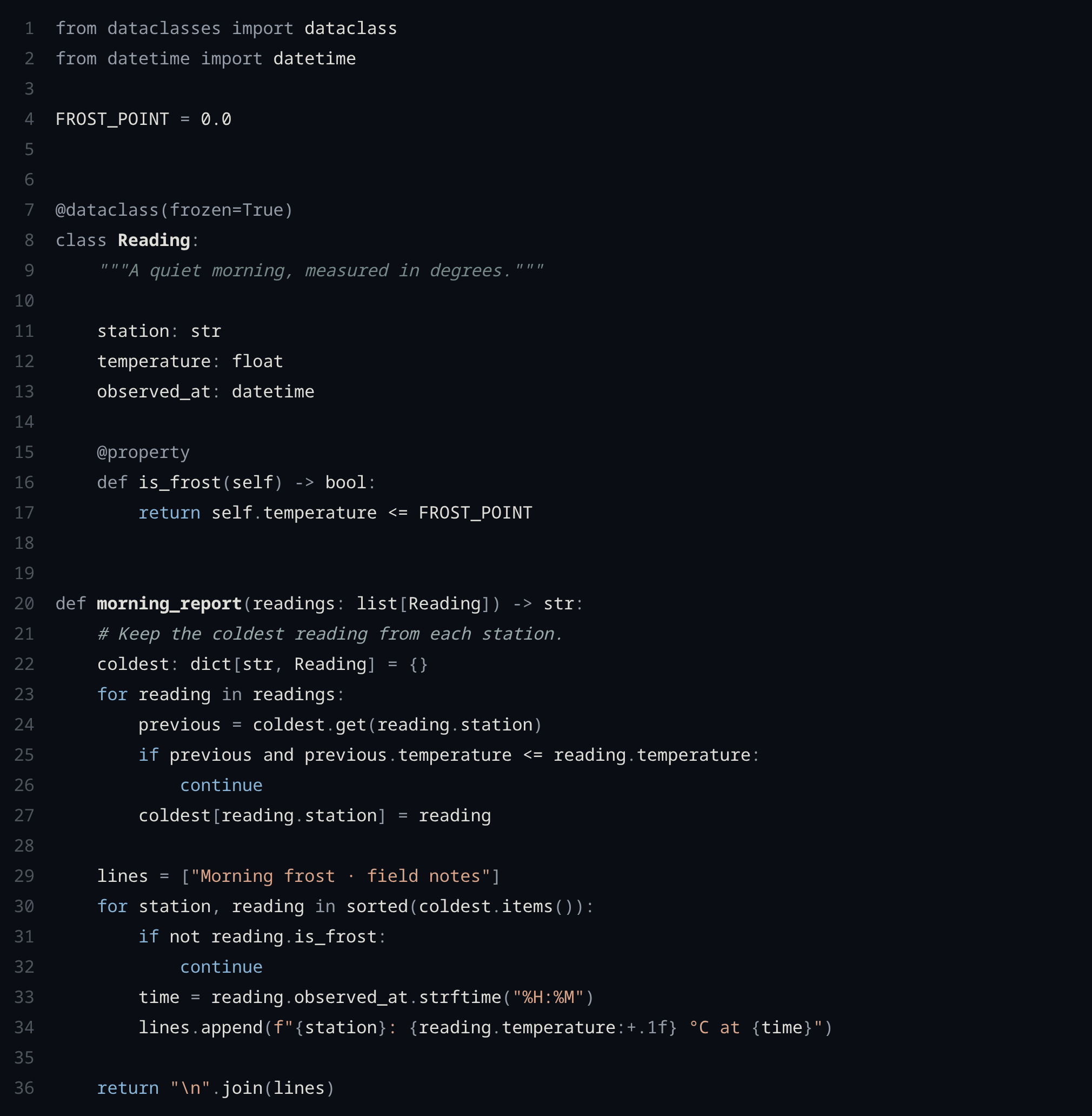
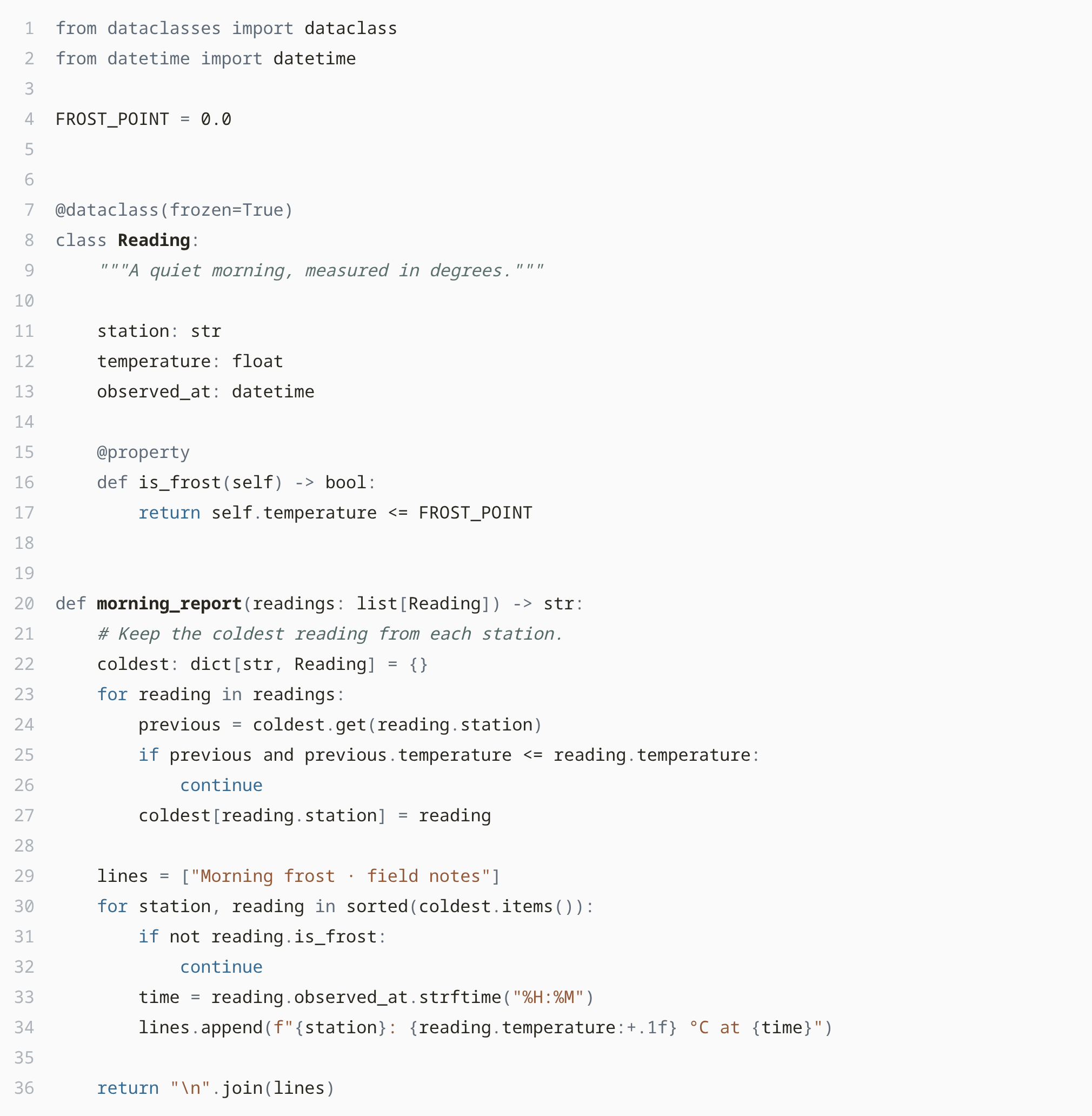
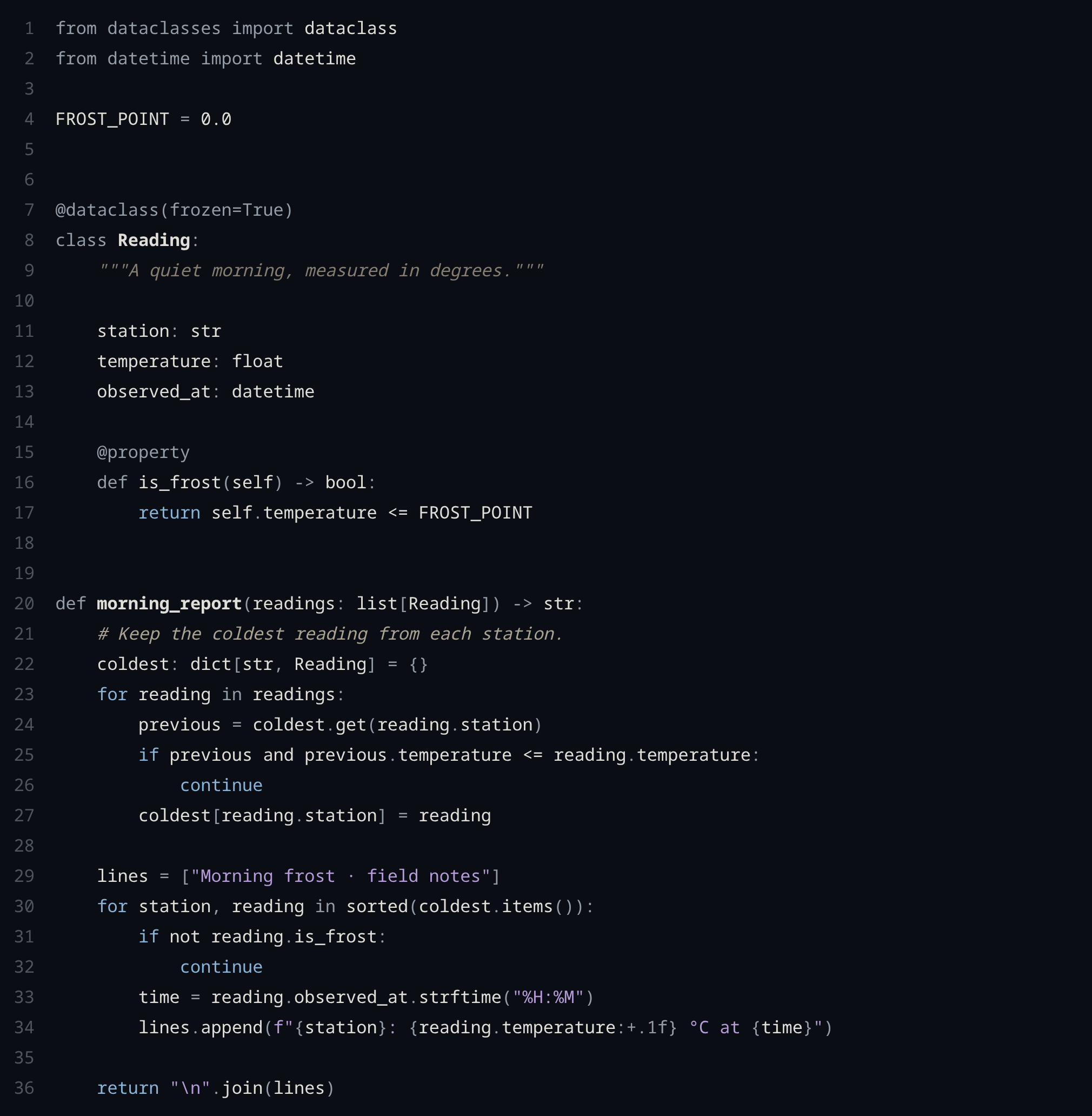
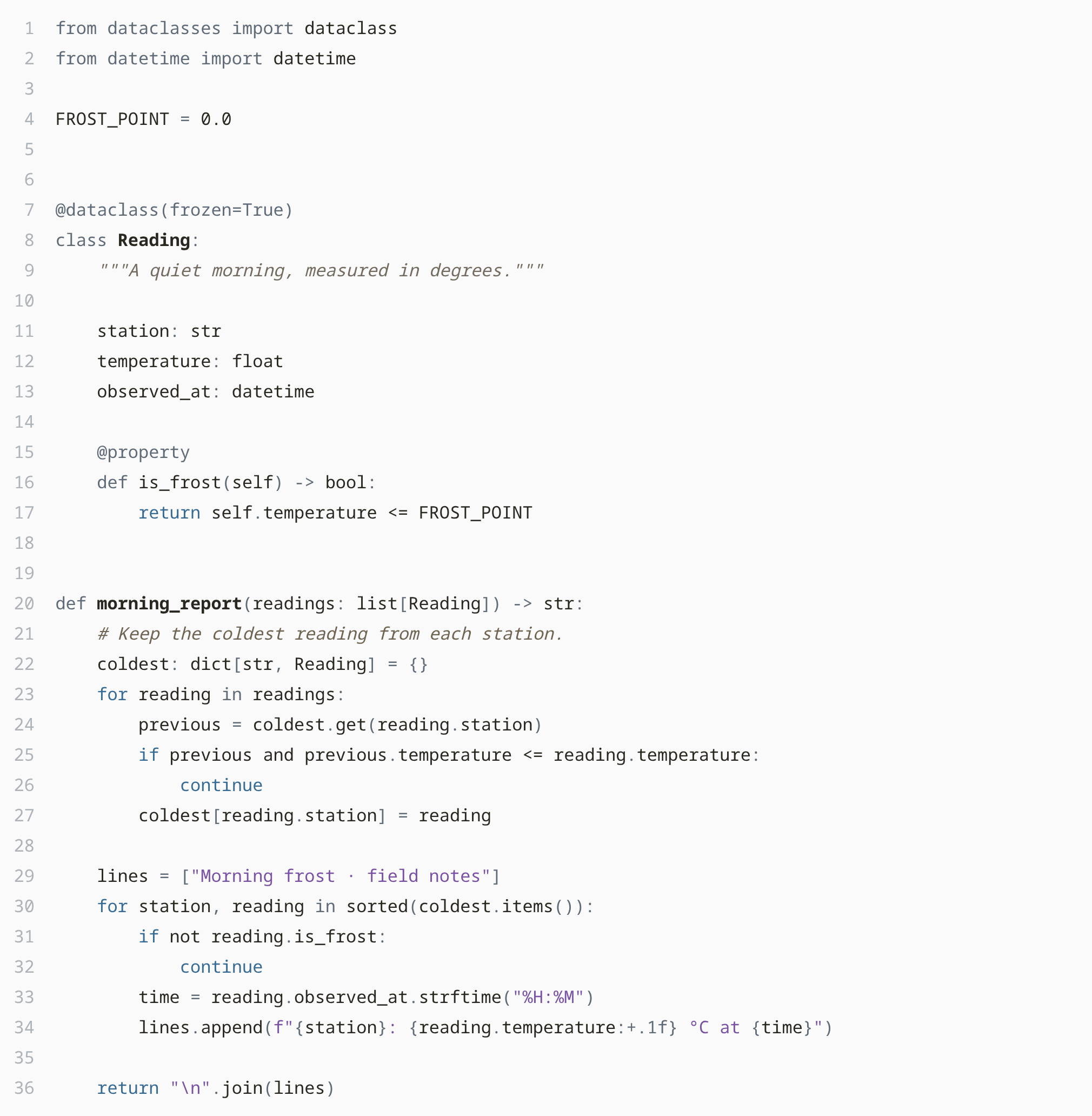
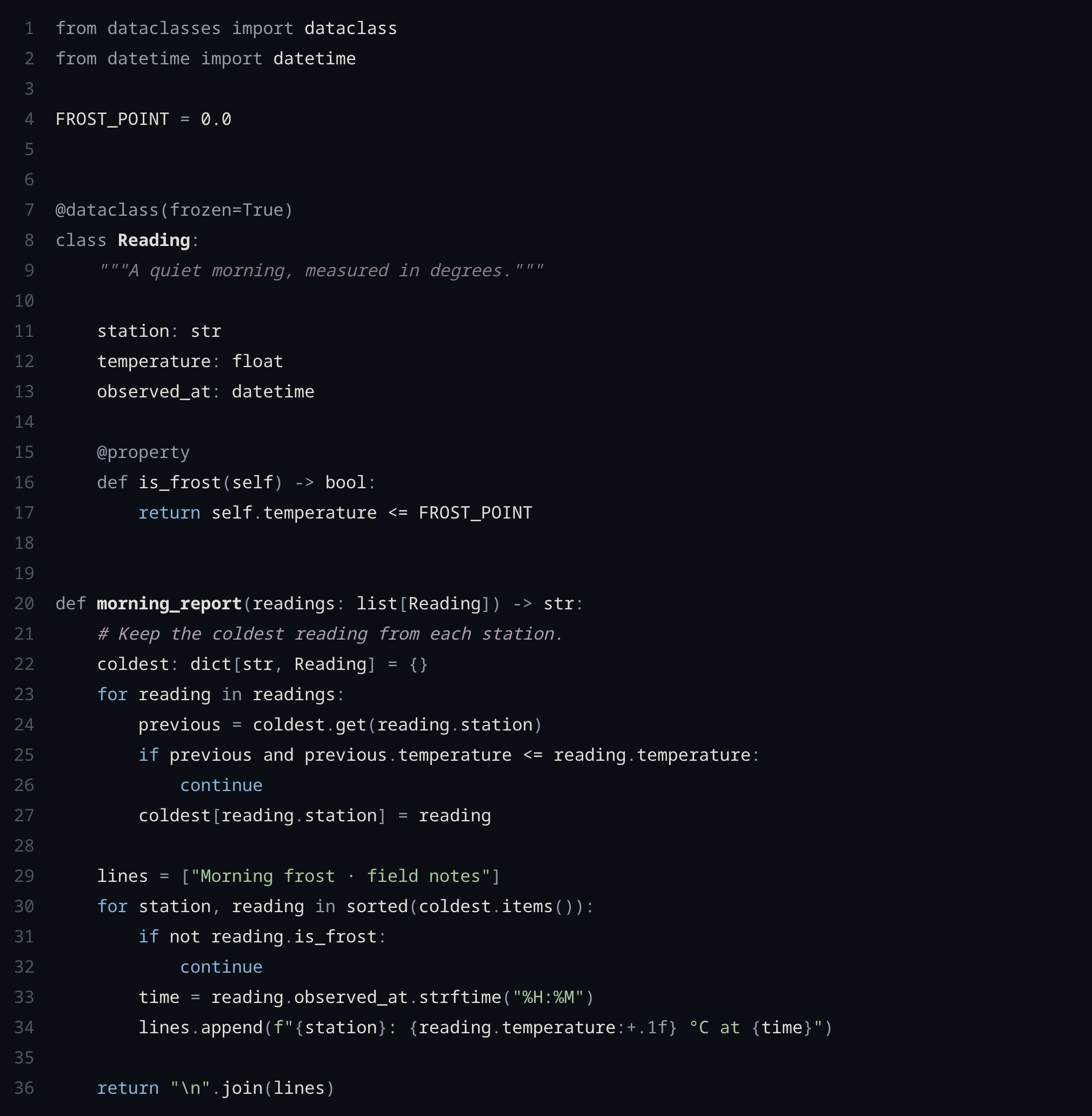
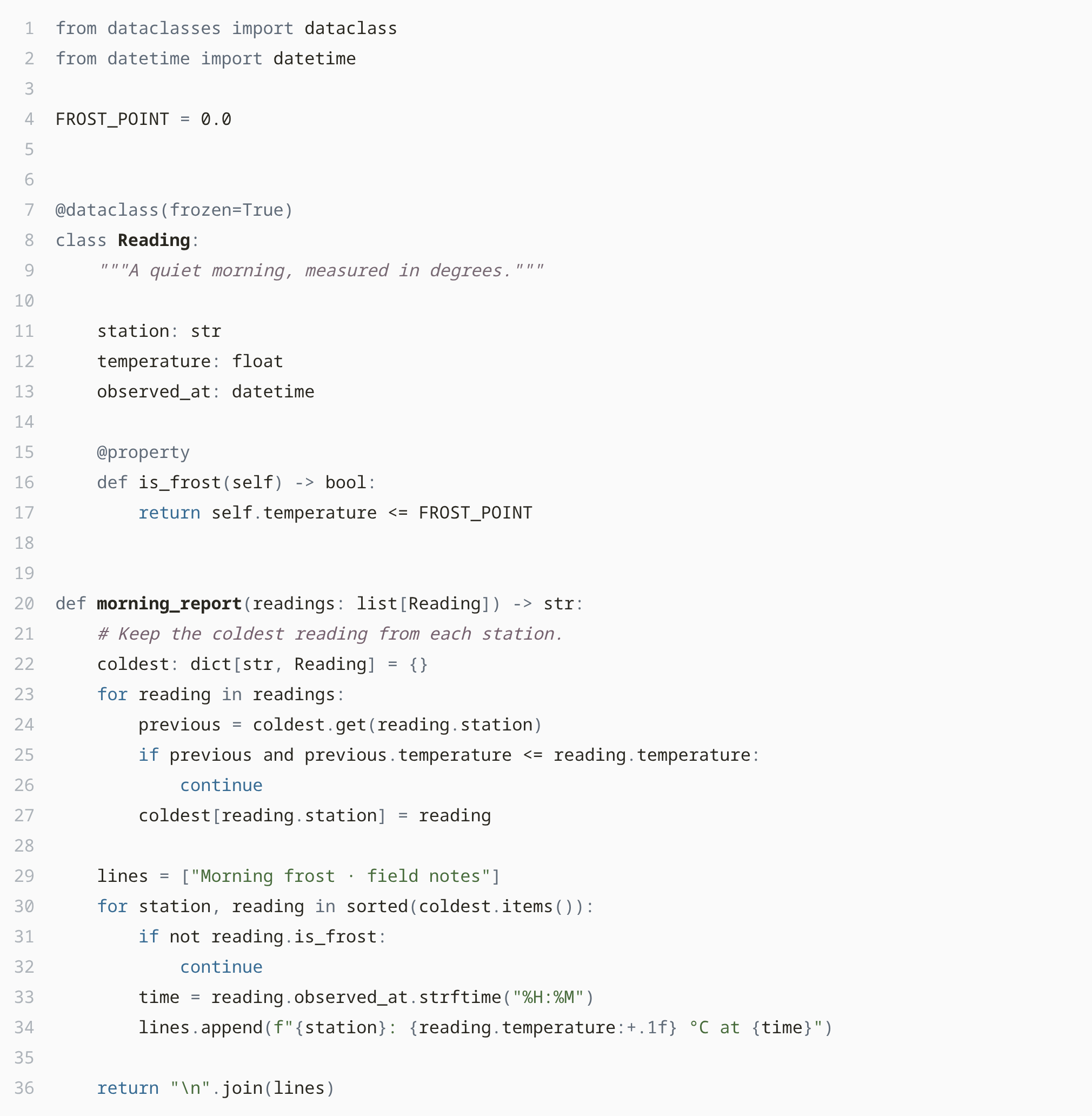
Compare all four palettes on the same code
Dark Light
Eenei on Rose Dark Eenei on Rose Light
Eenei on Dahlia Dark Eenei on Dahlia Light
Eenei on Lilac Dark Eenei on Lilac Light
Eenei on Hellebore Dark Eenei on Hellebore Light

Customization

Eenei works out of the box. For personal adjustments, open Preferences: Open User Settings (JSON) and merge the overrides you want into your settings. For example, give Rose Dark a rose-colored cursor, active tab border and links:

{
  "workbench.colorCustomizations": {
    "[Eenei on Rose Dark]": {
      "editorCursor.foreground": "#CC9DB8",
      "tab.activeBorder": "#CC9DB8",
      "textLink.foreground": "#CC9DB8",
      "textLink.activeForeground": "#CC9DB8"
    }
  }
}

The override applies only to the named theme. Replace the name and HEX values to customize another variant; remove the override to restore the defaults.

You can also adjust comment colors or remove comment italics. The customization guide includes the full examples and scope details. These use VS Code's built-in settings.

Language support

Standard VS Code grammars are supported alongside bundled syntax for Vue, Svelte, Astro, MDX, GraphQL, Jinja, TOML, Zig, Nix and others. Additional language tools are optional for completion and formatting. See language support and the coverage guide for tested scope and limits.

Development

Sources are in src/, tooling in scripts/, and the installable extension in vscode/. See development and design.

Inspired by Navigate and Pustota. MIT license.

  • Contact us
  • Jobs
  • Privacy
  • Manage cookies
  • Terms of use
  • Trademarks
  • Your Privacy Choices
  • Consumer Health Privacy
© 2026 Microsoft