Browse, reopen, pin, color and icon every Claude Code chat — from a sidebar. Close idle tabs to free RAM.
Claude Code already saves every chat as a transcript in ~/.claude/projects. This extension turns those into a browsable archive so you can keep just a few chats open (RAM) and jump back to any of the others on demand.
Features
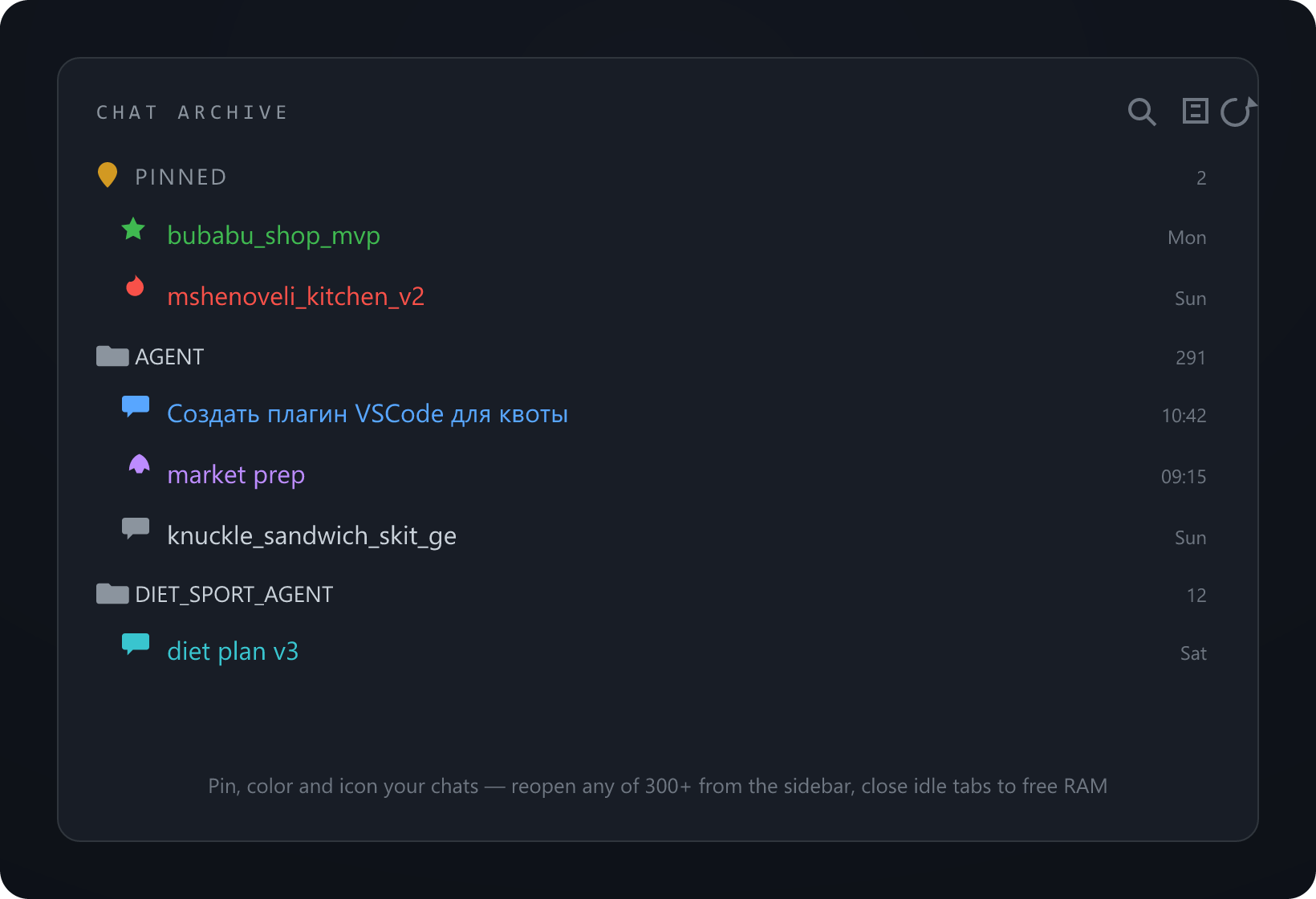
🗂 Sidebar archive — every chat, grouped by repo, newest first, labeled by its title. Click to open.
🔁 Reopen anything — opens the exact chat by session id (via Claude's own deep link), even one closed long ago.
✏️ Rename any chat to a custom name (local override, never edits Claude's transcript; original stays in the tooltip).
📌 Pin favourites to a group on top (persists across reloads).
↕️ Reorder pinned chats — drag, or "Move to top" / "Move to position..." to set an exact spot (first, fifth, anything). The order is saved.
🎨 Color & icon each chat — one click sets a custom icon and a color so you can tell them apart at a glance.
🔍 Quick-pick search — Search & Open a Chat, type by title or repo.
🧹 Close Idle Chat Tabs — closes every chat tab except the active/pinned ones to free RAM; they stay in the archive.
How it works
Pure local: reads ~/.claude/projects/**/*.jsonl (cached by mtime) for titles, repos and dates. Opening a chat calls Claude Code's vscode://anthropic.claude-code/open?session=<id> deep link. No network, no telemetry.
Use
Open the Chat Archive view in the activity bar (left).
Hover a chat: ✏️ rename · 📌 pin · 🎨 set icon & color. Right-click for Rename chat / Move to top / Move to position... / Set icon / Set color / Reset to default.
Reorder: drag a pinned chat up or down, or right-click, Move to position... and type the spot (1 = top).