Symfonykd: Symfony Kit For Developers
Status: This extension is currently in pre-release. Expect active iteration, rapid changes, and occasional breaking adjustments while core workflows stabilize.
Symfonykd brings Symfony project exploration, framework intelligence, and command workflows directly into VS Code.
Full Docs
What Symfonykd Helps You Do
Symfonykd is designed to bring common Symfony workflows closer to the editor so developers can inspect project data, navigate faster, and run framework tasks without leaving VS Code.
Quick Start
- Open your Symfony project in VS Code.
- Use the Symfonykd sidebar to inspect configuration, services, routes, and more.
- Run
Symfonykd: Execute Console Command from the command palette.
- Optionally configure
@symfony chat model/provider settings from the workspace status view.
Extension Features
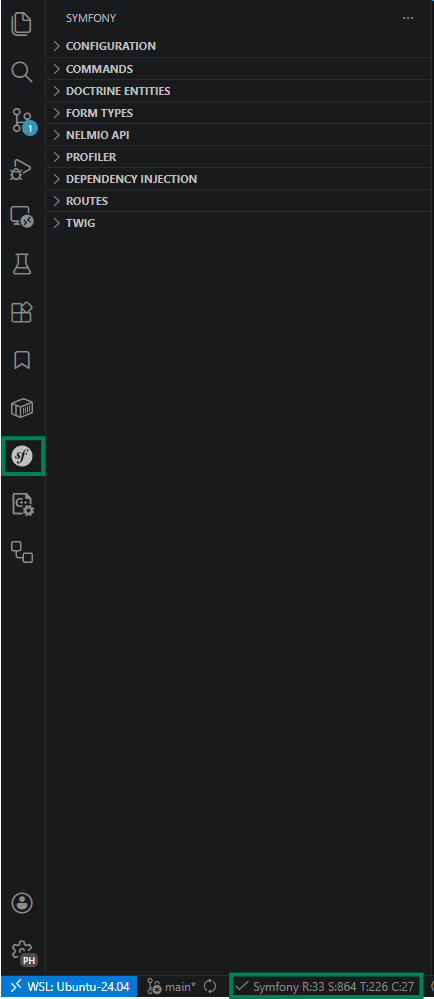
Workspace view
Click in workspace indicator and the workspace view will show with basic information
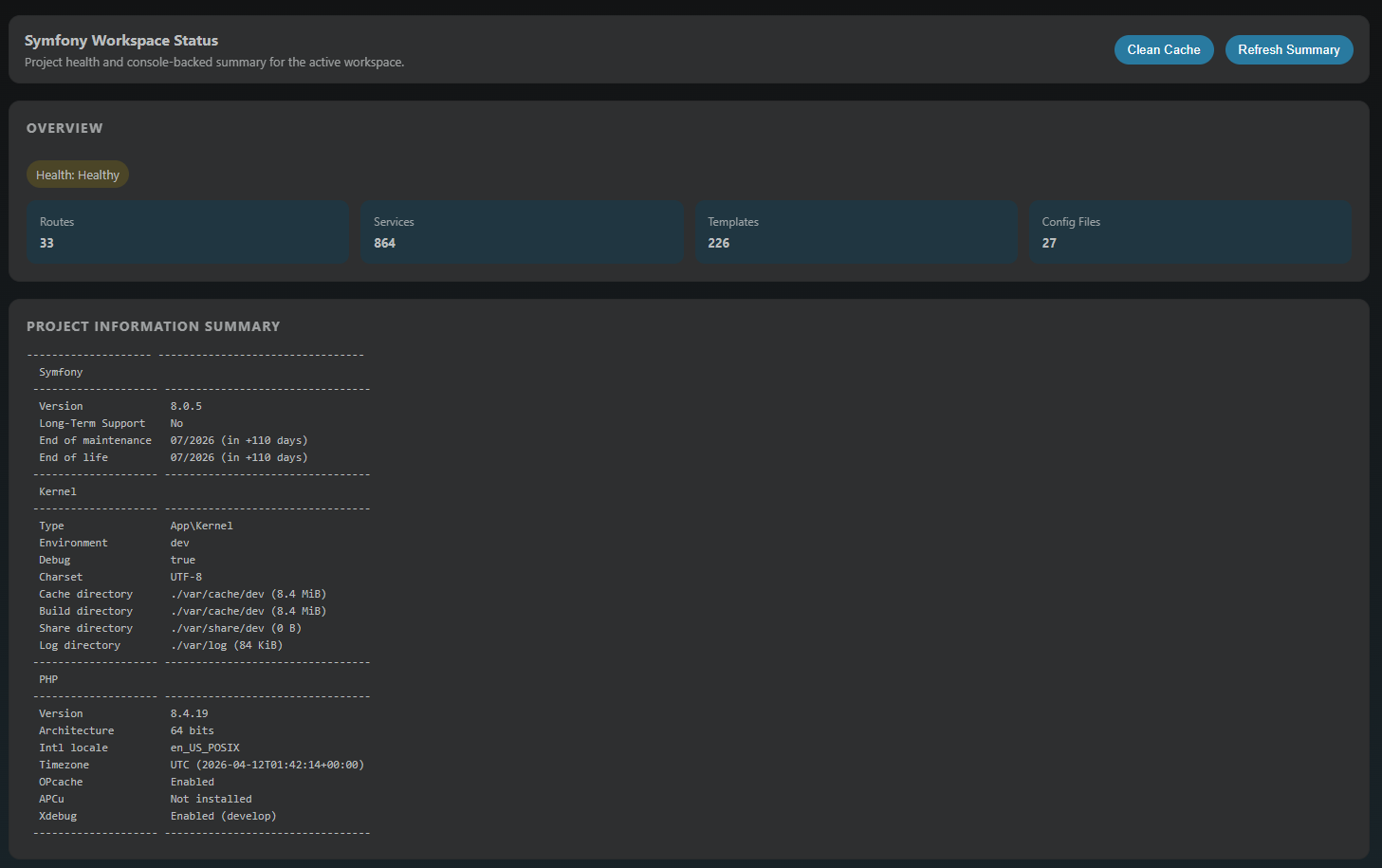
Symfony "vanilla" support
Configuration
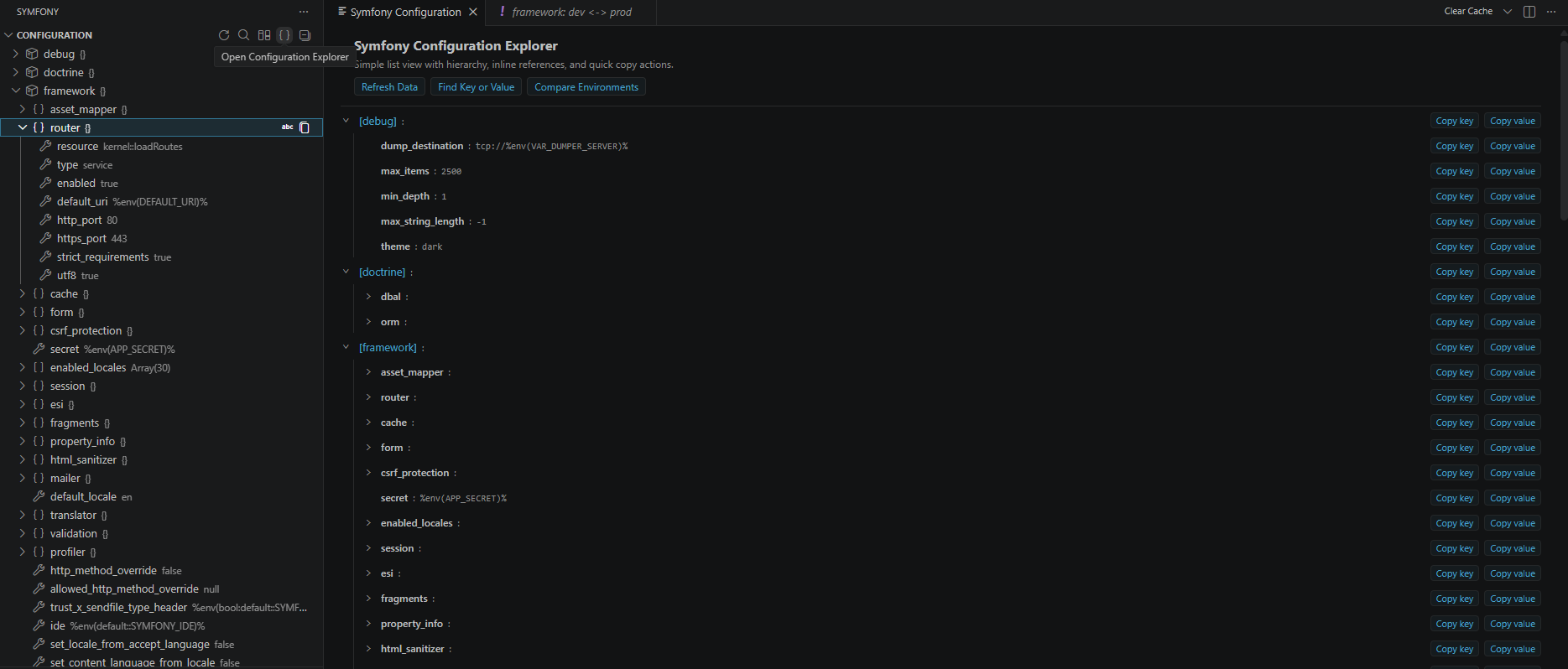
- Actions
- Refresh
- Search in sidebar tree
- Envs Diff
- Quick picks driven setup to compare two environments
- Full Configuration explorer
- Just a expanded view of the sidebar tree - same features
- search
- compare
- navigation to services definitions
- Sidebar tree
- Copy keys and values
- Navigation to services
Console commands
- History support
- Quick commands on editor view
- Actions
- Execute command (
ctrl+shift+p ->Symfonykd: Execute Console Command ): Quick pick driven command setup and dedicated output channel to stout/sterr
- Compare commands output
- Clear history
- Favorites commands -> go to recent command and click in the start
- Recent commands -> on lick re-run
- Running tasks -> on lick open output log
- Recent outputs -> on lick open output log
Dependency Injection
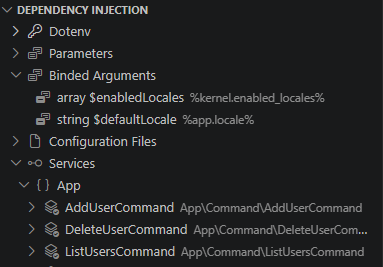
- App environments variables values tree
- App parameters tree list
- Configurations Files tree list
- Binded Arguments list -> on click navigate to definition
- Services: Full list of services -> on click navigate to definition
Routes
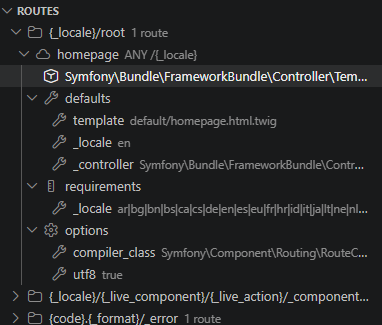
List of available routes with the related information, navigation on lick in controller references
Profiler
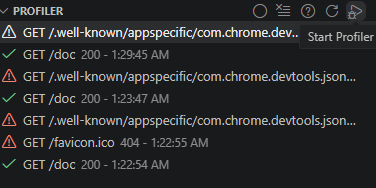
- Actions
- Clear history
- help -> setup project to use profiler module and avoid cors issues
- reload
- Start -> can be automatically managed when using vscode debugger enabling
symfonykd.profiler.autoStartWithDebugger setting
- Tree list of profiler entries captures
- On click open profiler webpage in vscode
Symfony "extended" support
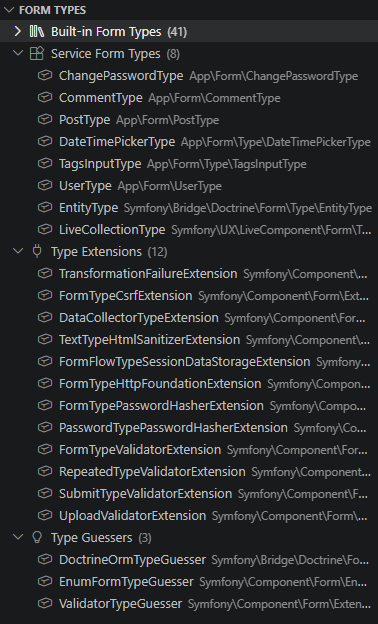
- Builtin form types -> full list of available types installed from external libraries
- Services Form types -> Form types defined as services (normally the app form types)
- Support on click navigation
- Type Extensions
- Support on click navigation
- Type Guessers
- Support on click navigation
Twig
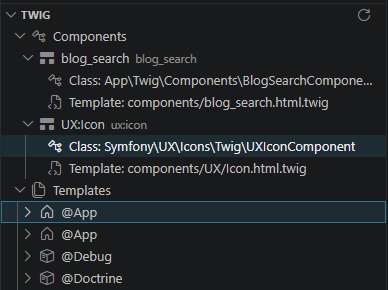
- Components list
- Navigation for app classes
- Templates
- Templates list by bundles
Doctrine
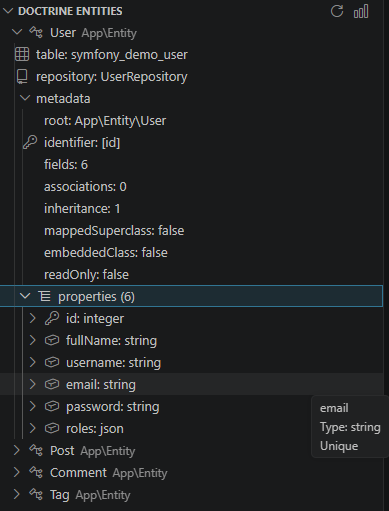
- Actions
- Entities tree view
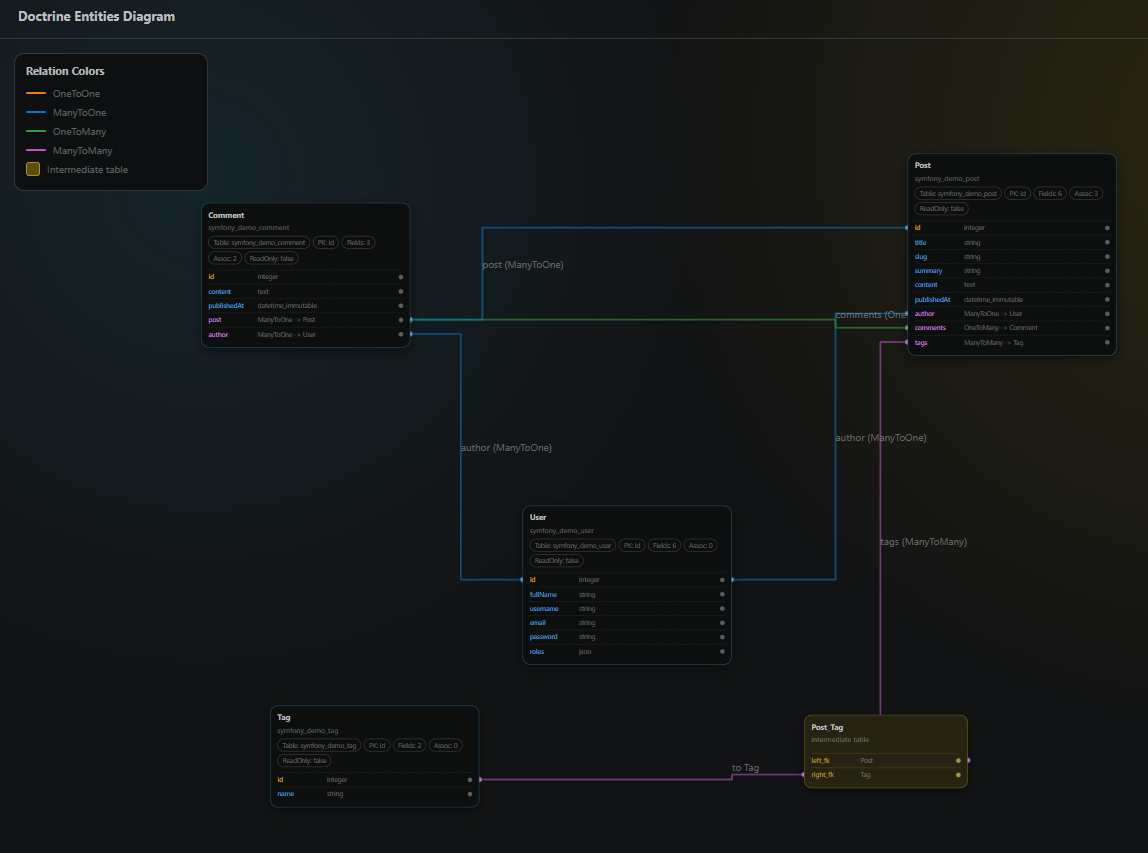
Symfony Language server
Symfony features
Codelens
- (PHP) (extended) nelmio alias
- (YAML) (vanilla) params envs
- (YAML) (vanilla) Bundle configuration full view
Completions
- (PHP) (extended) doctrine orm mapping convention
- (PHP) (extended) doctrine orm query completion
- (PHP) (extended) Form options and constrains
Definition navigation
- (YAML) (vanilla) services navigation -> fqn,
@ alias and services ids
- (PHP) (extended) Doctrine mapping columns references navigation
- (PHP) (extended) Openapi navigation from
#/components/... to named entity (alias) defintion
- (YAML) (extended) Openapi navigation from alias class to class file
Diagnosis
- (PHP) (extended) Doctrine diagnostics for QueryBuilder/DQL semantics and migration drift checks.
- (PHP) (extended) Apidoc consistency with routes definition in controllers
- (PHP) (extended) Diagnostics for form field and entity/DTO property mismatches.
Implementations
- (PHP) (extended) Support for navigation from form types ->
getBlockPrefix to twig block defined
Refactor
- (PHP) (extended) Doctrine entity fields across usages in code and references
- (PHP) (extended) Rename php class
- (PHP) (extended) Rename services ids
- (YAML) (extended) Rename nelmio named entities aliases
References
- (PHP) (extended) Handle for Nelmio API Doc alias references
Twig Features
Codelens
- Block inherance
- Controllers references -> show controllers where the template is used
Completions
- controllers
- route names
- template paths
- twig components
- other general twig completions such as filters, functions, etc
Definitions
- assets
- components
- controller
- env-variables
- form blocks
- form theme
- parameters
- routes
- services
- template-paths
Gutters
- block inherance -> navigation hover
- controller
Hovers
- twig-components
- other general twig completions such as functions, variables, etc
Chat Participant
This extension enables @symfony chat participant that have access to tools and project context and custom prompting to specialize and focus agent as PHP/Symfony expert.
User must set provider and model to use in settings -> available in workspace status full view.
@symfony have the following commands
/status Show routes in the current Symfony project/parameters Show parameters in the current Symfony project/bundles Show bundles in the current Symfony project/controllers Show controllers in the current Symfony project/templates Show templates in the current Symfony project/variables Show chat prompt variables/make Create a Symfony component such as a controller, entity, or form.
@symfony have the following tools - managed automatically by the chat participant
symfony_command_infosymfony_list_commandssymfony_execute
Commands security policy is managed via settings. Chat participant implements a commands policy layer that is gonna ask the user before execute commands.
Configuration Highlights
symfonykd.profiler.autoStartWithDebugger
- Automatically starts profiler capture when the VS Code debugger starts.
- Chat command security policy settings
- Control whether command execution requires user permission.
Feedback and Support
- Use the repository issue tracker to report bugs and request features.
- Include Symfony version, PHP version, and a minimal reproducible example when reporting issues.


