Skip to content
| Marketplace
Sign in
Visual Studio Code>Visualization>FeegaNew to Visual Studio Code? Get it now.
Feega

Feega

Andrea Buttarelli

|
1 install
| (0) | Free
Open .feega canvases in your editor: motion video, UI and graphic design that your agent edits over MCP.
Installation
Launch VS Code Quick Open (Ctrl+P), paste the following command, and press enter.
Copied to clipboard
More Info

Feega for Cursor and VS Code

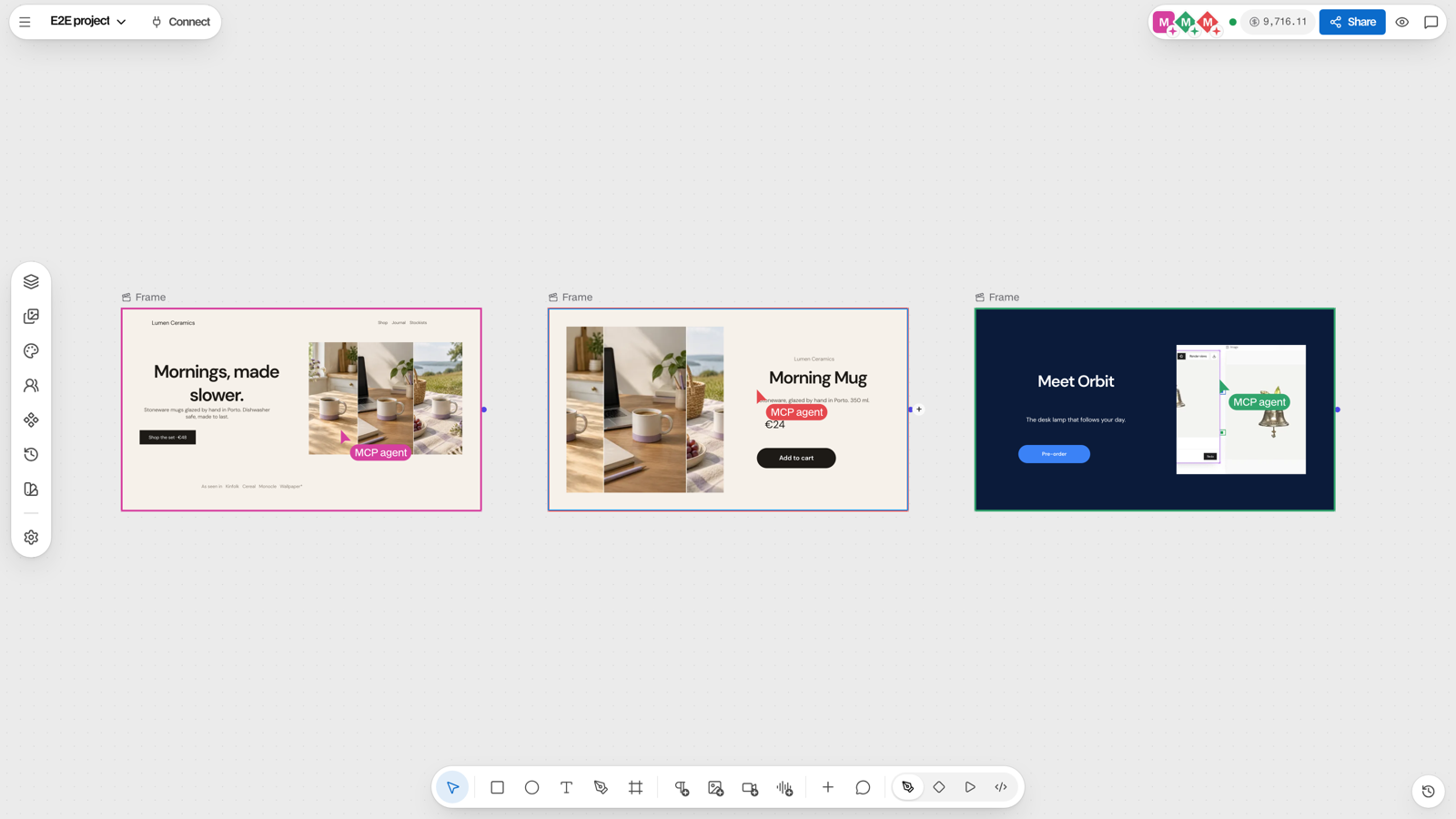
Three agents editing design frames on a Feega canvas at the same time

Open .feega canvases in an editor tab: motion video, UI and graphic design on one infinite canvas, saved to a file in your repo. Your editor's agent connects to the open canvas over MCP and edits it live.

  • Open a .feega file to see it as a canvas.
  • Feega: New canvas creates one.
  • Feega: Import this folder into a canvas runs your project's dev server and draws its pages (up to 20) as editable frames.

Needs Node 22+. No account: the canvas runs on your machine (npx feega). Import the file at feega.app to work in the cloud with your team.

Docs: docs.feega.app/integrations/editor

  • Contact us
  • Jobs
  • Privacy
  • Manage cookies
  • Terms of use
  • Trademarks
  • Your Privacy Choices
  • Consumer Health Privacy
© 2026 Microsoft