Aletyx Lyx
Your work at Aletyx, inside VS Code: PRs, issues, environments, builds and artifacts, and where each change is on its way to production.
Internal tool for the Aletyx engineering team. It needs an Aletyx Dev Dashboard account and GitHub access to the aletyx organization.
Features
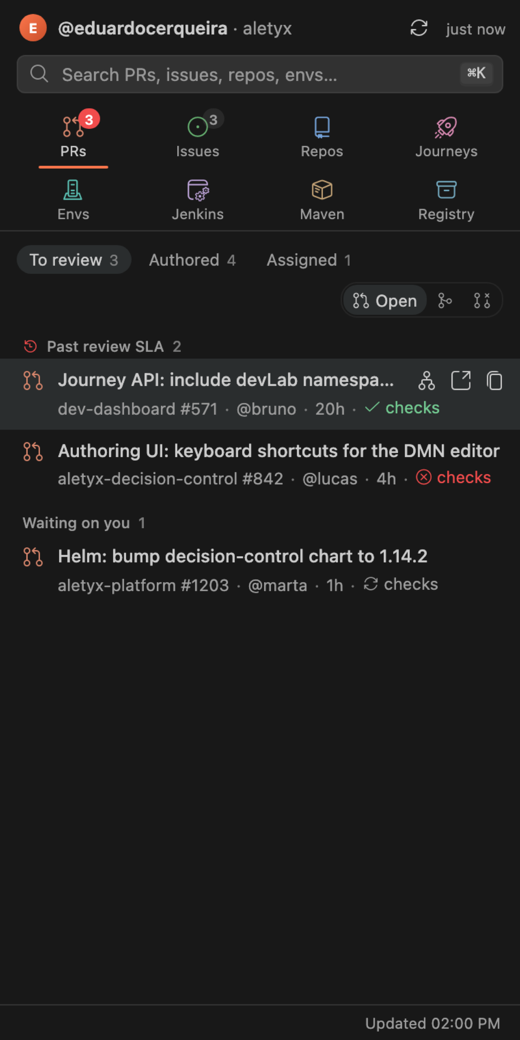
- Lyx Home: your PRs, issues and repos in the
aletyx org, with merged and closed history and a details page for each. A PR's details show its reviewers (add or withdraw one), review metrics against the 4-hour SLA and the files it changes.
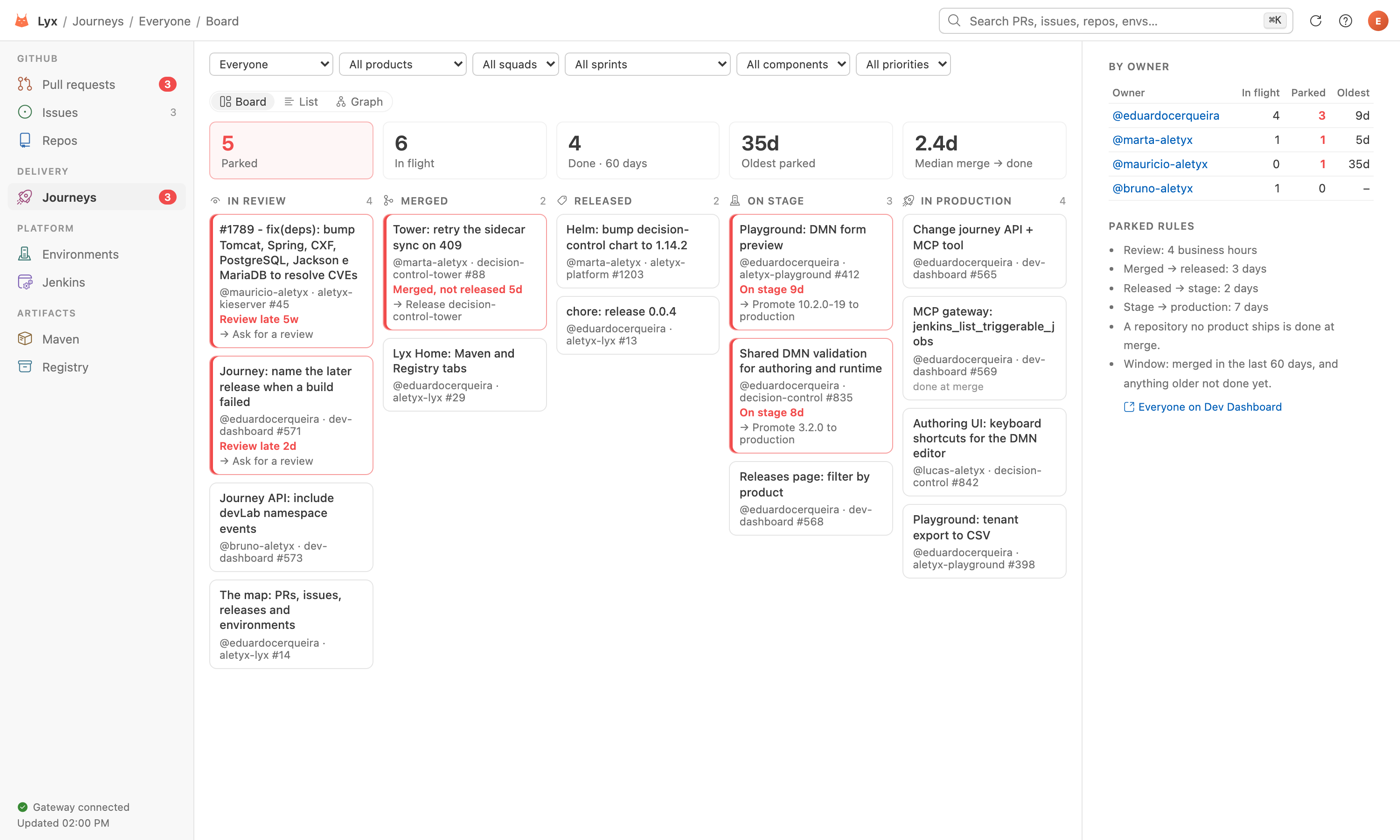
- Journeys: every change from PR to production, and what is parked. For you, a person, or the whole team.
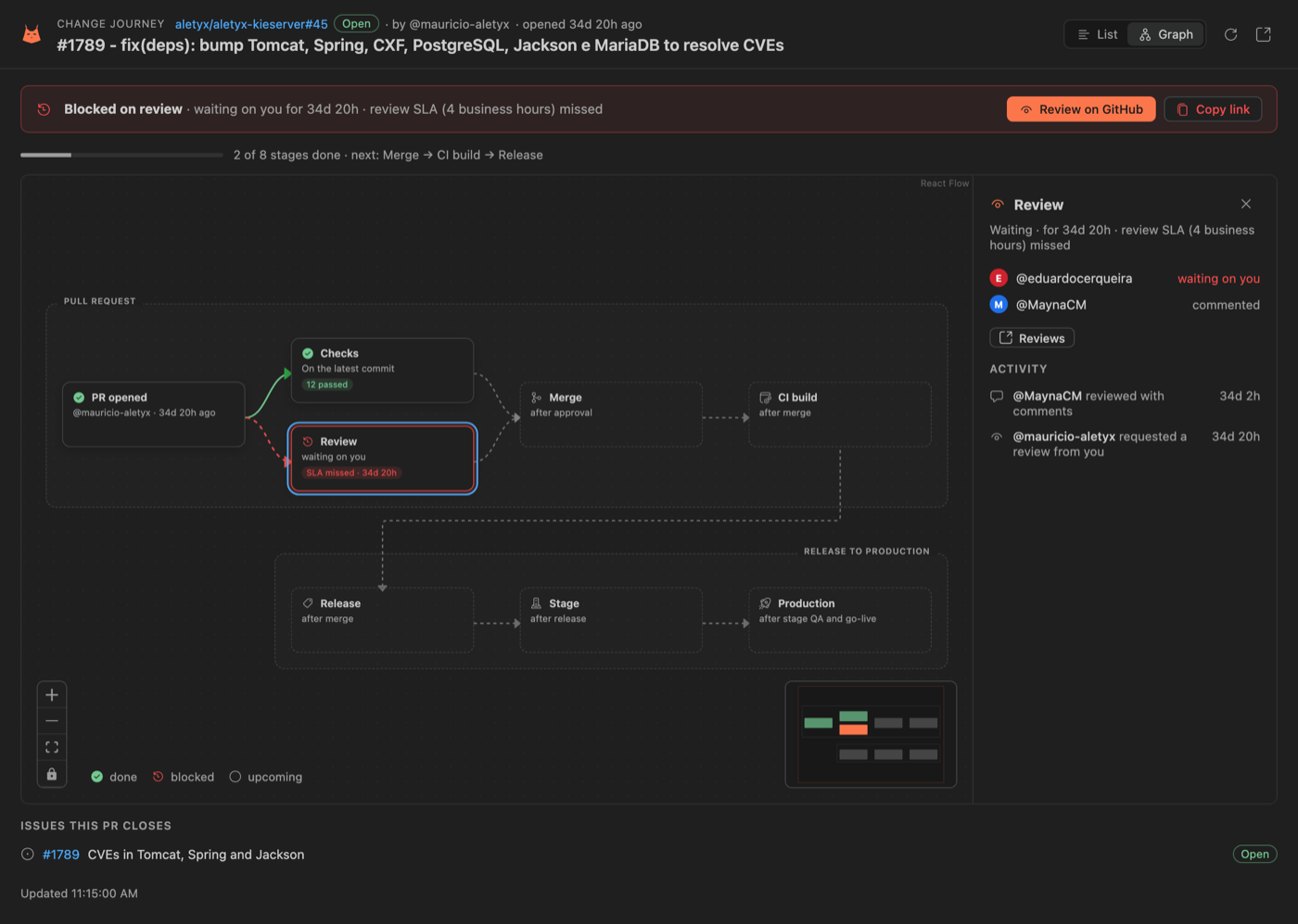
- Change Journey: where one PR is, as a timeline or a graph, and what it is waiting on.
- Environments: devLab, Cloudflare, GKE and ECS, with deploy history, releases and devLab logs.
- Jenkins: the Aletyx Live Wall, drawn by the Live Wall plugin's own renderer as in Jenkins; jobs and build logs; admin and DevSecOps can run a job after a confirmation.
- Maven and Registry: browse maven.aletyx.services and registry.aletyx.services, and copy a dependency or a
docker pull.
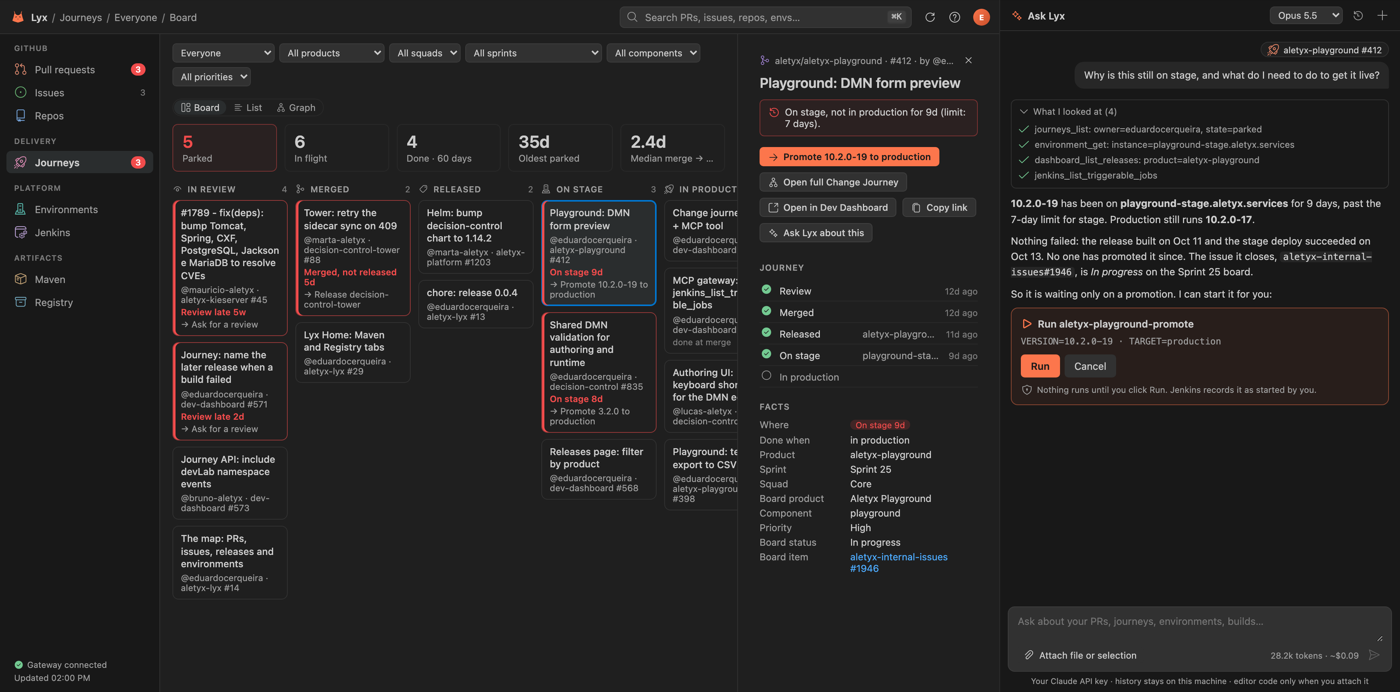
- Ask Lyx: a chat beside Home that reads all of the above with your own Claude API key, and proposes actions you confirm.
- Request a reviewer: pick reviewers for your PR from Lyx, and reviewers get notified.
- Ship: a guided checklist from your branch to production: PR, reviewers, checks, merge, release, stage and production, each step confirmed.
- Status bar and notifications: your branch's checks, and a heads-up when your changes move, park, or need your review.
Getting started
- Click the Lyx lynx in the activity bar and sign in to GitHub.
- Run Lyx: Sign In to connect to the Dev Dashboard (for environments, Jenkins and Journeys).
- For Ask Lyx, run Lyx: Set API Key with your Claude API key. It stays in your OS keychain.
Press ? in Lyx Home for shortcuts and commands. Maven and Registry need WARP or the Aletyx network.
Privacy
What Lyx reads, what it sends and where: PRIVACY.md.
Author
Built by Aletyx Engineering · Eduardo Cerqueira.
| |

