Offline Assist
Offline Assist is a standalone VS Code extension that exposes Foundry Local chat-capable models through VS Code's language model picker.
UI Example
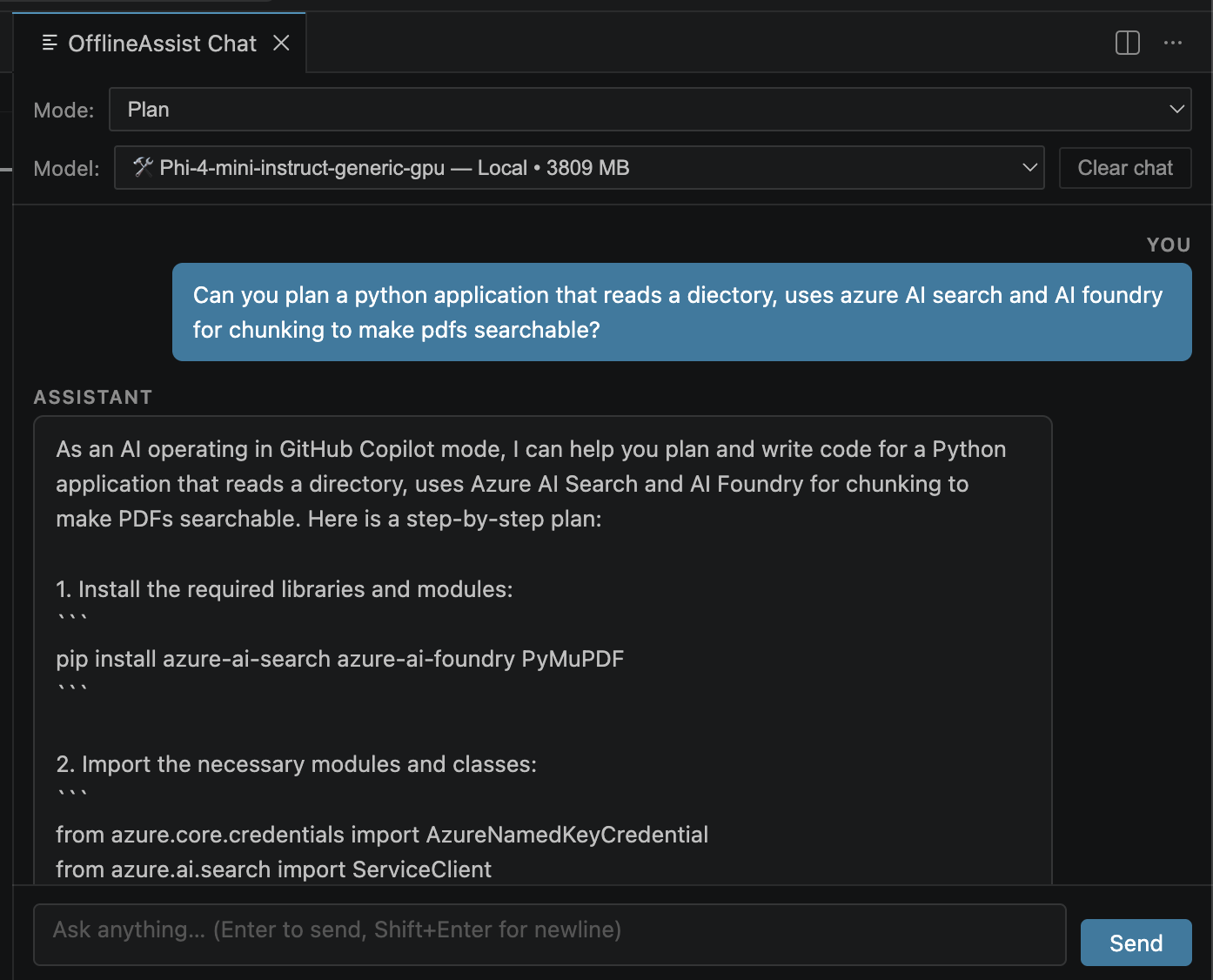
What it does:
- Lists chat-capable models from the local Foundry catalog.
- Registers them as a
languageModelChatProvider vendor named offline-assist.
- Downloads and loads a selected model lazily the first time you send a chat request.
- Adds an
OfflineAssist: Download Chat Model command so you can pre-download a model before chatting.
Requirements
- VS Code Insiders.
- Proposed API access for
chatProvider.
- Foundry Local installed on your machine.
- Node.js 18+.
Install Foundry Local on macOS:
brew install microsoft/foundrylocal/foundrylocal
Run
cd Offline-Assist
npm install
npm run compile
Then open this folder in VS Code Insiders and launch an Extension Development Host.
Use the Extension
- Open the chat view in the Extension Development Host.
- Open the model picker.
- Choose a model under
Offline Assist.
- Send a prompt. The extension will download execution providers if needed, then download and load the model on first use.
Optional command:
OfflineAssist: Download Chat Model pre-downloads a model from a quick pick.
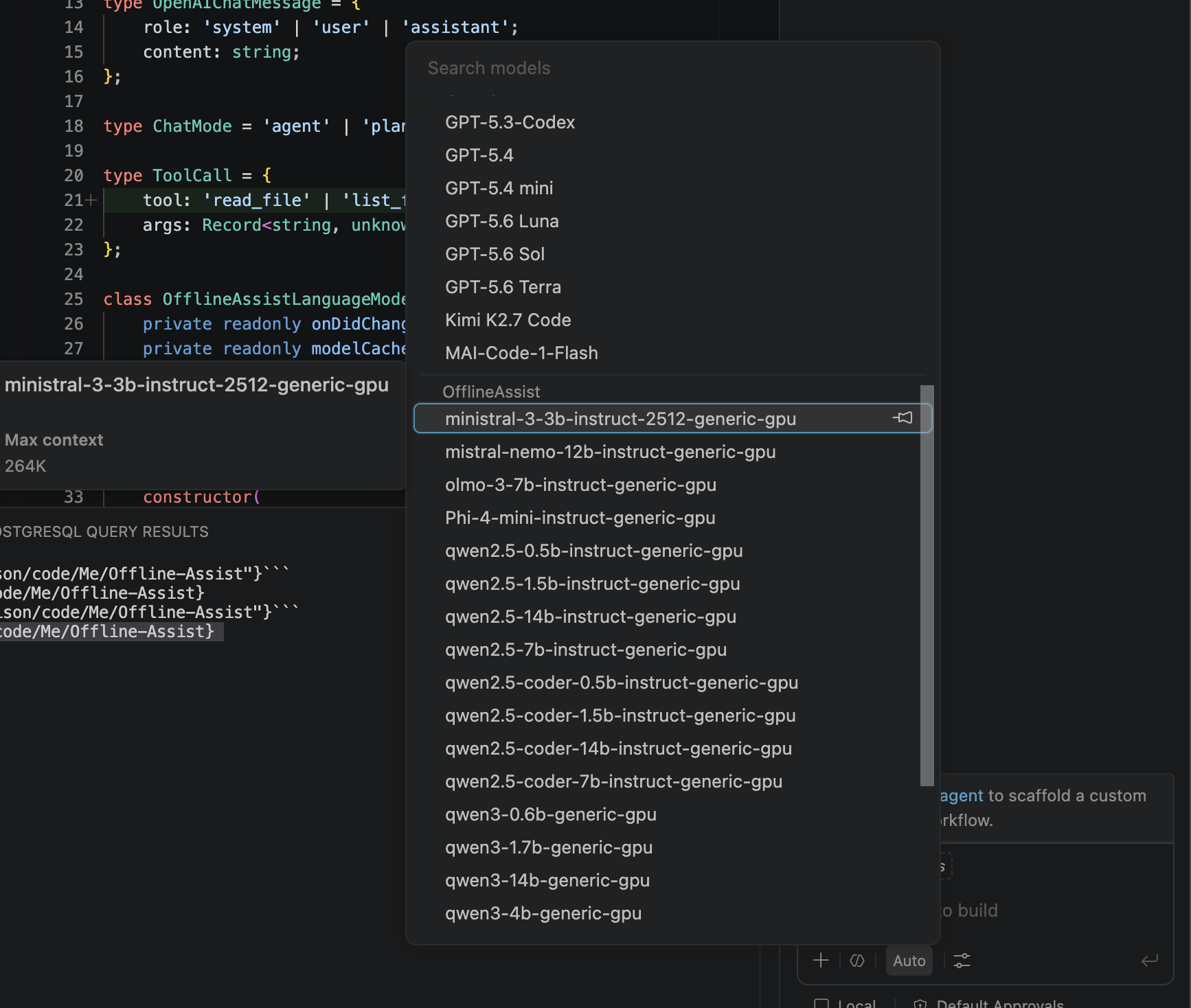
Extends Copilot
As you can see this also expands copilot to give it access to all of the offline models that Foundry Local gives you too!
Notes
- This project intentionally handles text chat only.
- It includes built-in workspace tools (
read_file, list_files, write_file, replace_in_file, run_command) for the OfflineAssist chat panel.
- Non-chat models such as transcription and embeddings are filtered out of the picker.
| |

