Pulse App Status
by Ale Otero
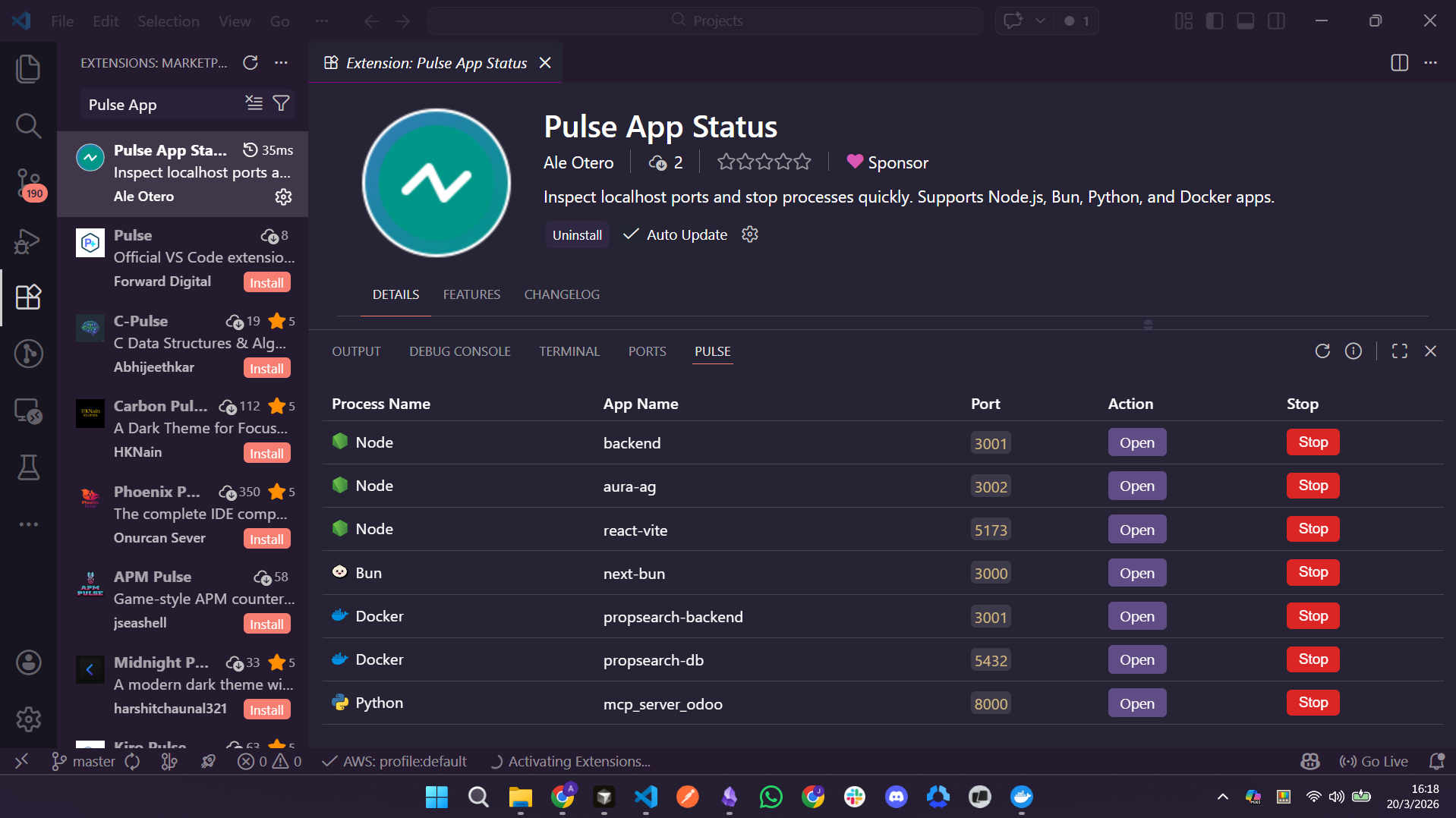
Pulse App Status is a VS Code panel extension to inspect localhost ports and stop processes quickly.
Repository

What It Does
- Scans active localhost ports.
- Shows process runtime and app name when available.
- Prioritizes Node/Bun processes at the top.
- Detects Docker published ports and allows stopping Docker containers.
- Lets you open each port in the browser.
How To Use
- Open the Pulse App Status panel.
- Click
Refresh to rescan ports.
- Click
Open to open http://localhost:<port>.
- Click
Stop to stop a process or Docker container (with confirmation dialog).
Enable / Disable / Uninstall
VS Code manages this from the extension details page:
- Open Extensions view (
Ctrl+Shift+X).
- Search for
Pulse App Status and open details.
- Use the built-in actions to:
- Enable / Disable
- Disable (Workspace)
- Uninstall
You can also open Pulse App Status details directly from the panel title bar using the info icon.
Notes
- Stopping Docker containers requires Docker engine availability.
- If Docker engine is unavailable, Docker entries may not appear.
| |

