
ThreadsWhatsApp in your sidebar — chats, groups and contacts, with native Copilot tools Installation Launch VS Code Quick Open ( Ctrl+P), paste the following command, and press enter.Copied to clipboard |

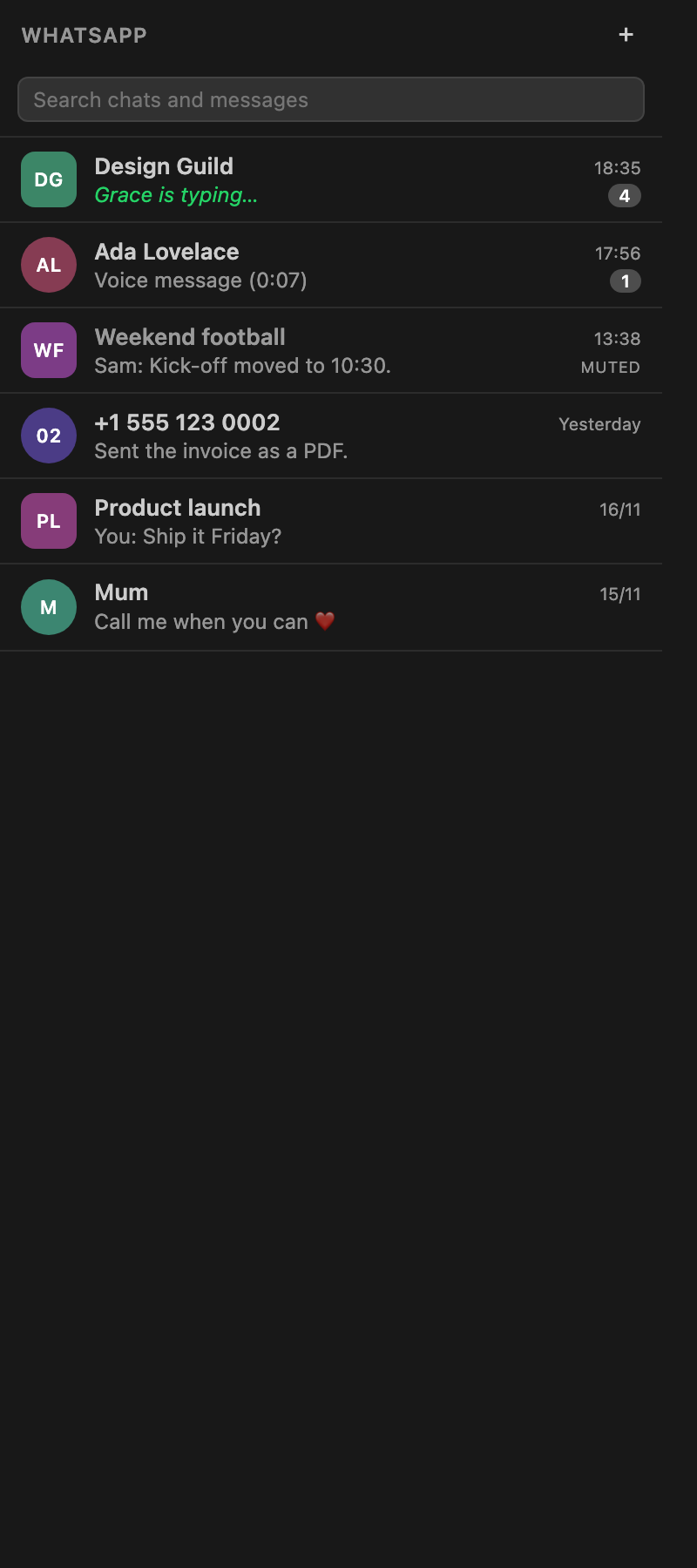
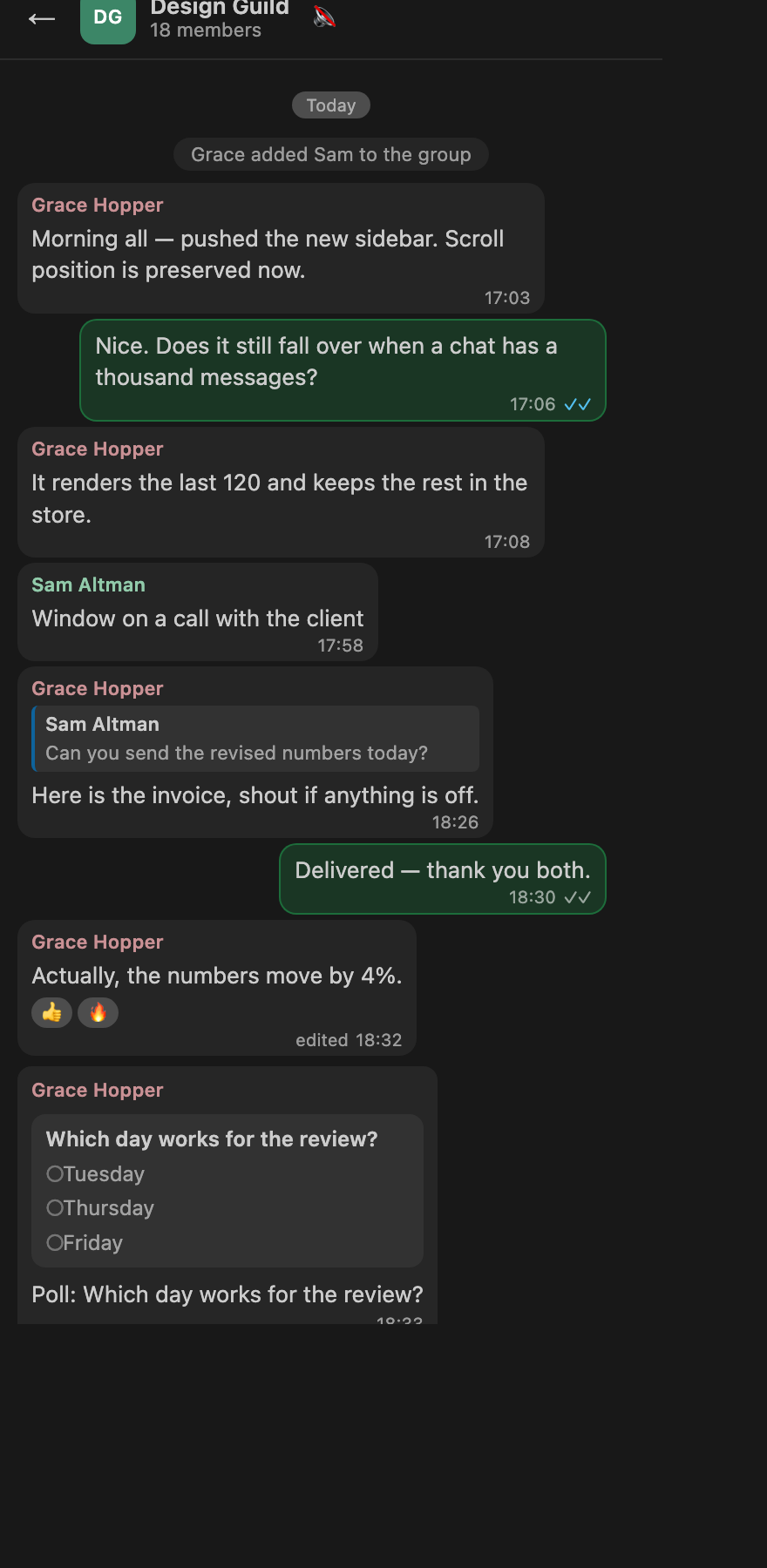
ThreadsWhatsApp in your VS Code sidebar, with native Copilot tool calls.
What it does
Quick start
If the inbox is empty after pairingWhatsApp sends chat history only at link time. If this computer was linked by an
older build, hit Import history in the sidebar banner (or run
If a contact shows up as a number like
|
| Setting | Default | What it does |
|---|---|---|
threads.notifications.sound |
on | Play a short chime when a message arrives. Muted chats stay silent. |
threads.notifications.enabled |
on | Show a VS Code notification for messages in chats you are not looking at. |
threads.notifications.showPreview |
on | Include the message text in the notification. Turn off on a shared screen. |
Run Threads: Play Notification Sound to check that audio works on your machine.
VS Code has no API for playing a sound, and a webview's
Audioobject is blocked by autoplay policy and suspended when the sidebar is hidden — exactly when a chime matters. So the extension host plays the tone through the OS (afplayon macOS,Media.SoundPlayeron Windows,paplay/aplay/ffplayon Linux). The tone is generated as a small WAV at runtime, so no binary audio is shipped.
Copilot tools
threads_whatsapp_send— send a message to a chat id or a phone numberthreads_whatsapp_list_chats— conversations with id, preview, unread count, archive/mute/pin state, presencethreads_whatsapp_read_chat— messages of one conversation, oldest first, with senders, quotes, reactions and poll optionsthreads_whatsapp_search— search stored messages for textthreads_whatsapp_groups— every group with subject, id and member countthreads_whatsapp_status— connection state, account, stored counts, import progressthreads_whatsapp_mute— mute or unmute a conversationthreads_whatsapp_get_media— download a message's attachment and return the local path
Architecture
- Baileys (
baileys) — the WhatsApp Web protocol, socket, pairing, reconnects and group metadata, all in the extension host. No separate process, no localhost port, no native binary. src/whatsapp/service.ts— socket lifecycle, history sync (messaging-history.set), chats/contacts/groups events, sending, read receipts, presence, reactions, calls, LID resolution, media queuesrc/whatsapp/extract.ts— turns WhatsApp protobuf messages into readable records and drops protocol noisesrc/whatsapp/store.ts— the local mirror (JSON), LID → phone-number resolution, name resolutionsrc/whatsapp/media.ts— downloads and caches attachments, keyed by message idsrc/whatsapp/sound.ts— generates and plays the notification chime through the OSsrc/sidebar.ts/media/main.js/media/style.css— the webview. The host renders the pairing QR to a PNG data URL and hands media over aswebview://URLs; the webview has no network access.src/tools.ts—vscode.lm.registerToolhandlers
Credentials live in <globalStorage>/whatsapp-auth; the inbox in <globalStorage>/inbox.json;
cached media in <globalStorage>/media.
Logs: ~/Library/Logs/threads/threads.log on macOS, %APPDATA%/threads/logs/ on Windows,
~/.local/state/threads/logs/ on Linux (Threads: Open Logs).
Baileys is an unofficial WhatsApp Web client. WhatsApp may change its protocol, and using unofficial clients can put a number at risk. Use it knowingly.
Development
npm install
npm run compile        # esbuild bundle -> dist/extension.js
npm run typecheck      # tsc --noEmit
Package and install:
npx @vscode/vsce package --allow-missing-repository --skip-license
code --install-extension threads-<version>.vsix --force
Then Developer: Reload Window.