🧨 bumpscan for VS Code
See which lines of your code an npm upgrade will break, without leaving the editor.
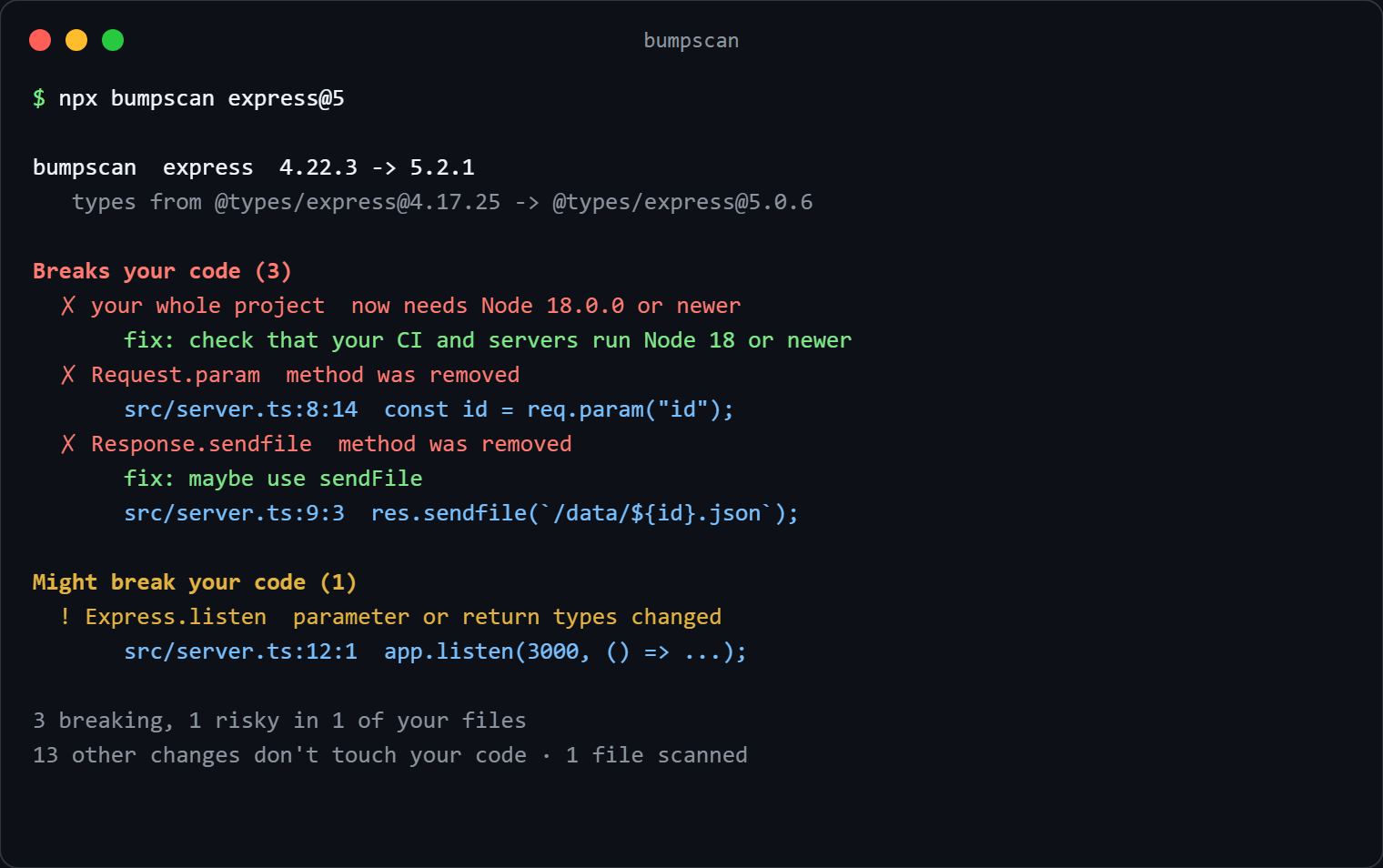
Thinking of upgrading express? Run one command and the lines that break are underlined
in red, with the fix in the tooltip. Renames are fixed for you with one click.
npm outdated tells you a new version exists. bumpscan tells you what it does to your code:
of the 172 changes between two axios versions, the 6 your project actually touches.
Commands
Press Ctrl+Shift+P (Cmd+Shift+P on a Mac) and type "bumpscan", or right-click a
package.json in the Explorer:
| Command |
What it does |
| bumpscan: Check one dependency upgrade… |
Pick a package and a version, then see the lines it breaks |
| bumpscan: Check every dependency |
Lists every upgrade, worst first, and drills into any of them |
| bumpscan: Fix every rename it found |
Renames every use of a renamed export in one undoable edit |
| bumpscan: Clear results |
Removes the marks from your code |
Breaking changes appear as red errors, risky ones as yellow warnings, both in the
Problems panel. Changes that affect the whole project, such as a package going ESM-only or
needing a newer Node, are shown as a notification, since they belong to no single line.
Quick fixes for renames
When an export was only renamed (chalk's Level became ColorSupportLevel), the mark has a
lightbulb: Rename Level to ColorSupportLevel, or Fix all renames bumpscan found. It only
rewrites text that still reads exactly the old name, and it is a normal edit, so Ctrl+Z
undoes it. Everything else, such as a removed method, needs a decision, so it is shown and
left to you.
What it checks
| Check |
Example |
| Removed exports and members |
res.sendfile() is gone in express 5 |
| Renames |
Level → ColorSupportLevel |
| Options that became required |
config.url must now be set |
| Wrong number of arguments |
new CanceledError(a, b, c, d) no longer fits |
| Type changes |
number → Milliseconds |
| ESM-only packages |
require("chalk") stops working |
| Higher minimum Node version |
now needs Node 18+ |
Packages that ship no types of their own are read from @types/*, so express, lodash
and friends work too. Monorepos work as well: right-click the package.json of the
package you want to check.
Requirements
None beyond VS Code 1.95 or newer. The bumpscan engine is built into the extension and
runs on VS Code's own Node.js, in a separate process so the editor never freezes. A scan
can be cancelled at any time from its notification.
It needs to reach the npm registry, to download the two versions being compared.
Settings
| Setting |
Default |
Meaning |
bumpscan.includeRisky |
true |
Also mark changes that might break your code |
Privacy
No AI, no account, no telemetry. Everything runs on your machine; the only network use is
npm, to download the two versions being compared.
Also available
- CLI:
npx bumpscan checks every dependency from the terminal (npm).
- GitHub Action: comments on Dependabot and Renovate pull requests with the lines that break
(setup).
Develop
The extension bundles the CLI from the repository root, so install both:
npm install                # in the repository root
cd extension && npm install
npm run build
npm test                   # the pure logic, no editor needed
npm run test:vscode        # drives the extension in a real VS Code window
npm run package            # builds a .vsix
Links
MIT © Muhammad Ahmad Malik

