Skip to content
| Marketplace
Sign in
Visual Studio Code>Keymaps>Harmonia ShortcutsNew to Visual Studio Code? Get it now.
Harmonia Shortcuts

Harmonia Shortcuts

AgusRdz

| (0) | Free
Governance over keyboard shortcuts. Consciously decide which extension shortcuts should be active.
Installation
Launch VS Code Quick Open (Ctrl+P), paste the following command, and press enter.
Copied to clipboard
More Info

Harmonia Shortcuts

Shortcuts should be intentional, not accidental.

Governance over keyboard shortcuts. Consciously decide which extension shortcuts should be active.

Harmonia Shortcuts gives you explicit control over every keybinding that extensions add to your VS Code environment. Instead of silently accepting whatever shortcuts extensions install, you audit, approve, deactivate, or remap them on your terms.

Harmonia only asks you to decide about shortcuts you never explicitly chose. Your existing custom shortcuts are never modified. All changes are previewed and require your confirmation before they are applied.

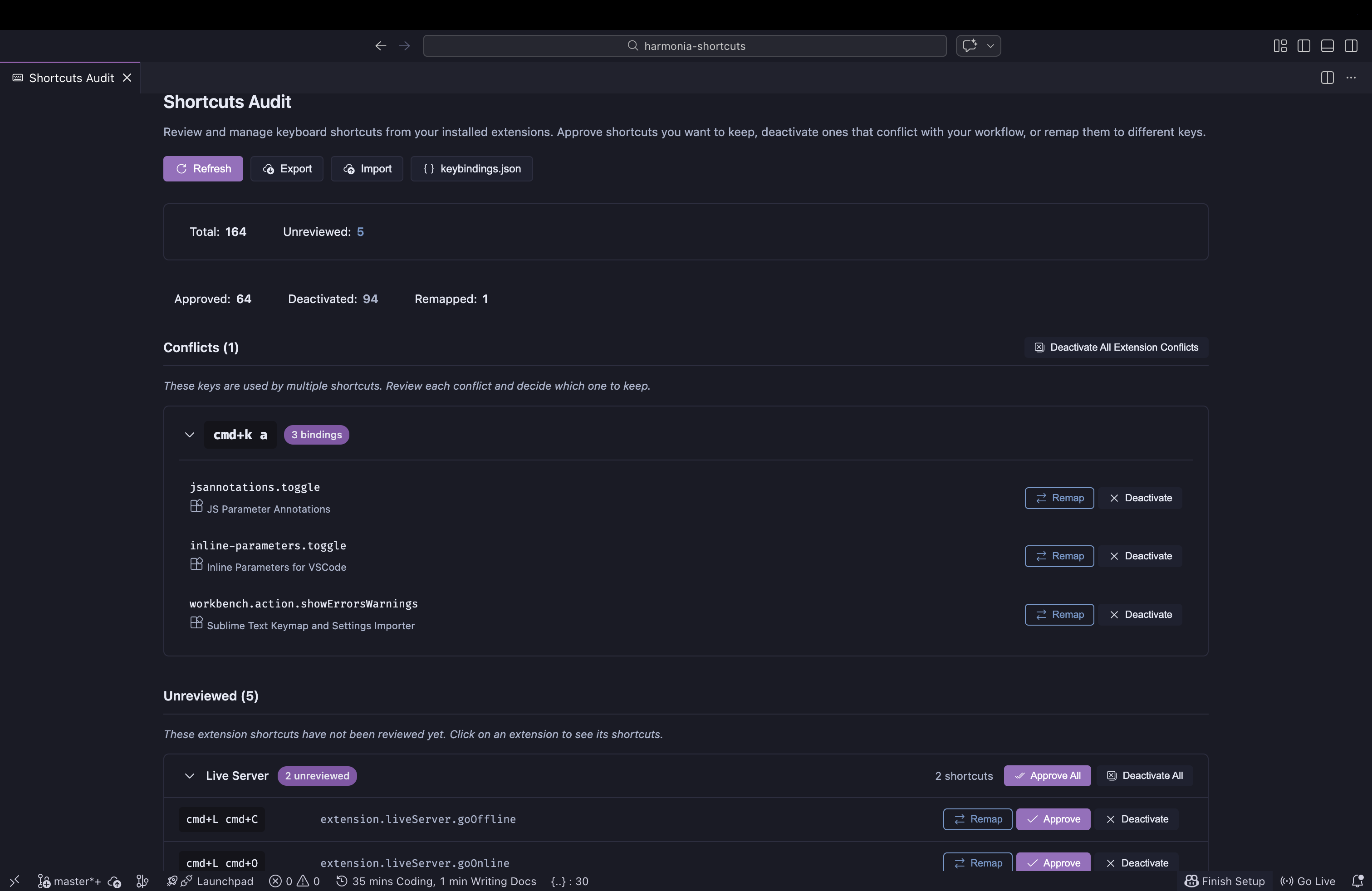
Shortcuts Audit Panel

Features

Shortcut Audit Panel

Open the audit panel from the Command Palette: Harmonia Shortcuts: Start Audit.

The panel organizes your keybindings into clear sections:

  • Conflicts - Keys used by multiple shortcuts. Collapsible groups let you focus on one conflict at a time. User-defined shortcuts are marked as protected and always win.
  • Unreviewed - Extension shortcuts waiting for your decision, grouped by extension and sorted by count.
  • Reviewed - Shortcuts you've already approved, deactivated, or remapped, with options to undo any decision.
  • User Shortcuts - Your own keybindings, shown read-only for reference.

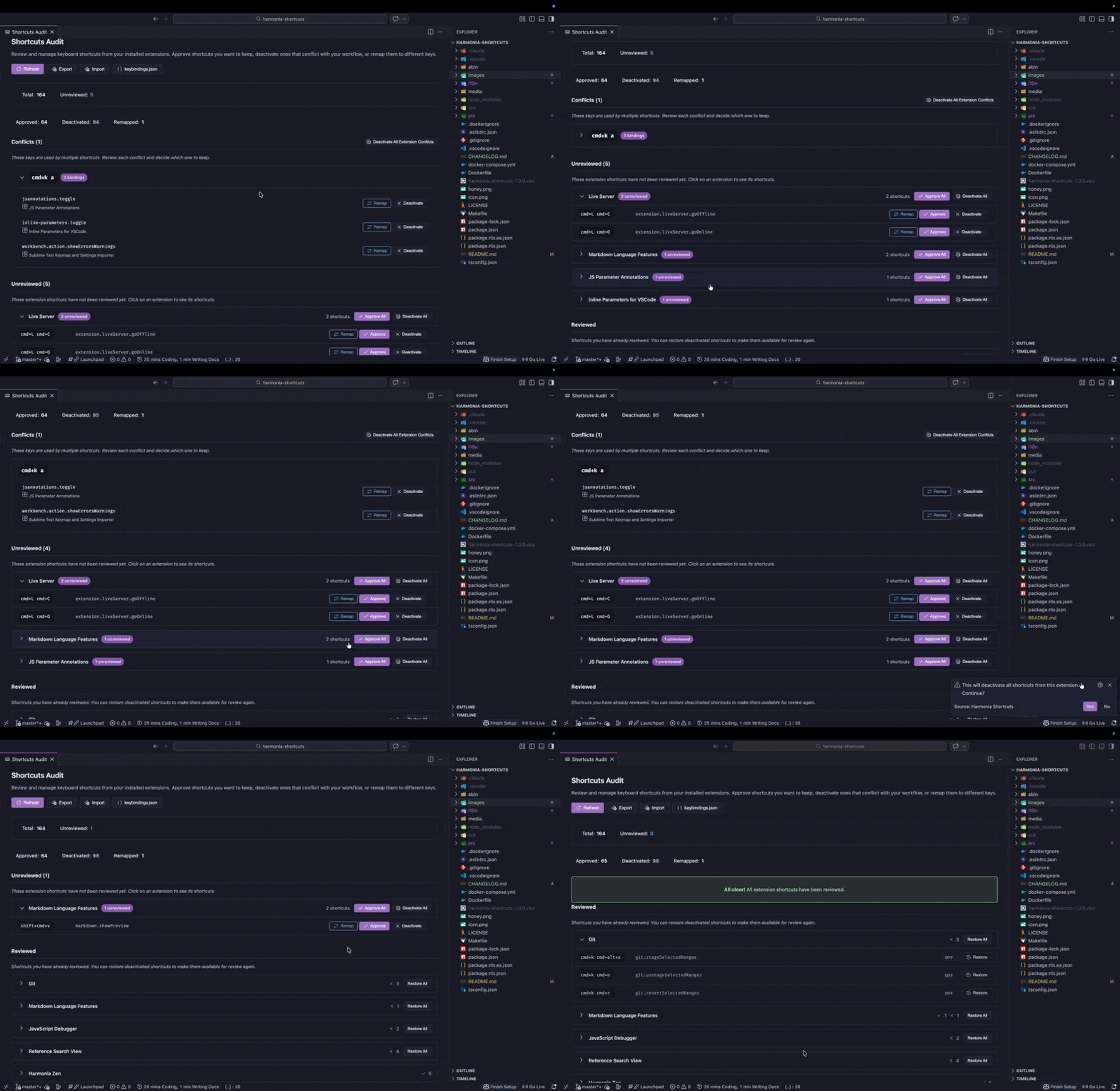
Demo

Governance Decisions

For each extension shortcut you can:

Action What it does
Approve Keep the shortcut active as defined by the extension
Deactivate Add a negation entry to keybindings.json to disable it
Remap Deactivate the original key and create a new binding with a key of your choice
Skip Defer the decision for later

Batch actions let you approve or deactivate all shortcuts from an extension at once.

Conflict Detection

Harmonia detects when multiple keybindings compete for the same key combination. Context-aware analysis considers when clauses so it only flags conflicts that can actually collide. Each conflict shows all involved bindings with per-binding remap and deactivate options.

Interactive Remap

The remap modal captures key combinations directly from your keyboard, including modifier keys and chords (e.g., Ctrl+K Ctrl+K). Press Enter to confirm, Backspace to clear, or Escape to cancel.

Import / Export

Export your governance decisions (approvals, deactivations, and remaps) to a JSON file and import them on another machine or VS Code profile. This does not export your full keybindings - only the decisions you've made through Harmonia. Useful for keeping multiple environments in sync or backing up your decisions before making changes.

New Shortcut Detection

When extensions are installed or updated, Harmonia detects new keybindings and notifies you so nothing slips through unreviewed. This can be toggled off in settings.

Commands

Command Description
Harmonia Shortcuts: Start Audit Open the audit panel

Settings

Setting Default Description
harmonia-shortcuts.notifyOnNewShortcuts true Show a notification when new shortcuts are detected from extension updates

How It Works

  1. On first activation, Harmonia reads every extension's contributed keybindings and marks them as unreviewed.
  2. You review each shortcut (or batch-review by extension) through the audit panel.
  3. Deactivations are written as negation entries in keybindings.json - the standard VS Code mechanism. Remaps add a new binding alongside the negation.
  4. Your own user-defined shortcuts are never modified. They are always protected.

Localization

Harmonia Shortcuts is available in:

  • English
  • Spanish (Español)

Requirements

  • VS Code 1.85.0 or later

License

MIT


Honey

Dedicated to Honey, who was there for every late night and early morning - listening to ideas, keeping me company through every line of code. The best coding partner I could have asked for.

  • Contact us
  • Jobs
  • Privacy
  • Manage cookies
  • Terms of use
  • Trademarks
© 2026 Microsoft