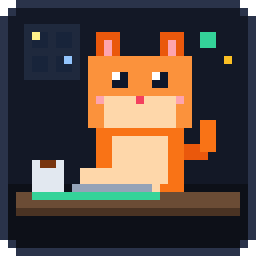
Characters & Animations
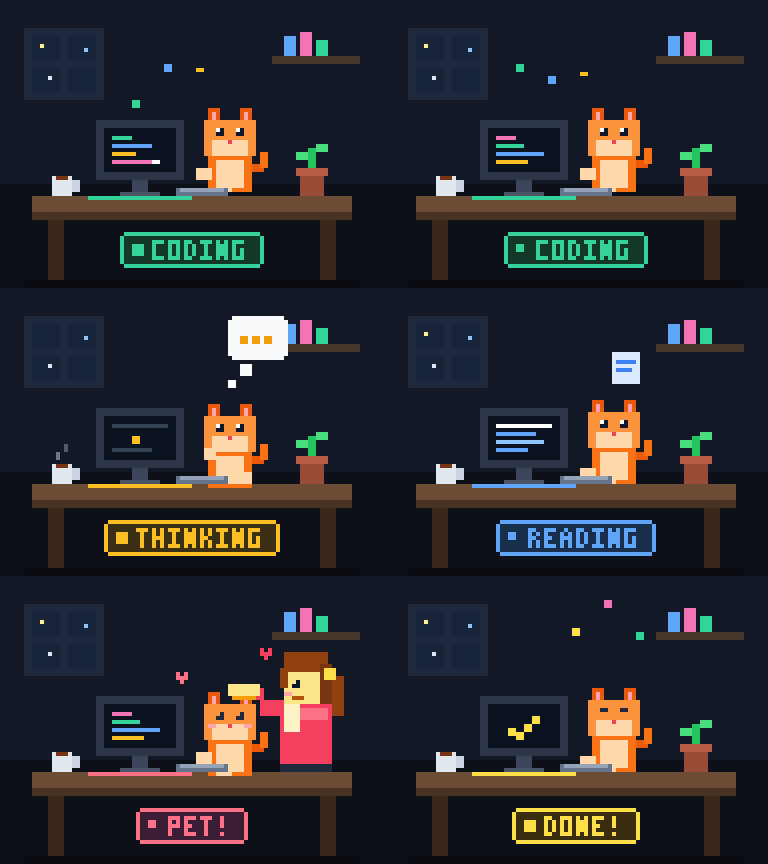
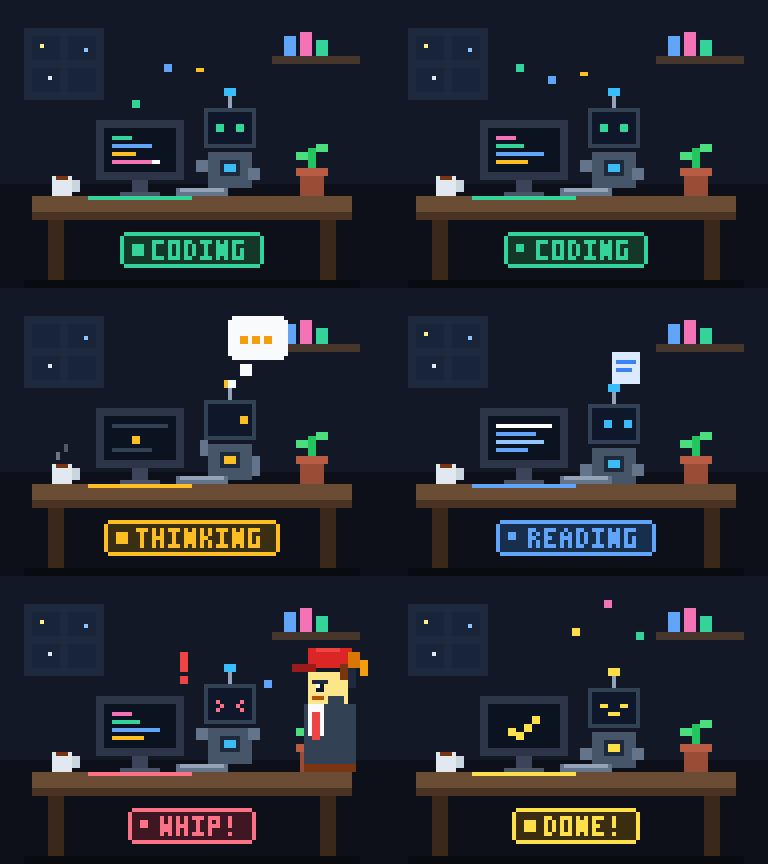
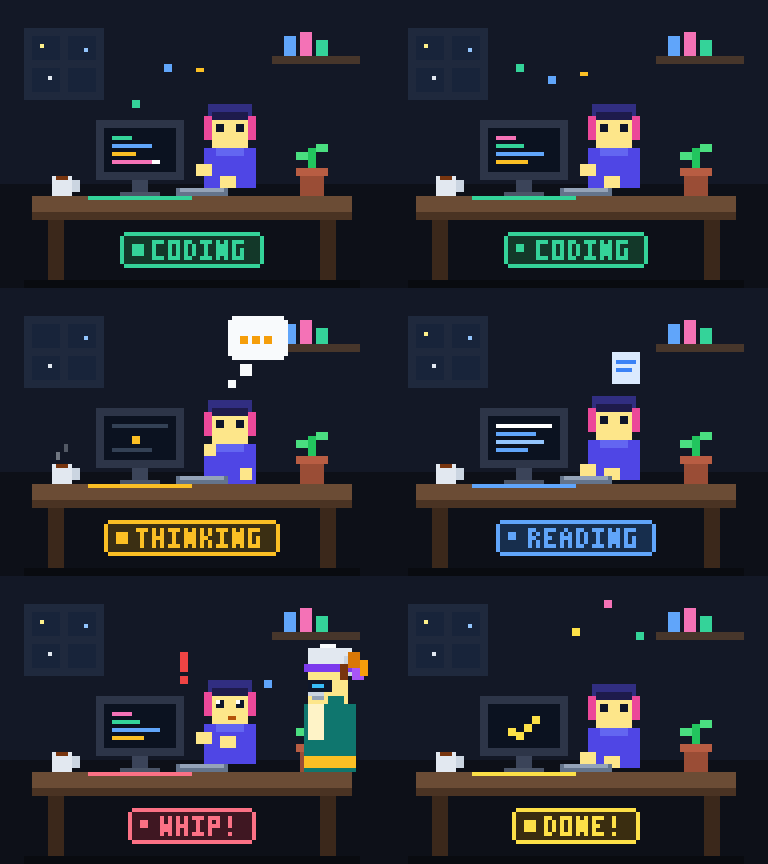
Choose from 3 pixel-art buddies (cat, bot, dev) and 3 selectable human caretakers / whippers (boss, girl, sensei) who appear during reaction animations (gentle head petting for Cat, comedic whip crack for Bot & Dev):
Cat (cat) |
Bot (bot) |
Dev (dev) |
|
|
|
Cozy Studio Cat
• Wagging tail & blinking eyes
• Fast paw-typing during coding/terminal
• Special Reaction: Gentle head petting by your chosen caretaker + floating hearts & happy ^ ^ eyes
|
Cyberpunk Visor Bot
• Antenna & visor LEDs shift color by activity
• Scanning visor animation while thinking
• Special Reaction: Comedic whip crack by your chosen whipper + startled > < visor & sweat drop
|
Hoodie & Headphones Dev
• Signature purple hoodie & pink headphones
• Rapid typing & code-scanning glances
• Special Reaction: Comedic whip crack by your chosen whipper + wide startled eyes & ! alert
|
Key Features
- Real-Time Hook Sync: Listens to Antigravity AI hook events (
SessionStart, PreInvocation, PreToolUse, PostToolUse, PostInvocation, Stop) without ever blocking tool execution.
- Dual Display Modes:
- Sidebar Studio & Status Bar: A 96×72 night studio scene in the Activity Bar complete with a starry window, steaming coffee mug, reactive monitor, state preview buttons, and a live Status Bar indicator (
Agy: Coding…, Agy: Thinking…, etc.).
- Floating Desktop Overlay (Windows & Linux X11 + PyQt5): A frameless, always-on-top transparent buddy that tracks the focused Antigravity IDE window and can roam freely (Random Move) or stay pinned (Sticky).
- Multi-Workspace Aware: Tracks per-workspace activity independently via
~/.gemini/antigravity/buddy-workspaces.json.
- Interactive Reactions (Pet / Whip) with 3 Human Caretakers: Pick between Boss (
boss), Girl (girl), or Sensei (sensei) to pet cat or crack a whip for bot/dev on every hook change (hook), on new prompts only (prompt), on click while idle, or via the Test button.
- Bilingual UI (EN & ID): Supports both English (
en) and Bahasa Indonesia (id) across the sidebar, floating bubble, and status bar.
AI State Mapping
| State |
Badge (EN / ID) |
Triggering Events / Tools |
Studio & Overlay Visuals |
idle |
IDLE / DIAM |
SessionStart, timeout, error/cancel |
Steaming coffee mug, screensaver dot, relaxed blinking |
thinking |
THINKING / MIKIR |
PreInvocation, PostToolUse, PostInvocation |
Thought bubble with pulsing dots & ?, hand on chin |
coding |
CODING / NGODING |
edit_file, write_file, replace_file_content, dart_fix, etc. |
Fast typing, colorful scrolling code lines & floating particles |
reading |
READING / BACA |
read_file, view_file, codegraph*, grep_search, list_dir, etc. |
Scanning eyes, white scanline across monitor, floating page |
terminal |
TERMINAL |
run_command, run_tests, manage_task, ctx_execute* |
Green >_ prompt & progress bar on monitor |
searching |
SEARCHING / CARI |
search_web, search_marketplace, ctx_search, browser_*, playwright* |
Pulsing purple radar on monitor & search particles |
delegating |
DELEGATING / DELEGASI |
invoke_subagent, send_message, run_workflow, swarm, define_subagent |
Multi-agent coordination glow with magenta accents |
working |
WORKING / KERJA |
Other tools |
Active work state with teal accent |
done |
DONE! / SELESAI! |
Stop (normal completion) |
Celebratory hop, confetti & gold checkmark (returns to idle after 5s) |
Installation & Setup
1. Install the Extension (.vsix)
Build the .vsix package or use the prebuilt package in the repository:
# Option A: Build via bash script (outputs dist/agy-pixel-buddy-0.2.1.vsix)
./scripts/build-vsix.sh

# Option B: Build via Python script (outputs agy-pixel-buddy-0.2.1.vsix)
python3 scripts/package-vsix.py
Then install it in Antigravity / VS Code via the Command Palette:
Extensions: Install from VSIX... → select the .vsix file.
2. Floating Overlay Prerequisites (Optional, Windows & Linux X11)
The Sidebar Webview and Status Bar work out of the box with zero extra dependencies. To enable the Floating Desktop Overlay:
- Windows: Ensure Python 3 (
python or py -3) and PyQt5 are installed (pip install PyQt5).
- Linux X11: Ensure
python3 and PyQt5 are installed (pip install PyQt5 or sudo apt install python3-pyqt5), running inside an X11 session (DISPLAY set).
3. Antigravity Hook Integration
Configure your Antigravity hooks (SessionStart, PreInvocation, PreToolUse, PostToolUse, PostInvocation, Stop) to invoke hooks/agy-buddy-hook.js with node:
# Linux / macOS
node /path/to/agy-pixel-buddy/hooks/agy-buddy-hook.js

# Windows
node C:\path\to\agy-pixel-buddy\hooks\agy-buddy-hook.js
The hook reads JSON payloads from stdin, atomically updates ~/.gemini/antigravity/buddy-state.json and ~/.gemini/antigravity/buddy-workspaces.json, and returns standard non-blocking stdout responses.
Controls & Commands
Command Palette
| Command ID |
Title |
Description |
agyPixelBuddy.focus |
Agy Pixel Buddy: Focus Buddy View |
Opens and focuses the Pixel Buddy sidebar view |
agyPixelBuddy.cycleCharacter |
Agy Pixel Buddy: Switch Character |
Cycles through characters (cat → bot → dev) |
agyPixelBuddy.toggleFloating |
Agy Pixel Buddy: Toggle Floating Buddy |
Toggles the floating overlay on or off |
Floating Buddy Interactions
- Left-Click & Drag: Move the buddy anywhere inside the IDE window bounds.
- Left-Click (while
idle): Trigger the reaction animation (pet / whip).
- Double-Click: Instantly switch to the next character.
- Right-Click: Open the context menu (Character, Caretaker / Whipper, Movement mode, Status Bubble
Auto/Always/Off, Size 2x/3x/4x, Language, Reaction trigger, & Test Reaction Animation).
Configuration (settings.json)
| Setting |
Type |
Default |
Description |
agyPixelBuddy.character |
"cat" \| "bot" \| "dev" |
"cat" |
Active pixel character sprite |
agyPixelBuddy.trainer |
"boss" \| "girl" \| "sensei" |
"boss" |
Human caretaker / whipper character for reaction animations |
agyPixelBuddy.floatingMode |
"random" \| "sticky" \| "hidden" |
"random" |
Floating buddy behavior inside the IDE window |
agyPixelBuddy.language |
"id" \| "en" |
"id" |
UI and status bubble language (id or en) |
agyPixelBuddy.promptReaction |
boolean |
true |
Enable/disable the pet/whip reaction animation |
agyPixelBuddy.reactionTrigger |
"hook" \| "prompt" |
"hook" |
Trigger reaction on every hook change or new prompt only |
agyPixelBuddy.idleTimeoutSeconds |
number (min 10) |
120 |
Seconds before an active state falls back to idle |
agyPixelBuddy.statusFile |
string |
"" |
Custom path to buddy-state.json (empty = ~/.gemini/antigravity/buddy-state.json) |
Development & Testing
# Run JavaScript unit tests
npm test

# Run Python unit tests (floating buddy)
python3 -m unittest discover -s test -p "*_test.py"
| |