Skip to content
| Marketplace
Sign in
Visual Studio Code>Visualization>BackLensNew to Visual Studio Code? Get it now.
BackLens

BackLens

Mohammad Adeeb Khan

| (1) | Free
Interactive code graph visualization and architecture analysis for understanding complex codebases.
Installation
Launch VS Code Quick Open (Ctrl+P), paste the following command, and press enter.
Copied to clipboard
More Info

BackLens

BackLens helps you understand backend codebases as an interactive call graph directly inside VS Code.

It analyzes your project locally, builds a graph, and lets you inspect callers/callees, hotspots, and dependencies, then jump back to source in one click.

BackLens

Why BackLens

BackLens is built for engineers who need to quickly answer architecture questions in unfamiliar code:

  • What calls this method?
  • Where does this class fan out?
  • Which nodes are hottest in this project?
  • How do I navigate from architecture view back to code?

Instead of tracing call flows manually across many files, you can explore them visually and navigate instantly.

Features

  • Auto project detection
  • One-click folder analysis from Explorer
  • Interactive graph view with search and node inspection
  • Caller/callee expansion for call flow exploration
  • Hotspot and class/method exploration
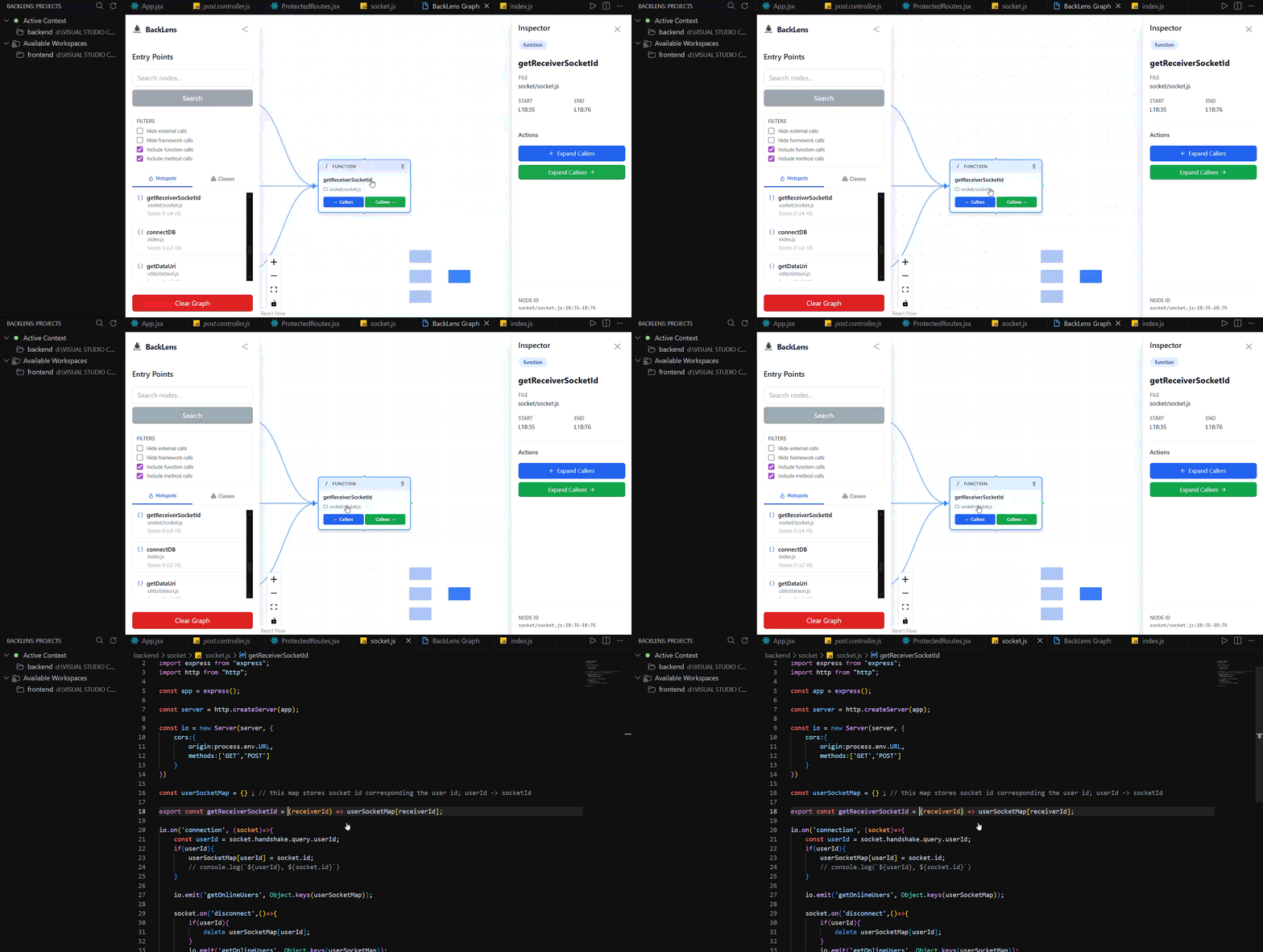
  • Double Click Go-to-source code navigation from graph nodes
  • Re-analysis, refresh, and close project actions from the BackLens view

Demo / Screenshots

Current UI snapshots:

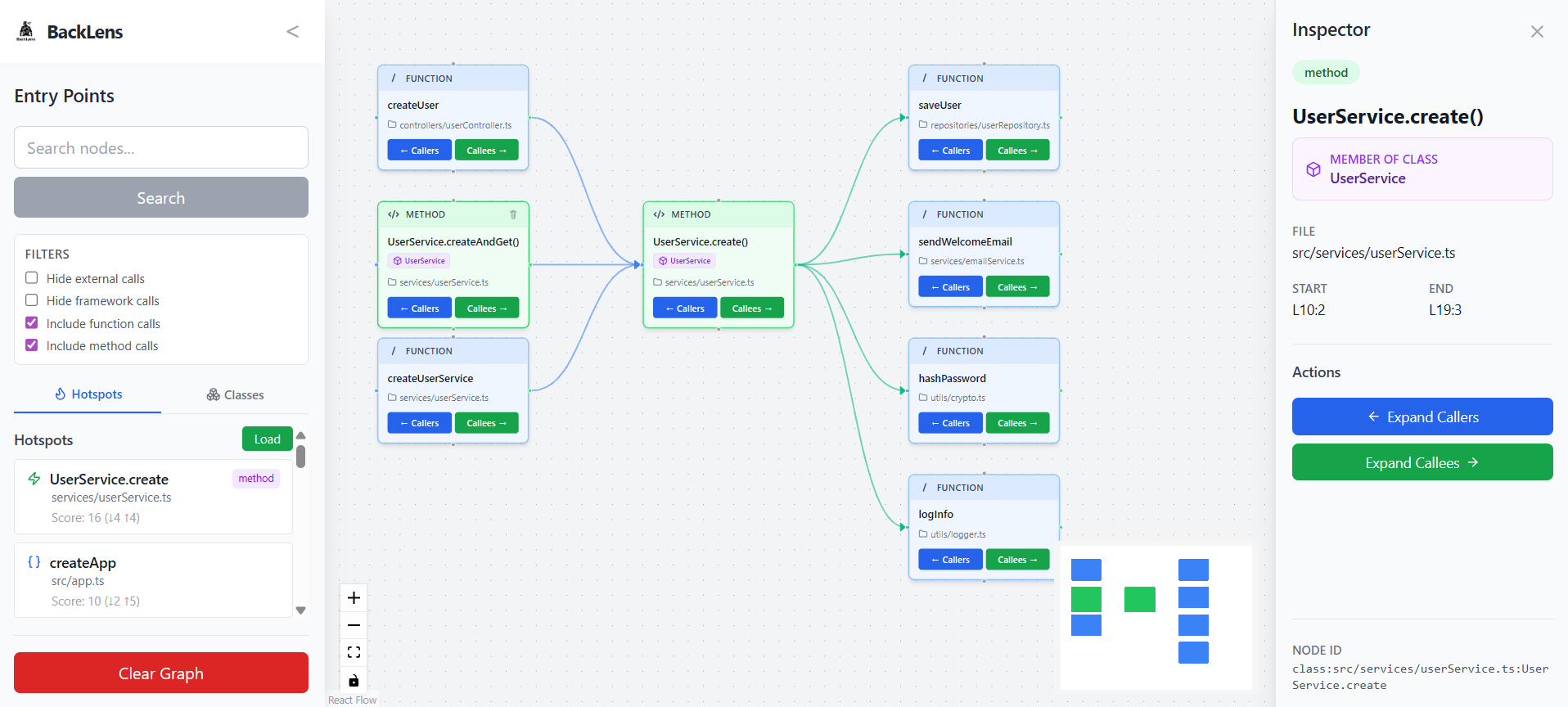
Hotspots and Method Expansion

Hotspots and method expansion

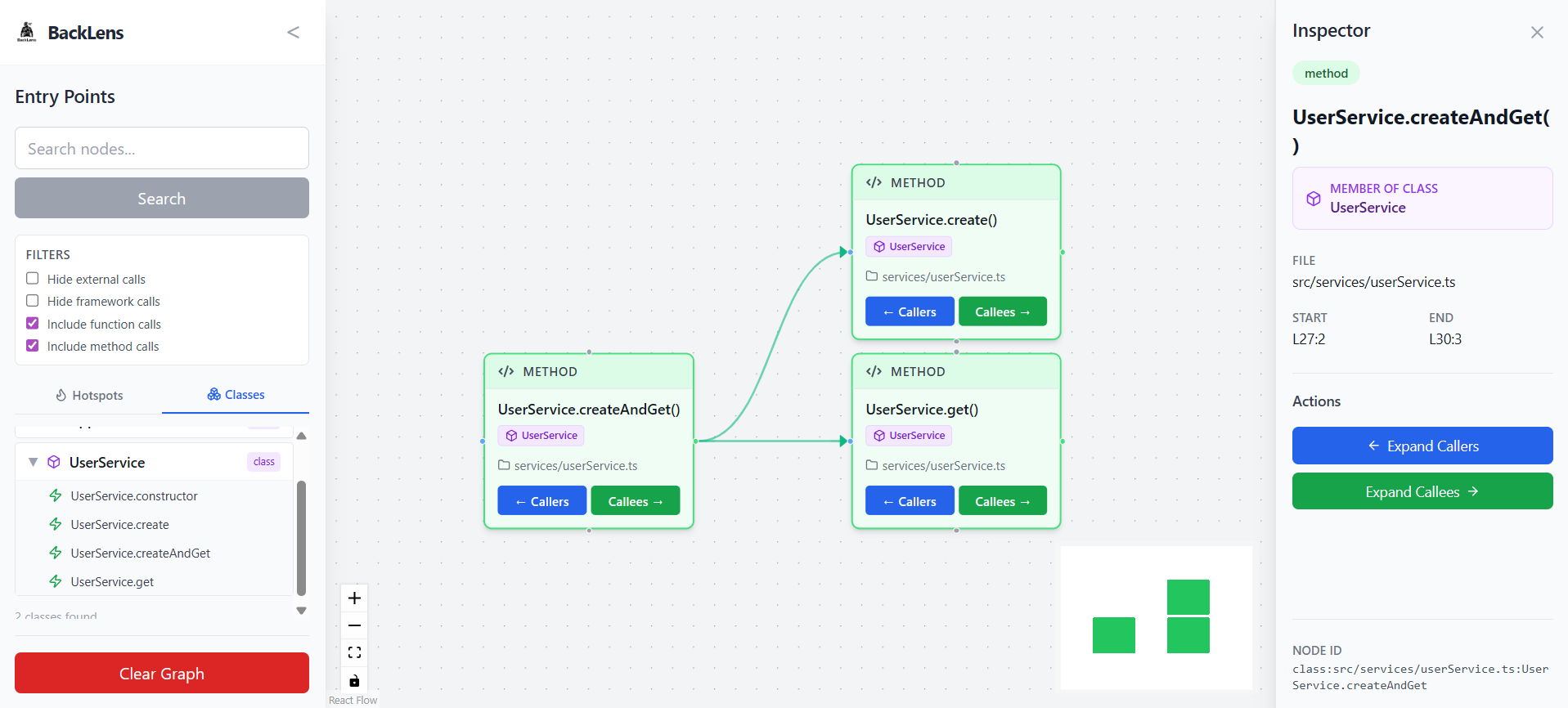
Class Hierarchy and Inspector

Class hierarchy and inspector

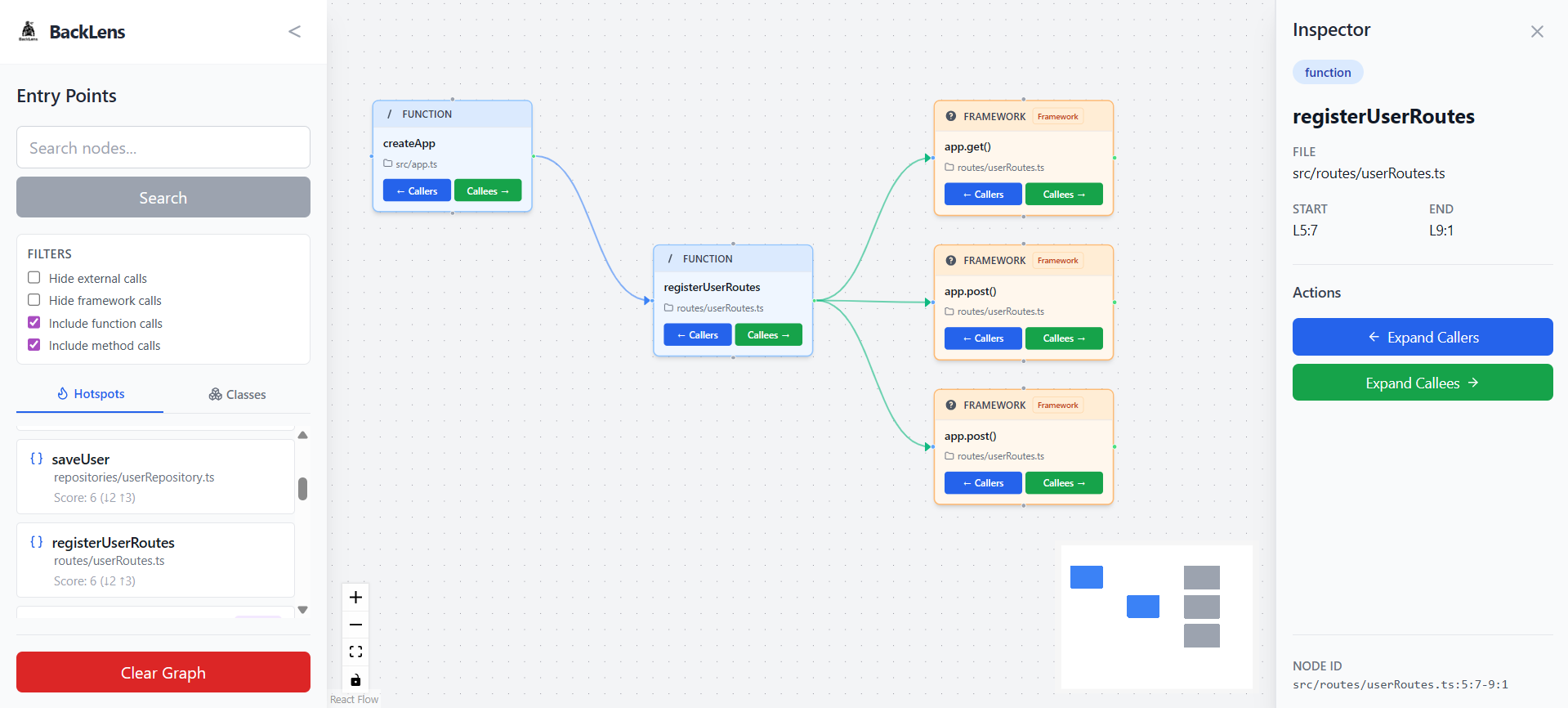
Framework Call Graph View

Framework call graph view

Go-to-Source Navigation

Go-to-Source navigation

Commands

  • BackLens: Analyze Folder (backlens.analyzeFolder)
  • BackLens: Re-analyze Folder (backlens.reanalyzeFolder)
  • BackLens: Show Graph (backlens.showGraph)
  • BackLens: Refresh (backlens.refreshExplorer)
  • BackLens: Close Project (backlens.closeProject)
  • BackLens: Go to Source (backlens.goToNode)

Quick Start

  1. Open a workspace folder in VS Code.
  2. Right-click your target folder in Explorer and run BackLens: Analyze Folder.
  3. Run BackLens: Show Graph (or click View Graph after analysis).
  4. Search, inspect callers/callees, and use BackLens: Go to Source to jump to code.

Requirements

  • VS Code ^1.108.1
  • A local folder/workspace containing source code

Supported Scope

Current strongest support:

  • JavaScript
  • TypeScript
  • JSX/TSX parsing support

Current focus:

  • Backend-oriented JS/TS repositories

BackLens does not currently claim first-class analysis support for Python, Go, or Rust.

Usage

  1. Analyze a folder with BackLens: Analyze Folder.
  2. Open the graph with BackLens: Show Graph.
  3. Explore nodes with search, hotspot views, and caller/callee expansion.
  4. Jump to implementation using BackLens: Go to Source.
  5. Use the BackLens activity view to re-analyze, refresh, or close a project.

Local-First Privacy

BackLens runs analysis locally in your environment and stores graph data locally.

  • No cloud account is required.
  • No external service is required for extension mode.

Extension Settings

This extension currently does not contribute custom settings via contributes.configuration.

Known Limitations

  • Static analysis has expected limits around dynamic runtime behavior.
  • Framework-specific runtime magic may appear as unresolved or external.
  • Current language support is strongest for JS/TS ecosystems.

Known Issues

  • Test coverage is still minimal and focused on scaffold-level extension tests.

Release Notes

See CHANGELOG.md for release history.

Contributing

Contributions are welcome.

  • Repository: github.com/adeebkhans/backlens

License

BackLens is open source under AGPL-3.0-only.

  • Full license text: ../LICENSE
  • Project notices: ../NOTICE
  • Trademark policy: ../TRADEMARK.md
  • Contact us
  • Jobs
  • Privacy
  • Manage cookies
  • Terms of use
  • Trademarks
© 2026 Microsoft