DBML Diagrams for VS Code
View DBML as interactive database diagrams.
It comes with:
- VS Code extension
- Offline app
- CLI
- agent skill
VS Code extension:
- preview table diagrams
- DBML syntax highlighting in VS Code
- toggle table notes and comments
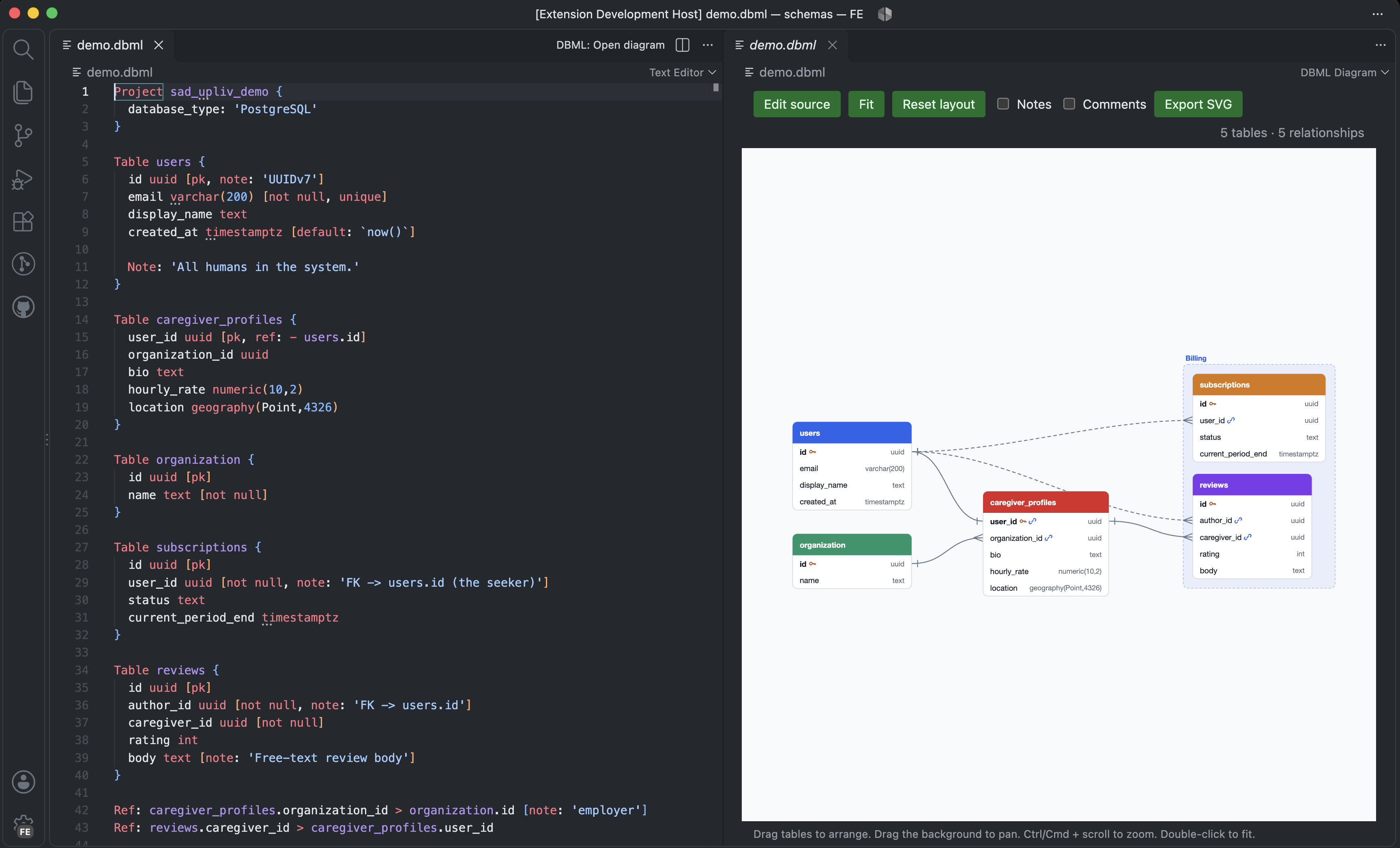
You can also get its offline app and CLI from the repo.
Offline app
- generate/preview table diagrams
- open a folder with multiple diagrams
- edit DBML
CLI
- convert DBML to a Mermaid diagram
- convert DBML to JSON
App
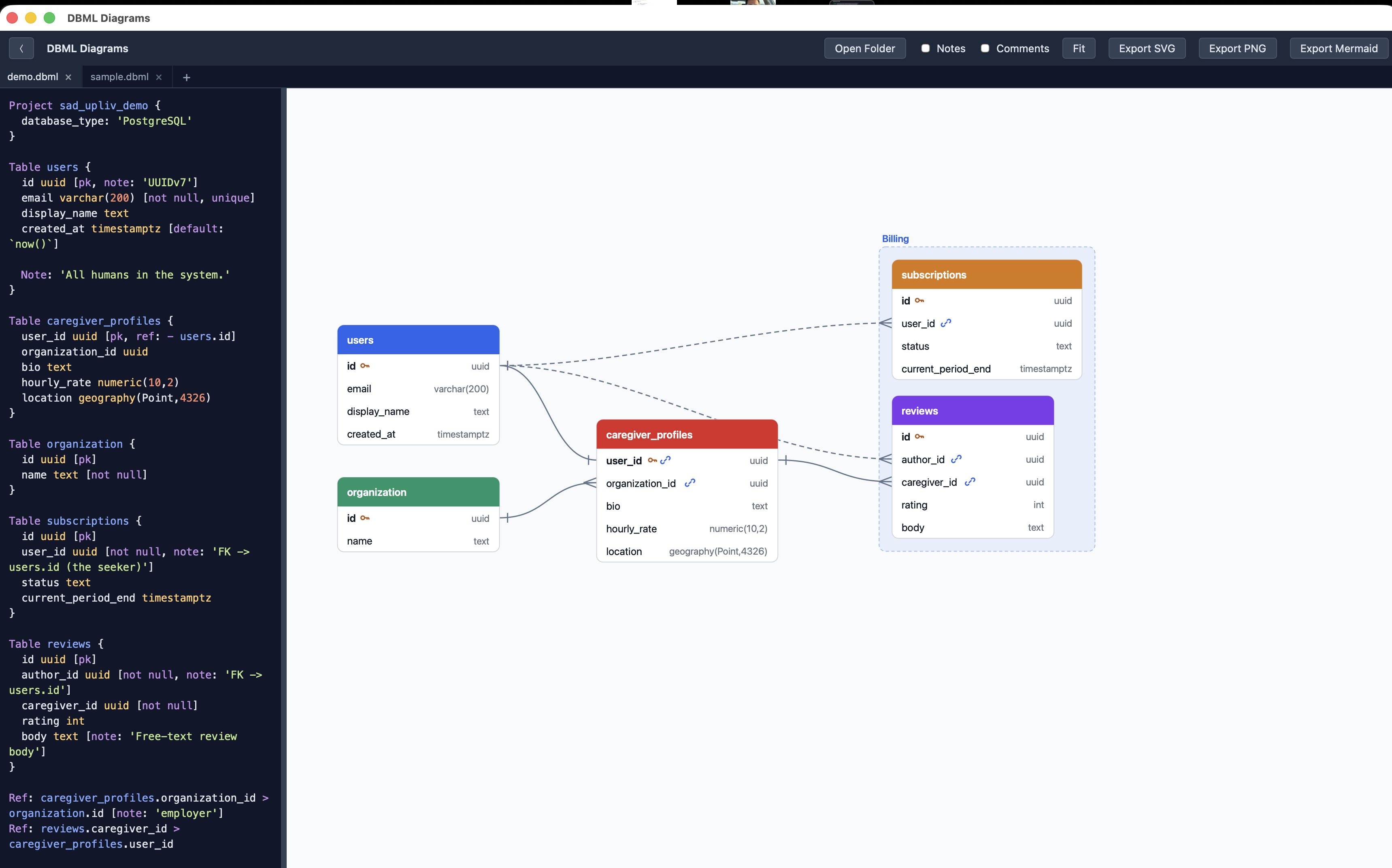
How to install
From the repo root on macOS, with Node.js 22.12+, Rust, and Xcode Command Line Tools installed:
npm ci
npm ci --prefix frontend
./bin/dbml build
cp -R "src-tauri/target/release/bundle/macos/DBML Diagrams.app" /Applications/
Open DBML Diagrams from Applications. Edit syntax-highlighted DBML, open a file, or choose Open Folder to open every DBML file, including subfolders. Export SVG, PNG, or Mermaid.
How to update
Quit the app, then run from the repo root:
git pull
npm ci
npm ci --prefix frontend
./bin/dbml build
ditto "src-tauri/target/release/bundle/macos/DBML Diagrams.app" "/Applications/DBML Diagrams.app"
Reopen DBML Diagrams from Applications. Your saved tabs are preserved.
CLI and agent skill
How to install
Rust is required. Add this repo's bin directory to PATH. In Bash, Zsh, or another POSIX shell, run from the repo root:
export PATH="$PWD/bin:$PATH"
dbml help
You can now run dbml from any directory in this terminal. For permanent setup, add the repo's absolute bin path to PATH in your shell's startup configuration or system environment settings, then open a new terminal. The parser builds automatically on first use.
How to use
From the repo root:
dbml open fixtures/todo.dbml
dbml mermaid fixtures/todo.dbml > schema.mmd
dbml json fixtures/todo.dbml
dbml help
open requires the app built above. mermaid also accepts DBML on stdin.
How to update
Run git pull from the repo root. The CLI uses the updated scripts immediately and rebuilds the parser when its source changes. For dbml open, follow the app update steps above.
Agent Skill
- Copy the skill from skills/dbml-db-schema.
- Set
DBML= in the copied SKILL.md to this repo's absolute bin/dbml path, then restart your agent.
Example prompts:
- Use dbml-db-schema to open schema.dbml and generate a Mermaid diagram for my docs.
- Create a DBML diagram from this schema.

