Skip to content
| Marketplace
Sign in
Visual Studio Code>Themes>Ops Night DevOps ThemeNew to Visual Studio Code? Get it now.
Ops Night DevOps Theme

Ops Night DevOps Theme

Abhilashchauhan1994

|
11 installs
| (0) | Free
A production-grade VS Code theme crafted for DevOps engineers, SREs, backend developers, and terminal-first workflows.
Installation
Launch VS Code Quick Open (Ctrl+P), paste the following command, and press enter.
Copied to clipboard
More Info

Ops Night

Ops Night Icon

A production-grade VS Code theme for DevOps engineers, SREs, backend developers, and terminal-first workflows.


✨ Features

Ops Night is a carefully crafted dark theme inspired by modern developer favorites like Night Owl, Dracula, Atom One Dark, and Tokyo Night — but optimized specifically for infrastructure and production engineering workflows.

Built for:

  • DevOps Engineers
  • SREs
  • Platform Engineers
  • Backend Developers
  • Cloud Engineers
  • Terminal-first developers

Optimized for:

  • Bash scripting
  • Kubernetes YAML
  • Terraform
  • Dockerfiles
  • JSON logs
  • Terminal readability
  • Long coding sessions
  • Low eye strain

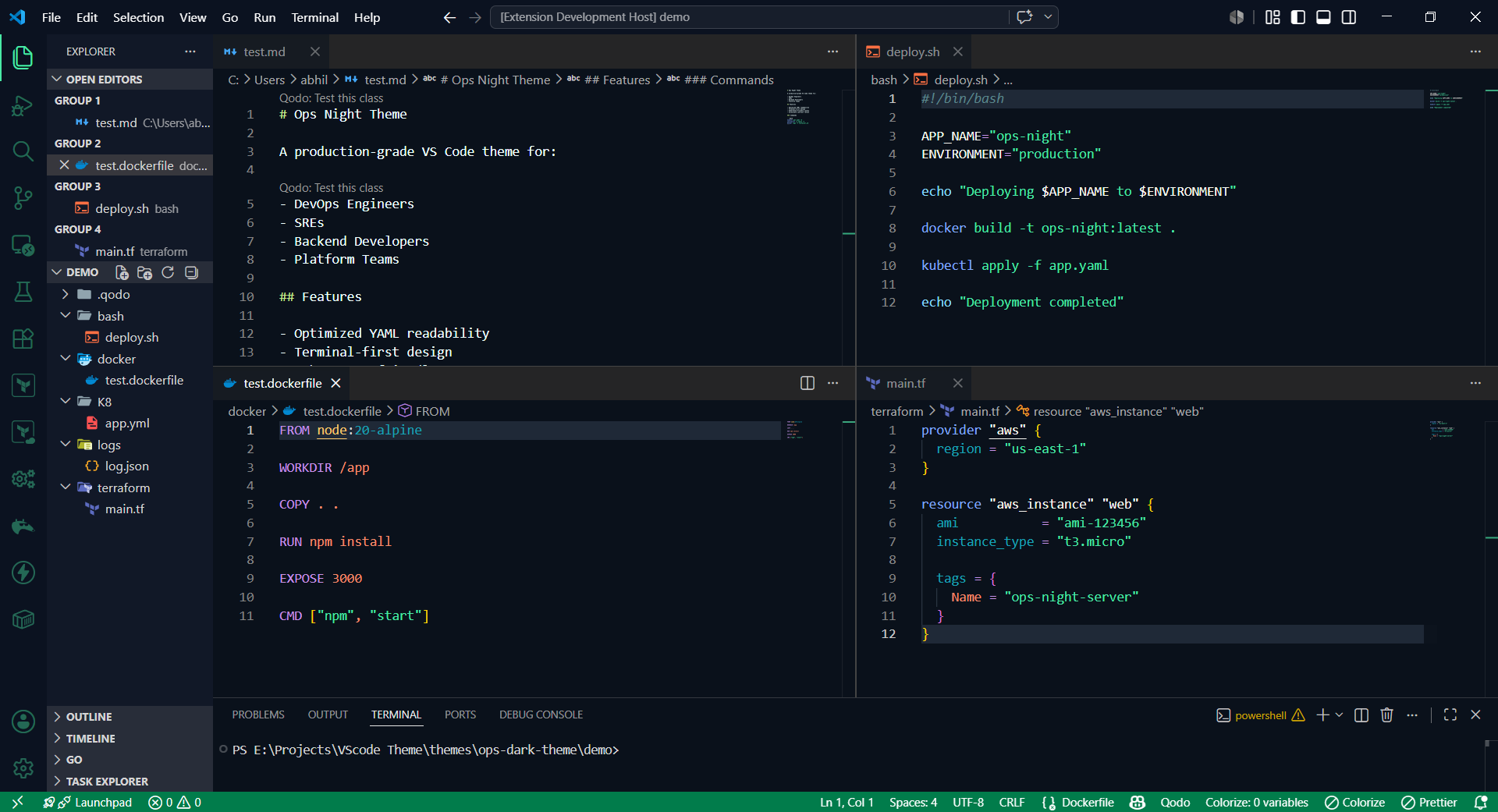
🖥️ Screenshots

OPS_Night

Theme Preview


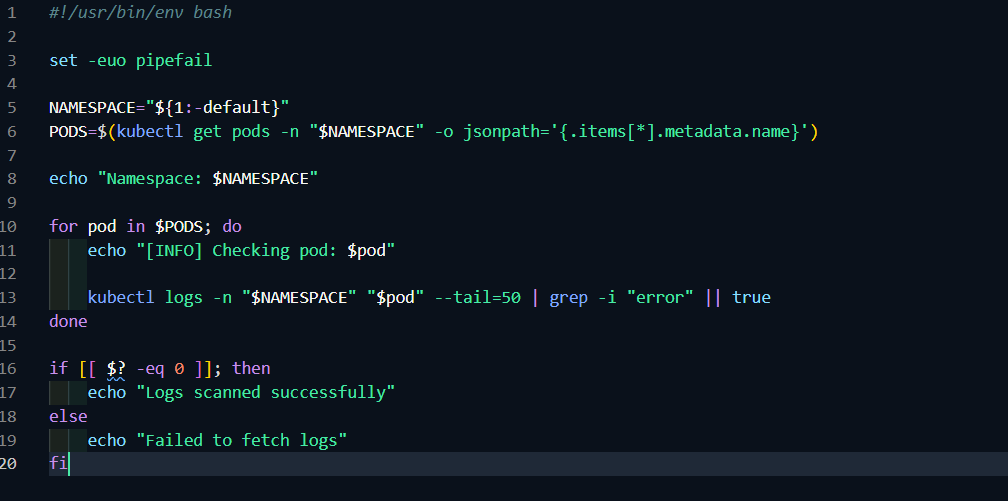
Bash Script

Bash Preview


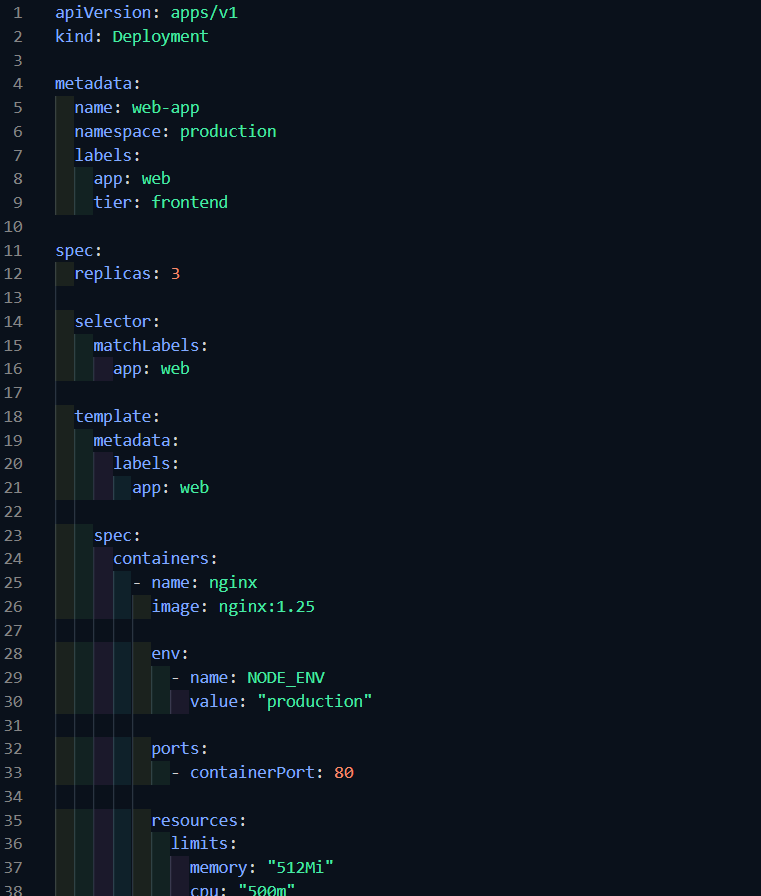
Kubernetes YAML

Kubernetes Preview


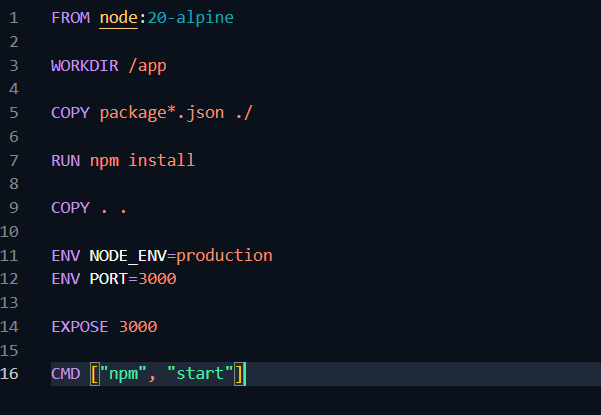
Dockerfile

Docker Preview


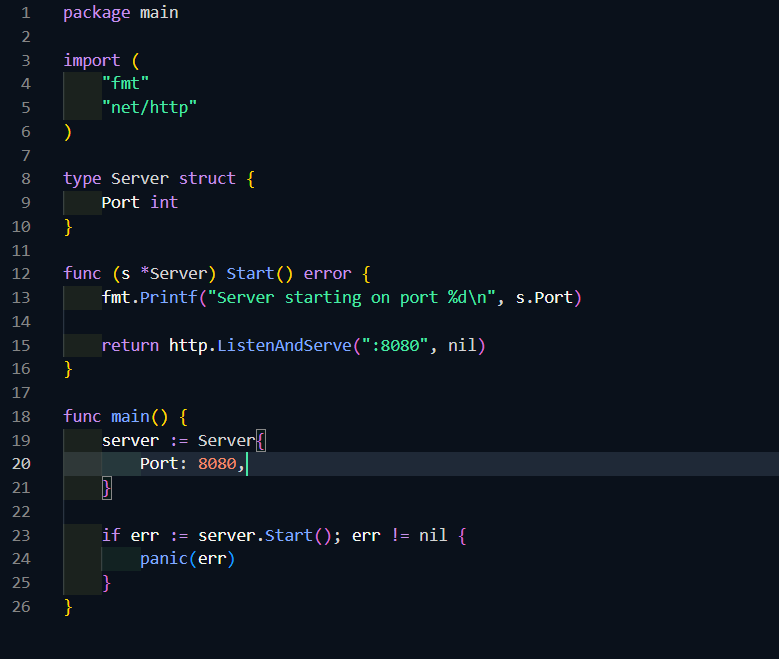
Go

Go preview


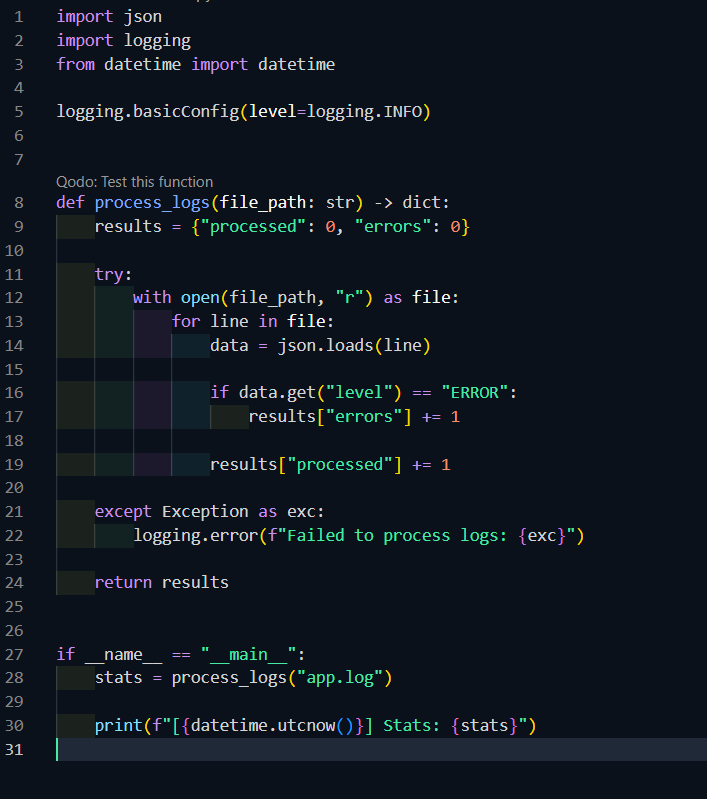
Python

Python preview


Recommended Extensions

For the best experience with Ops Night:

  • HashiCorp Terraform
  • YAML
  • Docker
  • Kubernetes
  • Error Lens
  • GitLens

Installation

From VS Code Marketplace

  1. Open Extensions Sidebar
  2. Search for: Ops Night
  3. Click install
  4. Open Command Palette: ctrl + shift + P
  5. Preferences: Color Theme
  6. Choose : Ops Night
  • Contact us
  • Jobs
  • Privacy
  • Manage cookies
  • Terms of use
  • Trademarks
© 2026 Microsoft