Markscope for VS Code
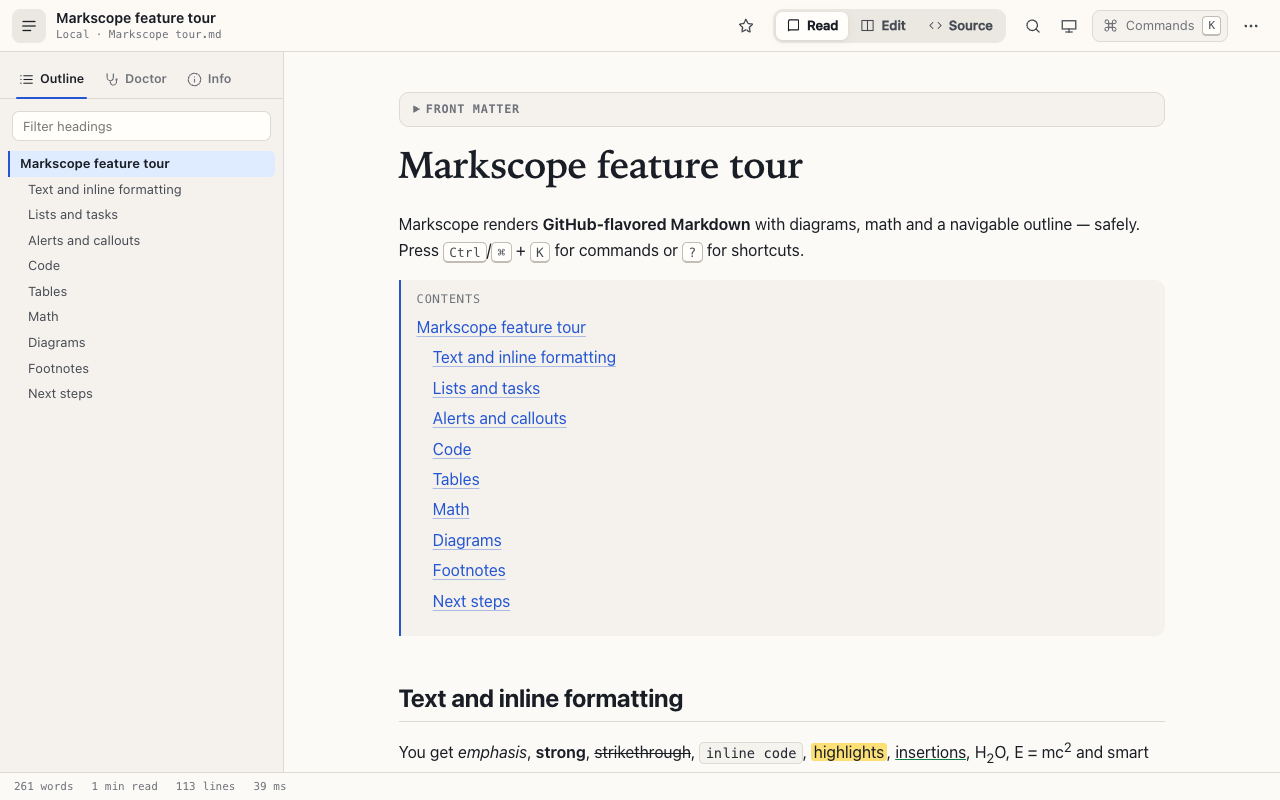
A fast, secure Markdown preview for developers. Diagrams, math, an outline, and a documentation doctor that reports problems in the Problems panel.
Why Markscope
- Diagrams that just work: Mermaid and Graphviz, loaded only when a document uses them.
- Math and more: KaTeX, GitHub alerts,
::: tip callouts, footnotes, front matter, [[toc]].
- Document doctor: broken anchors, missing images, heading-level jumps, duplicate headings, empty links, missing alt text and TODO/FIXME show up as real problems on the right line.
- Reader features: outline with scrollspy, find in preview, image lightbox, focus mode, reading stats.
- Links that work in a project: relative links to other Markdown files open in the preview, links to source files open in the editor (
file.ts#L42 selects the line), and relative images show.
- Stays in step with your editor: the preview updates as you type, scrolls with the editor (and the editor with the preview), and double-clicking a block jumps to its source line.
- Optional AI (bring your own key): summarize, review, explain a code block, ask questions, or generate a Mermaid diagram with Anthropic, OpenAI or a local model. Off by default; see below.
- Secure by design: the preview never runs code from your document. HTML is sanitized, the content security policy blocks scripts, and remote images can be blocked entirely.
Use it
- Open a Markdown file.
- Run Markscope: Open Preview to the Side (or click the preview button in the editor title bar).
| Command |
What it does |
| Markscope: Open Preview / Open Preview to the Side |
Open the preview in this column or beside the editor |
| Markscope: Toggle Preview Lock |
Keep the preview on its file instead of following the active editor |
| Markscope: Find in Preview |
Search the rendered document (Ctrl/⌘ F in the preview) |
| Markscope: Toggle Outline |
Show or hide the outline sidebar (B) |
| Markscope: Toggle Focus Mode |
Distraction-free reading (Z) |
| Markscope: Run Document Doctor |
Re-check the document |
| Markscope: Export as HTML |
Save the rendered document as one self-contained HTML file |
| Markscope: Open in Reader |
Read a file in a full tab (also under Reopen Editor With…) |
In the preview: J / K jump between headings, / finds, B toggles the outline, Z is focus mode, T switches theme, R refreshes, A opens the AI assistant and ? lists the shortcuts. The toolbar has the same theme button, Commands button and ⋯ menu as the browser extension; the menu also opens this extension's Settings.
AI assistant (optional)
Off by default. To use it:
- In User settings (not workspace settings) set
markscope.ai.enabled, pick markscope.ai.provider and, for a local or custom endpoint, markscope.ai.baseUrl.
- Run Markscope: Set AI API Key. The key goes into VS Code's secret storage (your OS keychain), is sent only to the endpoint it was saved for, and is never shown to the preview.
- Press
A in the preview (or run Markscope: Toggle AI Assistant).
The text of the document you ask about is sent directly from VS Code to the provider you chose; Markscope has no server. A local model (Ollama, LM Studio) keeps it on your machine. AI is off in untrusted workspaces.
Settings
Search for Markscope in Settings. Highlights:
markscope.theme: follow the VS Code theme (default, including high contrast), or force light or dark.markscope.images.remote: allow or block images from the web.markscope.preview.openMarkdownLinks: open links to other Markdown files in the preview or in the editor.markscope.preview.updateOn: refresh while typing, or only on save.markscope.markdown.*, markscope.code.*, markscope.typography.*: what is rendered and how it looks.
Privacy and security
Markscope has no telemetry and no server. It makes no network requests of its own; the only requests are the images a document references (you can block those with markscope.images.remote) and, if you turn the optional AI assistant on, the requests to the provider you chose. Links to other files open only inside your workspace folder. See the privacy policy.
Also in your browser
Markscope is also a browser extension (Chrome, Edge, Firefox) that turns any Markdown URL into a navigable document: https://abdallahsaeed.github.io/markscope/.
Report an issue · Source · MIT license
| |

