Code Context Memo
VS Code extension for collecting selected code context and notes into a workspace-level memo.
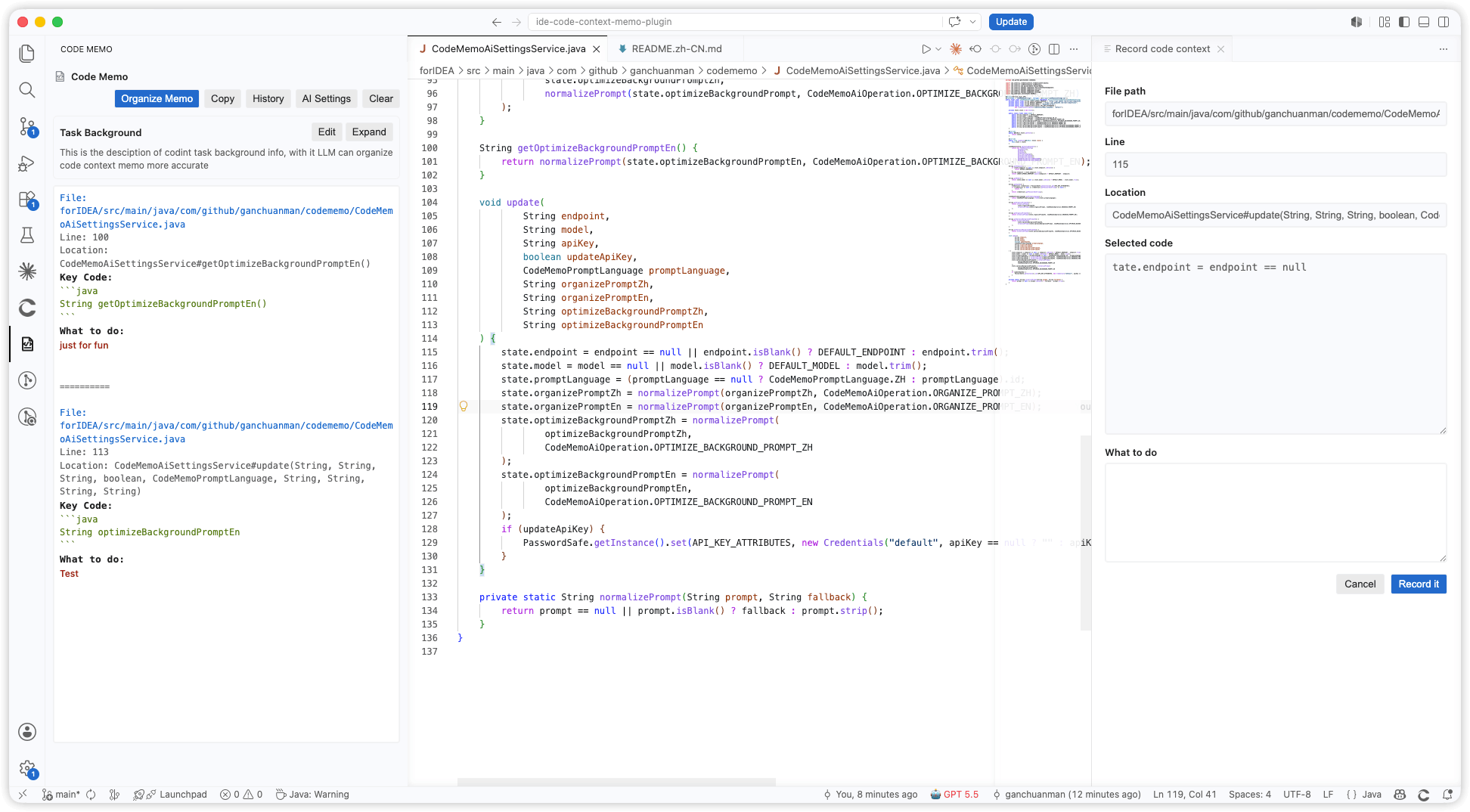
Features
- Adds a
Code Memo activity bar view.
- Adds
Record code context to the editor context menu when code is selected.
- Records project-relative file path, line range, best-effort code location, selected code, and
What to do.
- Opens a temporary right-side recording panel with code preview and a multiline
What to do input.
- Uses bordered, theme-aware input fields across record, memo, history, background, and AI settings panels.
- Highlights memo sections with different colors for file metadata, code blocks, task text, and separators, with higher-contrast task text.
- Persists task background, memo text, and history per workspace.
- Keeps at most 20 history snapshots and supports restoring or deleting a single snapshot.
- Uses VS Code native confirmation before deleting a history snapshot.
- Copies only the memo body.
- Supports DeepSeek/OpenAI-compatible AI calls for memo organization and task background optimization.
- Keeps AI settings inside the
Code Memo webview instead of opening a separate settings page.
How it works
- Select code in the editor.
- Choose
Record code context from the editor context menu.
- Review the file path, line number, code location, and selected code.
- Add
What to do, then record it into the memo.
- Edit the memo freely and copy only the final memo body when you are ready to send it to a coding agent.
AI usage
AI features are optional. Configure an OpenAI-compatible endpoint, model, API key, and prompt language in AI Settings.
The default endpoint is:
https://api.deepseek.com/chat/completions
The default model is:
deepseek-v4-pro
AI requests are only sent when you click an AI action such as Organize Memo or task background optimization.
Data and privacy
- Memo content is stored in VS Code workspace state.
- AI settings are stored in VS Code global state.
- API keys are stored through VS Code SecretStorage.
- The extension does not include telemetry.
- If you use AI features, the current memo/task background is sent to the endpoint you configure.
License
MIT License.
Install
Install the packaged .vsix from:
build/distributions/
| |

