Prompt Studio by AMB.Turn prompts into living markdown with clickable inline options. Markdown viewer, step-by-step Prompt Wizard, and Enrich Prompt — with Mode, Persona and Structure dials — inside VSCode. Installation Launch VS Code Quick Open ( Ctrl+P), paste the following command, and press enter.Copied to clipboard |

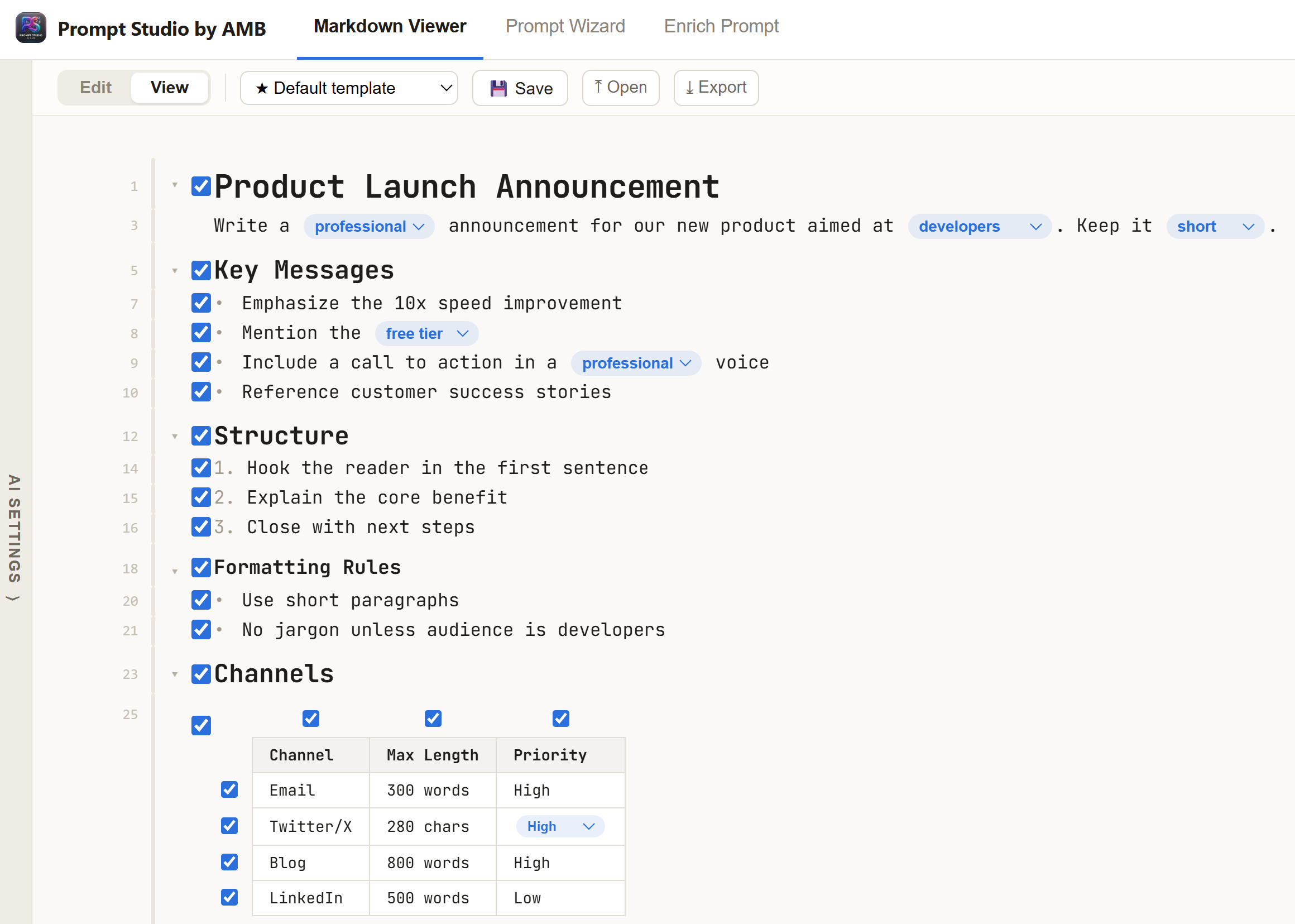
Prompt StudioWrite better prompts, faster — without leaving VSCode. Prompt Studio treats a prompt as a living markdown document with inline options: the choices you'd normally rewrite by hand (tone, audience, length, format…) become clickable switches, so one prompt adapts to many situations. The approach: options, not rewritesA good prompt is full of deliberate decisions. Instead of baking one decision in, Prompt Studio writes them as inline options using markdown link syntax — e.g. Three tools, one studio📄 Markdown ViewerA clean reader for any
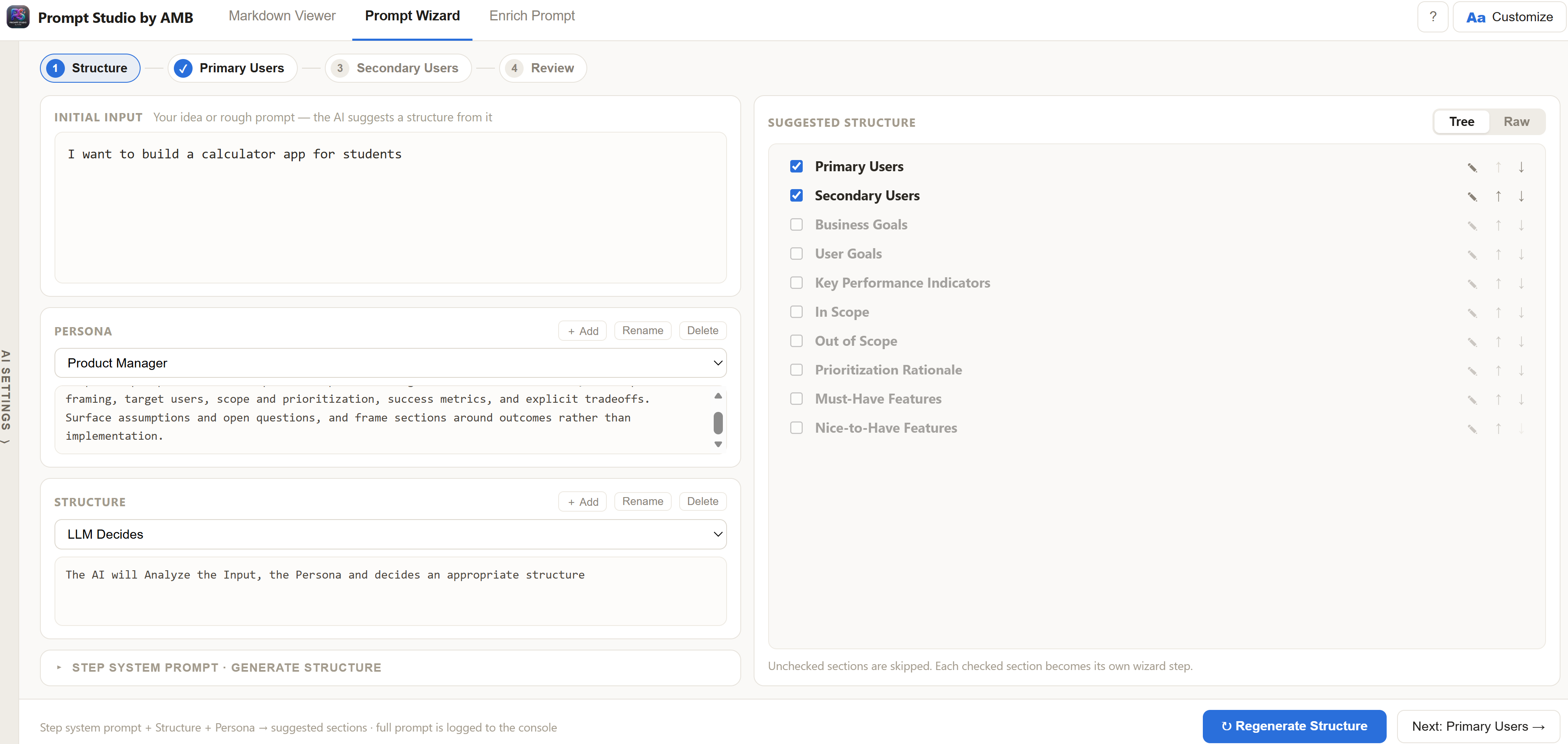
🪄 Prompt WizardBuilds a full prompt from a rough idea, step by step:
You stay in control at every step — the wizard drafts, you decide.
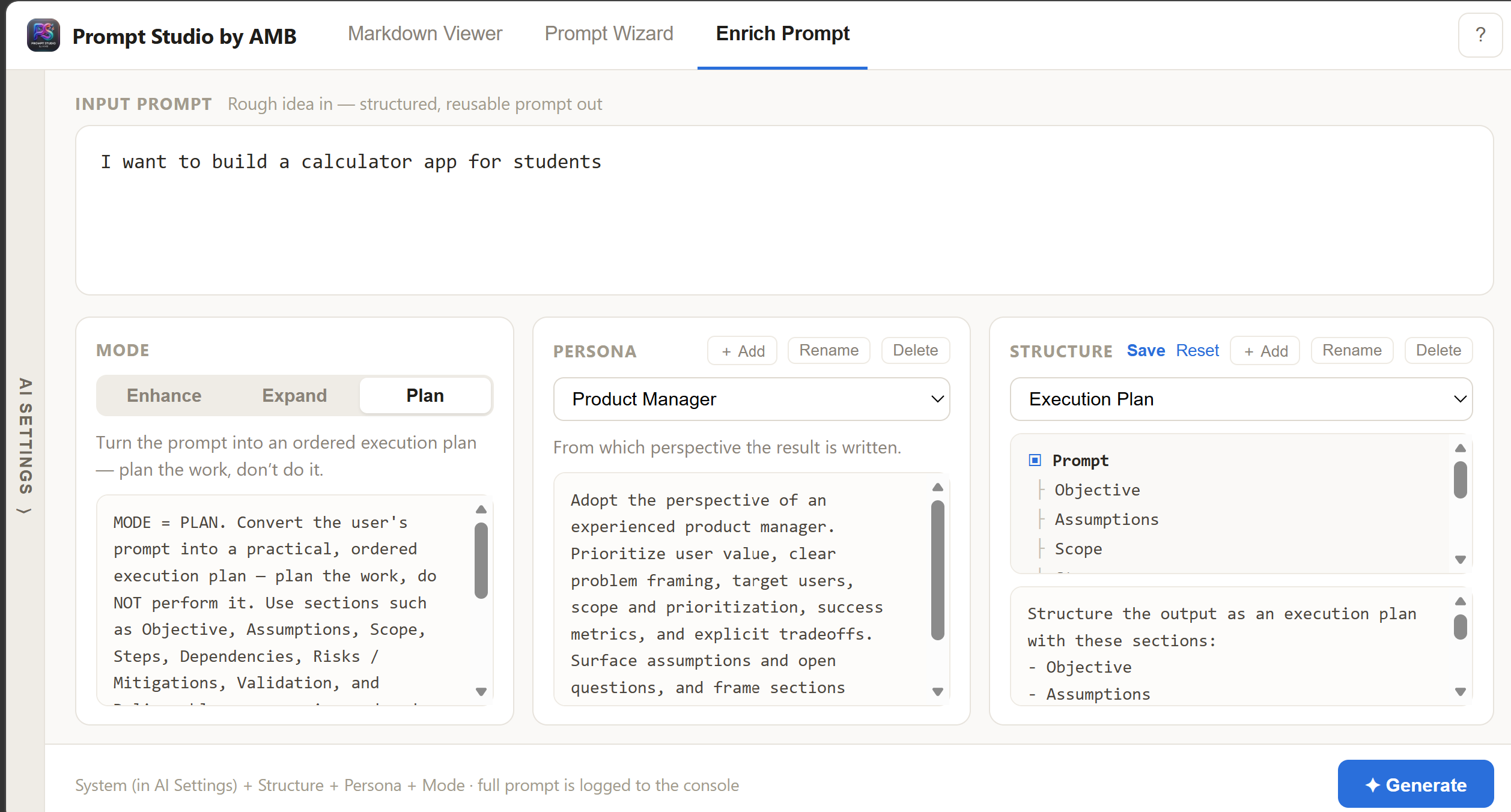
✦ Enrich PromptPaste a rough prompt and get a clear, well-structured, reusable one back — with the uncertain parts expressed as inline options instead of invented facts.
The dials: Mode, Persona, StructureEvery AI generation is shaped by three dials you set (and can fully edit):
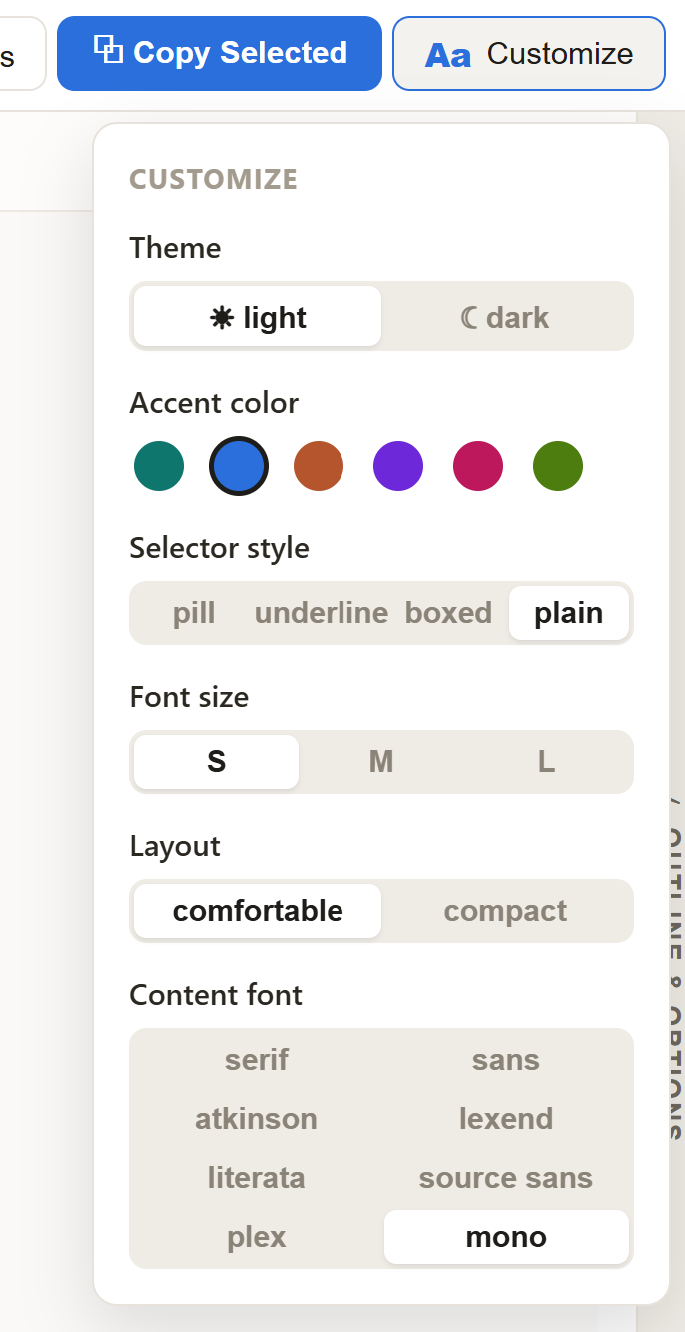
Bring your own AI provider (including local Ollama). Your API key is stored in the OS keychain via VSCode SecretStorage and never leaves your machine except to call the provider you chose. Make it yoursLight or dark theme, accent color, option selector style, font, and layout density — all in the Customize panel.
Using it in VSCode
Prompts, settings, and wizard progress persist across sessions. Open and export use native file dialogs; exports write straight to your workspace. |