
AETHER Enterprise CoderEnterprise agentic coding in VS Code, powered by your AETHER AI Agent. The underlying model (GPT, Claude, ...) is governed centrally on the AETHER platform. Installation Launch VS Code Quick Open ( Ctrl+P), paste the following command, and press enter.Copied to clipboard |


AETHER Enterprise CoderAn AI coding agent your organisation actually controls.Enterprise agentic coding in Visual Studio Code, powered by your AETHER AI Agent.
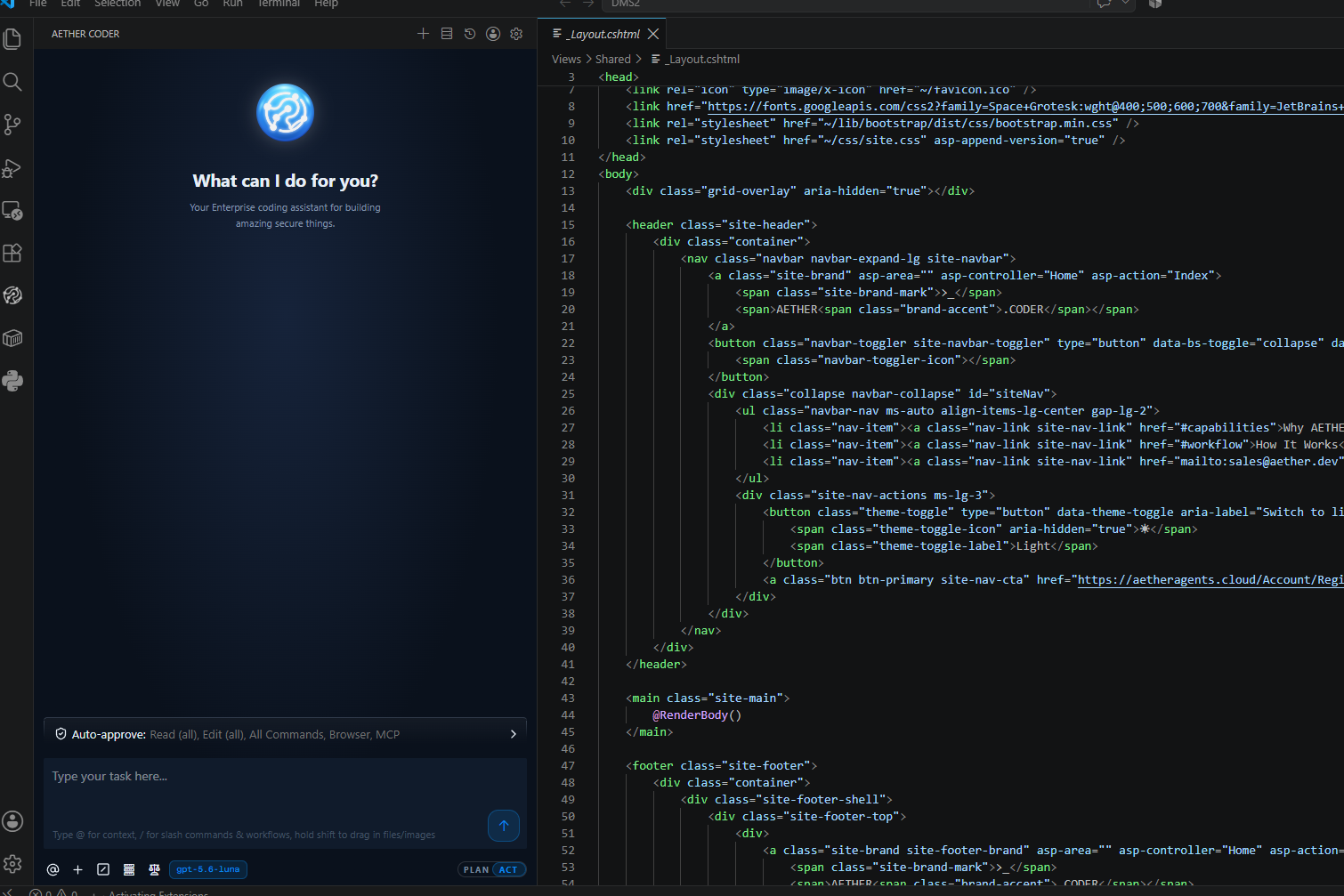
What it isAETHER Coder turns an AETHER agent into a coding agent working directly in your project — reading files, writing edits, running commands and asking before it does anything consequential. You describe the outcome you want in plain language; the agent explores the code, proposes an approach, and then makes the changes while you review each step. It is the same agent your organisation already builds, governs and pays for in AETHER, brought to the editor where your developers actually work. Nothing about the way your organisation controls its AI changes when a developer installs the extension — the controls simply follow the agent into VS Code. The split that mattersThe extension is only the front end. Everything that matters commercially, legally and operationally stays on your AETHER platform.
A developer never manages a model key, never picks a model, and never signs up with an AI provider. The extension talks only to the AETHER endpoint you configure, so your code and your prompts stay inside your platform boundary. When your organisation changes model, tightens a budget or adds a knowledge source, every developer picks the change up on their next message. Nobody reinstalls anything, and nobody is quietly running last quarter's settings. Why teams choose itPlan before it actsTwo modes, and you decide when to cross between them. In Plan the agent thinks, asks questions and proposes an approach. In Act it changes things. You switch once you are happy with the plan — so the expensive mistakes get caught in conversation rather than in your working tree. 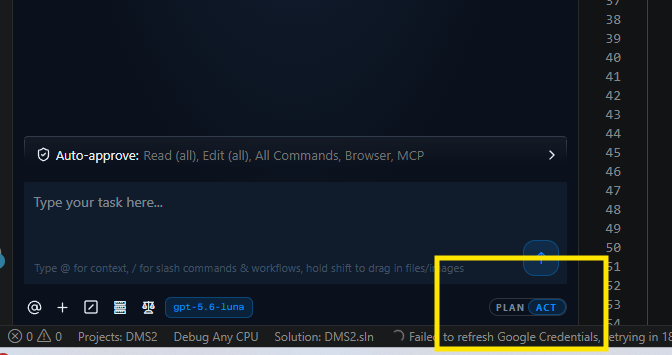
Every edit arrives as a diffThe agent creates and edits files directly in your editor and presents each change as a diff you can accept, edit or reject. It watches linter and compiler errors as it goes, so missing imports and syntax slips get fixed on the way rather than landing in your review. Behind every step is a checkpoint — a restore point for your workspace, independent of source control. Compare against it, or roll back to it, without touching Git. 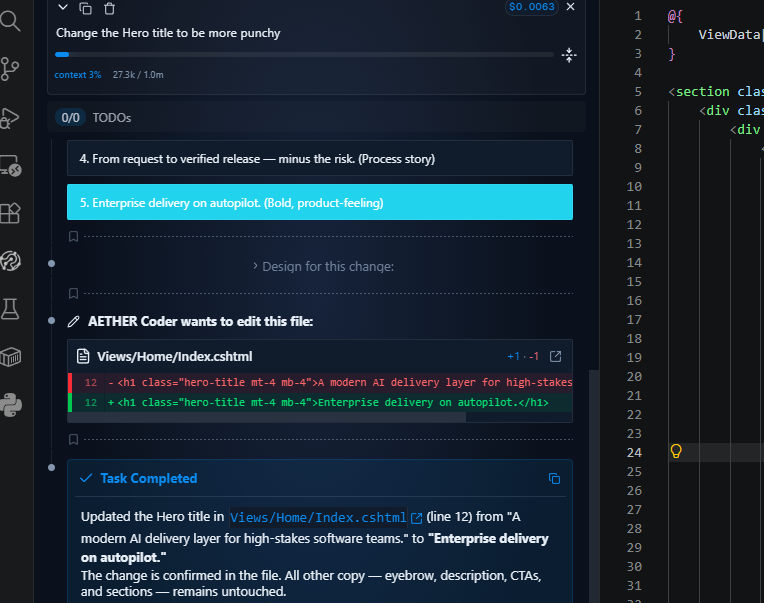
You are always in controlThe agent asks before it edits a file, runs a terminal command or calls a tool. Where that becomes tedious, auto-approve lets you grant standing permission for the specific kinds of action you trust — per action type, with a cap on how many run unattended — and revoke it just as easily. 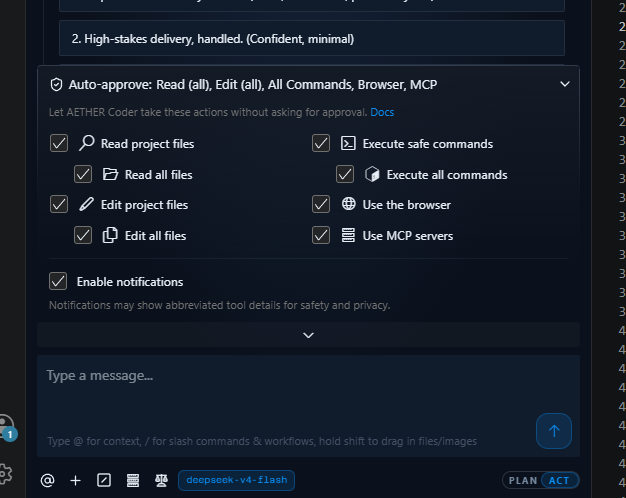
Give it the context you already haveAttach the evidence rather than describing it:
Images work too — paste a screenshot of a broken layout or a mockup and let the agent work from what it sees. 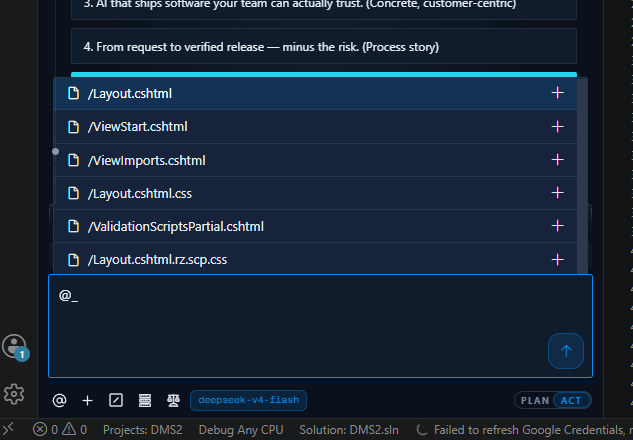
Your organisation's knowledge and tools, already attachedThe agent brings its AETHER knowledge base with it, so answers reflect your internal standards, architecture decisions and documentation rather than a generic guess. Its platform tools — MCP servers, databases, ticketing systems, internal APIs — come along too, governed centrally, with no per-developer setup. Governance that follows the agent into the editorThis is the part a general-purpose coding assistant cannot offer. PII Guard and Secrets GuardEvery request is inspected at the last point before it reaches a model provider, and your agent's policy is applied to what is found — masked, removed, or the message refused outright. Because the check sits at the boundary rather than in the editor, it sees far more than the developer's typed prompt: file contents the agent read, terminal output it captured and knowledge base results it retrieved are all in the request, and all scanned. It runs on the platform, so there is nothing to install, nothing to configure in VS Code, and nothing a developer can switch off. Credentials are a separate control with its own policy, because the right answer for a leaked API key is not the right answer for a customer's phone number. That matters more in an editor than anywhere else — a coding agent reads 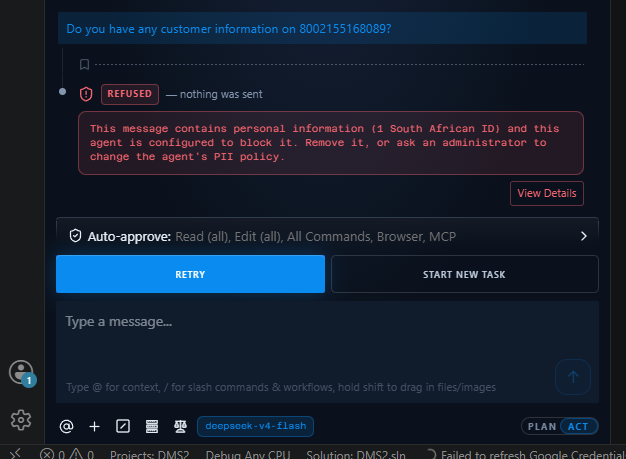
Attribution by person, not by shared keyEvery request carries two credentials: the agent's API key says which agent should answer, and the developer's personal access token says who is asking. Tokens are personal — each developer generates their own, and nobody can generate one on someone else's behalf. The recorded conversation is stamped with the token's owner, so a coding session is attributed to a named person rather than to a shared machine account. Cost, budgets and auditingA coding session is not a special case for governance. Each turn of a task is one recorded invocation with its own token counts and cost — costed against the same per-model rates, counted in the same reports, and stopped by the same budgets as any other agent traffic. Organisation, business unit, team, agent and per-developer caps all apply. If you already govern agents in AETHER, you already govern what your developers do in the editor. Nothing extra needs to be switched on. 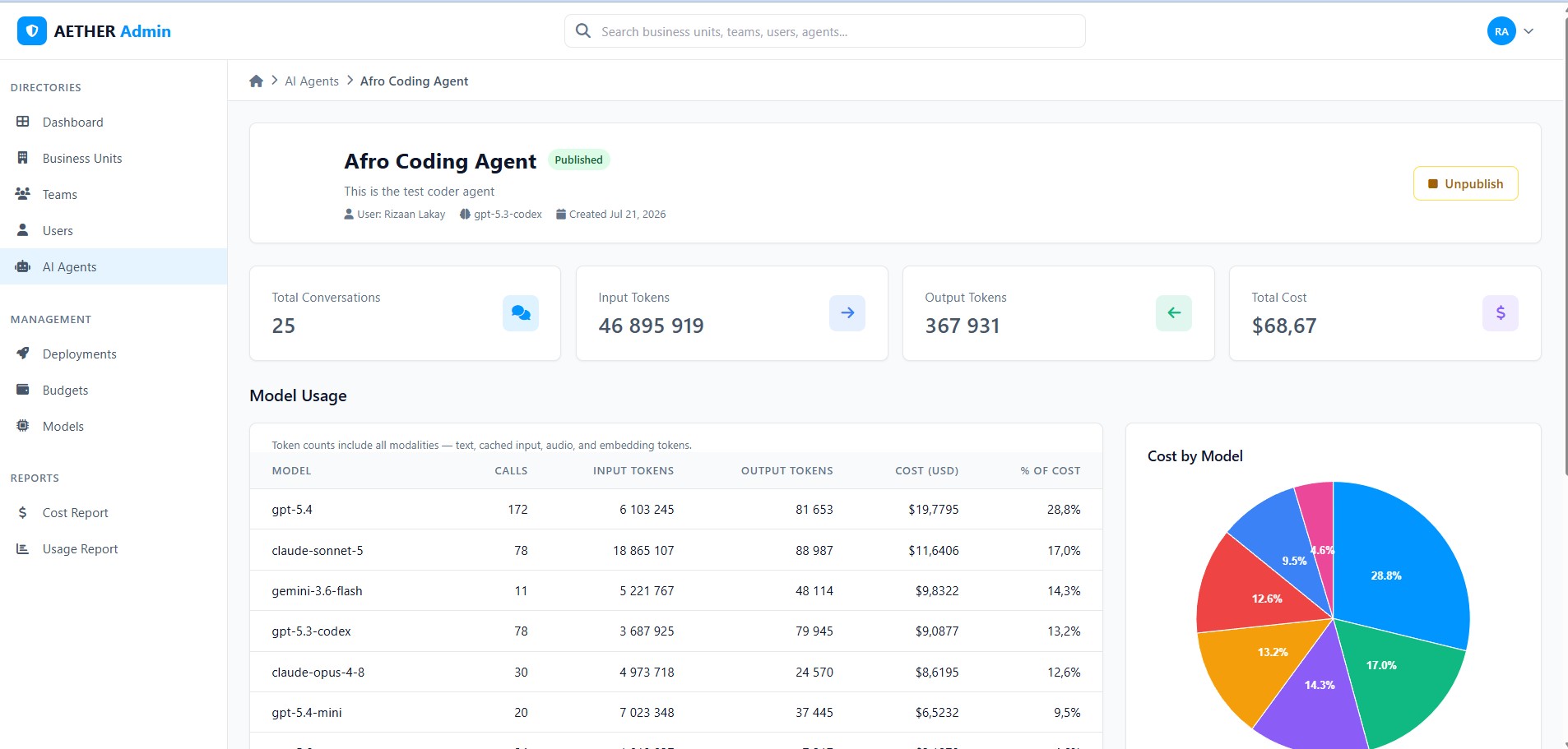
Agent Skills — one team, one reviewed way of workingA skill is a folder holding a Remote Developer ViewYour AETHER Coder panel, mirrored into a browser. Same conversation, same buttons, same task — driven by the VS Code window still running on your machine. Open it on a phone or a second screen to watch a long task, approve a step or send the next instruction without going back to your desk. It is a mirror, not a second agent: the editor on your machine still reads the files, writes the edits and runs the commands, and every message still goes to the same agent under your own access token. Scan a QR code from the panel's Remote settings and the browser picks up the session — see Remote Developer View. Getting startedFree to tryEvery new organisation — individual and enterprise alike — starts with US$5 of free credit. No card, no AI provider account, and no model keys to manage. Five steps to your first task
Connecting the extensionThree values connect the panel to your agent, entered once:
You never choose a model here. The model, the knowledge base and the tools all belong to the agent, and your administrator governs them in AETHER. Requirements
DocumentationFull documentation lives at aetheragents.cloud/Docs/coder. Getting started What is AETHER Coder · Install the Extension · Connect to AETHER · Your First Task Coding with the agent Plan & Act Modes · How the Agent Edits Your Code · Running Commands & Auto-Approve · Context: Mentions, Images & Focus · Rules, Workflows & Slash Commands · Knowledge & Tools · Remote Developer View Administering Coder Enabling Code Agent Mode · Access Tokens · PII Guard · Secrets Guard · Agent Skills · Cost, Budgets & Auditing Reference Settings Reference · Troubleshooting · The Code API · Limits & Known Behaviour Support
AETHER Enterprise Coder — by AI Explorers Licensed under Apache 2.0. Built on the open-source Cline project. |