Skip to content
| Marketplace
Sign in
Visual Studio Code>Themes>AGR ThemeNew to Visual Studio Code? Get it now.
AGR Theme

AGR Theme

AGR Labs

|
4 installs
| (1) | Free
AGR Labs themes for VS Code. Starts with Noir Ambre: a minimalist dark theme with a single amber accent, plus file icons with real logos.
Installation
Launch VS Code Quick Open (Ctrl+P), paste the following command, and press enter.
Copied to clipboard
More Info

AGR Theme

Themes for Visual Studio Code, by AGR Labs. More themes will join this collection over time.

Noir Ambre

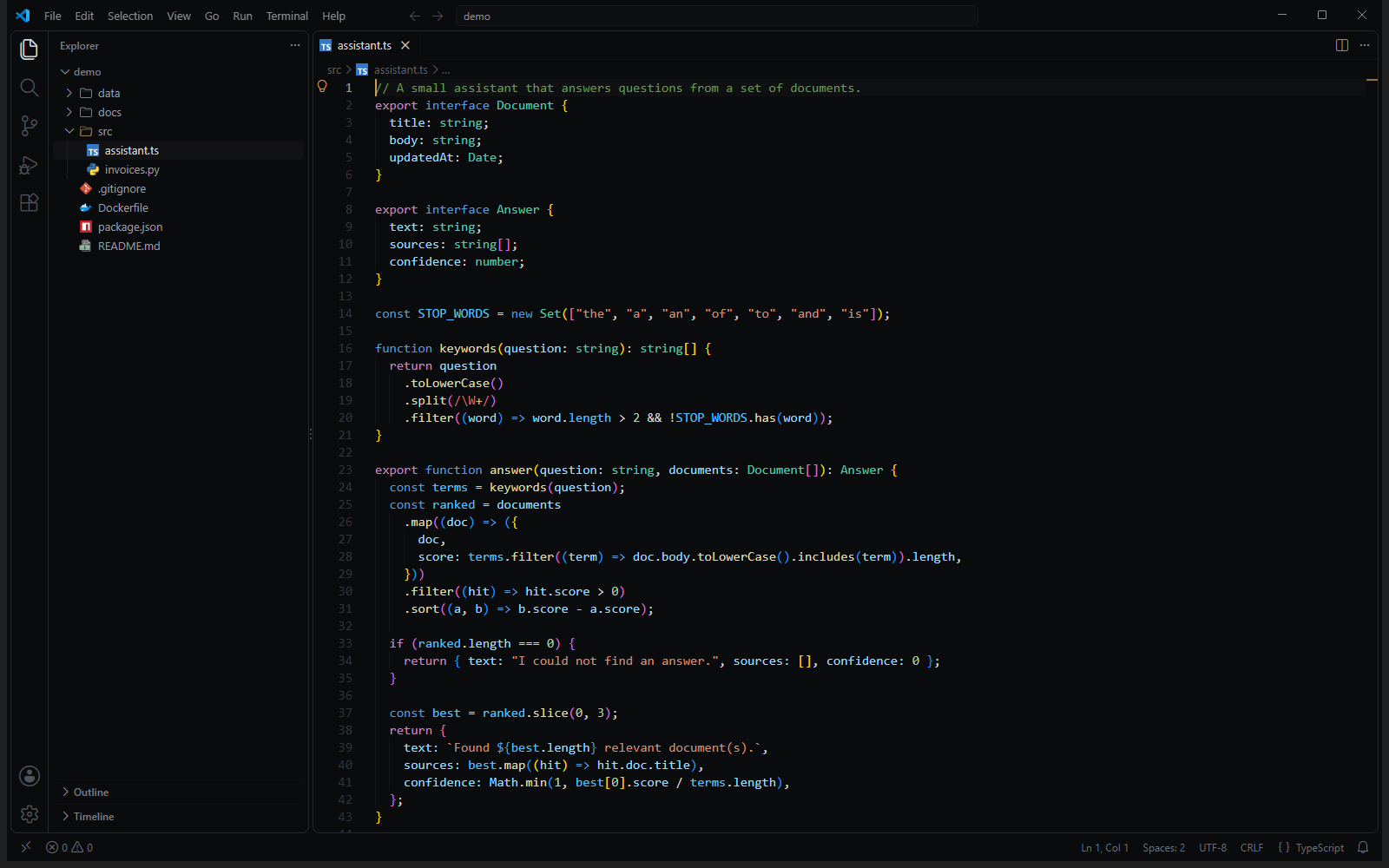
The first theme of the collection: deep neutral black, soft greys, and a single amber accent. Your code keeps the familiar VS Code colors you already know; only the workbench changes.

Noir Ambre theme with Noir Ambre Icons

What's included

  • Noir Ambre color theme: one black surface across the editor, side bar, panels and terminal, almost no borders, amber only where it matters (cursor, active tab, buttons, focus).
  • Noir Ambre Icons file icon theme: outline folders that let the background show through, and real logos for the file types you use every day (PDF, Word, Excel, PowerPoint, Python, JavaScript, TypeScript, React, Docker, Git, npm and more). File types without a logo get a clean glass page with a colored label.
  • Full coverage: every color key of VS Code 1.140 is either set by the theme or derived from it. No stray default blue.

Getting started

  1. Install the extension.
  2. Colour theme: Ctrl+K Ctrl+T (Cmd+K Cmd+T on macOS), then Noir Ambre.
  3. File icons: Ctrl+Shift+P, Preferences: File Icon Theme, then Noir Ambre Icons.

Optional: amber border on your Claude Code messages

If you use the Claude Code extension, Noir Ambre can outline your own messages in the conversation with a thin amber border. A color theme cannot target those messages, so this option adds a small, clearly marked CSS block to the Claude Code extension's stylesheet and re-applies it after each Claude Code update.

It is off by default. To turn it on, set:

"noirAmbre.claudeCodeBorders": true

To remove it at any time: Ctrl+Shift+P, Noir Ambre: Remove Claude Code message border, or set the option back to false.

Credits

File type logos come from vscode-icons (MIT) and Simple Icons (CC0). Product names and logos belong to their respective owners and are used only to identify file types. See THIRD-PARTY-NOTICES.txt.


Made by AGR Labs.

  • Contact us
  • Jobs
  • Privacy
  • Manage cookies
  • Terms of use
  • Trademarks
  • Your Privacy Choices
  • Consumer Health Privacy
© 2026 Microsoft