ShadowVsCode Theme
The definitive fusion of VS Code and shadcn/ui.
Minimalist, precision-crafted design tokens for Antigravity IDE, Visual Studio Code, Cursor, Windsurf, and modern forks.
✨ Features
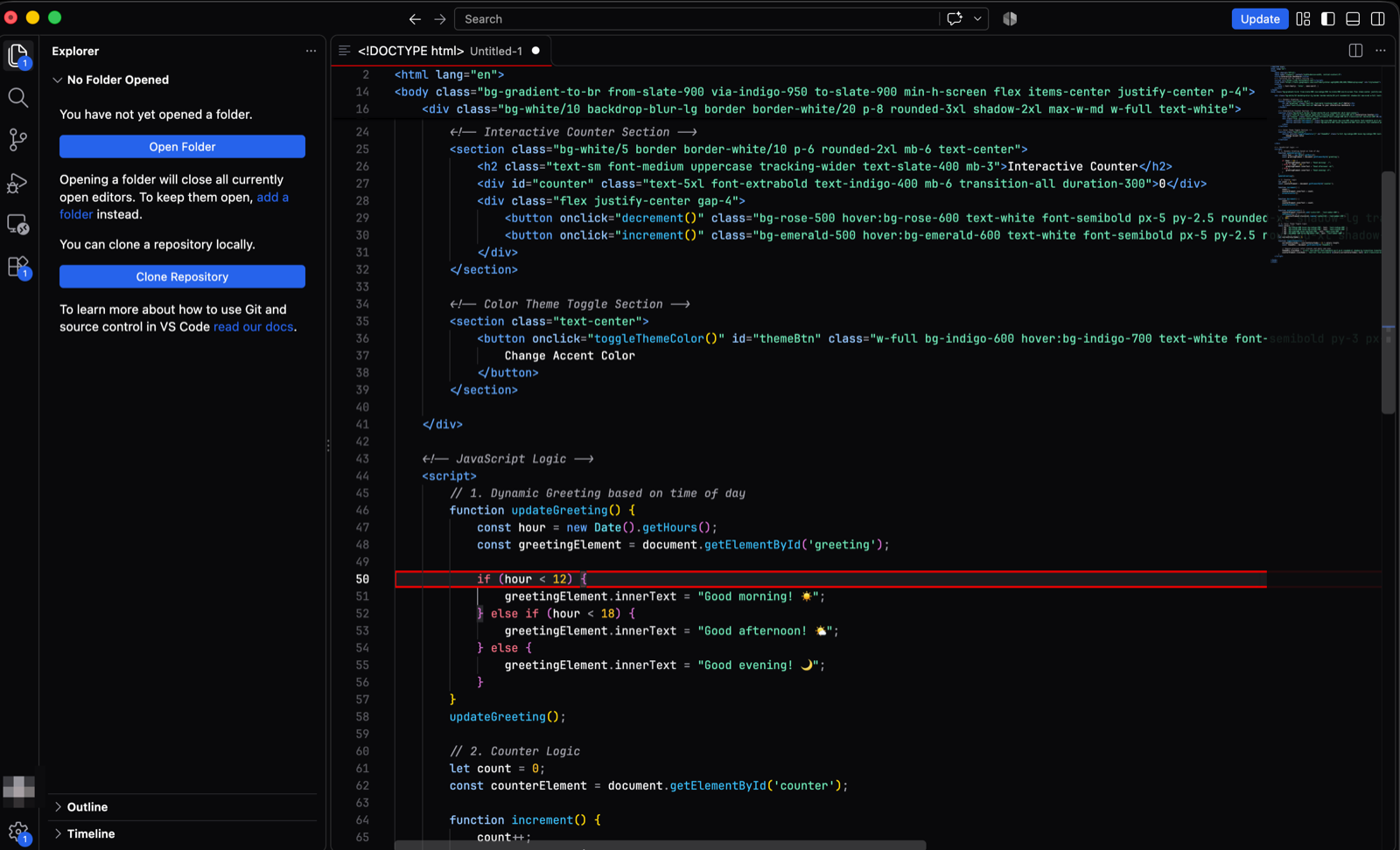
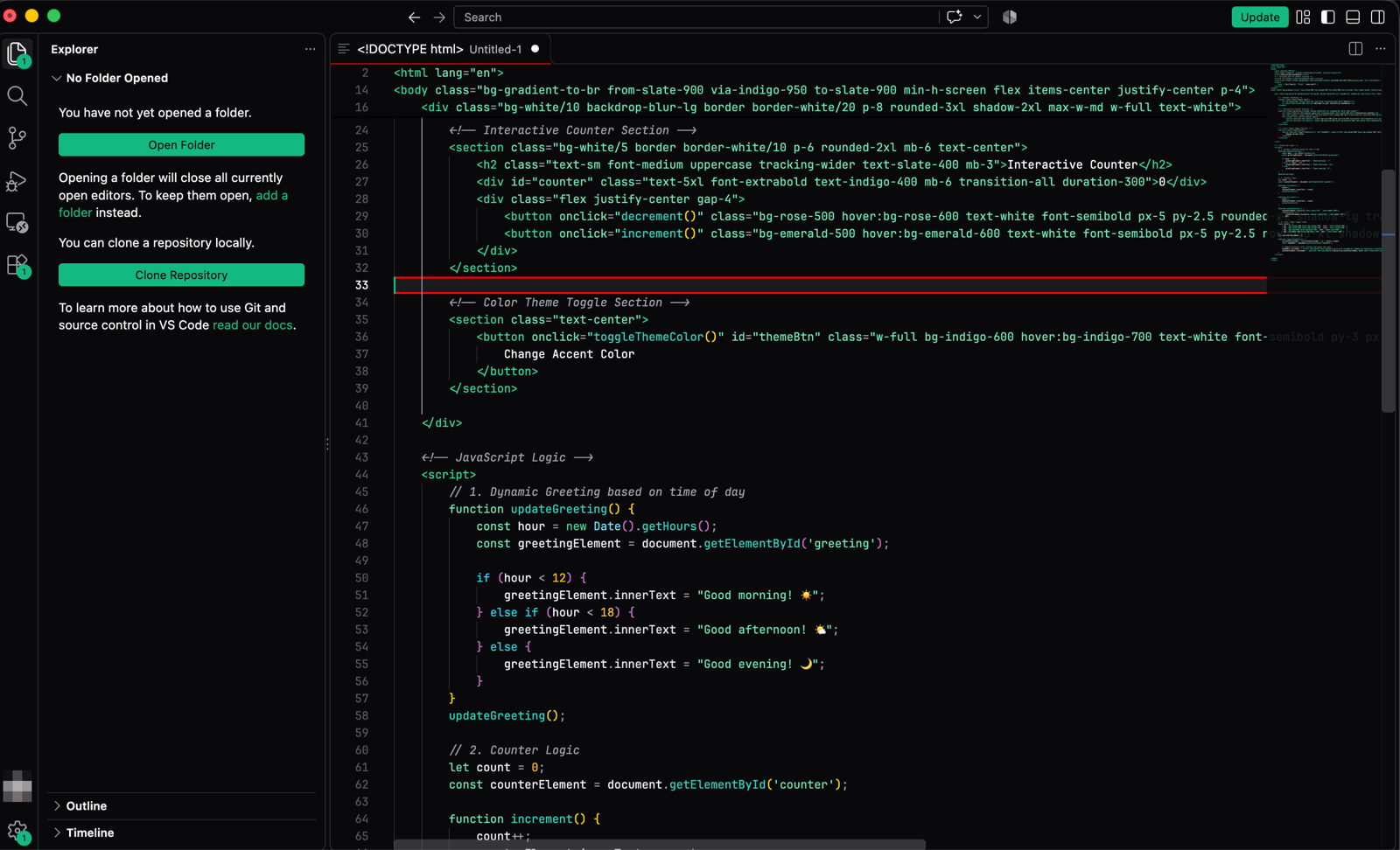
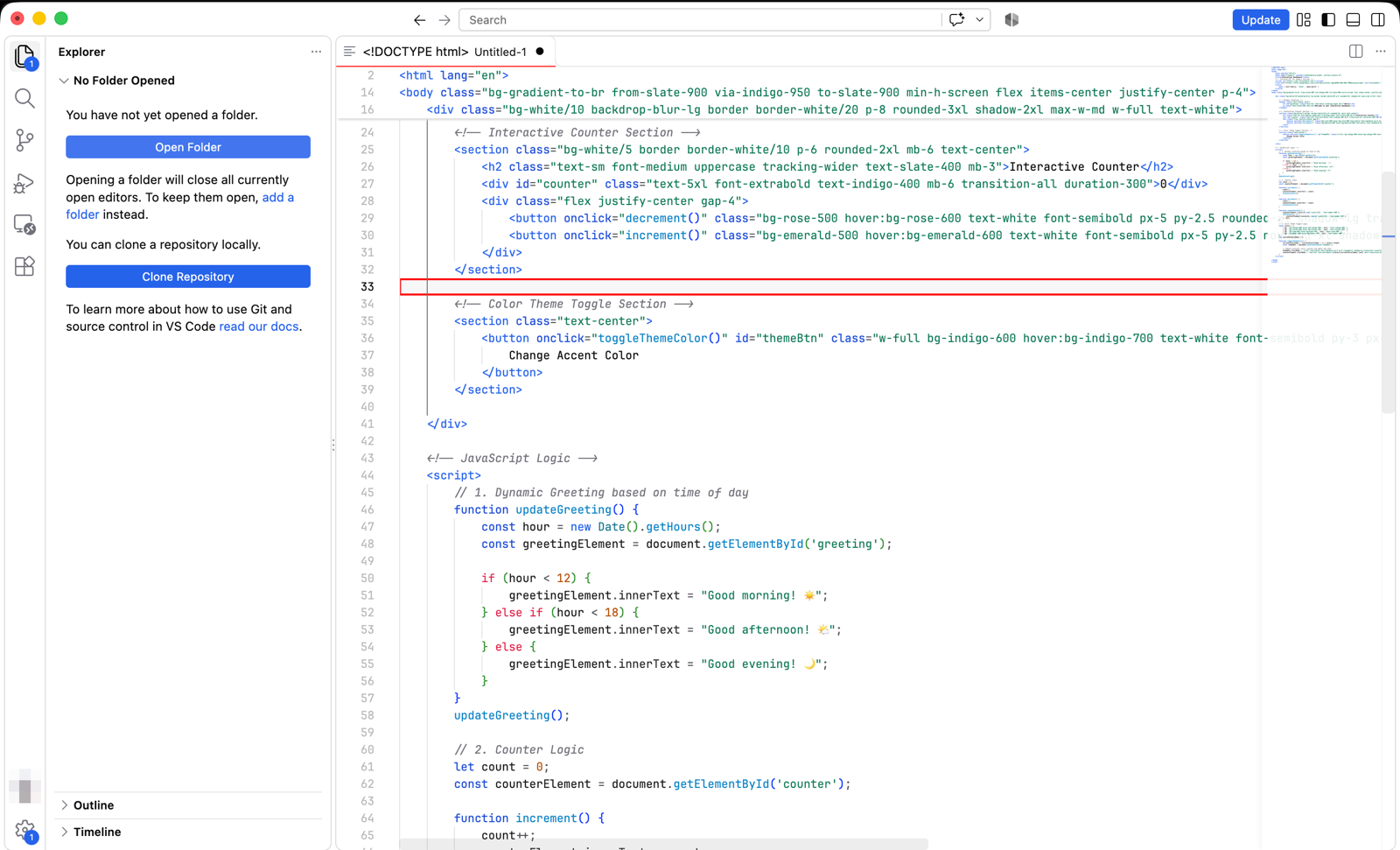
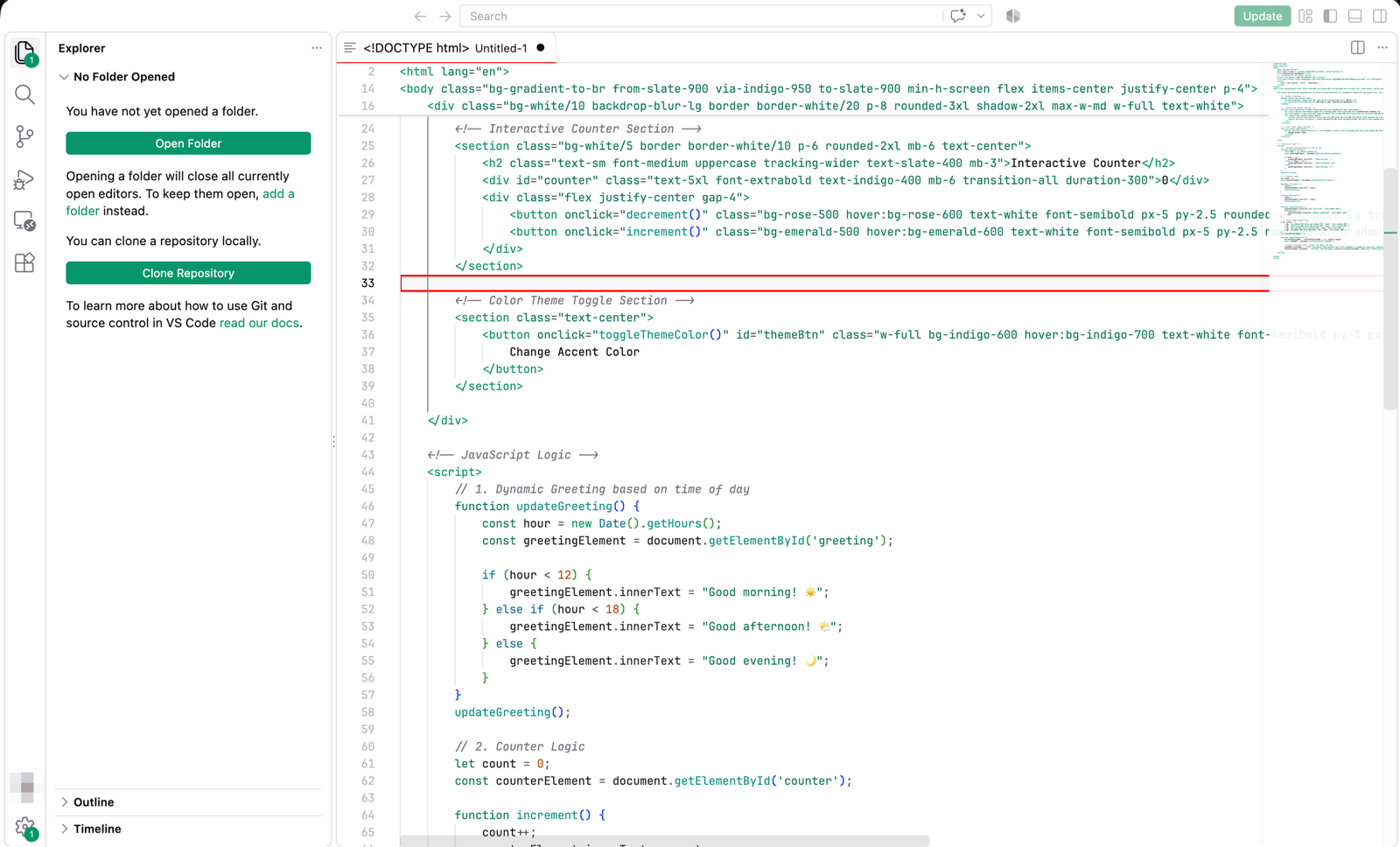
- shadcn/ui Design Language: Authentic surfaces, subtle hairline borders, and calibrated contrast ratios.
- 16 Curated Variants: Complete Dark and Light palettes across all official shadcn neutrals and primary accents.
- Built for Readability: Clean typography with WCAG 2.1 AA compliant foreground contrast.
- Enhanced Code Highlighting: Refined syntax scopes for TypeScript, React, PHP, Blade, Python, JSON, Markdown, and more.
- Integrated Font Defaults: Tailored for developer ligatures with Cascadia Code PL, JetBrains Mono, and Fira Code.
🎨 Theme Variants Matrix
| Neutral Base |
Primary Accent |
Dark Mode Variant |
Light Mode Variant |
| Zinc (Default) |
Monochrome |
ShadowVsCode Zinc Dark (Default) |
ShadowVsCode Zinc Light |
| Slate |
Monochrome |
ShadowVsCode Slate Dark |
ShadowVsCode Slate Light |
| Stone |
Monochrome |
ShadowVsCode Stone Dark |
ShadowVsCode Stone Light |
| Zinc |
Violet |
ShadowVsCode Violet Dark |
ShadowVsCode Violet Light |
| Zinc |
Blue |
ShadowVsCode Blue Dark |
ShadowVsCode Blue Light |
| Zinc |
Emerald |
ShadowVsCode Emerald Dark |
ShadowVsCode Emerald Light |
| Zinc |
Rose |
ShadowVsCode Rose Dark |
ShadowVsCode Rose Light |
| Zinc |
Orange |
ShadowVsCode Orange Dark |
ShadowVsCode Orange Light |
🔤 Recommended Fonts & Google Fonts Links
To get the full modern experience with ligatures, download your preferred developer font from official sources:
Recommended Settings:
{
  "editor.fontFamily": "'Cascadia Code PL', 'Cascadia Code', 'JetBrainsMono Nerd Font', monospace",
  "editor.fontLigatures": "'ss01', 'ss02', 'ss03', 'ss19', 'ss20'",
  "terminal.integrated.fontFamily": "'Cascadia Code PL', monospace"
}
🖼️ Screenshots
📦 How to Install
Option 1: Install from VSIX
- In your editor, open the Extensions view (
Cmd + Shift + X / Ctrl + Shift + X).
- Click the
... menu in the top-right corner of the Extensions panel.
- Select Install from VSIX... and choose
shadow-vscode-theme-1.0.0.vsix.
Option 2: Command Line Installation
# For Antigravity IDE
antigravity --install-extension shadow-vscode-theme-1.0.0.vsix

# For Visual Studio Code
code --install-extension shadow-vscode-theme-1.0.0.vsix

# For Cursor
cursor --install-extension shadow-vscode-theme-1.0.0.vsix

# For Windsurf
windsurf --install-extension shadow-vscode-theme-1.0.0.vsix
🚀 How to Use
- Open the Command Palette (
Cmd + Shift + P / Ctrl + Shift + P).
- Type
Preferences: Color Theme (shortcut: Cmd + K, Cmd + T).
- Search for
ShadowVsCode and select your preferred flavor.
☕ Support & Donations
If you enjoy using ShadowVsCode Theme, consider supporting the project:

Direct donation link: https://ko-fi.com/95wesley
Pix
Chave Pix (e-mail): we95sz@gmail.com

Pix copia e cola:
00020101021226660014br.gov.bcb.pix0116we95sz@gmail.com0224Apoio ShadowVsCode Theme52040000530398654045.005802BR590895WESLEY6006BRASIL62070503***6304A8AF
📄 License
MIT © 95wesley