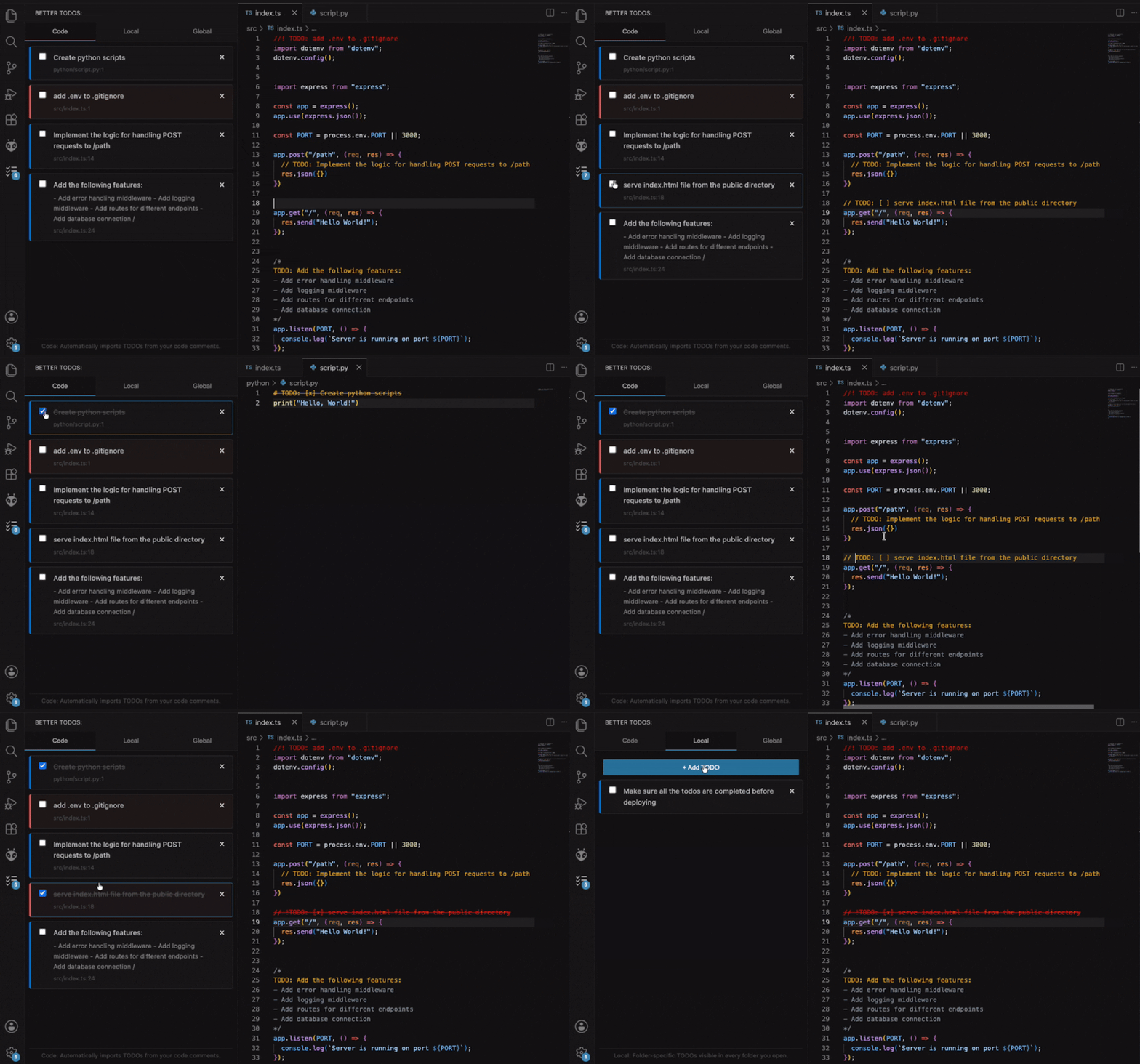
Better TodosCentralized task management combining code TODOs, local, and global tasks in a single sidebar Installation Launch VS Code Quick Open ( Ctrl+P), paste the following command, and press enter.Copied to clipboard |

Better TodosA VS Code extension that centralizes task management by combining code TODOs, local, and global tasks in a single sidebar.
📝 Code TODOsAutomatically finds TODO comments in your source files and lets you jump straight to their location in code.
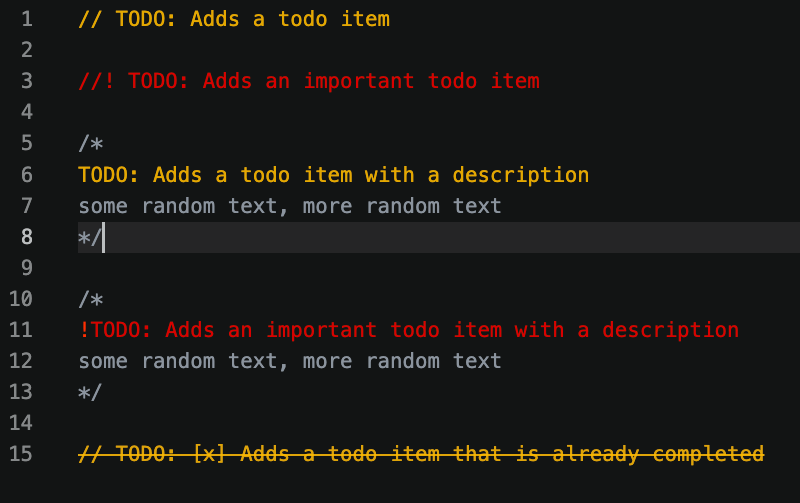
Supported formats:
| Type | Example |
|------|---------|
| Single-line | 📁 Local TODOsWorkspace-specific tasks that persist between sessions.
🌐 Global TODOsSame as Local TODOs, but accessible across every workspace — not tied to a single project. Support the projectIf you find this extension useful, consider supporting its development by buying me a coffee. Your support helps me continue improving and maintaining the project. Thank you! |