🔍 Nogic
Visualize your codebase structure with interactive diagrams


📦 Supported Languages



More languages and frameworks coming soon! 🎉
🚀 Getting Started
- Open the Command Palette (
Cmd+Shift+P / Ctrl+Shift+P)
- Run
Nogic: Open Visualizer
- Right-click files or folders in the Explorer and select
Add to Nogic Board
Your codebase is automatically indexed when you open the visualizer, if given permission.
✨ Features
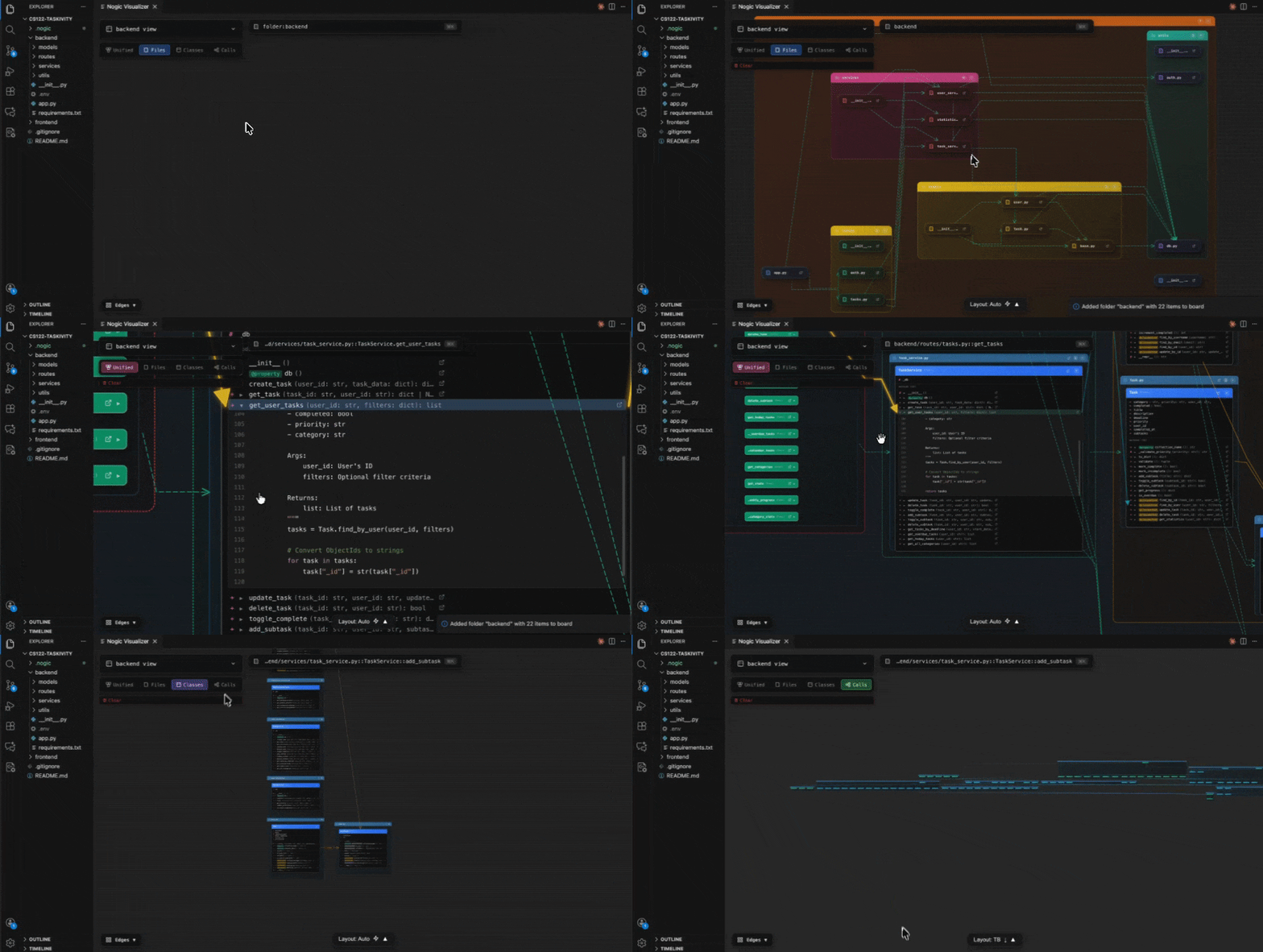
- 🌲 Unified View — Browse files, classes, and functions in an interactive hierarchical graph
- 📋 Boards — Create custom boards to organize and focus on specific parts of your codebase
- 🎯 Class Diagrams — View class relationships, inheritance, and method structures
- 🔄 Call Graphs — Trace function calls and dependencies across your codebase
- 🔍 Quick Search — Find elements instantly with
Cmd/Ctrl+K
- ⚡ Auto-sync — Changes to your code are automatically reflected in the visualization
📖 Commands
| Command |
Description |
Nogic: Open Visualizer |
Open the interactive visualizer |
Nogic: Create New Board |
Create a new board |
Add to Nogic Board |
Add a file/folder to a board (right-click menu) |
💡 Tips
- 🖱️ Right-click files or folders in the Explorer to add them to a board
- 👆 Double-click nodes to open files in the editor
- 📂 Click nodes to expand and see methods
- 🖐️ Drag to pan, scroll to zoom
| |

