Bug reports that arrive in Azure Boards ready to fix
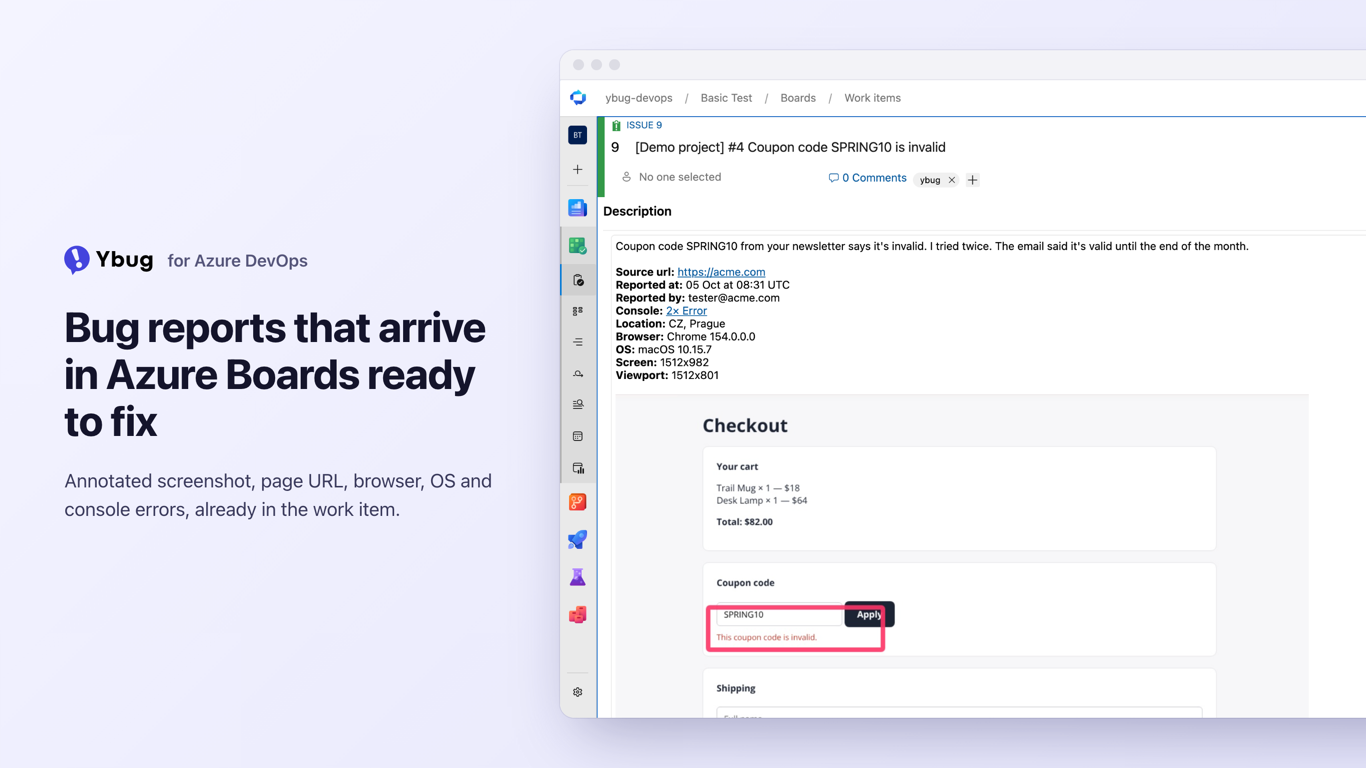
Your team plans in Azure Boards. Your users report bugs in emails, chat threads and screenshots with no URL. Ybug closes that gap: people click a Feedback button on your website, mark up a screenshot of the page and add a note. Ybug turns each report into an Azure Boards work item with the context already filled in.
What lands in the work item
Repro Steps (for Bugs) or Description (for other types): the reporter’s comment, page URL, browser, OS, screen and viewport size
The annotated screenshot, shown inline and attached to the work item
The console log as an attachment, if you switch it on
A link back to the full Ybug report
Tags: ybug, plus the tags from the report
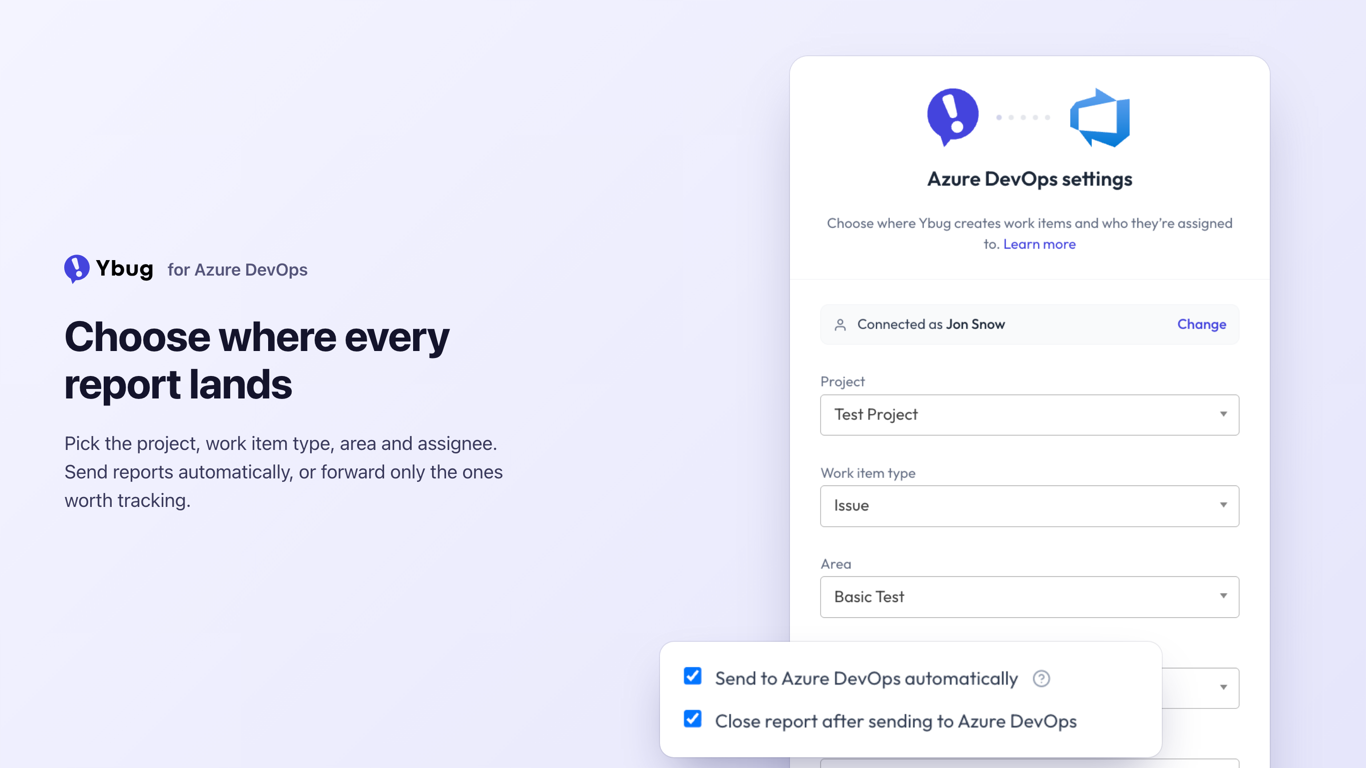
Area, iteration and assignee, if you set defaults
Set it up in a few minutes
In Azure DevOps, create a personal access token for your organization with the Work Items (Read & write) and Project and Team (Read) scopes.
In Ybug, open your project’s Integrations, turn on Azure DevOps, and paste the token with your organization name.
Pick the project and the work item type. Ybug suggests Bug, or Issue on the Basic process.
Send reports automatically, or review them in Ybug and forward only the ones worth tracking.
Azure DevOps Server, as long as it’s reachable over HTTPS from the internet
Agile, Scrum, CMMI and Basic process projects
Reporters don’t need an Azure DevOps account. They use the Ybug widget on your website, and Ybug creates the work items for them.
About Ybug
Ybug is a visual feedback and bug reporting tool for websites and web apps, made by an independent, self-funded founder. Learn more at ybug.io/integrations/azure-devops.