Marmot Hippie Completion (The poor man's Rider/ReSharper alternative)
Supported Version: Microsoft Visual Studio Community 2022 (64-bit) - Version 17.13.1
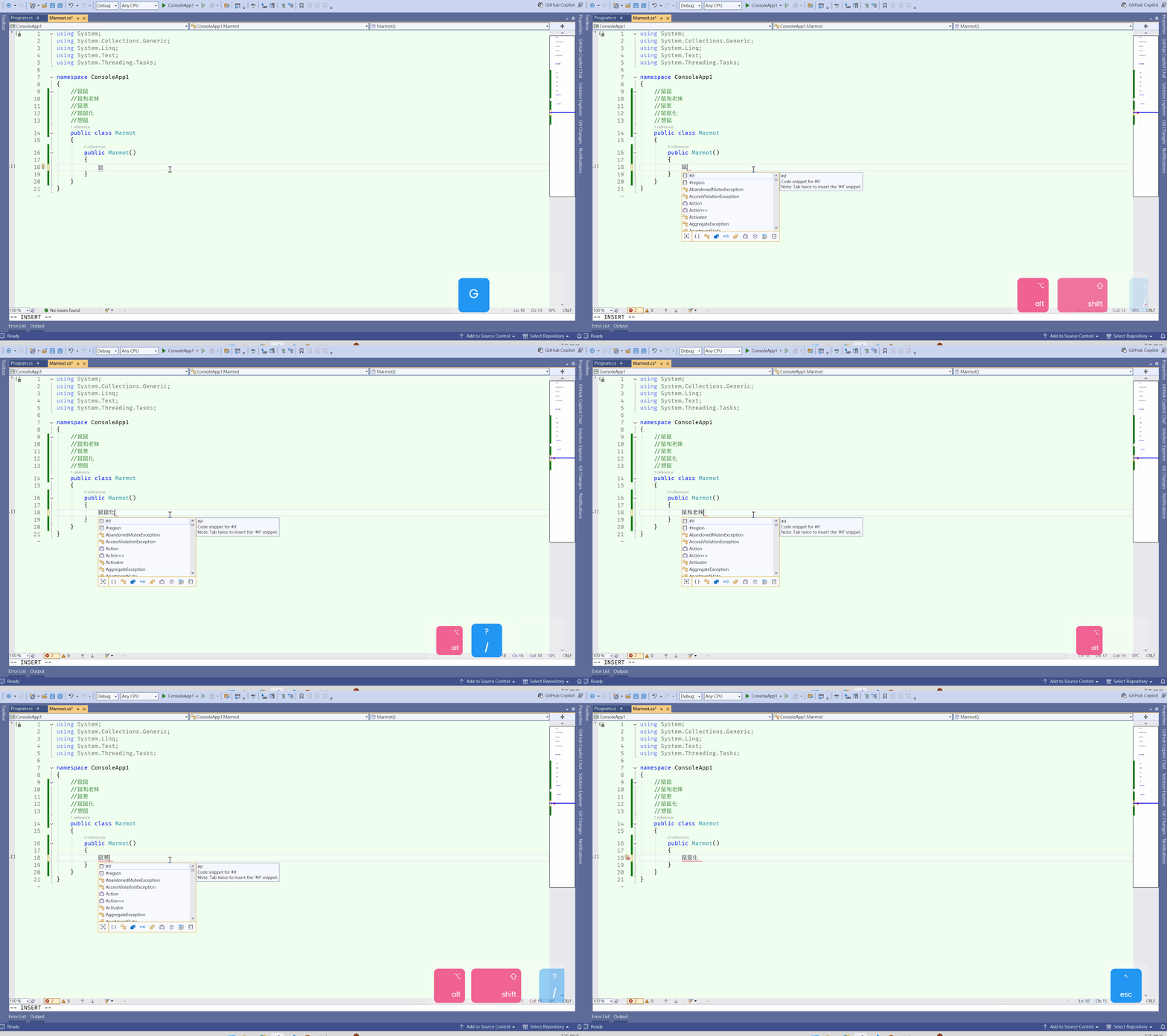
A tribute to the classic Hippie Completion! This is a fast completion tool built for Visual Studio 2022, designed to replicate the beloved "Cyclic Expand Word" feature found in the IntelliJ IDEA / JetBrains series.
It automatically scans the words that have appeared in your current file, allowing you to quickly complete text with a simple keystroke—no heavy IntelliSense indexing required.
🚀 Key Features
Cyclic Expansion: Automatically extracts words from the text buffer and cycles through matches.
Forward & Backward: Support for both forward (Alt + /) and backward (Shift + Alt + /) cycling to find the right word faster.
Distance Priority: Prioritizes words closer to the cursor, making it smarter and more intuitive.
Blazing Fast: Powered by pure string-matching logic with zero CPU overhead.
⌨️ Default Shortcuts
Forward Cycle: Alt + /
Backward Cycle: Shift + Alt + /
⚠️ Resolving Shortcut Conflicts
In Visual Studio, the default keys for these commands are often occupied by GitHub Copilot or built-in editor commands. If the shortcuts do not respond, please follow these steps:
1. Remove Conflicting Bindings
Go to Tools > Options.
Navigate to Environment > Keyboard.
Search for the following commands and click Remove:
Ask.Copilot (typically occupies Alt + /)
Edit.MoveLastCaretDown (typically occupies Shift + Alt + /)
2. Assign the Shortcuts to Marmot
Still in the Keyboard settings page, search for: Marmot.
For Forward:
Select Edit.MarmotCyclicExpand.
Set "Use new shortcut in" to Text Editor.
Press Alt + / and click Assign.
For Backward:
Select Edit.MarmotCyclicExpandBackward.
Set "Use new shortcut in" to Text Editor.
Press Shift + Alt + / and click Assign.
Marmot Hippie Completion (中文版)
致敬經典的 Hippie Completion! 這是一款為 Visual Studio 2022 打造的快速補全工具,旨在復刻 IntelliJ IDEA / JetBrains 系列中深受開發者喜愛的「循環單字展開 (Cyclic Expand Word)」功能。