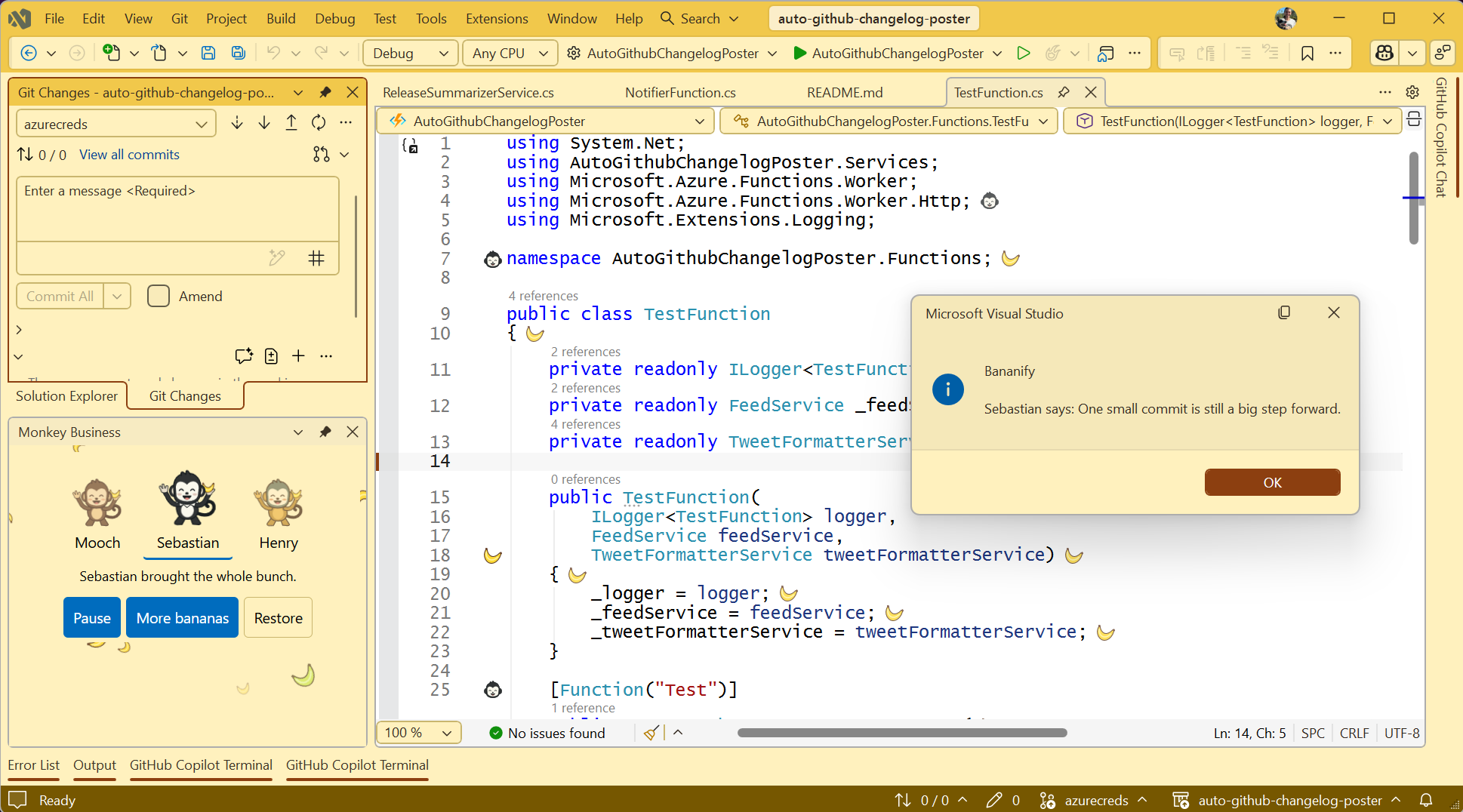
Bananify for Visual StudioBring a banana party to Visual Studio 2026 with playful editor decorations, monkey companions, dockable party panels, random encouragement, save and build celebrations, four optional IDE themes, and o |

Bananify for Visual Studio 2026A little monkey business for your IDE. Bananify brings banana decorations, three monkey companions, and a local banana party to Visual Studio—without changing your source code.
Bring the whole bunch
Start your partyOpen Tools > Bananify:
Decorations are off by default. Configure density, companion, reduced motion, badges, and celebrations under Tools > Options > Bananify > General. Select the optional themes through Visual Studio's theme settings. How celebrations workEnable Celebrate completed saves and/or Celebrate successful solution builds in settings. Keep a party panel visible and the party active.
To try it, open Monkey Business, enable save celebrations, edit a source file, and save. For a separate build celebration, wait more than five seconds before building the already-saved solution. Your IDE, your paceReduce motion, Windows animation preferences, and high contrast keep the party static. Panel colors follow the selected IDE theme. Stopping the party leaves source files untouched and does not undo a theme you deliberately selected. Artwork, phrases, and party assets are bundled locally. Bananify does not collect telemetry or upload your code. Preferences use Visual Studio's per-user settings; WebView2 stores its browser data under the owning IDE's local data directory. WebView2 runtime and updater behavior are managed separately by Microsoft. Compatibility and project statusThis extension is intended for Visual Studio 2026 on Windows, not Visual Studio Code. The native host targets .NET Framework 4.8, and party panels use the Microsoft Edge WebView2 Runtime. If the party view cannot initialize, the extension offers retry and restore controls. Development preview: VS2026 experimental-instance qualification is still required before a public release, including AMD64/ARM64 behavior, theme rendering, and supported Solution Explorer badge refresh. A successful build or automated browser test is not a substitute for those checks. Learn more and get help |