Overview
Enterprise Azure DevOps instances accumulate years of completed work items, test results, build records, attachments, and historical projects as organizations scale delivery across teams and products.
When historical data remains in active Azure DevOps environments, storage costs escalate, system performance degrades, backup operations become complex, and modernization initiatives face increased risk and timeline pressure.
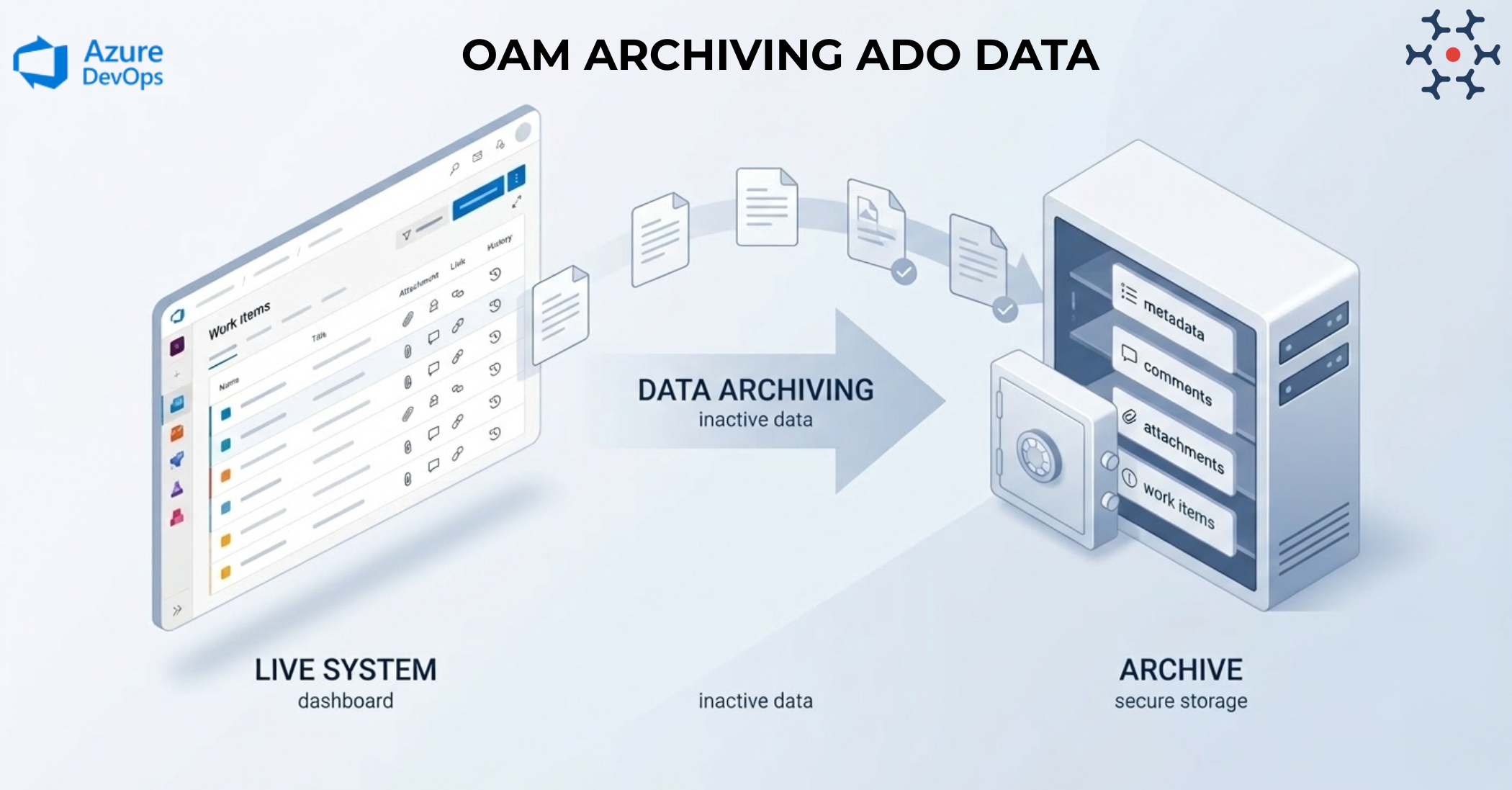
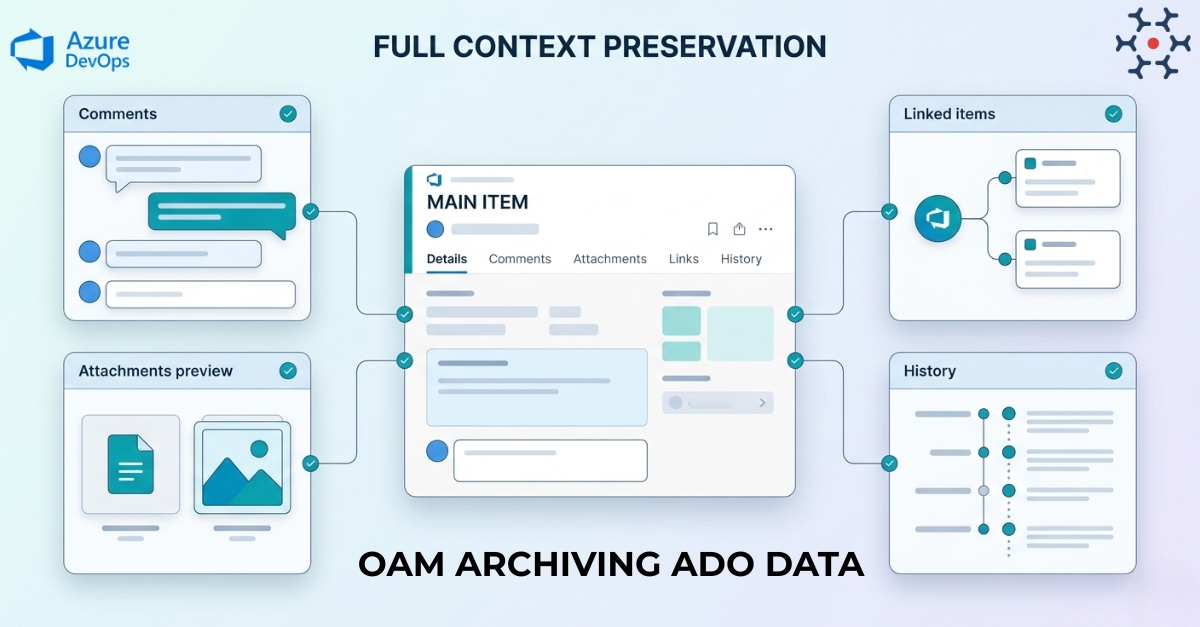
OpsHub Archive Manager (OAM) enables systematic archiving of inactive Azure DevOps projects into a database. Archived data moves out of active environments while remaining fully accessible through a familiar ALM-style read-only interface, preserving complete context including comments, attachments, links, relationships, and history for compliance and audit readiness.
Learn more about Azure DevOps data archiving using OAM.
Why choose OpsHub for archiving Azure DevOps data?
Move inactive data out while keeping it accessible: Archive completed projects, historical work items, test results, and attachments from Azure DevOps into a structured database. Keep active environments fast while preserving records for compliance and governance.
Preserve full context, not just basic field values: Retain work item fields, attachments, comments, links, status history, and relationships. Archived data keeps complete traceability for audits, legal discovery, and historical references..
Access archived data through an ALM-like read-only interface: Browse archived projects, view work items, attachments, and comments through a familiar ALM-style interface.
Search and export for audits and compliance: Locate archived records using filters and keywords. Export results for audits, compliance reviews, legal discovery, or reporting without accessing active Azure DevOps environment.
Scale to millions of archived records: Archive large volumes of Azure DevOps data across projects and organizations. Incremental archiving ensures active systems remain unaffected
Deployment that matches your security model: Deploy OAM on premises, in your cloud, or in OpsHub’s secure cloud based on your security and compliance policies.
Book a free demo to see how OpsHub Archives Azure DevOps data.
High impact use case scenarios
Cost reduction and infrastructure optimization: Reduce storage and licensing costs by archiving historical Azure DevOps data outside production. Move old work items, attachments, and artifacts to a lower-cost archive. Keep the active system lighter and easier to maintain.
Legal discovery and audit preparation: Quickly search and retrieve historical project data for legal reviews or internal investigations. Provide auditors with access to archived records without using an active Azure DevOps environment. Maintain reliable history for compliance needs.
Long-term data retention: Keep completed projects and historical records stored safely for long-term references. Ensure teams can access past information when needed. Maintain data history without slowing down active development systems.
Make Azure DevOps fast and compliant with intelligent archiving. Book a demo for free.
Set up archiving in five easy steps
1) Configure Azure DevOps connection and archive database.
2) Select project(s) to be archived.
3) Define archiving policies.
4) Archive inactive data with full context preservation.
5) Access archived projects through the read-only ALM interfaces.
Avoid archiving missteps. Connect with our integration engineer to discuss your use case and compliance requirements.

