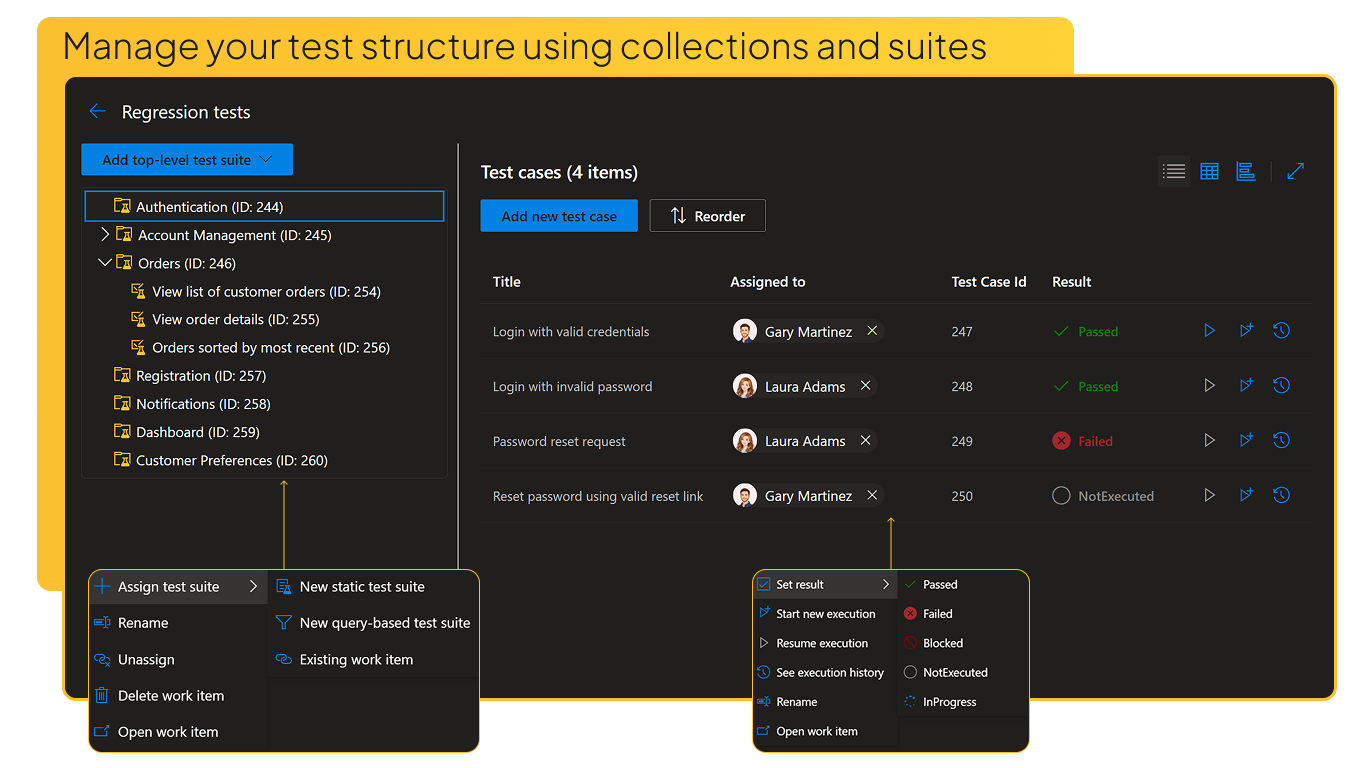
Advanced Test Management in Azure DevOpsTest Hub brings a new way for test case management directly into Azure DevOps. Organize tests in hierarchies, define detailed steps, execute test cases, and track results, and generate test cases using AI with your own custom templates, all using native Azure DevOps work items under your full control. Test structureBuild a clear test structure using test collections, test suites, test cases and any other work items you want - organized in a hierarchy that makes navigation and assignment straightforward. Every item is a real Azure DevOps work item, so it's queryable, linkable, and visible across boards, backlogs, and queries.
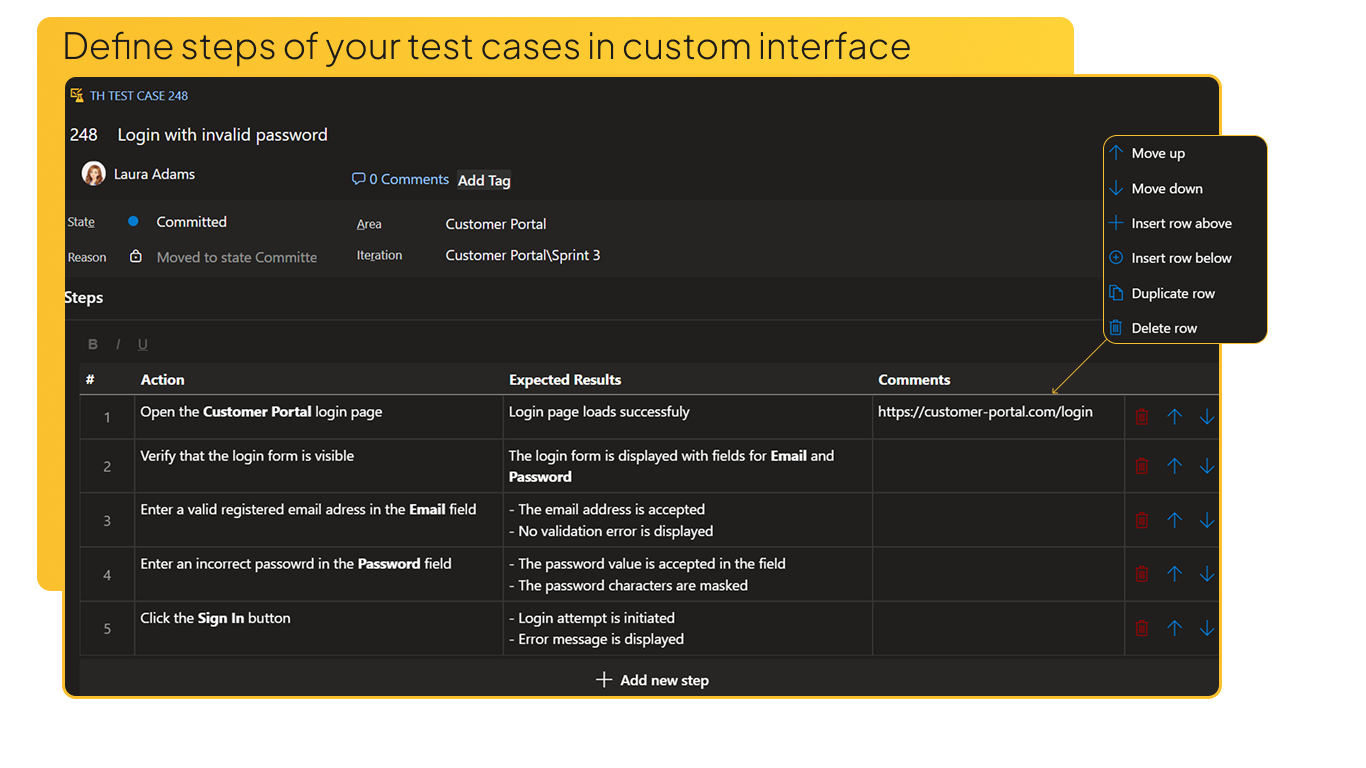
Defining Test CasesWrite detailed test steps with an improved step editor. Need to edit many test cases at once? Switch to the grid view. Prefer to use Excel as an editor? Copy-paste directly between Excel and the Test Hub in both directions.
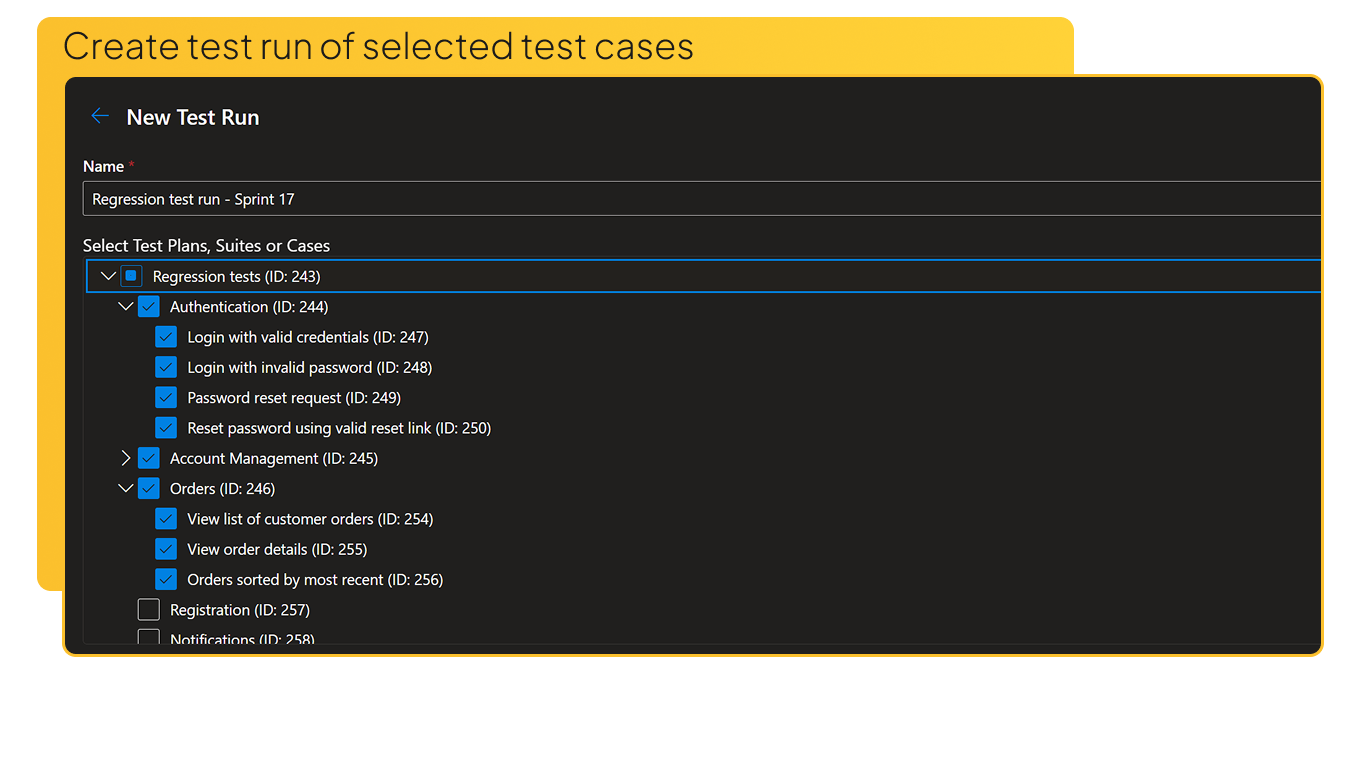
Test RunsSelect specific collections, suites, or individual test cases and create a test run - a point-in-time snapshot you can execute and track independently from the live test plan.
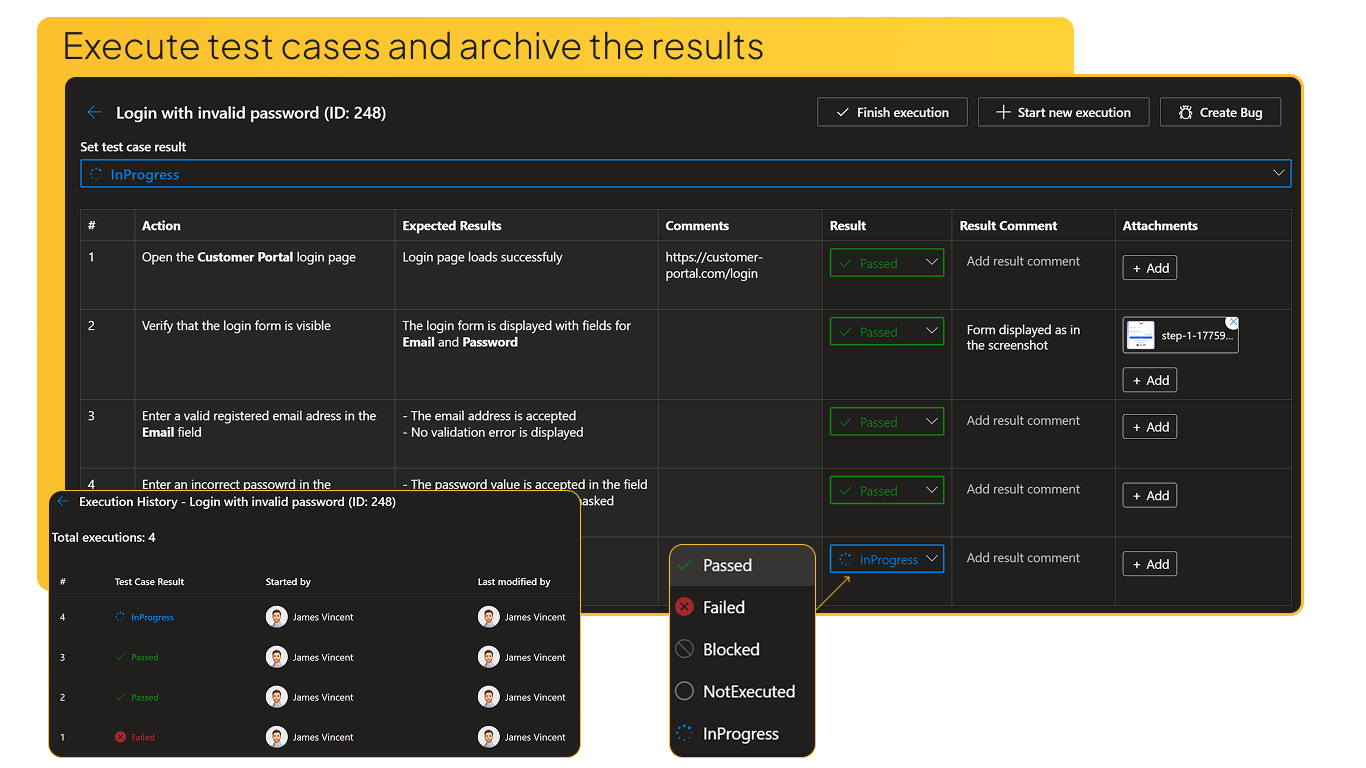
Test ExecutionExecute test cases standalone or within a test run. Mark pass/fail/blocked results for both the overall test case and each individual step. Attach screenshots, add comments, and review a full execution history with an audit trail.
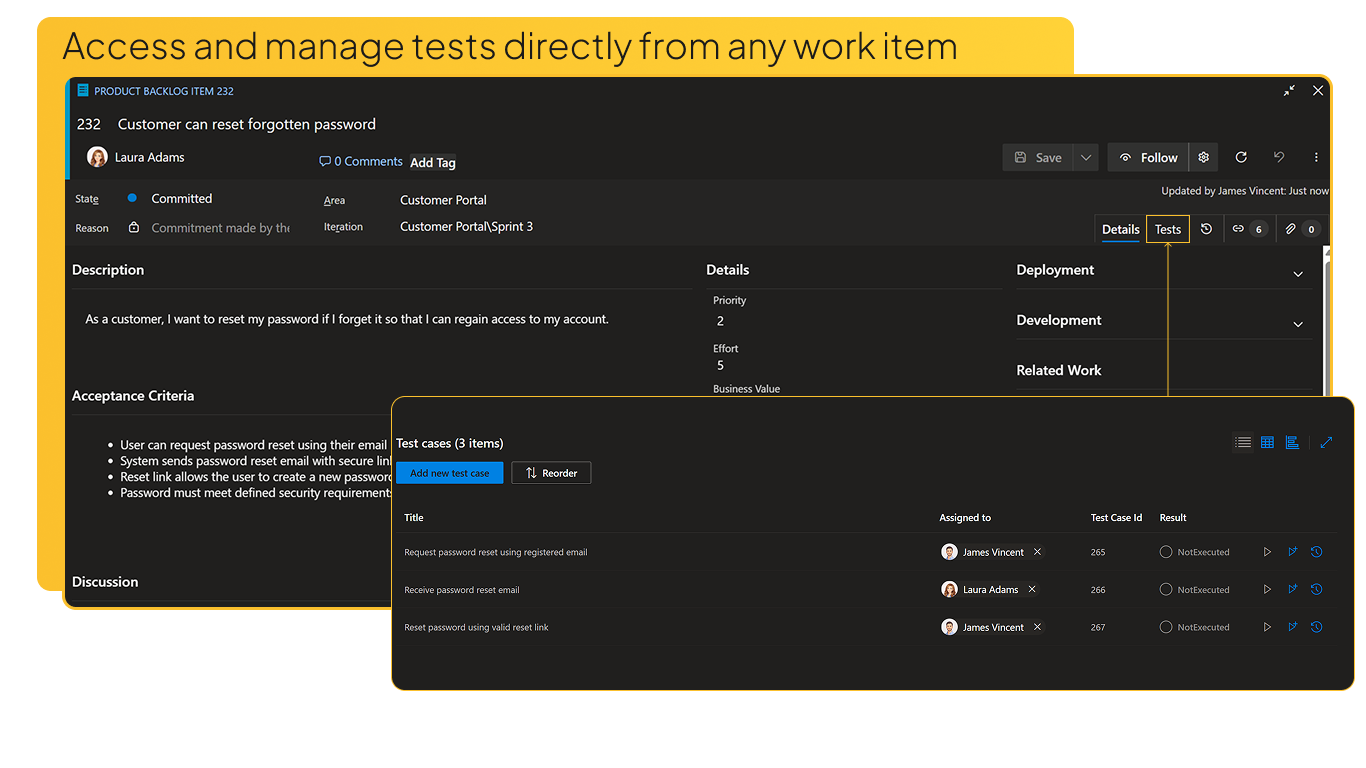
Test Cases on Work ItemsAccess test cases directly from any work item in Azure DevOps - from the Sprints board, Backlog, Queries, or anywhere else. A dedicated test panel is always one click away, so you can create, edit, and execute test cases without switching context.
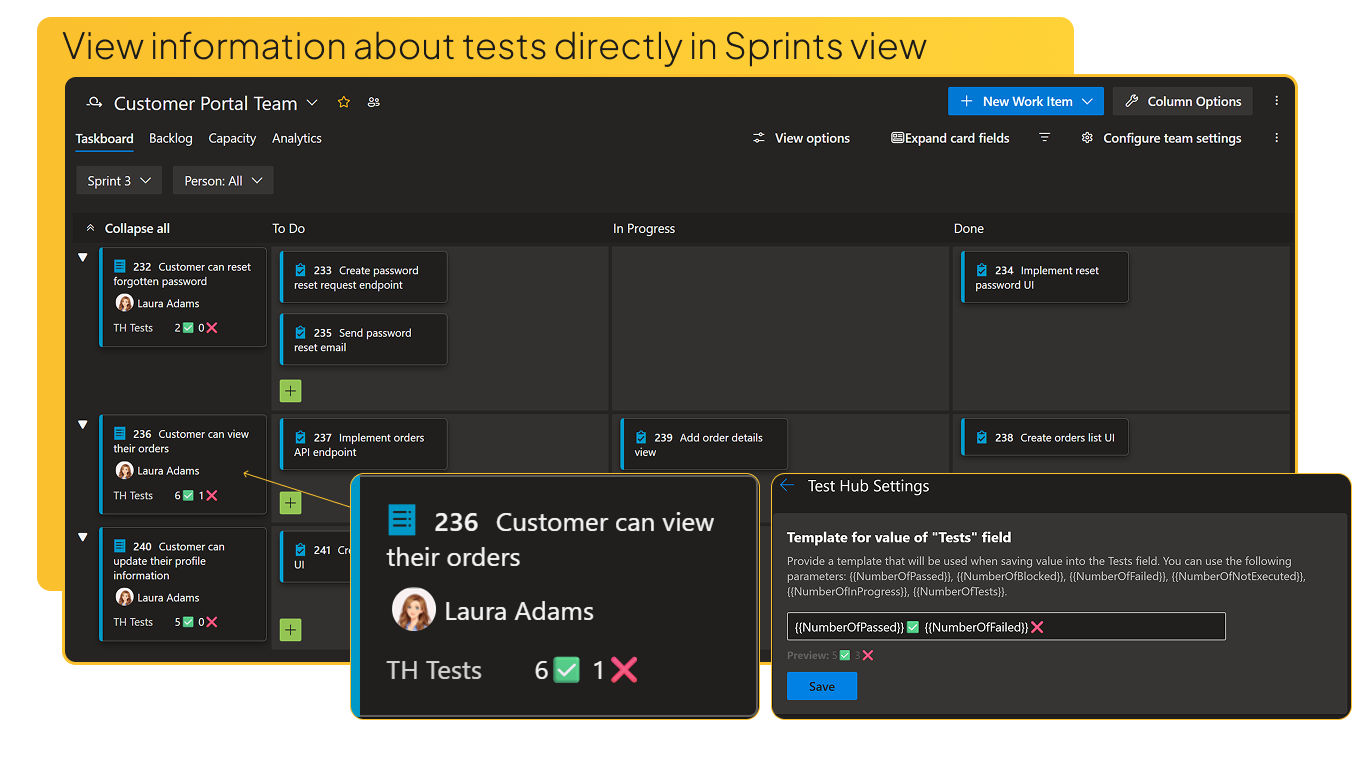
Sprints Board IntegrationDisplay test case count and execution status directly on Sprints board cards. Get at-a-glance quality visibility right where your team works, with customizable card templates.
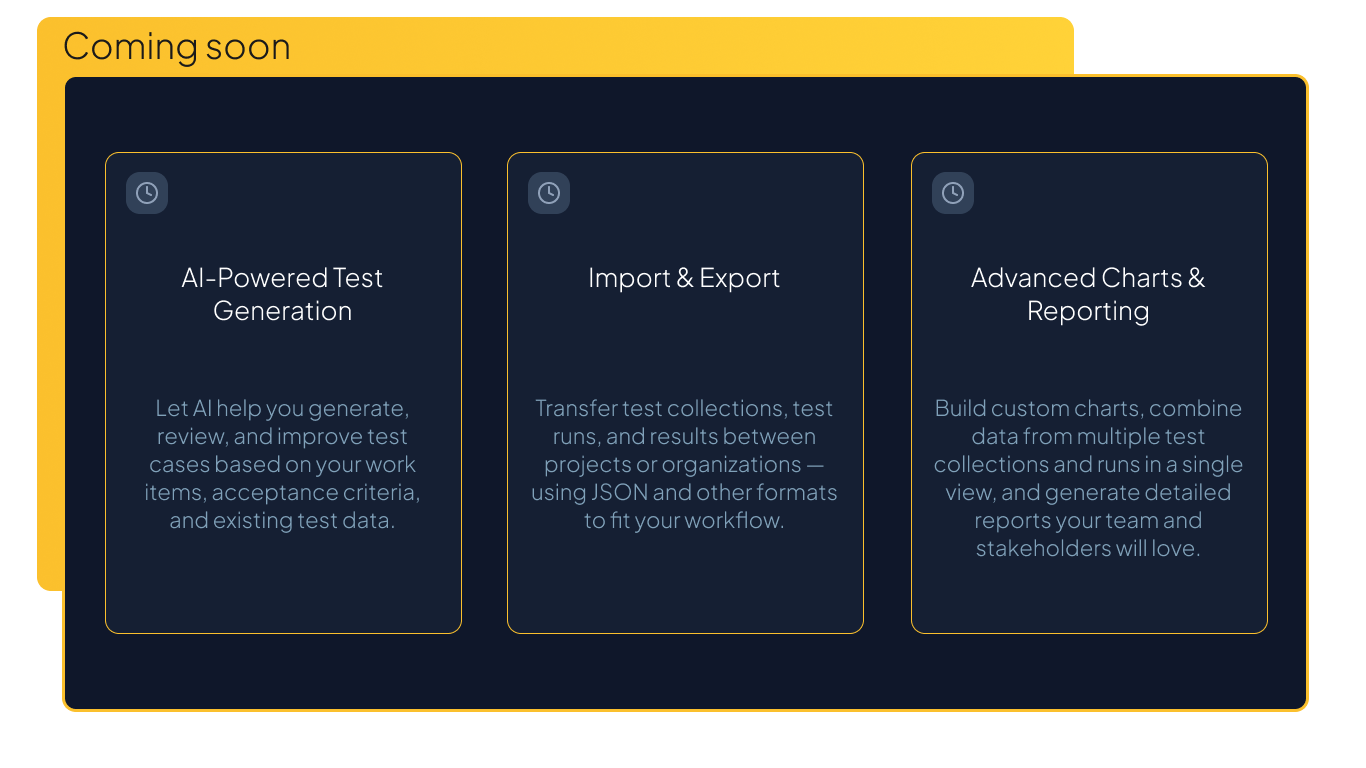
RoadmapTest Hub is actively evolving. If your team has specific needs or feature requests, let us know - we prioritize real user feedback in our roadmap.
Support & FeedbackIf you have questions, suggestions or run into issues, please click here to contact us. |