ClaudeVS brings the power of Claude AI by Anthropic directly into your Visual Studio 2022 environment — no more switching between your editor and a browser tab.
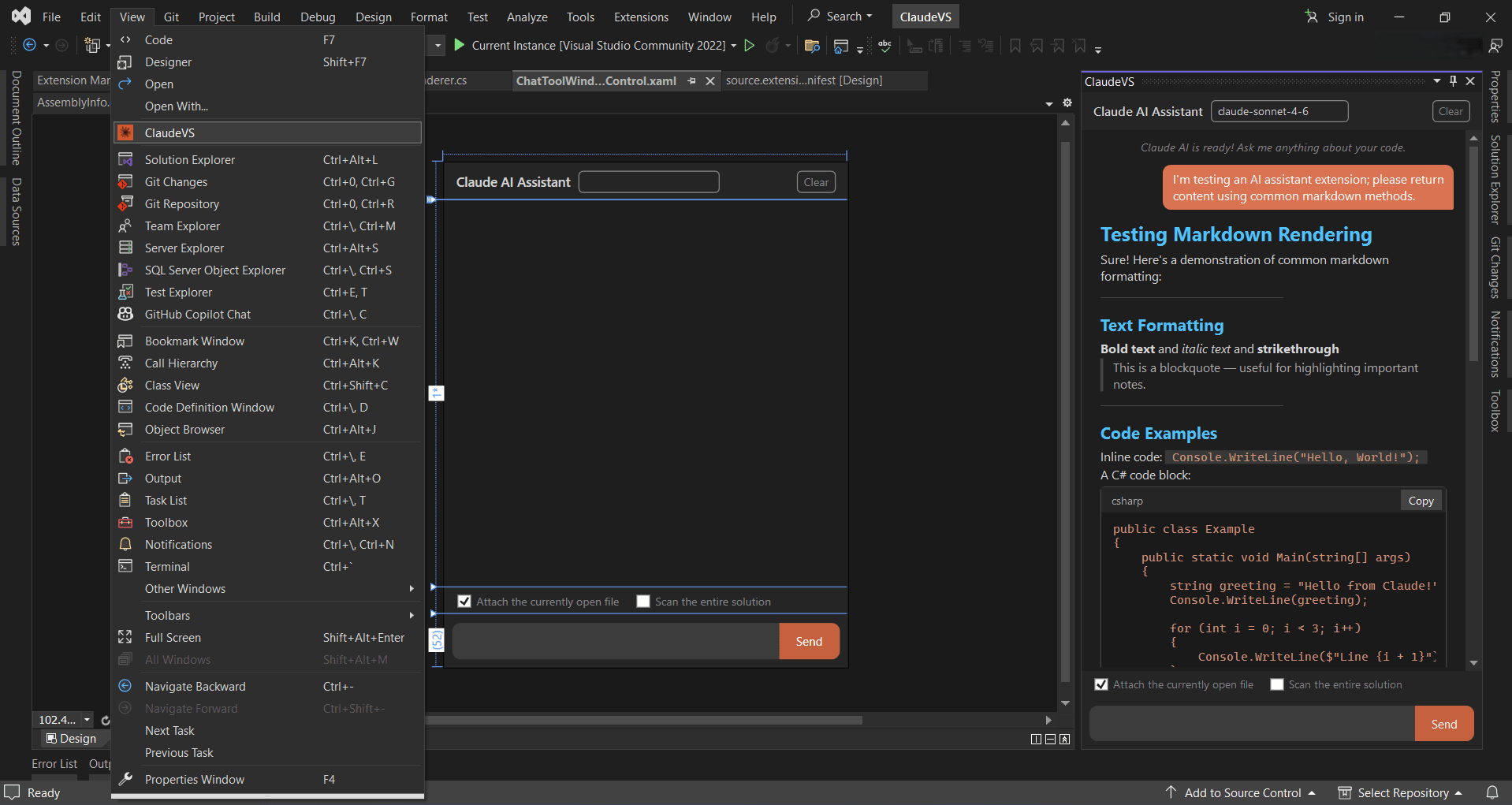
✨ Features
- 💬 Conversational AI Chat — Talk to Claude AI directly inside Visual Studio through a clean, modern chat interface
- 🧠 Context-Aware Code Help — Ask questions about your code, get explanations, suggestions, and improvements in real time
- 📋 Smart Copy & Insert — Easily copy AI responses or insert generated code directly into your editor with one click
- 🎨 Syntax Highlighted Code Blocks — Code snippets in responses are beautifully formatted with syntax highlighting for readability
- 🔄 Multiple Claude Models — Switch between available Claude models (Haiku, Sonnet, Opus) to balance speed and intelligence
- 🌙 Markdown Rendering — Responses are rendered in full Markdown, including tables, lists, bold/italic, and code blocks
- 💾 Persistent Configuration — Your API key and preferences are securely saved and restored between sessions
- ⚡ Seamless Integration — Launched directly from the Visual Studio toolbar — always one click away
🚀 Getting Started
Step 1 — Install the Extension
Download and double-click the .vsix file to install, or search for ClaudeVS in Extensions → Manage Extensions inside Visual Studio 2022.
Step 2 — Get Your Claude API Key
- Visit console.anthropic.com
- Sign in or create a free account
- Navigate to API Keys and generate a new key
- Open Visual Studio 2022
- Click the ClaudeVS button in the toolbar
- In the chat window, paste your API key and click Save
- Select your preferred Claude model from the dropdown
Step 4 — Start Chatting
Type your question or paste your code in the input box and press Enter or click Send. Claude will respond instantly inside the panel.
#💡 Usage Tips
- Highlight code in your editor and ask "Explain this" or "Refactor this"
- Use "Write unit tests for..." to quickly scaffold test cases
- Ask "What's wrong with this code?" and paste error messages for instant debugging help
- Use "Translate this to..." to convert code between programming languages
- Ask architecture questions like "What design pattern should I use for...?"
#⚙️ Requirements
| Requirement | Version |
| :------------- | :-------- |
| Visual Studio | 2022 (v17.0 or later) |
| Architecture | x64 (amd64) |
| .NET Framework | 4.5 or later |
| Claude API Key | Required (from Anthropic) |
#🔐 Privacy & Security
- Your API key is stored locally on your machine in your user profile (%AppData%)
- No data is collected by this extension
- All requests go directly from your machine to Anthropic's API — no proxy, no middleman
- Review Anthropic's Privacy Policy for details on how your prompts are handled
☕ Support
If you find ClaudeVS useful, consider leaving a ⭐ rating on the Marketplace — it helps others discover the extension and motivates continued development!
ClaudeVS is an independent extension and is not affiliated with Anthropic.


