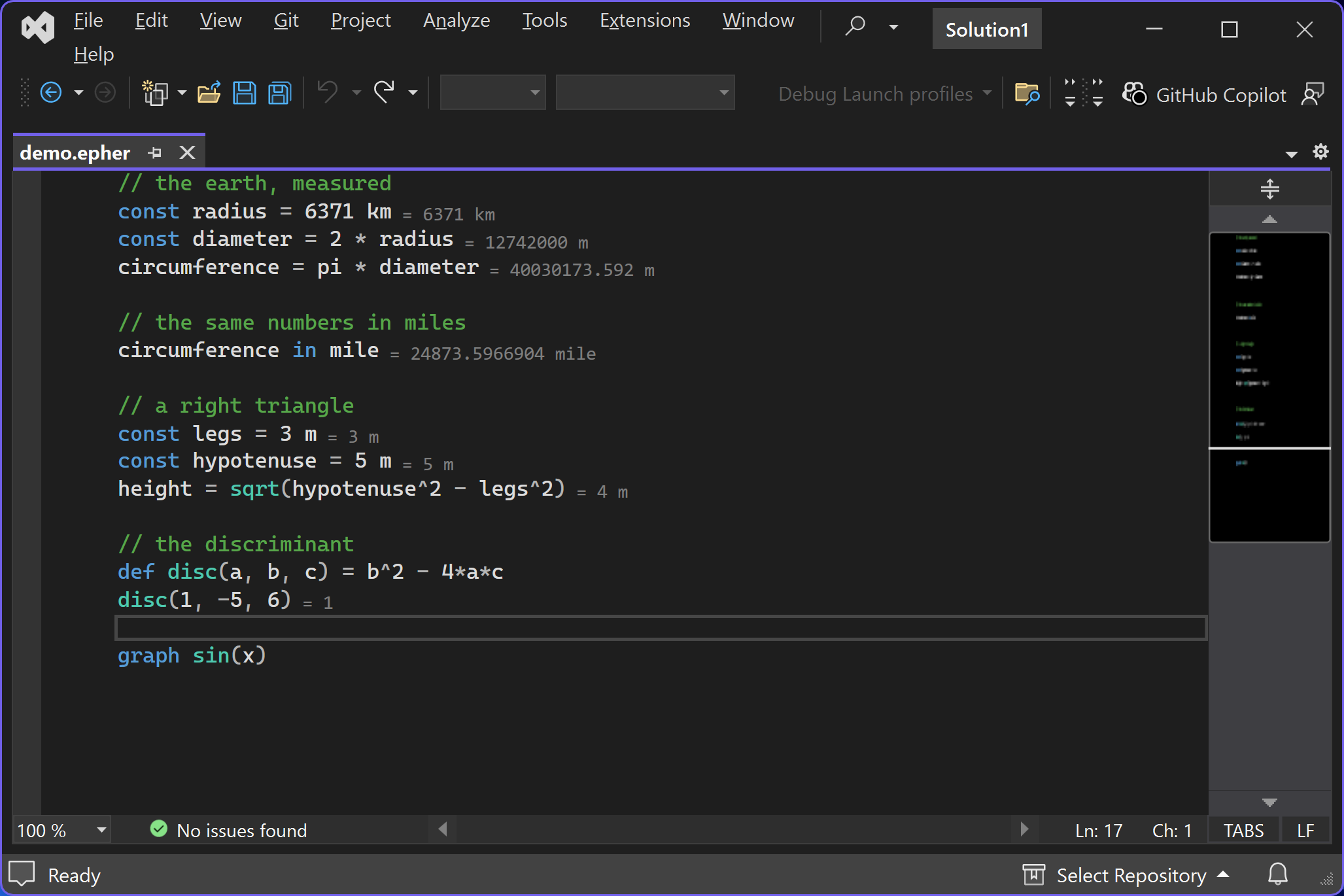
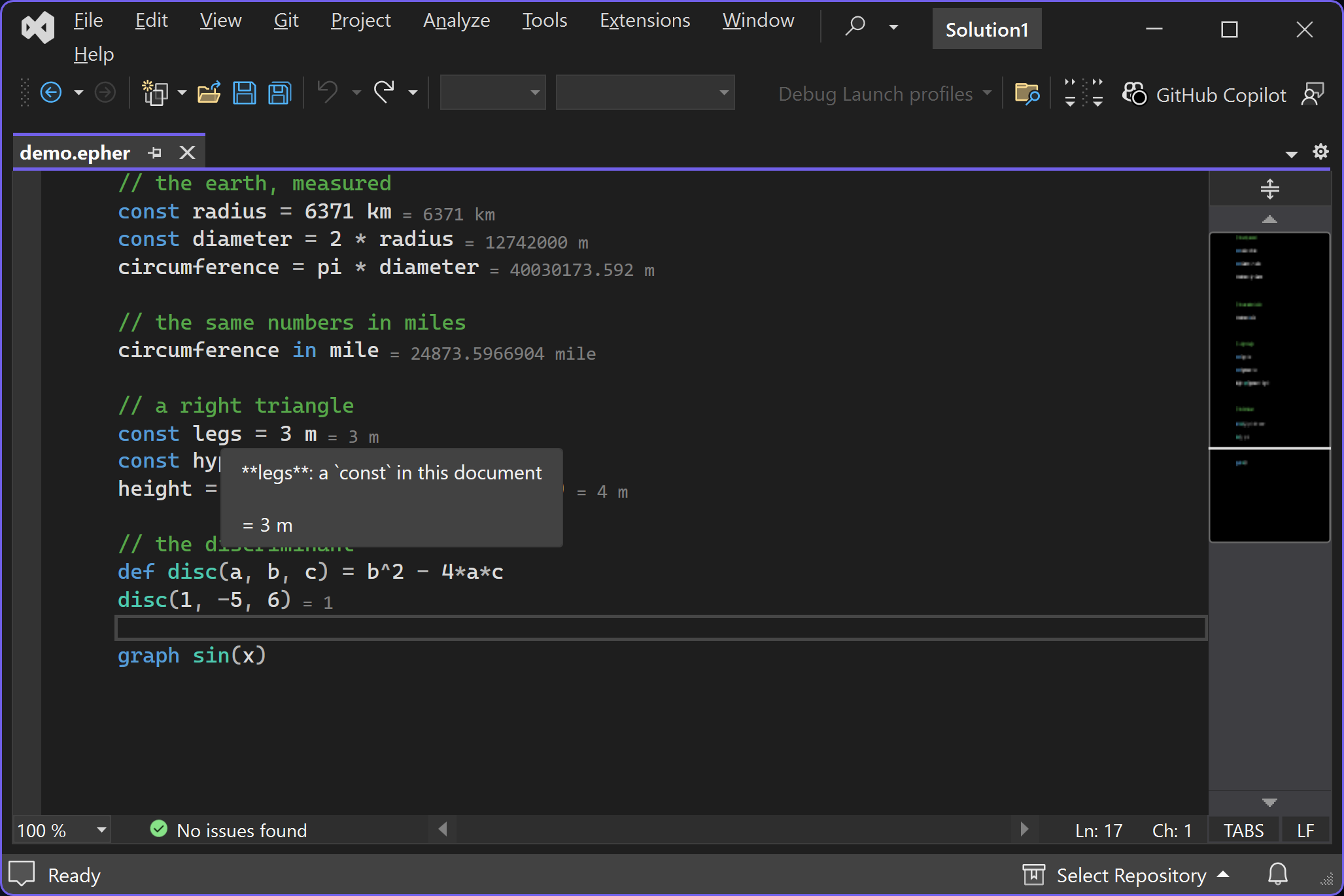
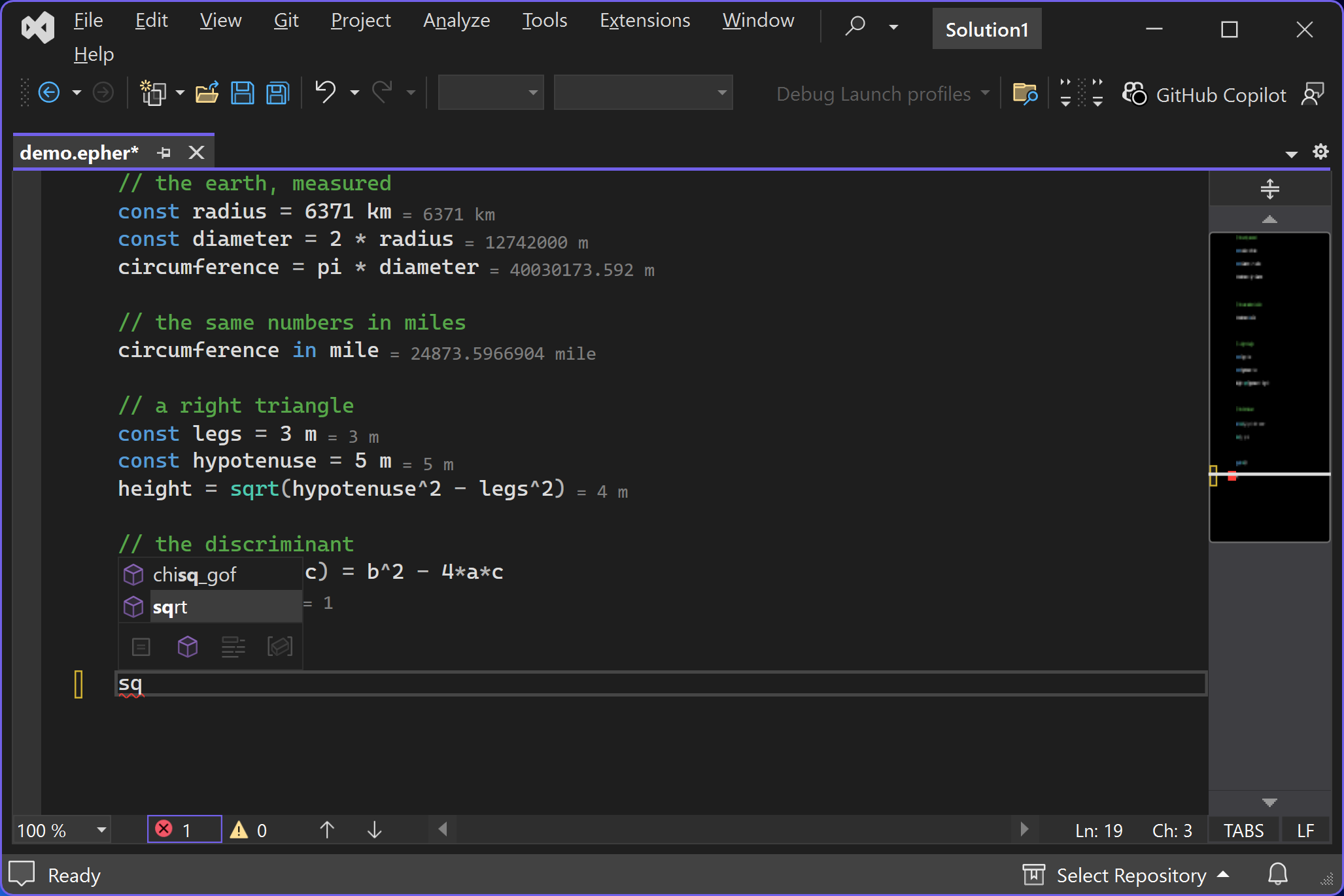
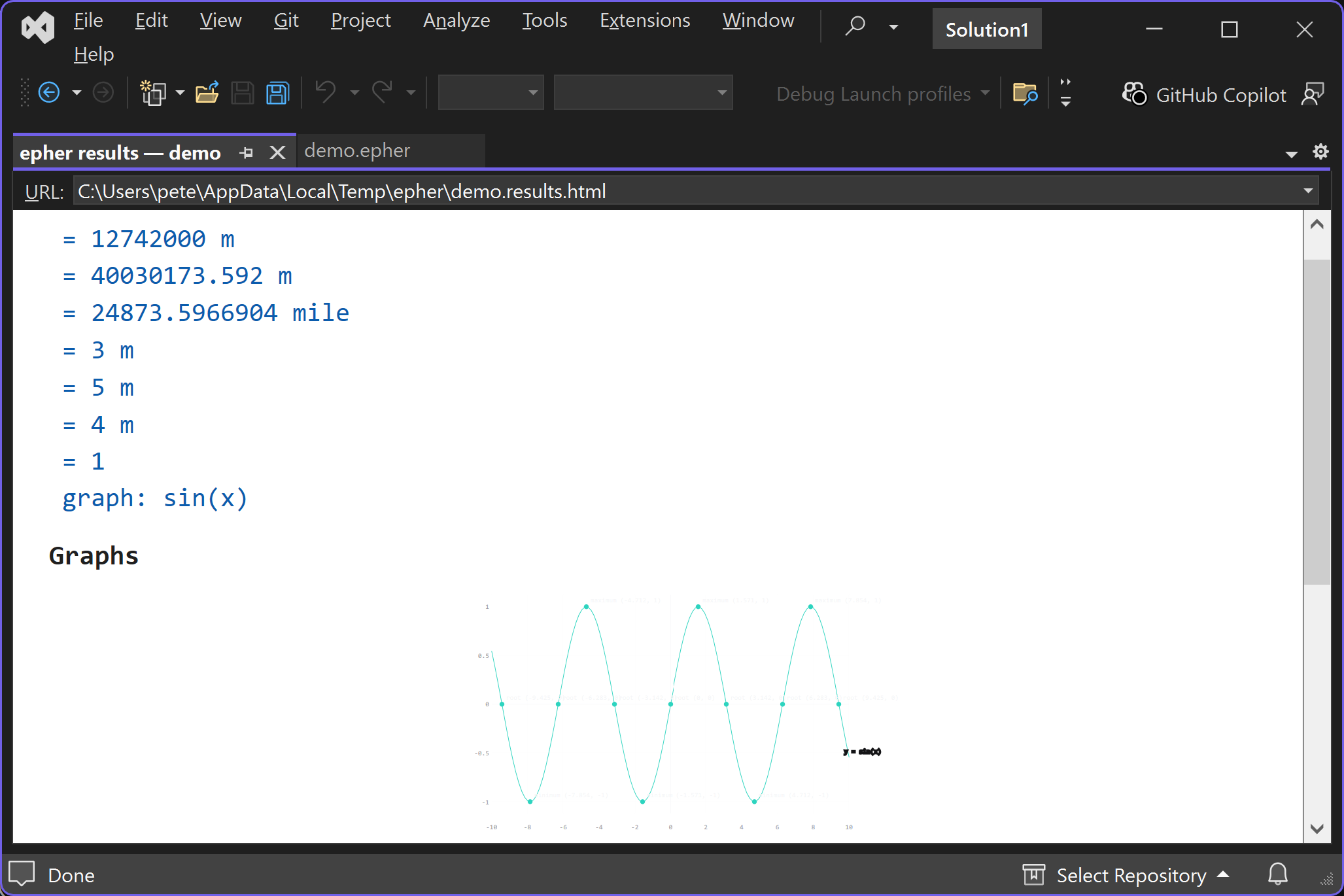
The epher calculator language in Visual Studio 2022: answers appear inline next to every statement, units convert, hover shows signatures, and F5 runs the script into a results pane with 2D and 3D gra
epher in Visual Studio 2022: a calculator language with the answers inline.
Write ordinary math, with units that convert, and every statement's answer
appears inline, right next to the line that produced it. Hover any name for
its canonical signature, and every broken statement is flagged while you type.
Features
Inline answers - every statement that produces a value shows it inline:
const radius = 6371 km answers = 6371 km on the same line.
Units that convert - 6371 km + 3959 mile just works: length, mass,
time, temperature, data, and more, with exact conversion factors
(circumference in mile spells any value in the unit you want).
Live diagnostics - a squiggle and an Error List entry for every broken
statement, with the reason.
Hover signatures - canonical signatures for the built-in catalog and for
every name you define.
Completion - the whole catalog, your own names, and the shared snippets,
as you type.
Run with F5 - the standard commands run the script: the transcript with
every answer, every error, and every 2D or 3D graph opens in the results
pane, echoed to the epher Output pane.
Everything is local. The language server ships inside the extension (a
Windows x64 build of epher-lsp): no first-use download, no account, no cloud.
Install it, open a .epher file, and start calculating.
Requirements: Visual Studio 2022 (17.x) - Community, Professional, or
Enterprise; 64-bit. Source: https://github.com/upyesp/epher