Flow Time Report
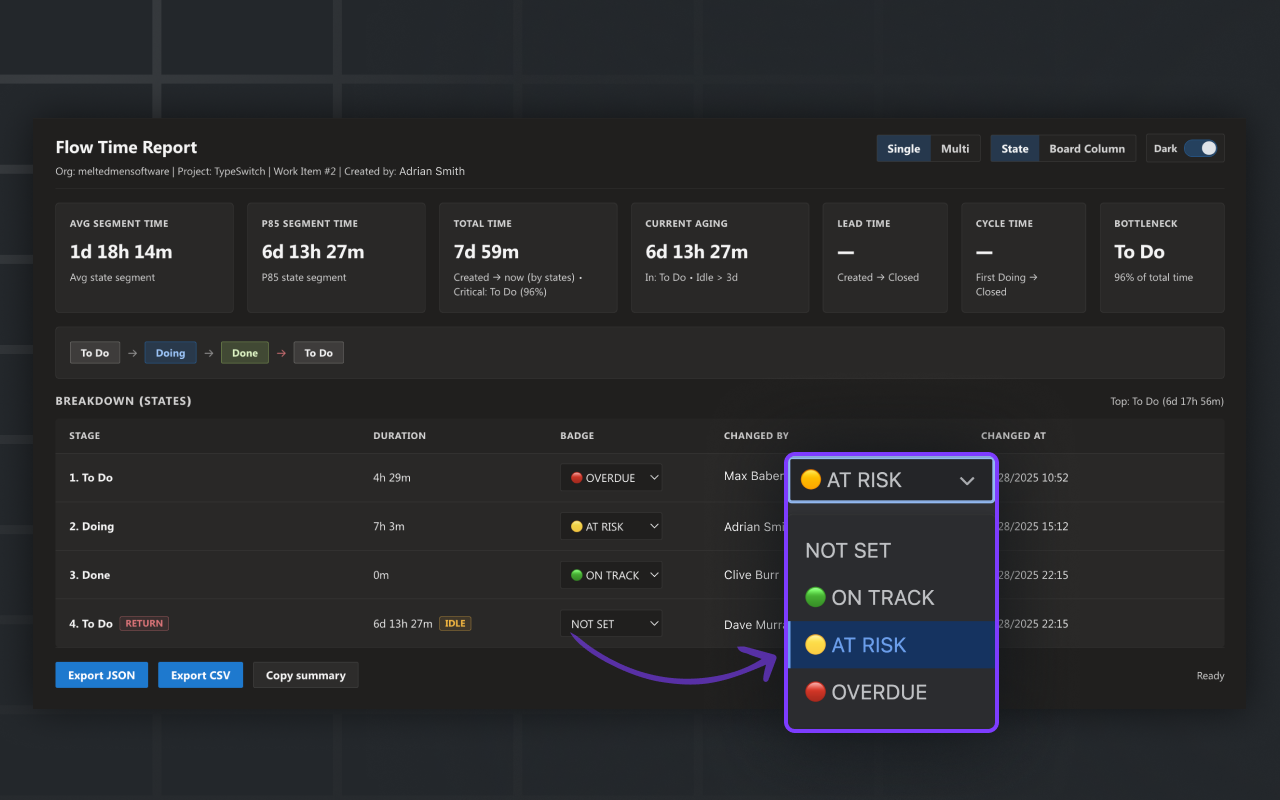
Flow Time Report adds a Flow Time / Lead Time / Cycle Time view to Azure DevOps Work Items.
What you get
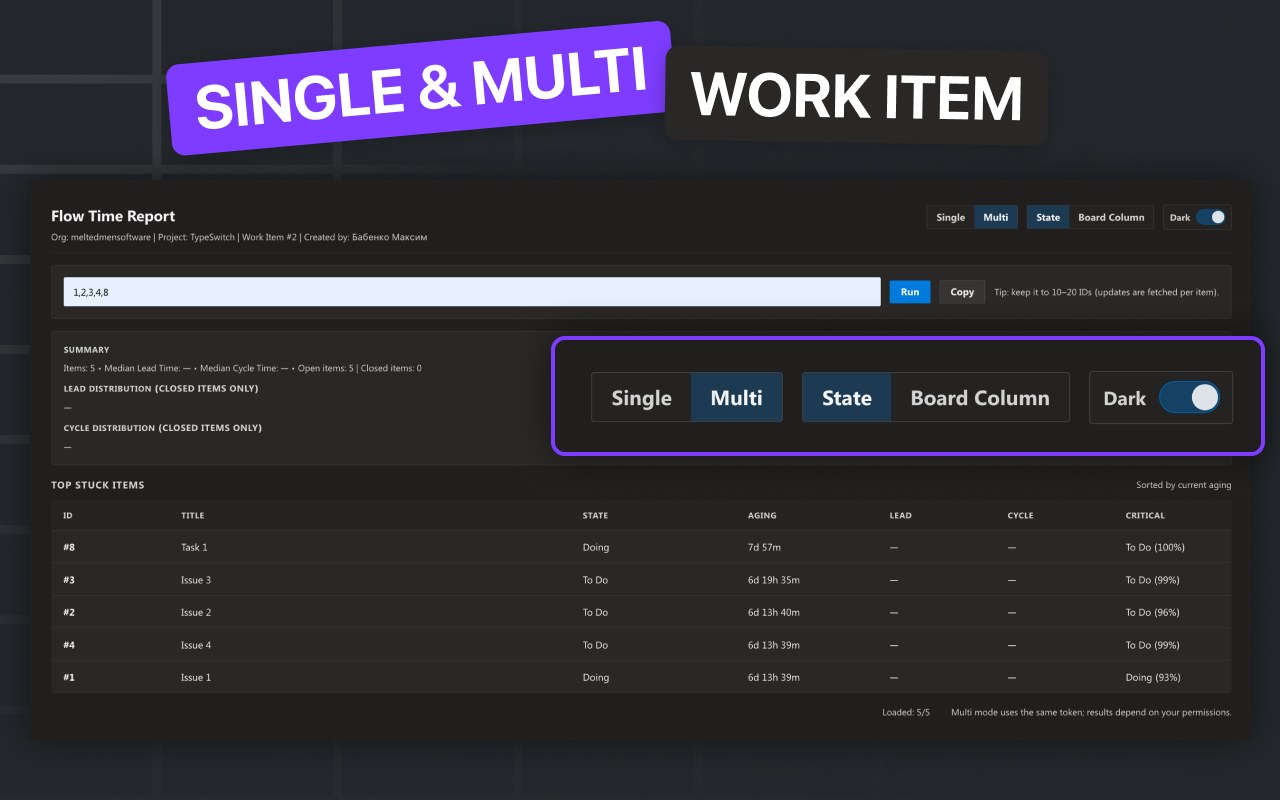
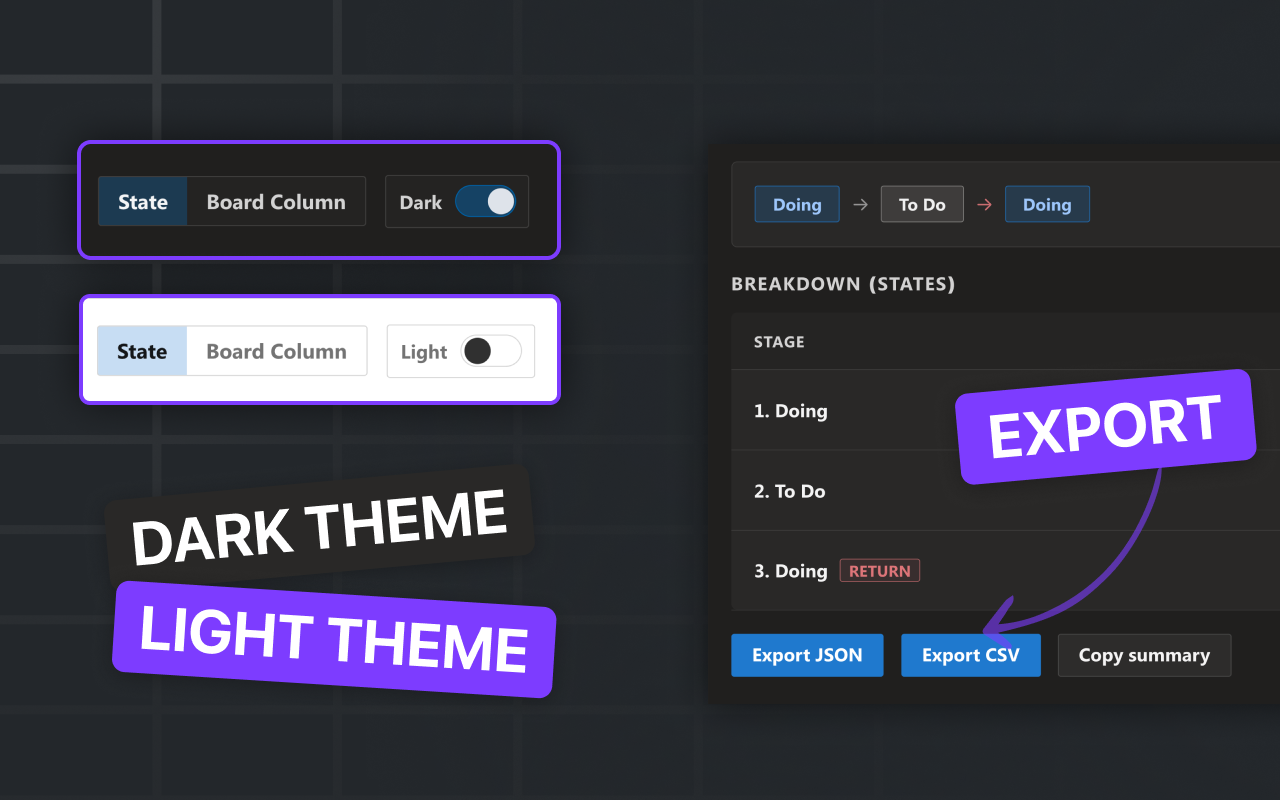
- Timeline by State or by Board Column
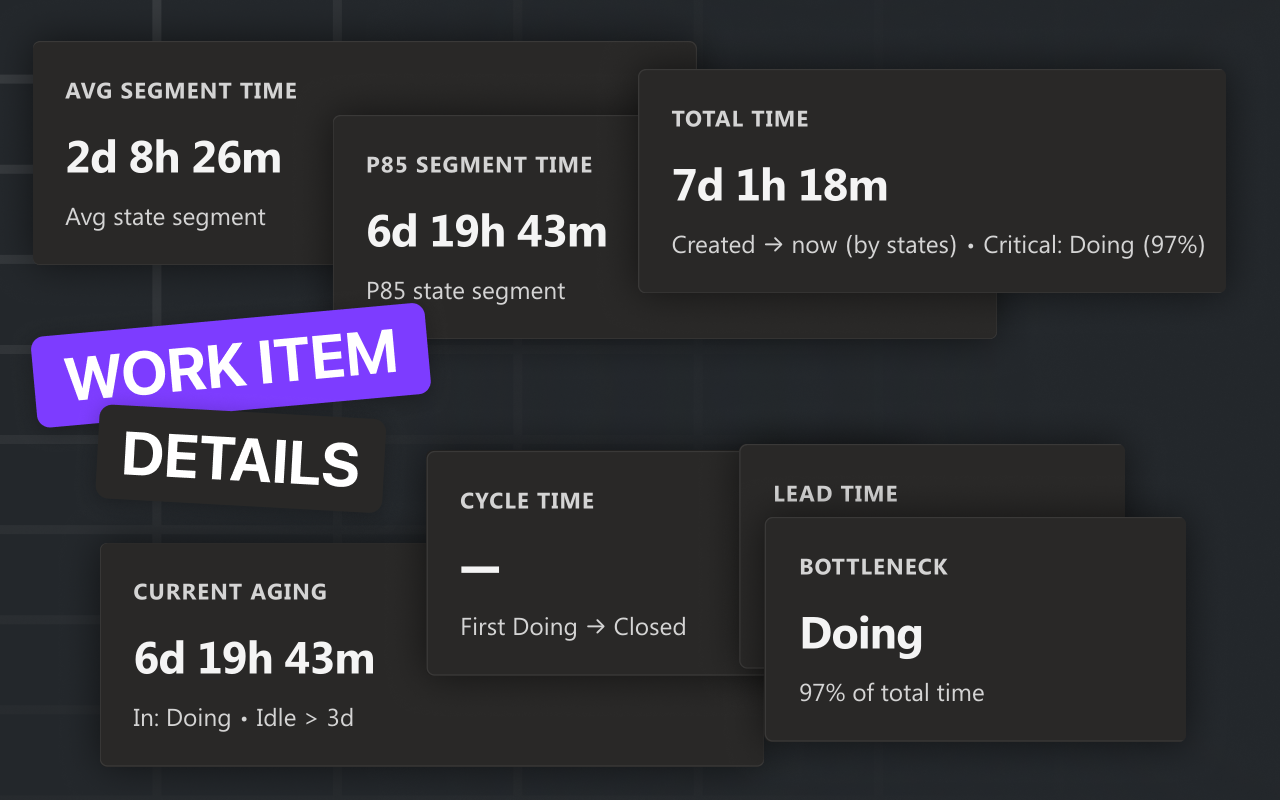
- KPIs: Avg segment, P85, Total, Current aging, Lead time, Cycle time, Bottleneck
- Insights:
- P85+ segments highlight
- RETURN (revisited stage) highlight
- IDLE warning for long aging in current stage
- State vs Board Column mismatch detection
- Exports: JSON, CSV, and Copy summary (Teams/Slack)
- Multi mode: paste up to 20 Work Item IDs and get a stuck-items view
Screenshots
Permissions
This extension requests:
vso.work — to read Work Items and their update history.
Data & privacy
- The extension reads Work Item data via Azure DevOps REST API using your current permissions.
- No external servers are used.
- Optional “badges” are stored via Azure DevOps ExtensionData in your organization.
Documentation
Full documentation is available here:
👉 https://meltedmensoftware.atlassian.net/wiki/spaces/FTRAD/pages/192544896
Support
If you have questions or found a bug, please contact support:
- Email: support@typeswitch.net
| |

