PlanReview
See what a Terraform plan or a Bicep what-if will do before you merge. PlanReview adds one clear comment to the pull request: what is added, changed, destroyed and replaced, which changes are destructive, and whether your own simple rules pass. It is free.
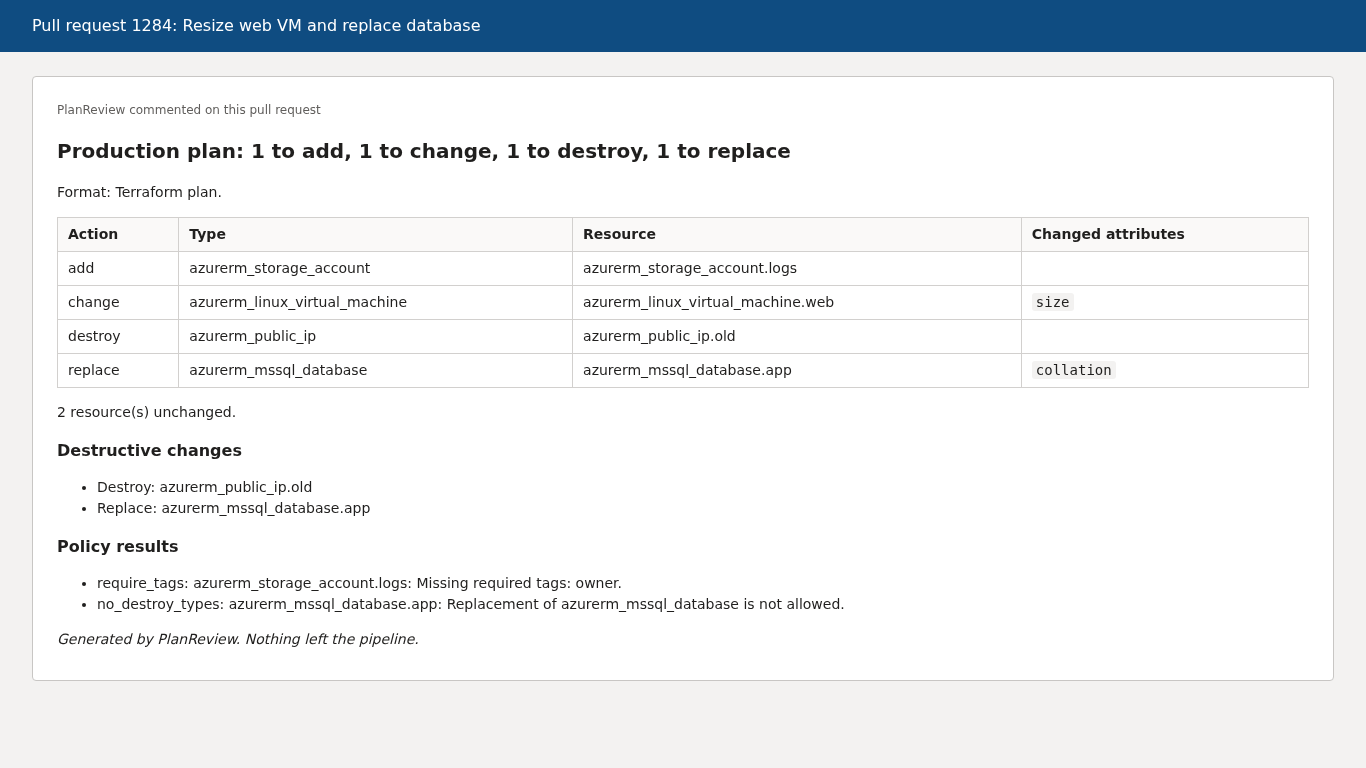
The image is a rendering of the Markdown PlanReview writes for the sample plan in this project.
What it does
- Reads
terraform show -json output or az deployment group what-if -o json output. The format is detected for you.
- Counts resources to add, change, destroy and replace. A Terraform delete plus create is shown as a replace.
- Lists the changed attributes of modified resources.
- Flags destructive changes (destroy and replace) and can fail the step when it finds one.
- Checks a small YAML policy file: block destroys of chosen resource types, require tags, deny resource types.
- Lists anything it could not analyse instead of hiding it.
- Posts one comment per plan and updates it in place on every new push. Sets one pull request status.
- Attaches the summary (Markdown) and the result (JSON) to the build.
Use it
Terraform:
steps:
  - script: |
      terraform plan -out=tfplan
      terraform show -json tfplan > plan.json
    displayName: Terraform plan
  - task: PlanReview@0
    displayName: PlanReview
    inputs:
      planFile: plan.json
      policyFile: planreview-policy.yml
      failOnDestroy: false
    env:
      SYSTEM_ACCESSTOKEN: $(System.AccessToken)
Bicep:
steps:
  - task: AzureCLI@2
    inputs:
      azureSubscription: my-connection
      scriptType: bash
      scriptLocation: inlineScript
      inlineScript: az deployment group what-if -g my-rg -f main.bicep -o json > whatif.json
  - task: PlanReview@0
    inputs:
      planFile: whatif.json
      title: Bicep what-if
    env:
      SYSTEM_ACCESSTOKEN: $(System.AccessToken)
Policy file:
no_destroy_types:
  - azurerm_mssql_*
  - Microsoft.Sql/*
require_tags:
  - env
  - owner
deny_types:
  - azurerm_public_ip
Type patterns use * and ? and ignore case. require_tags applies to Terraform resources that have a tags attribute.
| Input |
Default |
Meaning |
planFile |
none |
Path to the Terraform plan JSON or the Bicep what-if JSON. Required. |
format |
auto |
auto, terraform or bicep. |
failOnDestroy |
false |
Fail the step and set the pull request status to failed when a resource is destroyed or replaced. |
commentOnPullRequest |
true |
Create or update the pull request comment and status. Only runs in pull request builds. |
policyFile |
none |
Path to a YAML policy file. |
title |
plan file name |
Names the comment and the status. Use a different title for each plan in one pipeline. |
Permissions
The task posts with the pipeline's access token. Do both of these:
- Pass the token:
env: SYSTEM_ACCESSTOKEN: $(System.AccessToken) on the step.
- Give the build service identity (
<Project> Build Service (<Organisation>)) the "Contribute to pull requests" permission on the repository.
The extension asks for the scopes vso.code_write (pull request threads and statuses) and vso.build (build attachments). If the token is missing or the permission is not granted, the task logs a warning and carries on. It never fails a pipeline because of a comment or status error. Pull requests from forks may not receive the token, by Azure DevOps design.
Privacy
Nothing leaves the pipeline. No telemetry. The only network calls go to your own Azure DevOps organisation. See PRIVACY.md.
Limits of this version
Version 0.1 does not estimate cost, and it does not add a pull request tab. Bicep Deploy results are shown as changes with a note, because what-if cannot tell whether properties differ.

